Meet&Co
The shift to remote work has transformed our homes, but it has also triggered a quiet epidemic of physical discomfort. Spending eight to ten hours a day slumped over a laptop on a kitchen stool or soft couch puts immense strain on the lumbar spine, leading to chronic aches, muscle fatigue, and stiffness.
A standard seat offers zero active contouring, forcing your muscles to work overtime to keep you upright. Conversely, investing in a high-quality ergonomic chair for lower back pain completely alters your workspace health by absorbing body weight and encouraging a natural sitting posture. However, finding the right home office chair involves more than just picking soft padding; it requires finding a model tailored to your specific physical needs. This data-driven 2026 guide from Meet&Co will break down the mechanics of spinal alignment, highlight critical structural features like adjustable lumbar support, and review top-performing models to help you build a pain-free, highly productive workstation.
💡 Key Takeaways
-
Active Support is Non-Negotiable: Look for chairs featuring continuous lumbar support or a dynamic lumbar support mechanism that flexes with your body to maintain proper spinal alignment.
-
Mind the Thigh Clearance: A chair with fluid seat depth adjustment is vital for sciatica relief and pressure relief, preventing the seat edge from pressing against the nerves behind your knees.
-
Unlock Your Movement: The best home office chair for back pain should offer a customizable recline angle locked between 100° and 110° to actively lower disk pressure compared to sitting strictly upright.
-
Adopt a Holistic Approach: While a premium ergonomic office chair significantly reduces physical strain, combining your new seating with regular movement breaks and a standing desk is the ultimate way to eliminate chronic pain.
What Causes Lower Back Pain When Sitting at Home?
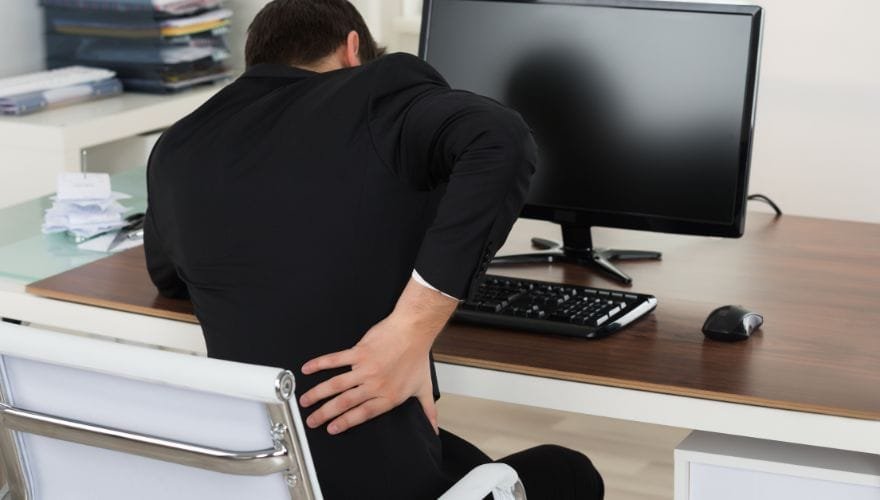
Understanding why your current setup causes discomfort is the first step toward achieving lasting pressure relief.
1. Poor Lumbar Support
The human lumbar spine naturally curves inward. When you sit in a basic kitchen or accent chair, your lower back flattens out and slumps forward. This poor sitting posture overstretches the lower back ligaments and puts uneven pressure on your spinal discs.
2. Incorrect Seat Depth
If a seat pan is too deep for your leg length, it hits the back of your knees, forcing you to slide forward and leave your lower back completely unsupported. If it is too shallow, your thighs do not get enough contact surface, shifting all your upper body weight directly onto your sit bones.
3. Lack of Movement
Static sitting causes muscles to lock up and reduces healthy blood flow to your spinal discs. Without a responsive tension mechanism, your body remains completely rigid, accelerating fatigue during long hours of writing, designing, or coding.
4. Poor Desk Setup
When your desk height, monitor level, and arm placement do not align correctly, your body naturally adapts by leaning forward. This unprompted forward tilt pulls your head out of alignment, creating a painful chain reaction down to your lower spine.
What Features Matter Most in a Chair for Lower Back Pain?
When looking for an ergonomic chair for working from home, prioritize these critical features over basic style trends:
1. Adjustable Lumbar Support
Because every body type is different, a fixed lumbar pad rarely hits the right spot. Look for a back support chair that offers customizable adjustable lumbar support so you can align the curve perfectly with your lower back, protecting you during long work hours.
2. Seat Depth Adjustment
A built-in seat depth adjustment slider allows you to move the seat pan forward or backward. Maintaining a two-inch gap between the seat edge and the back of your knees improves leg circulation and is essential for targeted sciatica relief.
3. Recline Angle (100–110°)
Sitting at a strict 90-degree angle actually increases strain on your lower lumbar discs. Physical therapists recommend relaxing your recline angle slightly to 100 or 110 degrees, which naturally opens up your hips and safely lowers spinal compression.
4. Armrest Adjustability
Armrests should handle more than just resting your elbows. Look for 3D or 4D adjustments that let you align the pads perfectly with your desk height, taking the heavy weight of your arms off your upper back and shoulders.
5. Breathable Materials
A high-tensile mesh office chair provides fantastic structural support while allowing airflow to dissipate body heat. Keeping your back cool prevents shifting around, helping you maintain a healthy, stable posture all day.
Best Chairs for Lower Back Pain at Home
1. Best Overall Workspace Champion: Herman Miller Aeron (Size B)
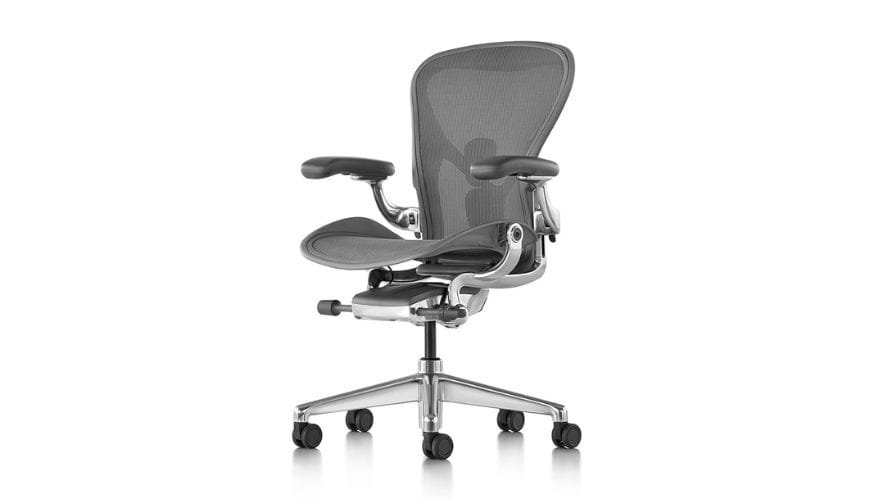
Image source: https://www.hermanmiller.com/products/seating/office-chairs/aeron-chair/
The Herman Miller Aeron remains a benchmark for professional ergonomic health. Featuring the advanced PostureFit SL system, it provides targeted, dual-zone support that stabilizes the base of the spine while cradling the lumbar curve for excellent spinal alignment.
Its breathable 8Z Pellicle mesh features eight distinct zones of varying tension, ensuring deep pressure relief across the seat and backrest. It is an exceptional chair for sitting long hours without developing muscle tightness.
-
Pros: State-of-the-art PostureFit spinal alignment, highly durable elastomeric mesh, and an incredibly smooth tilt mechanism.
-
Cons: Features a firm outer frame that limits alternative sitting styles like tucking a leg underneath.
-
Best For: Professionals seeking an industry-tested, long-term solution to prevent daily fatigue.
2. Best Budget-Friendly Ergonomics: Meet&Co Full Mesh Ergonomic Chair
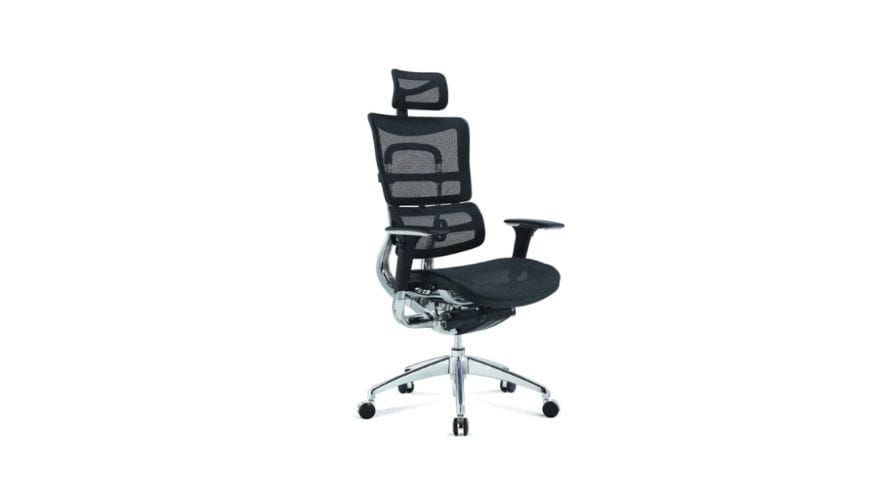
Achieving professional-grade physical support does not have to break the bank. The Meet&Co Full Mesh Ergonomic Chair delivers high-end adjustable features at a highly competitive price point. Developed by office furniture specialists Meet&Co Office Furniture, this clean mesh office chair features a specialized auto-tuning lumbar system that responds instantly to your movements.
The high-tension breathable mesh keeps you cool and focused, while the adjustable headrest and responsive armrests ensure personal comfort. It is an ideal, budget-conscious choice for anyone building a supportive home office chair setup.
-
Pros: Very affordable price, automatic responsive lumbar support, and a breathable mesh build that keeps you cool.
-
Cons: The armrest adjustments are more basic than those found on premium, high-end models.
-
Best For: Remote workers, students, and freelancers looking for excellent ergonomic support on a budget.
3. Best for Sciatica Relief: Steelcase Leap V2
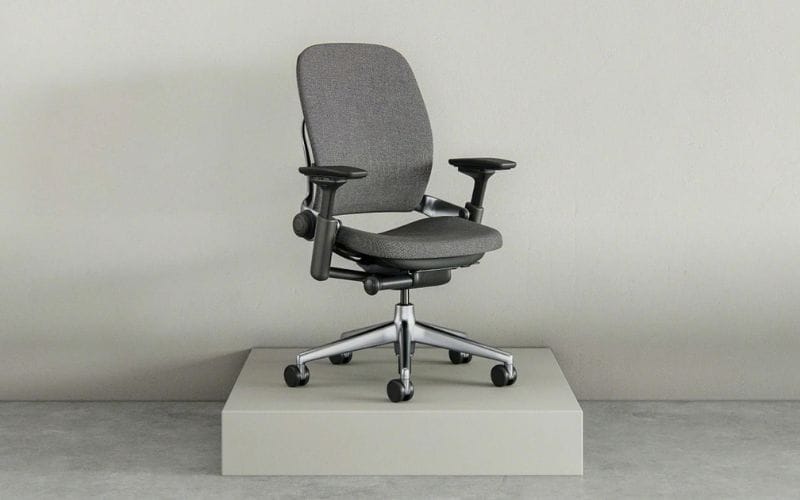
Image Source: https://sg.steelcase.com/
If you suffer from radiating nerve pain down your legs, the Steelcase Leap V2 is widely considered the best chair for lower back pain and sciatica. Its standout feature is its flexible LiveBack technology, which changes shape to mimic and support your spine’s natural movements.
The sloped waterfall seat edge automatically eases pressure behind your thighs, keeping your blood flowing and protecting the sciatic nerve during long hours of focus.
-
Pros: Exceptionally flexible backrest tracking, excellent lower thigh pressure relief, and highly adjustable 4D armrests.
-
Cons: Fabric upholstery can retain more body heat over long summer days compared to open mesh models.
-
Best For: Users dealing with chronic nerve issues, lower thigh numbness, or sciatica pain.
4. Best Premium Seating Investment: Humanscale Freedom
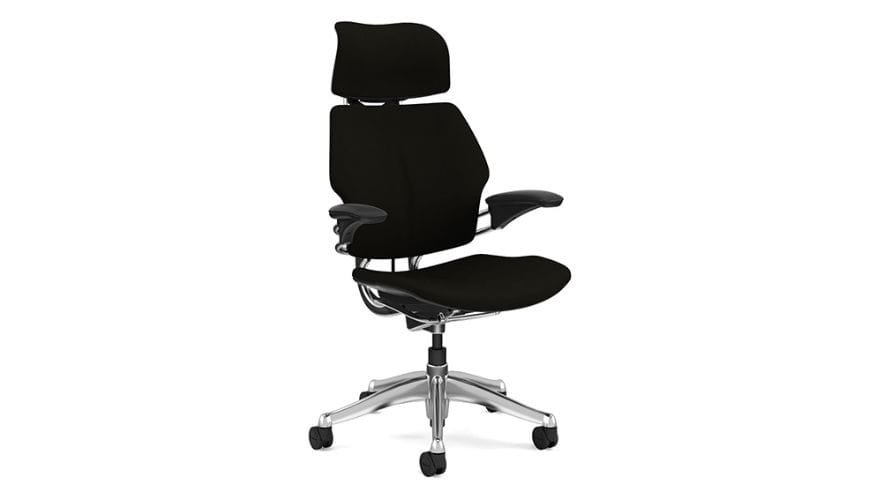
image source: https://www.humanscale.com/products/seating/freedom-headrest-executive-chair?srsltid=AfmBOopIT-DsVcaWYOTy25rq9K0u_sEvrqmmYUS9VRg6NeiI_h_TKX8c
For those who want advanced physical support without fussing with countless knobs and levers, the Humanscale Freedom offers a beautifully automated sitting experience. It uses a smart weight-compensating recline mechanism that automatically adjusts its tension to match your body weight.
The pivoting backrest automatically adjusts to your changing positions, providing continuous, targeted support whether you are leaning forward to type or reclining to read.
-
Pros: Sleek, award-winning minimalist design, automatically adjusting recline tension, and incredibly supportive armrests.
-
Cons: Features a luxury price tag, making it a serious investment for a home workspace.
-
Best For: Design-focused professionals, tech executives, and users who prefer automated ergonomic support.
5. Best for Tall Users: Ergohuman Ultra High-Back Chair
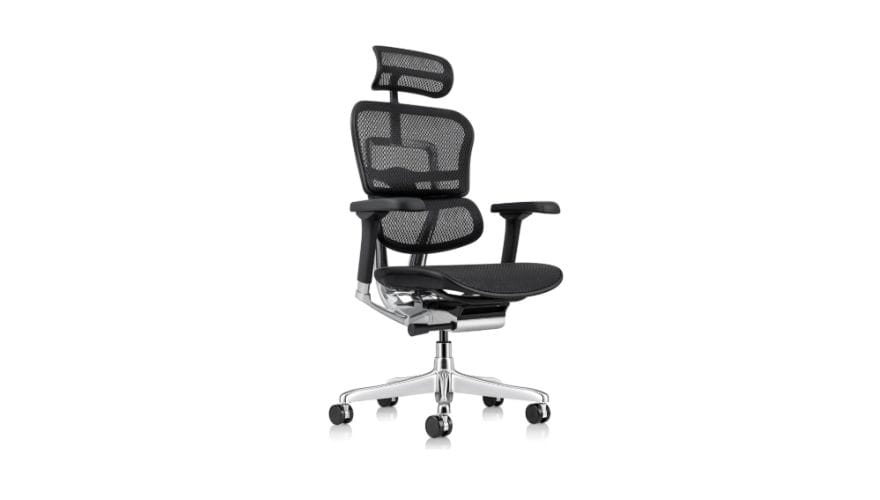
image source: https://www.amazon.com/Ergohuman-Swivel-Chair-Headrest-Chrome/dp/B002LK1YNO/?th=1
Standard office seating often fails to support taller individuals, leaving the shoulder blades and neck completely unaligned. The Ergohuman Ultra features a tall, height-adjustable backrest that easily accommodates tall users.
Its prominent, independent lumbar section applies gentle, steady forward pressure, making it an excellent chair for herniated disc relief by opening up space between your lower vertebrae.
-
Pros: Extra-tall backrest adjustment, strong, independent lower back support, and heavy-duty structural engineering.
-
Cons: The firm, pronounced lumbar support may feel too intense for users who prefer a softer, flatter seat.
-
Best For: Tall professionals, corporate managers, and anyone requiring firm, continuous lower back pressure.
How to Choose the Right Chair Based on Your Pain Type
To find the right features for your workspace, try matching your specific physical symptoms with the corresponding chair mechanics using this quick guide:
| Diagnosed Pain Condition | Crucial Structural Chair Feature | Core Biomechanical Benefit |
| Sciatica & Leg Numbness | Waterfall Seat Edge + Depth Slider | Eliminates pressure behind the knees; protects blood flow |
| Herniated / Bulging Disc | Dynamic Lumbar Support Pod | Opens space between vertebrae; lowers forward spinal disk compression |
| Muscle Strain & Stiffness | Synchronous Tilt Mechanism | Encourages constant, gentle movement to prevent muscle locking |
| Degenerative Disc (DDD) | Fully Cushioned High Back Office Chair | Distributes body weight evenly across the entire spine |
Common Mistakes That Make Lower Back Pain Worse
-
Sitting Too Upright: Forcing your body into a rigid, 90-degree posture tightens your hip flexors and actually increases spinal disc pressure. Relax your chair backrest slightly to a comfortable 105-degree recline.
-
Lumbar Support Positioned Incorrectly: Placing the lumbar support cushion too low pushes your pelvis forward while leaving your actual lower back curvature completely unsupported. Align the support pad directly with the narrowest part of your waist.
-
Seat Pan Set Too Deep: Sitting on a seat pan that is too long pulls you away from the backrest, causing you to slouch forward and putting intense pressure on your tailbone.
-
Sitting for 4+ Hours Continuously: Even the most expensive, advanced chair cannot fully counter the effects of staying completely still for hours. Make sure to change your posture and move around regularly.
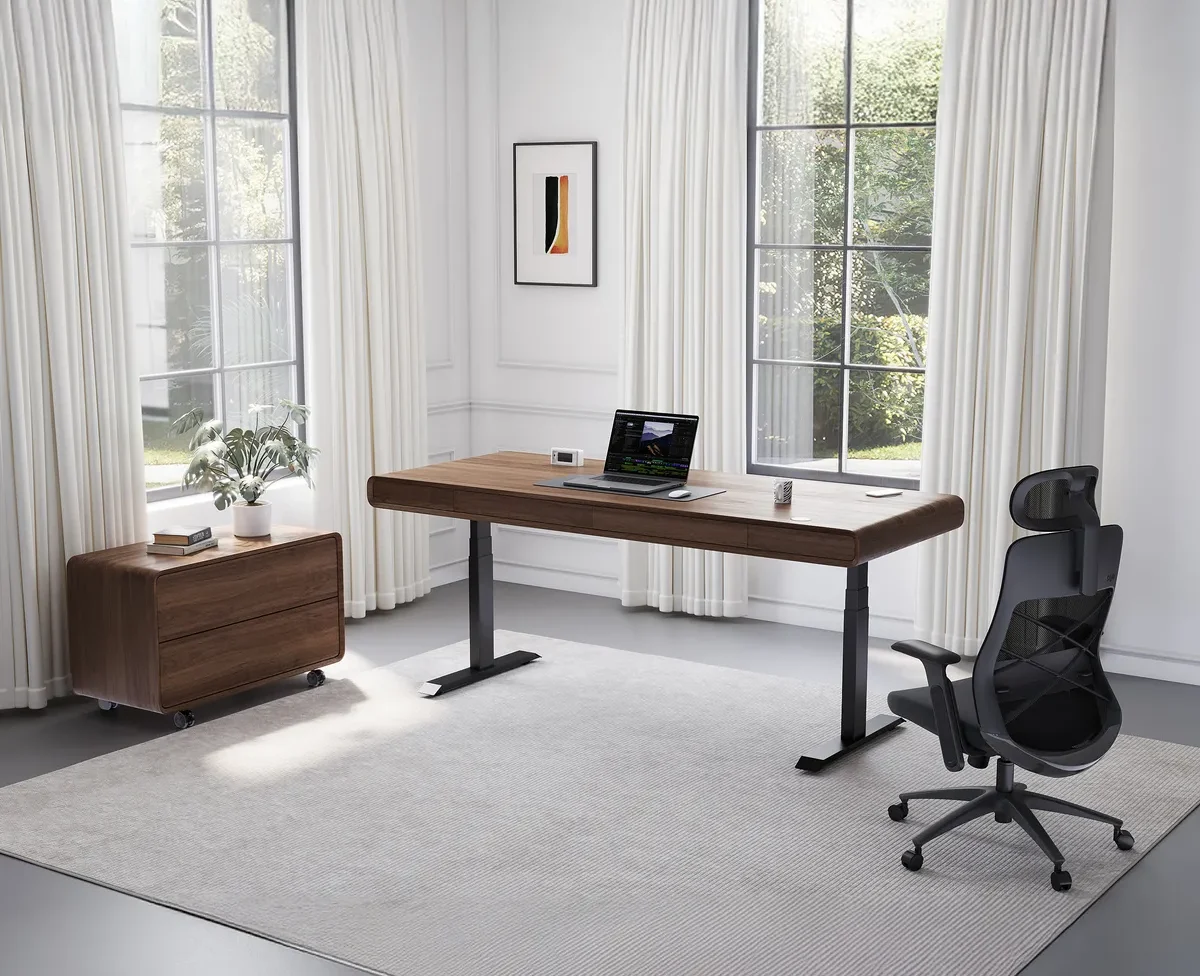
A Chair Alone Won’t Fix Back Pain
While upgrading to a premium ergonomic office chair provides a fantastic foundation for your health, true long-term pain relief requires building healthy daily movement habits around your desk setup.
-
Take Regular Walking Breaks: Set a simple phone timer to remind you to stand up every 45 minutes. Walking around for just two minutes fires up your glutes, brings fresh oxygen to your bloodstream, and lets your back muscles reset.
-
Incorporate Gentle Stretching: Spend a few moments doing simple desk stretches, like seated torso twists or gentle hamstring extensions, to release tight hip flexors and ease lower back pressure.
-
Pair with a Standing Desk: Try alternating between sitting and standing throughout your day. Switching your posture every hour keeps your body active and keeps your spine from settling into a tired, compressed position.
-
Check Your Daily Posture Habits: Keep your feet flat on the floor or a sturdy footrest, and position your monitor straight ahead at eye level so you don’t find yourself constantly leaning forward.

_29.webp)