Meet&Co
The right back support for office chair is your strongest defense against chronic spinal compression, reducing lumbar disc pressure by over 40%.
By stabilizing the spine’s natural S-curve, these ergonomic tools prevent muscle fatigue and long-term postural decline for professionals.
Key Takeaways
Dynamic Alignment: High-quality back support can redistribute up to 50-70% of your upper body weight, alleviating pressure from the lower vertebrae.
Precision Placement: For maximum relief, the support apex should align with the L3-L5 lumbar region, typically 6-10 inches above the seat pan.
Material Science: Advanced high-density memory foam or tensioned mesh is preferred over soft cotton to ensure the support doesn’t “bottom out” during 8+ hour shifts.
The “Golden Ratio”: A seat recline of 100° to 110° combined with active support minimizes disc pressure compared to the traditional 90° “straight-up” posture.
Holistic Health: Integrating a premium Meet&Co solution with micro-movements every 30 minutes is the gold standard for office ergonomics.
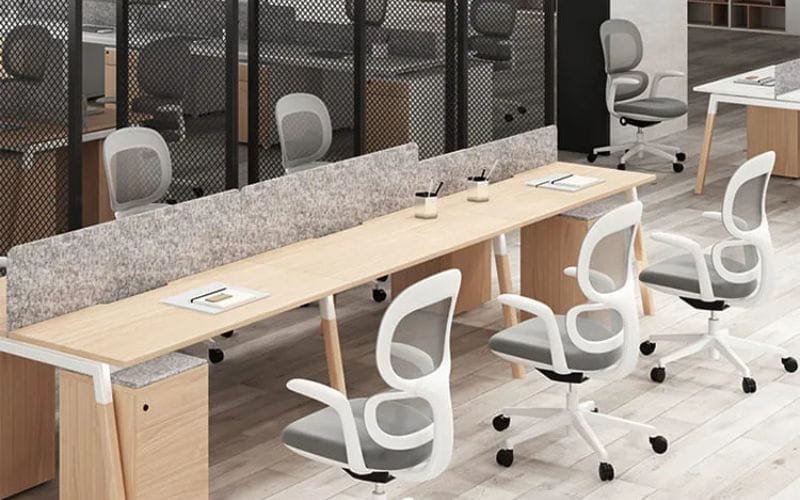
What is Office Chair Back Support?
Understanding the anatomy of office chair back support is the first step toward a pain-free workday.
It is not a one-size-fits-all accessory but a specialized ergonomic tool designed to mitigate the risks associated with a sedentary lifestyle.
Lumbar Support
Lumbar support specifically targets the five vertebrae of the lower back (L1-L5).
According to clinical data, the lumbar region carries the most significant load when sitting.
A dedicated lumbar support provides a convex curve that pushes the pelvis slightly forward, preventing the “C-shaped” slouch.
Using an adjustable office chair with built-in lumbar controls is often more effective than an aftermarket pillow because it offers a more stable foundation.
Upper Back Support
While most focus on the lower back, upper back support targets the thoracic spine (T1-T12).
This is crucial for users who suffer from “Tech Neck” or rounded shoulders.
Upper back support helps stabilize the shoulder blades (scapula), reducing the strain on the trapezius muscles.
Full Back Support vs. Lumbar Pillows
Full back support covers the entire length from the sacrum to the shoulders.
Unlike a simple lumbar pillow, which only fills the lower gap, full back supports integrate both thoracic and lumbar sections.
Research indicates that full-length supports can reduce muscle fatigue in the erector spinae by up to 25% compared to seat-only cushions.
Why Sitting for Long Periods Causes Back Pain?
The human body was designed for movement, yet the average corporate professional sits for 9 to 12 hours a day. This creates a physiological crisis for the musculoskeletal system.
Spinal Pressure and Posture Dynamics
When standing, the pressure on your spinal discs is at its baseline.
However, when you sit without a comfy office chair that provides active support, the pressure on the intervertebral discs in your lower back increases by 90% when leaning forward and 40% when sitting upright.
This mechanical stress can lead to micro-tears in the discs or even herniation over time.
The Impact on the Lower Back
The lower back acts as a fulcrum for the weight of your torso.
Without support, the muscles in this area—specifically the multifidus and the quadratus lumborum—must remain in a state of constant semi-contraction.
Data from health safety organizations suggests that lower back pain is the leading cause of work-related disability globally.
Why Your Neck and Shoulders Also Hurt
Pain is rarely isolated. The “kinetic chain” means that a lack of support in the lower back forces the neck and shoulders to overcompensate.
When the lumbar spine loses its curve, the head shifts forward (Forward Head Posture).
For every inch your head moves forward, it adds an additional 10 pounds of perceived weight to the cervical spine.
Typical Characteristics of a Bad Office Chair
Flat Backrest: Fails to mimic the S-curve of the human spine.
Lack of Depth Adjustment: Causes the user to sit on the edge of the seat, losing all back contact.
Inflexible Material: Hard plastics or overly soft foam that “bottoms out” within 30 minutes of use.
Do Back Supports for Office Chairs Actually Work?
Scientific validation for ergonomic supports has grown significantly over the last decade, proving they are more than just “placebos.”
Expert Opinions and Clinical Evidence
Ergonomists agree that external back support provides a “tactile cue” for the body.
Studies from major university labs found that workers using an ergonomic chair with high-quality back support reported a 32% reduction in musculoskeletal complaints within six weeks.
When Is It Effective?
Back support is most effective when it is firm enough to provide resistance but soft enough to contour to the body.
It works best for users who have a “fixed” workstation where they can calibrate the support once and maintain that position.
When Does It Fail?
It fails when the support is too thick, pushing the user’s hips too far forward and creating a gap behind the shoulders.
Additionally, if the support is made of low-quality foam that loses its shape, it can actually worsen pain by providing uneven pressure distribution.
Posture Myths and Correction
A common myth is that “perfect posture” means sitting perfectly straight at 90 degrees.
Recent biomechanical data suggests that a 100 to 110-degree recline with active lumbar support is actually the least stressful position for the lumbar discs.
How to Choose the Right Back Support for Your Needs
Selecting the right support requires an analysis of your specific pain points and your daily environment.
Selection Based on Pain Area
Lower Back Pain: Focus on a firm, height-adjustable lumbar roll.
Upper Back Tension: Look for a high-back support with a “wing” design to support the scapula.
Sciatica Symptoms: Choose a support that includes a seat cushion component to relieve pressure on the sciatic nerve.
Neck & Shoulder Pain: Ensure your back support is paired with an adjustable headrest.
Selection Based on Workplace Scenarios
If you work in a corporate office, you might prefer a discreet mesh insert.
For those who Work from Home, a larger, plush memory foam system might be more suitable.
If you travel frequently, a portable lumbar support for office chair that can be strapped to car seats or airplane seats is a vital investment.
Selection Based on Body Type
Tall Users: Require back supports with a vertical range of at least 20 inches to reach the upper thoracic area.
Petite Users: Need a shallower support (2-3 inches thick) so they aren’t pushed off the seat.
Heavy Users: Must look for supports with high-density foam (at least 4 lbs per cubic foot) or reinforced frames to prevent sagging.
Comparison Table: Different Types of Back Support
| Type | Pros | Cons | Best For |
|---|---|---|---|
| Memory Foam Pillow | Highly comfortable; excellent contouring | Can trap heat; foam can collapse over time | Short-term comfort; WFH setups |
| Mesh Support | Superior breathability; lightweight | Limited depth; less “cushion” feel | Hot climates; corporate offices |
| Orthopedic Back Support | Maximum therapeutic alignment; firm | Higher price point; bulky | Users with chronic herniated discs |
| Full Back Support | Total spinal coverage; posture correction | Takes up significant seat space | High-back chairs; long-duration sitting |
Best Back Support for Office Chair: Top 5 Recommendations
In the modern market, the integration of back support directly into the chair’s design is the gold standard. Here are the top-rated products for 2026.
1. Best Overall: Budding Ergonomic Office Chair
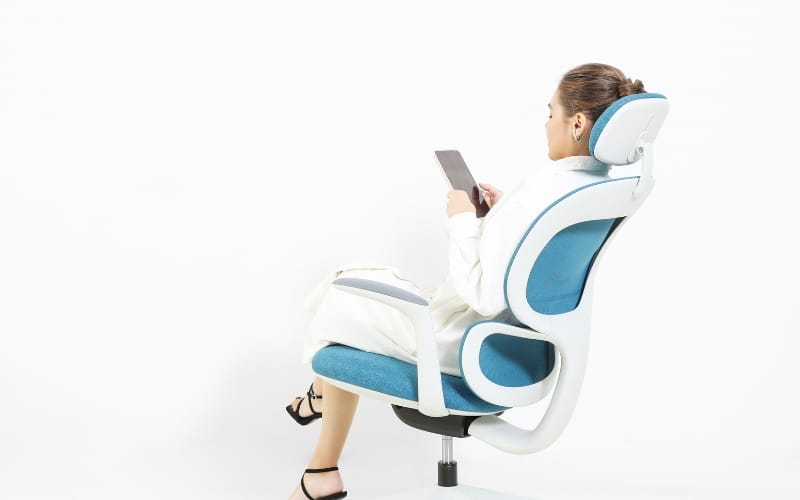
The Budding Ergonomic Office Chair by Meet&Co Furniture is the definitive solution for back pain.
Unlike static pillows, this chair features an integrated, dynamic lumbar support system that moves with the user.
Its mesh backrest provides targeted tension zones, ensuring that the lower back remains supported even when you recline or tilt.
Highlight: Adaptive lumbar tracking and high-breathability mesh.
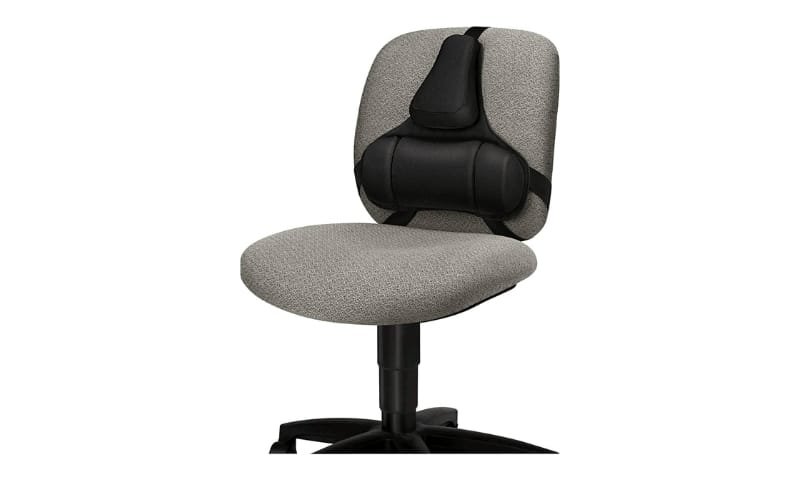
2. Best Portable Support: Fellowes Professional Series Back Support
Source: https://www.amazon.com/
For those who move between desks, the Fellowes Professional Series is a top-tier choice.
It features a two-tiered support system that cradles the mid-spine while providing a firm base for the lumbar region.
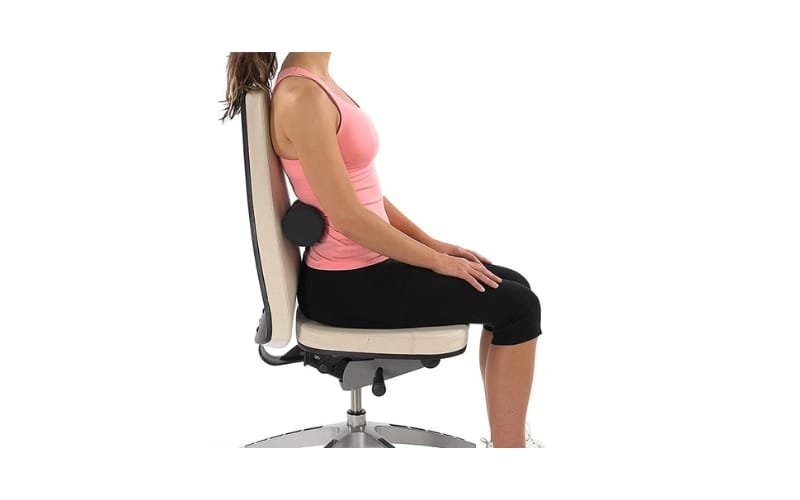
3. Best Orthopedic Support: Original McKenzie Lumbar Roll
Source: https://www.lalondephysio.com/
Designed by world-renowned physiotherapists, this simple roll is highly effective for correcting sitting posture.
It is specifically built for users with a pronounced lumbar curve who find standard chairs too flat.
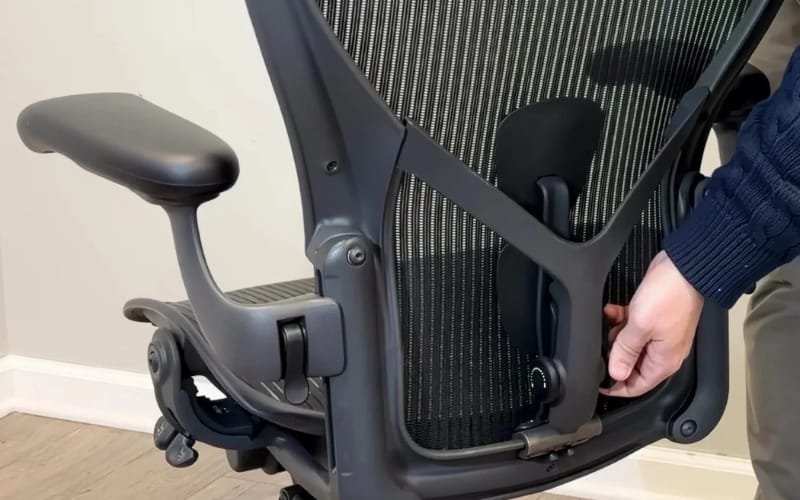
4. Best Upper Back Support: Herman Miller PostureFit SL Accessory
Source: https://www.officelogixshop.com/
While specifically designed for high-end chairs, the PostureFit SL technology represents the peak of thoracic and sacral support.
It supports the base of the spine (sacrum) and the lumbar simultaneously.
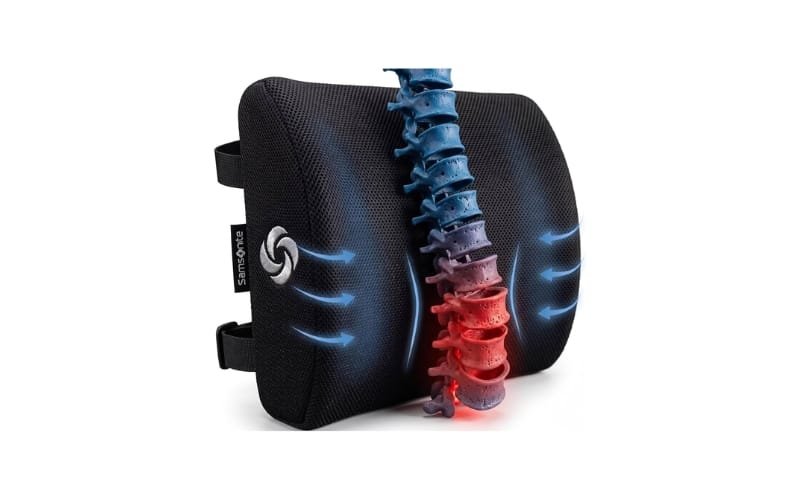
5. Best Budget Pick: Samsonite Ergonomic Lumbar Support Cushion
Source: https://www.amazon.sg/ref=nav_logo
The Samsonite cushion offers a premium feel at a fraction of the cost.
Using high-grade memory foam and a washable mesh cover, it provides a stable 4-inch depth that is ideal for standard kitchen chairs.
How to Correctly Install and Adjust Your Back Support
Even the most expensive ergonomic desk chair will fail to relieve pain if it is adjusted incorrectly.
Finding the Correct Height
The curve of the back support should nestle directly into the inward curve of your lower back.
For most adults, this is roughly 6 to 10 inches above the seat pan. If it’s too high, it pushes on your ribs; if it’s too low, it creates pressure on your tailbone.
Setting the Correct Thickness (Depth)
Your back should feel supported but not pushed forward. If you feel your stomach being pushed toward the desk, the support is too thick.
You should be able to sit with your feet flat on the floor and your knees at a 90-degree angle.
The Angle of the Dangle
Research suggests a recline angle of 100-110 degrees is optimal.
This allows the backrest to take some of the weight of your torso, reducing the load on the spinal discs.
Back Support vs. Ergonomic Chair: Which Should You Buy?
When a Lumbar Pillow is Enough
If you already own a high-quality chair that simply lacks a bit of depth in the lumbar area, an add-on support is a cost-effective fix.
When You Must Replace the Chair
If your current chair has a broken tilt mechanism or a sagging seat pan, a back support pillow is merely a “band-aid.”
Investing in an ergonomic chair is a long-term health decision. A dedicated chair provides holistic support that a pillow cannot, such as weight-sensitive reclining.
Conclusion: The Path to a Pain-Free Workspace
There is no “perfect for everyone” back support; rather, there is the right support for your body.
The science of ergonomics proves that adjustable support is far more critical than simple softness.
A support that is too plush will fail to provide the mechanical resistance needed to counteract gravity.
Remember: Correct Position > Expensive Product. Ultimately, the most successful strategy for back health is a combination of posture, movement, and support.
By integrating the right tools—whether it’s a specialized pillow or a complete Meet&Co Furniture ergonomic solution—you are making a long-term investment in your health.
Also see:
Best Ergonomic Chair for Doctors (2026): Top 10 Picks for Long Hours & Back Support
Office Chair Lumbar Support Guide: Built-in vs. External Cushion
_15.webp)