Meet&Co
You want a good office chair. But you also have a budget. Maybe you have tried cheap chairs before, and your back paid the price. Or maybe you are ready to upgrade from that old dining chair you have been using for two years.
Here is the good news: You do not need to spend $1,500 or $2,000 to get a real ergonomic chair. The sweet spot for quality and value sits right under $1000. At this price, you get adjustable lumbar support, breathable materials, 4D armrests, and build quality that lasts for years.
In this guide, we will look at what makes a chair truly ergonomic, why spending under $1000 makes sense, and five specific chairs worth your money.
Let us find you a chair that saves your spine and your wallet.
Why Spend Under $1000 on an Ergonomic Chair?
You can find chairs for $100. You can also find chairs for $2,000. The under‑$1000 range hits the balance between cost and quality.
Here is what you get in this price range:
-
Real adjustability – Seat depth, armrests (4D or 5D), lumbar height, and tilt tension
-
Breathable materials – Mesh backs that keep you cool during long days
-
Solid build quality – Frames and mechanisms that do not break after one year
-
Trusted brands – Steelcase, Herman Miller (entry models), Branch, and quality manufacturers like Meet&Co
Going below $200 often means sacrificing support. Going above $1000 adds premium materials and brand prestige, but the core ergonomic benefits start right around $400–$700.
The under‑$1000 category is where you get the most value for your money.
What to Look For in an Ergonomic Chair (Quick Checklist)
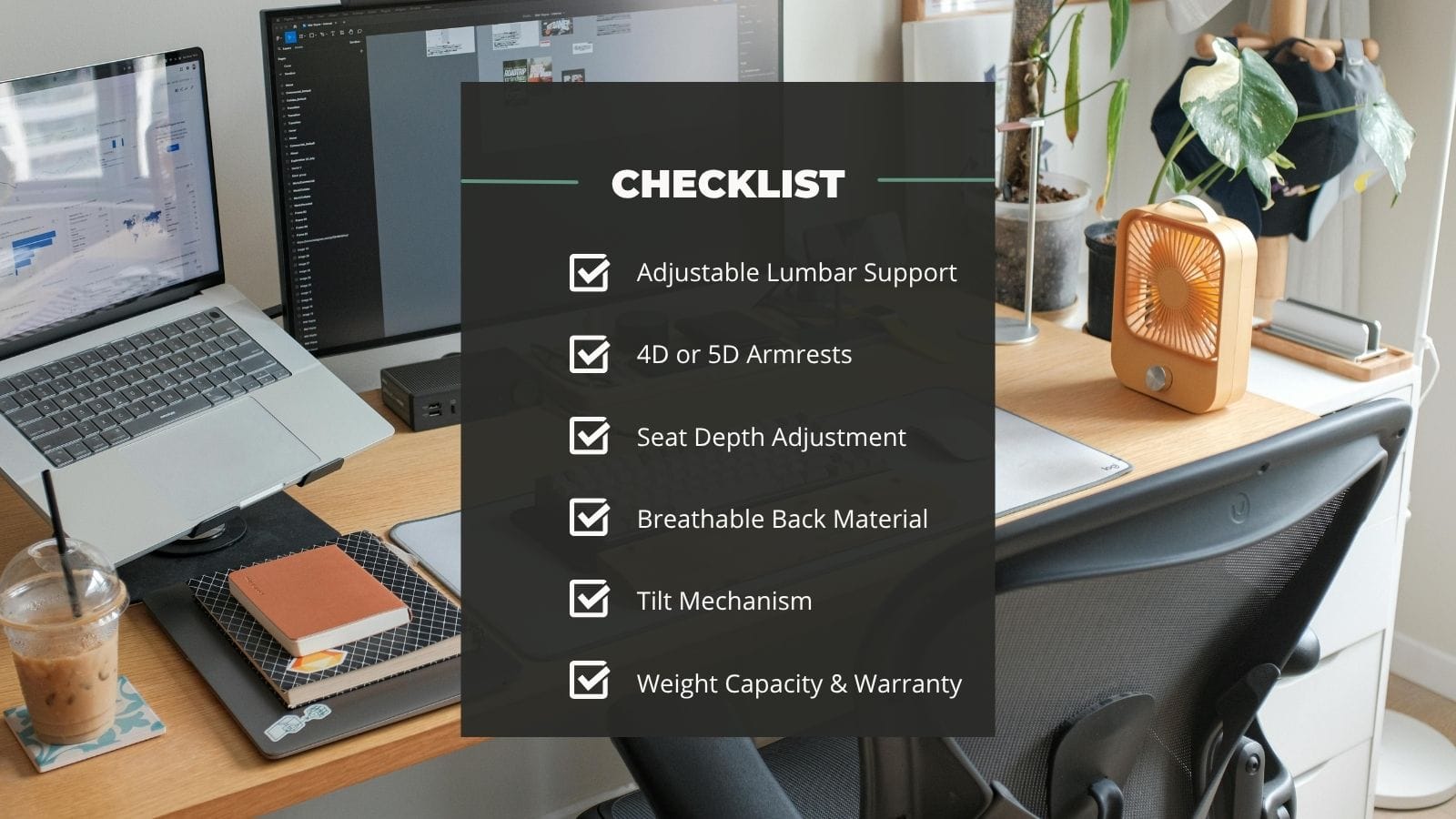
Before we get to the chairs, here are the features that actually matter.
Adjustable Lumbar Support
Your lower back needs support. Look for a chair with height‑adjustable lumbar or a self‑adaptive system that moves with you. Static lumbar pillows do not work for everyone.
4D or 5D Armrests
Good armrests adjust up/down, in/out, forward/back, and pivot. This lets you keep your shoulders relaxed while typing.
Seat Depth Adjustment
The seat should slide forward or back so you have 2–3 fingers of space between the back of your knee and the seat edge. This prevents pressure behind your knees.
Breathable Back Material
Mesh backs allow air to flow. You stay cooler and drier than with leather or thick fabric, especially in summer or during long work sessions.
Tilt Mechanism
You should be able to lean back and lock the angle. Some chairs also offer forward tilt, which helps when you lean in to focus on detailed work.
Weight Capacity and Warranty
Check the weight rating. A 12‑year warranty (common on Steelcase and Herman Miller) tells you the company expects the chair to last.
Quick Comparison: 5 Best Ergonomic Chairs Under $1000
| Model | Key Feature | Armrests | Lumbar Support | Back Material | Price Range | Best For |
|---|---|---|---|---|---|---|
| Meet&Co Ergonomic Chair | 4D armrests + seat depth adjust | 4D | TPEE + high‑density foam | Breathable open back | Budget‑friendly | Adjustability on a budget |
| Branch Ergonomic Chair Pro | 14 points of adjustment | 5D | Adjustable | Mesh | $400–$500 | Overall value |
| Steelcase Series 1 | 12‑year warranty | 4D | Adjustable | Mesh or fabric | $490–$550 | Long‑term durability |
| Herman Miller Sayl | Suspension bridge back design | Adjustable | Optional | Elastomer suspension | $500–$650 | Design + ergonomics |
| Steelcase Amia | LiveLumbar adaptive support | 4D | Adaptive (LiveLumbar) | Fabric | ~$999 | All‑day comfort |
1. Meet&Co Ergonomic Office Chair
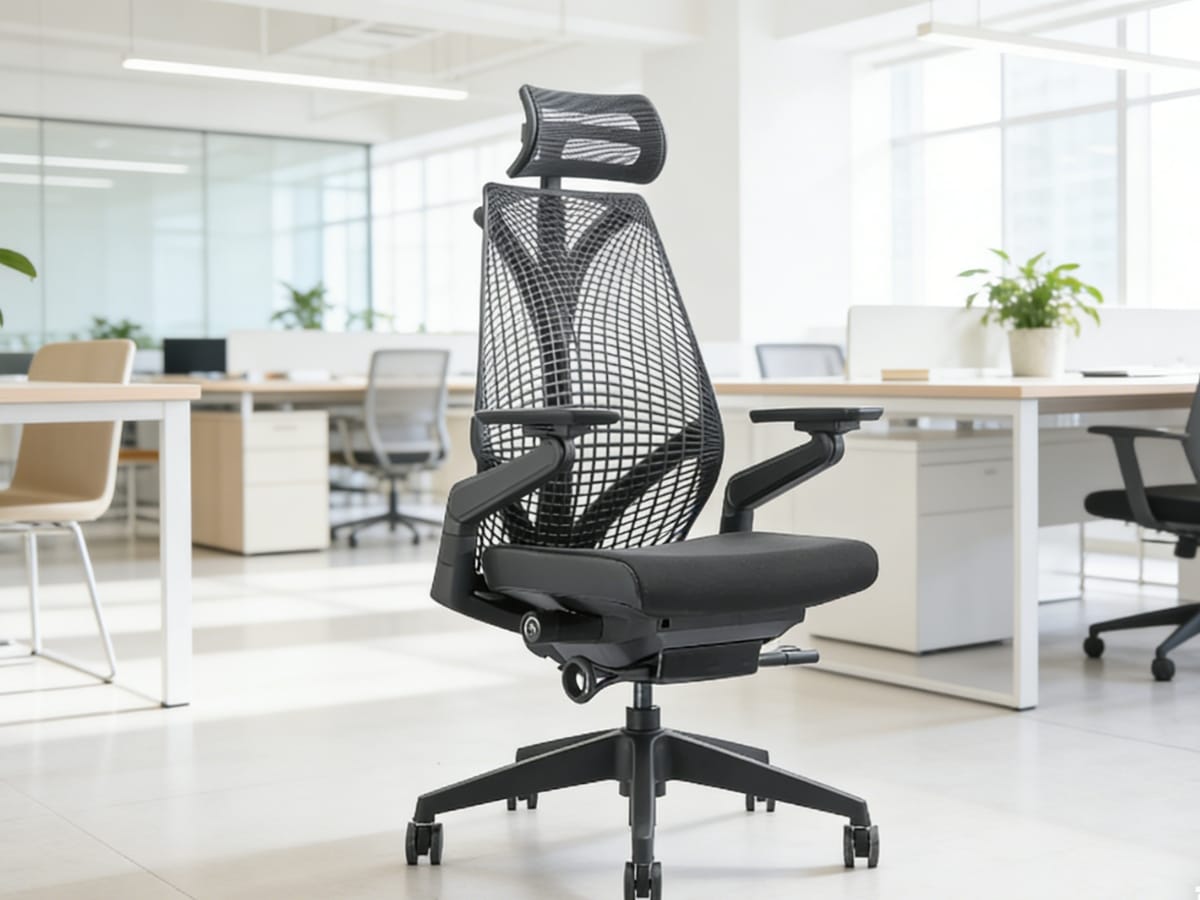
Meet&Co Ergonomic Office Chair
The Meet&Co Ergonomic Office Chair packs serious adjustability into a budget‑friendly package. It is designed for people who need a truly personalized fit without spending a fortune.
Key features:
-
4D adjustable armrests – Move them up, down, in, out, forward, and back to match your shoulder position
-
Seat height and depth adjustment – Customize the seat to your leg length
-
TPEE lumbar support with high‑density foam – Supports your lower back while staying soft enough for comfort
-
Breathable open back design – Air flows through, keeping you cool during long work sessions
-
Optional wheels or stationary base – Choose mobility or stability
-
Optional adjustable headrest – Adds neck support for calls or video meetings
The chair uses a premium nylon frame built for long‑term use. The open back is not just for looks – it promotes airflow so you do not get sweaty after hours of sitting. The TPEE back material is both flexible and supportive, adapting slightly as you move.
Who this chair is for: Home office workers, remote employees, and anyone who wants full adjustability without paying $800+. The 4D armrests and seat depth adjustment are features you usually find on much more expensive chairs.
Potential downsides: The warranty is 1–3 years, shorter than premium brands. Build quality is good for the price but not Steelcase level.
2. Branch Ergonomic Chair Pro
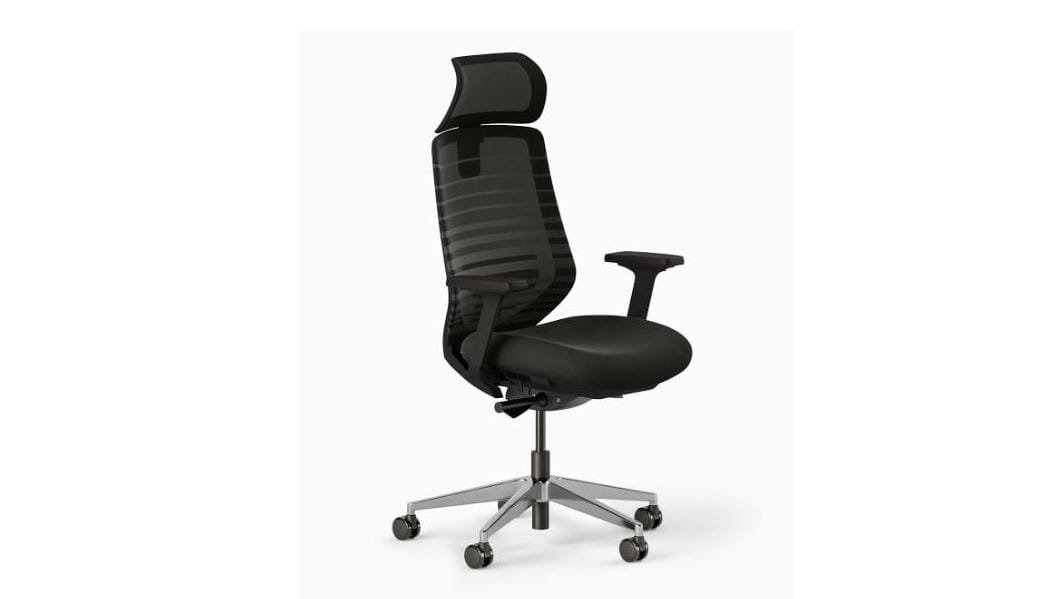
Image source: https://www.branchfurniture.com/products/ergonomic-chair-pro?srsltid=AfmBOorFQf-k4Eo7qTxvZ8m8KS–KmNgEDOVN5x4M3kFmcOqHhgomGJN
CNET named the Branch Ergonomic Chair Pro the best overall office chair for 2026. With 14 points of adjustment, it covers everything most people need.
Key features:
-
5D adjustable armrests – Even more movement options than 4D
-
Adjustable lumbar support – Find the exact height that fits your curve
-
Mesh back – Breathable and supportive
-
Seat depth adjustment – Accommodates different leg lengths
-
Tilt lock and tension control – Lean back or sit upright
The chair retails around $499, with sales often bringing it down to $400 or less. The seat cushion uses high‑density foam that stays comfortable for eight‑hour days. Assembly is straightforward, though some users report it takes longer than expected.
Who this chair is for: People who want a well‑rounded chair with no major weaknesses. Great for full‑time remote workers.
Potential downsides: The wheels do not roll as smoothly on thick carpets. Some taller users feel the back could be higher.
3. Steelcase Series 1
https://jp.steelcase.com/
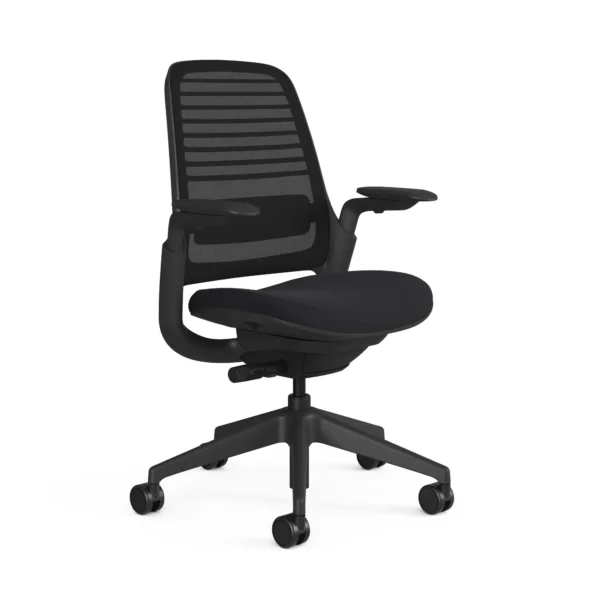
Steelcase is one of the most respected names in office seating. The Series 1 is their entry‑level model, but it still carries the brand‘s engineering quality.
Key features:
-
12‑year warranty – This tells you how confident they are in the build
-
4D adjustable arms – Standard, not an upgrade
-
Adjustable lumbar support – Built into the backrest
-
Seat depth and height adjustment – Full range of motion
-
Weight capacity of 400 lbs – Sturdy for a wide range of body types
-
Assembled in Michigan, USA – For those who value domestic manufacturing
The Series 1 starts around $490 and goes up depending on fabric and options. The seat is quite firm – some people find it uncomfortable at first, but most adjust after a few days. The back is shorter than other chairs, so very tall users may want the optional headrest.
Who this chair is for: Buyers who want a chair that will last 10+ years. The warranty alone gives peace of mind.
Potential downsides: The arm pads are smaller and firmer than premium models. The seat firmness is not for everyone.
4. Herman Miller Sayl
https://store.hermanmiller.com/office-chairs-ergonomic-chairs/sayl-chair/2294.html?lang=en_US&sku=100099624
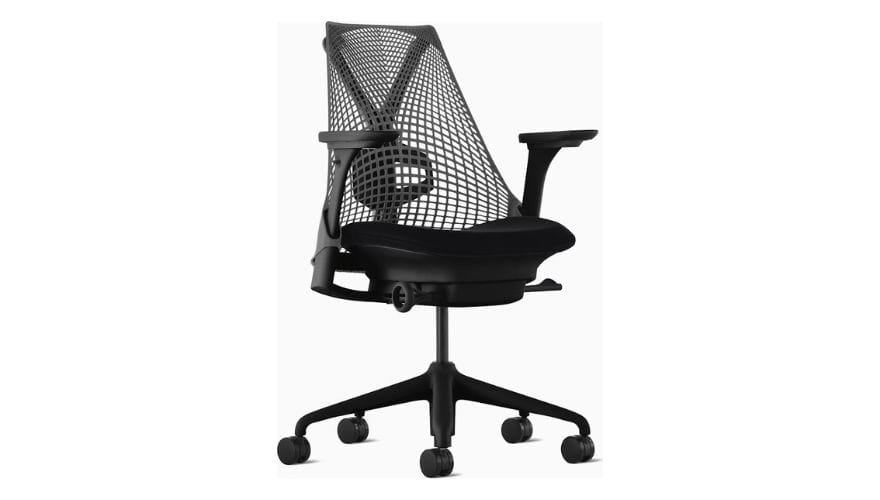
Herman Miller makes some of the most famous office chairs in the world – the Aeron, the Embody, the Cosm. The Sayl is their most affordable ergonomic chair, starting around $500–$650 depending on options.
Key features:
-
Unframed suspension back – Inspired by the Golden Gate Bridge, elastomer strands provide tension where you need it
-
Optional adjustable lumbar support – Add it if you need extra lower back help
-
Y‑Tower support structure – Distributes weight evenly across the back
-
Breathable design – The open back keeps air moving
-
12‑year warranty – Same as all Herman Miller chairs
The Sayl is not the most adjustable chair on this list. It has fewer moving parts than the Branch or Steelcase options. But the flexible back moves with you, providing active support without feeling rigid.
Who this chair is for: Design lovers who want a beautiful chair that also works well. Creative professionals, home office users who care about aesthetics, and people who do not need 14 different adjustments.
Potential downsides: The look is not for everyone. Fewer adjustments than competitors at the same price. Optional lumbar costs extra.
Also see: Best Herman Miller Chair: 4 Most Popular Picks
5. Steelcase Amia
https://www.steelcase.com/products/office-chairs/amia-amia-air/
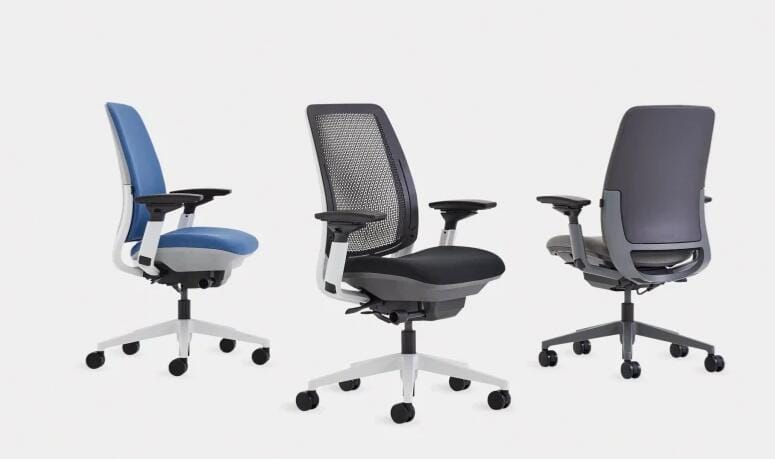
The Amia is Steelcase‘s most popular chair for people who sit all day. It is priced right at the $1000 limit – starting around $999 – making it the premium option in this roundup.
Key features:
-
LiveLumbar technology – The backrest adapts to your movements, providing constant support as you shift positions
-
4‑way adjustable arms – Same arm mechanism as the flagship Leap V2
-
Exceptionally comfortable seat cushion – Widely praised for all‑day comfort, even for 8+ hour sits
-
Height‑adjustable lumbar – Fine‑tune the support location
-
12‑year warranty – Industry standard from Steelcase
The Amia does not look flashy. It looks like a normal office chair. But the comfort is what sets it apart. The seat pad is often described as the best in Steelcase‘s lineup. The LiveLumbar back moves with you, so you stay supported whether you are typing, reading, or leaning back to think.
Who this chair is for: People who sit for 8+ hours daily and want premium comfort without stepping up to the $1,400 Leap V2. Also great for larger body types.
Potential downsides: The tilt function is basic – only upright lock, no multi‑position tilt. It is the most expensive chair on this list, right at the $1,000 mark.
Ergonomic Chair vs. Gaming Chair (Quick Note)
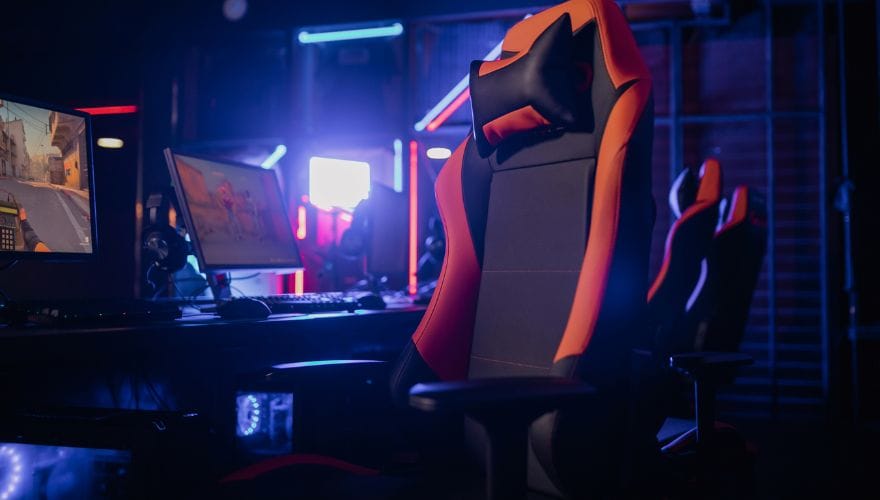
You might see gaming chairs priced under $1000 and wonder if they work for office use.
Gaming chairs focus on bold looks, bucket seats, and winged backs. They often lack proper lumbar support and use leather or PU material that traps heat.
Ergonomic office chairs focus on breathability, precise adjustments, and spine alignment. They are built for 8‑hour workdays, not 2‑hour gaming sessions.
If you work from home, choose an ergonomic chair. If you both work and game, choose an ergonomic chair – it works fine for gaming, but gaming chairs do not work well for work.
Also see: Gaming Chair vs. Ergonomic Office Chair: Which One Should Remote Workers Choose?
Frequently Asked Questions (FAQ)
1. Is a $500 ergonomic chair good enough for daily use?
Yes. The difference between a $500 chair and a $1,500 chair is often materials and brand prestige, not core ergonomics. A $500 chair with 4D armrests, seat depth adjustment, and good lumbar support will protect your back just fine. The $1,500 chair might use higher‑grade foam, more metal components, and carry a designer name. For most people, the $500–$700 range offers the best value. The Meet&Co chair and Branch Pro both sit in this range and deliver everything you actually need.
2. How long should an ergonomic chair last?
A quality ergonomic chair should last 7–12 years with normal use. Steelcase and Herman Miller offer 12‑year warranties as standard. Brands like Meet&Co and Branch offer shorter warranties (1–3 years) but still build chairs that last 5+ years if treated well. The mechanism and gas cylinder tend to fail before the frame – look for chairs with replaceable parts if you want maximum longevity.
3. Can an ergonomic chair fix my back pain?
An ergonomic chair can reduce back pain, but it is not a medical cure. Good chairs support your spine‘s natural curve, reduce pressure points, and let you adjust the fit to your body. Many people see significant improvement in daily discomfort after switching from a cheap or old chair. However, if you have chronic or severe back pain, talk to a doctor or physical therapist. A chair is one tool – movement breaks, desk height, monitor position, and exercise all matter too.
Final Verdict
The best ergonomic chair under $1000 depends on what you value most.
-
Best for adjustability on a budget – Meet&Co Ergonomic Chair. 4D armrests and seat depth adjustment at a friendly price point.
-
Best overall value – Branch Ergonomic Chair Pro. 14 adjustments, great comfort, and a solid reputation.
-
Best for durability – Steelcase Series 1. 12‑year warranty and a brand that builds chairs to last.
-
Best for design – Herman Miller Sayl. Looks like art, works like a chair.
-
Best for all‑day comfort – Steelcase Amia. The seat cushion and LiveLumbar make 8‑hour days feel easy.
No single chair works for everyone. Try to test chairs in person if you can. If not, buy from a store with a good return policy. Sit in your new chair for a few days. Adjust every lever and knob until it feels right. Your back will thank you.
Need more office setup advice? Read our guides on desk height and monitor positioning for a complete ergonomic workspace.

-大图_18-1.webp)