Meet&Co
Creating an office workstation with plants is no longer just about aesthetics—it’s a practical way to improve focus, reduce stress, and build a healthier, more enjoyable workspace.
Whether you’re working from home or upgrading a professional office, adding greenery can significantly enhance both productivity and comfort.
However, most people make the same mistake: they treat plants as decoration instead of integrating them into a functional system.
A poorly planned office workstation with plants can quickly become cluttered, distracting, and difficult to maintain.
In this guide, based on real workstation testing experience, you’ll learn how to design a setup that balances functionality, ergonomics, and visual appeal—so your workspace works better, not just looks better.
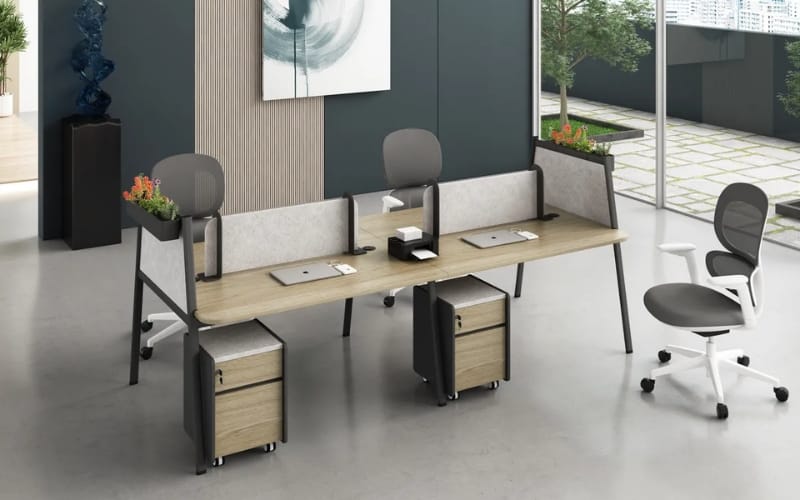
Why Add Plants to Your Office Workstation?
Improved Focus and Productivity
Natural elements help reduce mental fatigue and improve concentration, especially during long working hours.
Reduced Stress Levels
Plants introduce a calming effect, making your workspace feel less rigid and more comfortable.
Better Visual Balance
Modern workstations are dominated by screens and cables. Plants soften the environment and create a more natural atmosphere.
Subtle Environmental Benefits
While not a replacement for ventilation, plants can slightly improve indoor air freshness and humidity.
👉 The key takeaway: plants should enhance your workflow—not interfere with it.
Key Principles of a Productive Office Workstation with Plants
1. Light-First Principle
Always evaluate lighting before choosing plants:
- Bright natural light → more flexibility
- Low light → stick to hardy plants
2. Desk Space Ratio Rule
Plants should occupy no more than 20% of your usable desk space.
3. Workflow Protection
Never place plants where they:
- Block your monitor
- Interfere with typing
- Disrupt cable management
4. Maintenance Simplicity
Choose plants that match your lifestyle. Low-maintenance setups are more sustainable long term.
5 Proven Office Workstation with Plants Layout Ideas
1. Minimal Desk + Single Plant
Best for: Small desks
- One plant in a corner
- Clean and distraction-free
2. Dual Monitor + Side Plant Balance
Best for: Productivity setups
- Monitors centered
- Plant placed on one side
Tip: Use a monitor arm to free space.
3. Vertical Plant Wall Setup
Best for: Limited spaces
- Wall shelves or hanging plants
- Keeps desk fully usable
4. Corner Plant Zone
Best for: Creative environments
- Plants grouped in one corner
- Maintains workflow efficiency
5. Shelf + Desk Hybrid Setup
Best for: Long-term usability
- Plants on upper shelves
- Desk remains clean
Best Plants for Office Workstations (Real Usage Insights)
Low-Light Friendly (Beginner Safe)
- Snake plant
- ZZ plant
- Pothos
Maintenance: Very low
Aesthetic Statement Plants
- Monstera
- Fiddle leaf fig
Maintenance: Medium
Desk-Friendly Mini Plants
- Succulents
- Cactus
- Small ferns
Maintenance: Low
How to Match Plants with Your Desk Setup
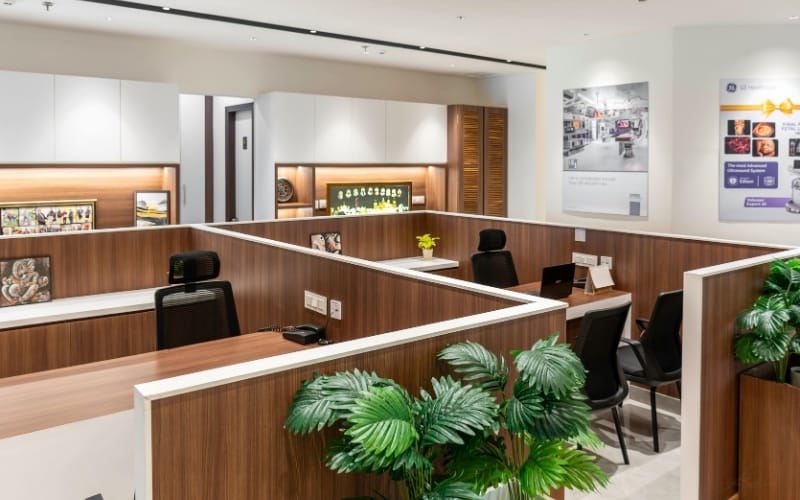
Small Desk (<120cm)
- 1–2 small plants max
- Place in corners or shelves
Standing Desk Setup
- Use lightweight plants
- Keep moving areas clear
- Avoid placing plants on adjustable sections
Pro Tip:
Use external shelves to prevent instability.
👉 For a more structured solution, the Linora Office Workstation with Plant Shelf offers built-in vertical storage.
While it’s not a standing desk, it allows you to position plants above your workspace—keeping your desk surface clear and functional.
Dual Monitor Setup
- Keep plants outside your main viewing area
- Maintain visual balance
Laptop-Only Setup
- One small plant is enough
- Keep it minimal
Real Setup Transformations
Cluttered → Clean + Green
- Removed unnecessary items
- Added one plant
- Improved focus
Tech-Heavy → Balanced Workspace
- Plants soften harsh visuals
- More comfortable environment
Small Desk Optimization
- Introduced vertical plant placement
- Maximized usable space
Common Mistakes to Avoid
Too Many Plants
Leads to clutter and reduced productivity
Ignoring Lighting
Wrong plant = poor results
Blocking Your Monitor
Always maintain clear sightlines
Poor Maintenance Planning
High-maintenance setups often fail
Advanced Tips for a Pro-Level Setup
Combine Plants with Lighting
Use grow lights if natural light is limited
Improve Acoustics
Plants can help soften sound reflections
Apply Biophilic Design
Use natural elements to create a calming environment
Recommended Workstation Options for Plant-Friendly Setups
Choosing the right office cubicle workstation is just as important as choosing the plants.
Desk structure determines whether your setup stays organized or becomes cluttered.
1. Linora Workstation Desk with Plant Shelf
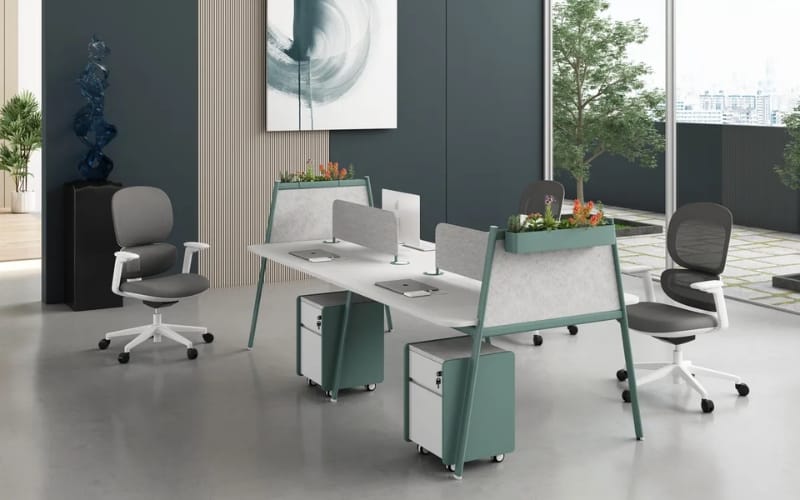
Best for: Small spaces + aesthetic setups
Key Features:
- Built-in upper shelving for plant placement
- Compact footprint
- Vertical space utilization
Advantages:
- Keeps desk surface fully usable
- Reduces clutter
- Creates layered visual depth
Limitations:
- Not ideal for multi-monitor heavy setups
- Fixed height (not sit-stand)
Best for:
- Remote workers
- Minimalist users
- Small home offices
2. Heman Office Workstation
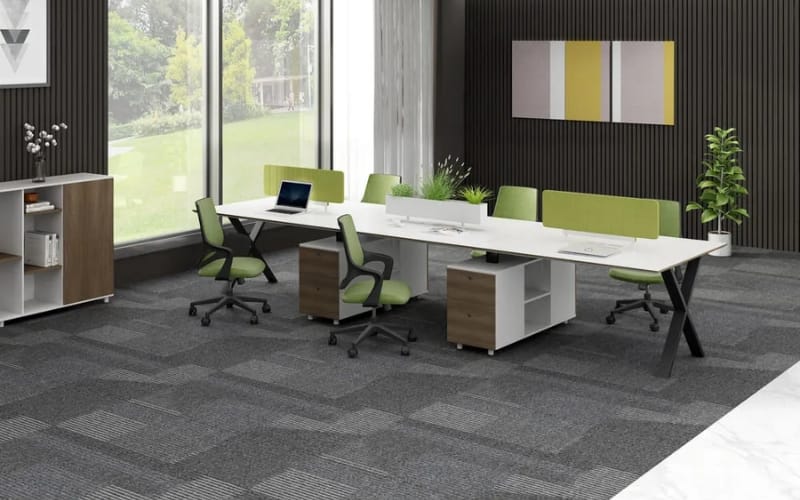
Best for: Professional + multi-monitor setups
Key Features:
- Large work surface
- Modular design
- Flexible layout options
Advantages:
- Supports multiple monitors + plants
- Better cable management
- Scalable for teams
Limitations:
- Requires more space
- Needs styling for aesthetics
Best for:
- Designers, developers
- Office environments
- High-performance setups
👉 If you’re planning a full workspace upgrade, you can explore more workstation solutions on Meet&Co.
Final Thoughts
A great office workstation with plants is not about adding more—it’s about adding intentionally.
Start simple:
- One plant
- Clean layout
- Smart placement
Then scale based on your space and workflow.
Because the best workspace isn’t just functional—it’s a place where you can focus, feel comfortable, and do your best work every day.

_10.webp)

_15.webp)