











 Meet&Co
We’ve all been there: you spend a small fortune on a sleek, high-end task chair like the Herman Miller Sayl, or perhaps a reliable mid-range mesh chair, only to realize a few months later that your neck is screaming for support. Many premium chairs prioritize “active” sitting, often leaving out a headrest to encourage movement. However, for those of us logging eight to ten hours a day at a desk, the lack of a place to rest your head often leads to chronic neck strain and the dreaded “tech neck.”
This is where the Universal Office Chair Headrest comes into play. These aftermarket attachments promise to bridge the gap between your current setup and ergonomic bliss. But the million-dollar question remains: Can you actually add one to any chair?
The short answer is: Not quite 100%, but about 80% of modern mesh and plastic-frame chairs are compatible. Whether your chair can take an upgrade depends entirely on the shape of its frame and the thickness of its top edge. In this guide, we’ll help you determine if your chair is part of that lucky majority.
3 Main Ergonomic Benefits of a Good Headrest
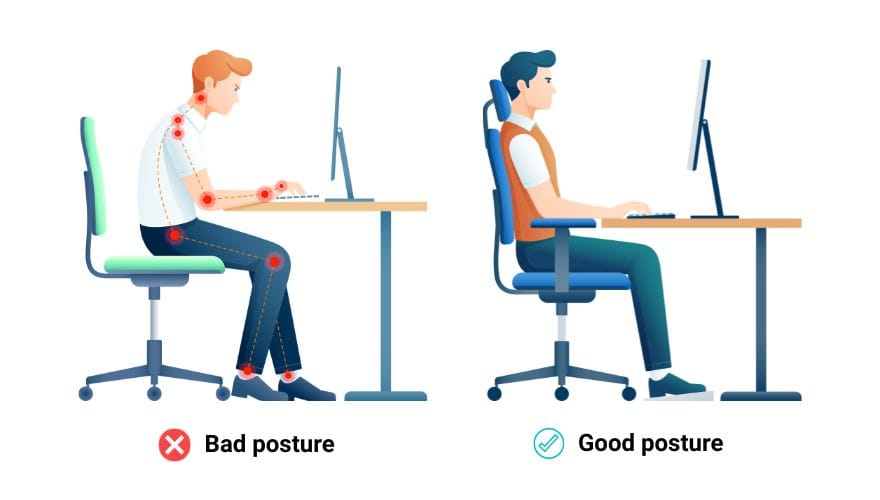
Adding a headrest isn’t just about luxury; it’s about structural integrity for your body. Your head weighs roughly 10 to 12 pounds—about the size of a bowling ball. When your neck lacks support, the muscles in your upper back and shoulders have to work overtime to keep that weight balanced.
1. Maintaining the Natural C-Spine
A well-positioned headrest supports the cervical spine, or the “C-curve” of your neck. By filling the gap between your neck and the chair, it prevents you from subconsciously leaning your head forward, a habit that puts immense pressure on your vertebrae.
2. Reducing Muscle Fatigue
By providing a physical stop for your head, you significantly reduce the static tension in your trapezius muscles. This is the key to preventing those end-of-day tension headaches that many office workers accept as “normal.”
3. The Power of Dynamic Support
The headrest truly shines during reclined tasks. While you might not touch the headrest while typing intensely, the moment you lean back to take a call, read a document, or brainstorm, the headrest becomes your primary source of stability. It allows your entire posterior chain to relax, turning a standard task chair into a comprehensive ergonomic station.
How to Identify Your Chair’s Compatibility
Before you hit “buy,” you need to inspect the “spine” of your chair. Most universal headrests rely on a clamping mechanism, so the physical shape of your chair’s top frame is the deciding factor.
Type A: The Plastic Frame (Most Compatible)
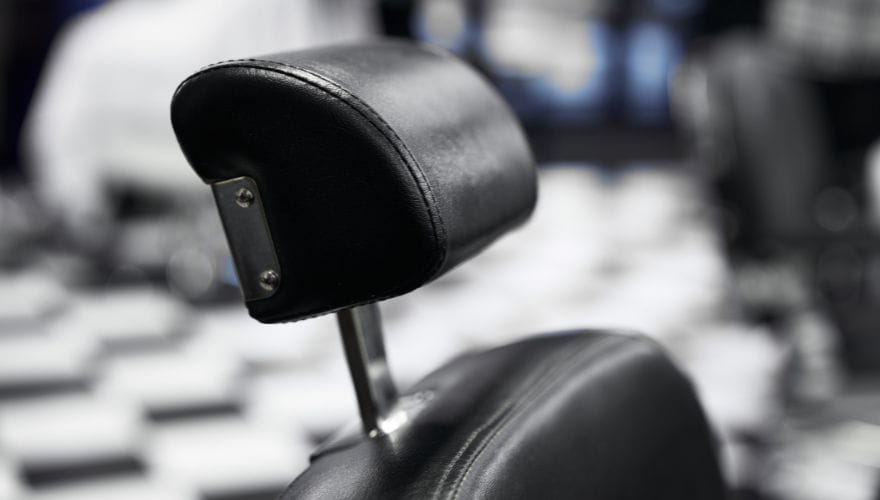
If you have a modern mesh chair with a distinct plastic border around the backrest, you are in luck. These frames provide a sturdy, flat surface for a headrest bracket to grip. This category includes roughly 80% of ergonomic office chairs sold today.
Type B: The Solid Back (The Challenge)
High-back executive leather chairs or solid wood chairs are much harder to upgrade. Because there is no “lip” or frame edge to clamp onto, a universal attachment usually has nowhere to sit. For these, you would likely need to drill holes directly into the internal frame, which is difficult and often ruins the upholstery.
Type C: Top Rail Design & Measurements
The most critical factor is the top rail. For a standard clamp-on headrest to work, the top edge of your chair frame typically needs to meet these specs:
- Thickness: Between 0.5cm and 2.5cm.
- Width: A flat horizontal area of at least 10cm to accommodate the bracket.
Crucial Compatibility Checklist
Before purchasing, ask yourself:
- Is it mesh? (Usually means there is a frame to clip onto).
- Is there a clear “lip” at the top? (Required for the clamp to bite).
- Is the frame straight or slightly curved? (Extreme curves may cause the headrest to wobble.)
- Is the material too soft? (Clamps can leave permanent indentations on soft foam.)
Top 3 Types of Universal Headrest Attachments
Not all attachments “attach” the same way. Depending on your chair’s build and how much you care about its resale value, you have three main options:
1. C-Clamp Brackets
This is the gold standard for aftermarket upgrades. It uses a screw-tightened clamp that “sandwiches” the top frame of your chair.
- Pros: No drilling required; easy to remove; does not void your warranty.
- Best for: Mesh chairs like the Herman Miller Sayl or generic Ergo-mesh models.
2. Bolt-on Systems
These require you to drive screws directly into the plastic or wooden frame of the chair.
- Pros: Extremely stable; won’t wobble or slide over time.
- Cons: Permanent damage to the chair; high risk of cracking the plastic if not done carefully.
3. Velcro or Strap-on Versions
Usually designed for thick, padded “Executive” chairs where clamps won’t fit.
- Pros: Cheap and universal.
- Cons: They tend to slide down or shift every time you lean back.
| Attachment Type | Stability | Ease of Install | Damage Risk |
| C-Clamp | High | Very Easy | None |
| Bolt-on | Highest | Moderate | High (Drilling) |
| Strap-on | Low | Very Easy | None |
Top Aftermarket Headrest Recommendations
If your chair is compatible, choosing a reputable brand ensures the mesh matches and the bracket stays secure. Here are the top contenders for 2026:
1. Atlas Headrest (Premium Choice)
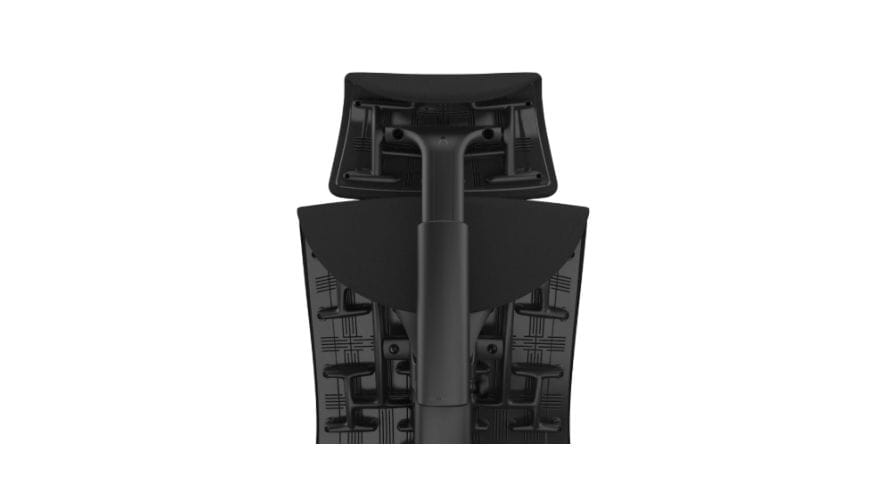
Image source: https://atlasheadrest.com/products/headrest-for-embody-gaming-chair
Widely considered the “gold standard” for high-end chairs. They offer precision-engineered models specifically for the Herman Miller Aeron, Embody, and Steelcase Leap V2. They use OEM-grade materials so the headrest looks like an original part of the chair.
2. Engineered Now (The Specialist)
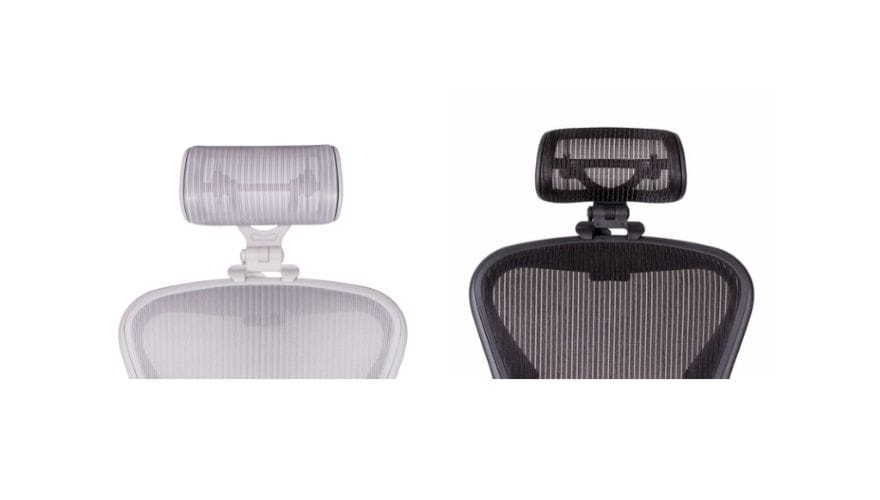
Image source: https://engineerednow.com/
A veteran in the market, their H3 and H4 models are famous for their deep “cradle” fit. They are highly recommended for the Herman Miller Aeron (both Classic and Remastered versions).
3. Branch Ergonomic Headrest
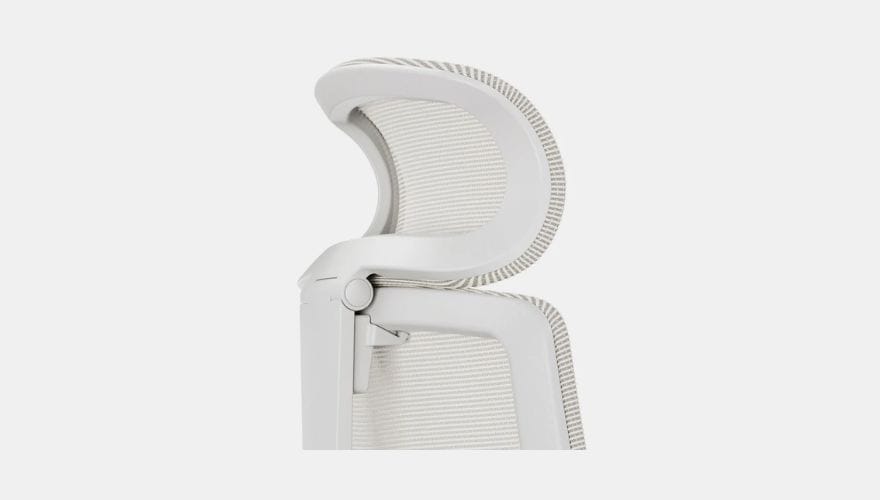
Image source: https://www.branchfurniture.com/collections/headrests/products/ergonomic-pro-headrest
If you own a Branch Ergonomic Chair Pro or the Sparta Series, the brand offers a proprietary clip-on version that maintains the chair’s sleek aesthetic and seven-year warranty.
Check the full Branch office chair reviews here: Branch Office Chair Review: An Honest 5 Week Test (2026)
4. Meet&Co Budding Office Chair Mesh Series
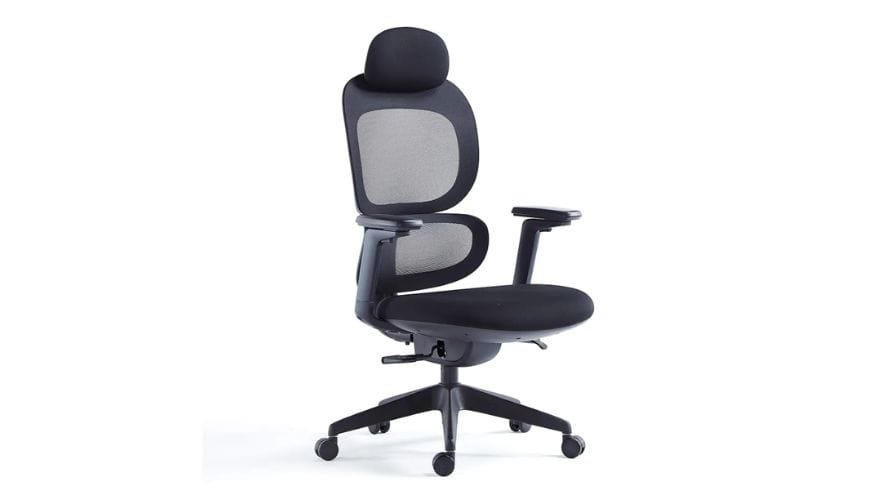
As an experienced office chair manufacturer, Meet&Co offers various office chair models with comfortable headrests. It offers a budget-friendly way to enjoy height-adjustable support without a $100+ price tag.
Office Chair Headrest Installation Step-by-Step
Installing a universal headrest is usually a 10-minute job, but doing it correctly ensures it won’t wobble or damage your chair’s frame over time.
Step 1: Measuring the Center Point
Find the exact center of your chair’s top rail. Use a measuring tape or align it with the chair’s central spine. Mark it lightly with a piece of painter’s tape to ensure the headrest sits perfectly straight.
Step 2: Protecting the Frame
Most universal kits come with adhesive rubber gaskets or foam pads. Do not skip these! Place them between the clamp and the chair frame. This prevents the hard plastic of the bracket from scratching your chair or sliding during use.
Step 3: Tightening and Stability Test
Tighten the C-clamps or bolts evenly. Don’t over-tighten on the first pass; get it snug, then give the headrest a firm shake. If it moves, tighten the screws another half-turn.
Step 4: Adjusting Height and Angle
Sit in your normal working posture. The headrest should cradle the curve of your neck (the cervical spine), not the back of your skull. Adjust the tilt angle so that when you lean back, your gaze remains level with your monitor.
Common Issues & Troubleshooting
Even with a high-quality attachment, you might run into a few hiccups. Here is how to handle the most common frustrations:
| Issue | Solution |
| The “Wobble” | Usually caused by a thin chair frame. Add extra rubber shims or a small piece of heavy-duty mounting tape inside the clamp to fill the gap. |
| Height Mismatch | For users over 190cm or under 160cm, standard attachments may sit too low or high. Look for “Extended Range” brackets specifically designed for height extremes. |
| Voiding Warranty | Warning: Adding an aftermarket part to high-end brands (like Herman Miller or Steelcase) can sometimes void your warranty. Always check the manufacturer’s policy before drilling or clamping. |
Related: How to Fix a Wobbly Chair: Simple Solutions That Actually Work
Conclusion
Adding a headrest is one of the most cost-effective ways to transform a standard task chair into a full-day ergonomic powerhouse. While it isn’t a “one-size-fits-all” solution for every piece of furniture, the 80% compatibility rate for modern mesh chairs makes it a low-risk, high-reward upgrade for your neck health.

_9.webp)


