Meet&Co
To effectively learn how to fit 3 workstations into this office, you must prioritize a linear wall or T-shaped layout.
By utilizing 48-inch desks and maintaining a 36-inch clearance for chair movement, you can optimize flow.
Integrating modular systems from Meet&Co ensures a professional, ergonomic environment even in compact square footage.
Key Takeaways
Linear & Benching Layouts: These are the most space-efficient configurations for narrow or small square offices.
The 36-Inch Rule: Always maintain at least 36 inches of clearance behind each chair to ensure safety and comfortable movement.
Compact Dimensions: Standard 48-inch desks offer the ideal balance between desktop real estate and floor space preservation.
Vertical & Modular Integration: Using monitor arms and shared storage can reclaim up to 25% of usable desk surface area.
Space Requirements: The Math Behind 3-Person Offices
Successful space planning requires a minimum of 50-60 square feet per person to avoid a cluttered environment.
For a three-person setup, an office should ideally be at least 150 square feet, though 100 square feet (10×10) is achievable with the right desk for the office.
Common mistakes often involve choosing oversized furniture.
Industry data from architectural standards suggests that while a single worker “needs” 100 square feet in a corporate setting, small business environments can optimize this.
A 10×12 office (120 sq. ft.) provides approximately 40 sq. ft. per person, which is tight but functional if you avoid the “perimeter trap” where all desks face the walls without thought for cable management.
Minimum Size Comparison (Real Data):
8×10 Office (80 sq. ft.): Very cramped. Requires high-density benching or wall-mounted desks.
10×10 Office (100 sq. ft.): The “Standard Small.” Best suited for a T-shape or Triangle layout.
10×12 Office (120 sq. ft.): The “Sweet Spot.” Comfortably fits 3 desks with 36-inch aisles.
12×12 Office (144 sq. ft.): The “Premium.” Allows for additional storage or a small meeting table.
According to BIFMA standards, a standard office desk should offer at least 24 inches of depth to accommodate a computer and provide proper focal length for the eyes, reducing strain.
Top 5 Office Layouts for 3 Workstations
The choice of layout should be dictated by the room’s aspect ratio; linear layouts suit narrow rooms, while U-shapes and T-shapes thrive in square rooms.
Data shows that “Benching” layouts can reduce floor space consumption by up to 30% compared to individual standalone units.
1. The U-Shaped Layout
This layout places three desks along three walls, forming a “U.”
It provides maximum individual surface area but requires a room at least 12 feet wide. It is ideal for teams who need heavy focus but occasional collaboration.
2. The T-Shaped Layout
By placing two desks back-to-back and a third desk perpendicular to them, you create a central hub.
This is highly effective for a manager-employee setup. Spatial data indicates this layout maximizes the “central zone,” leaving corners free for storage.
3. Linear Wall Layout
The simplest way to learn how to fit 3 workstations into this office is to line them up against the longest wall.
This is the gold standard for narrow “galley” offices. It keeps the center of the room open for traffic flow.
4. Triangle Layout
Placing a desk in each corner (or two corners and one side) creates a “workspace triangle.”
This offers the most privacy, as workers generally face away from each other.
5. Benching Layout
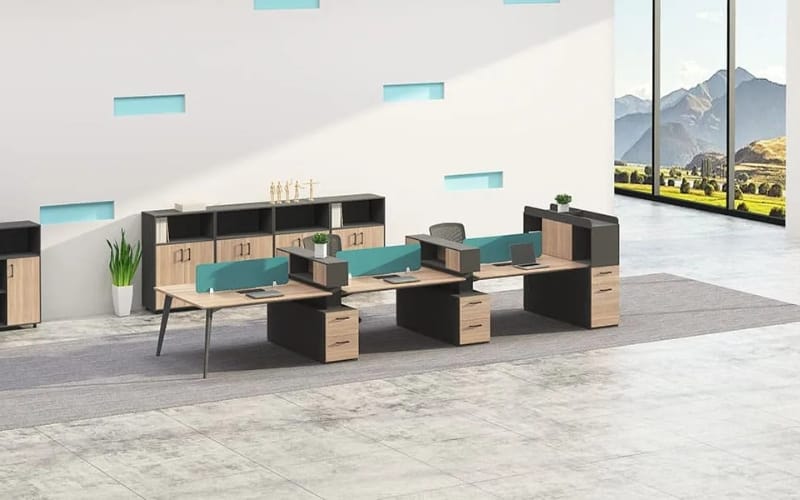
This involves three office workstations joined together in a single row or cluster. It is the most cost-effective and space-saving method.
Research by the Journal of Corporate Real Estate suggests that benching increases collaborative interactions by 15-20%.
Practical Tips for Small Offices
Maximizing a small office is about “reclaiming the vertical.”
By using monitor arms and wall-mounted shelves, you can utilize 48-inch desks without sacrificing productivity.
To fit three office workstations cubicles or desks into a tight room, you must reduce visual clutter.
Visual clutter isn’t just an aesthetic issue; it actually reduces cognitive load capacity.
A study from Princeton University found that a cluttered environment significantly restricts a person’s ability to focus.
Monitor Arms: Lifting screens off the desk clears roughly 2-3 square feet of space per person.
Cable Management: Use under-desk trays. Exposed “cable spaghetti” makes a small room feel 10% smaller to the human eye.
Compact Sizes: Don’t buy a 60-inch desk if a 48-inch one will suffice. Most modern laptops and docking stations don’t require deep surfaces.
How to Fit 3 Workstations Into This Office: L-Shaped Strategies
L-shaped desks are excellent for corner utilization but can be “space hogs” in the center of a room.
For 3 people, use two L-shaped desks in opposite corners and one standard straight desk to balance the floor plan.
L-shaped desks provide about 30% more surface area than straight desks of the same width.
However, in a 3-person office, three L-shaped desks often result in “dead zones” in the middle of the room.
A more efficient strategy is the “Corner-to-Corner” approach, where the L-extensions face each other, creating a semi-private pod.
Choosing the Right Furniture: Modular & Standing Solutions
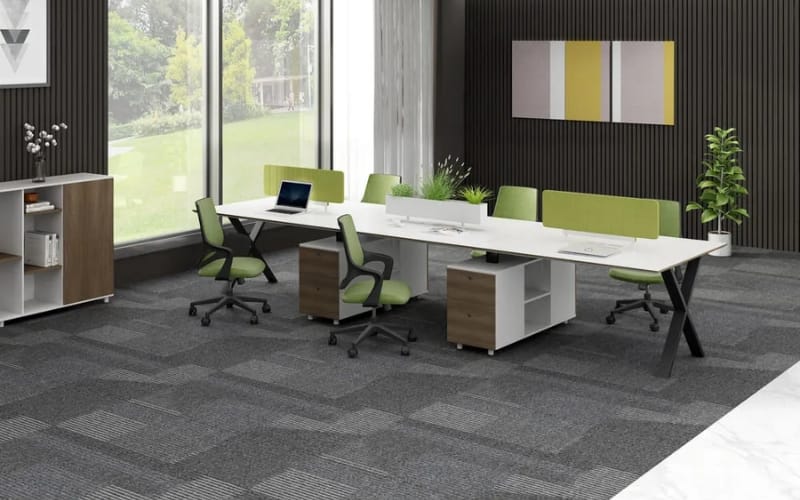
Modular systems are the most scalable solution for growing teams.
Selecting furniture that can be reconfigured ensures that your investment remains relevant as your team or office space changes.
Modular Workstation Systems
For those looking for high-density efficiency, the Reco Series B Office Workstation is a premier choice.
These modular office workstations are designed specifically for team clusters, featuring integrated cable management and acoustic privacy screens that allow three people to work in close proximity without distraction.
Standing Desk Configurations
Ergonomics should never be sacrificed for space. The Sendi E Adjustable Standing Desk provides a slim profile that fits perfectly into 3-person layouts.
Data from the CDC shows that sit-stand desks can reduce upper back and neck pain by 54% after just 4 weeks.
Integrating these into a “Benching” or “Triangle” layout allows workers to change their posture throughout the day, which is vital in high-density offices.
Privacy and Productivity Considerations
Privacy in a shared office is primarily about “Acoustic and Visual Shielding.”
Adding 12-inch desk dividers can improve focus scores by nearly 40% in shared environments.
When you fit 3 workstations into one room, noise becomes the biggest complaint. Sound travels faster in smaller rooms due to wall reflections.
Acoustic Panels: Wall-mounted felt panels can absorb up to 70% of ambient speech noise.
Screen Positioning: Ensure that no one’s screen is directly visible from the door to maintain a sense of digital privacy.
Natural Light: Data shows that workers with access to natural light report a 15% increase in creativity. Arrange desks so that no one’s back is directly to a window to avoid screen glare.
Real Office Layout Examples
Use 10×12 feet as your baseline for a comfortable 3-person team. In this configuration, you can achieve a “Hub” feel without sacrificing the 36-inch clearance rule.
Example 1: The 10×12 Team Workspace
Layout: T-Shape in the center.
Furniture: 3x 48-inch desks.
Result: Leaves 4 feet of walking space on two sides of the room.
Example 2: The Narrow 8×12 Office
Layout: Linear Wall.
Furniture: Reco Series B row.
Result: Maximizes the long axis of the room, leaving a 4-foot aisle for the length of the office.
Common Mistakes to Avoid
The biggest failure in office design is “over-furnishing.” Always measure the “Chair Arc”—the space a chair occupies when pushed back—which is typically 24-30 inches.
Avoid buying the first office workstations for sale you see without checking dimensions.
Blocking the Door: Ensure the “Door Swing” path is completely clear.
Ignoring Power Outlets: Layouts that require extension cords across walking paths are safety hazards.
Oversized Chairs: A giant executive chair in a 3-person small office can ruin an otherwise perfect layout. Opt for “Task Chairs” with a smaller footprint.
In conclusion, knowing how to fit 3 workstations into this office is a balance of choosing compact furniture, like those offered by Meet&Co Office Furniture, and respecting the physical boundaries of human movement.
Conclusion: Final Checklist
Prioritize movement and flow over maximum desk surface. A functional office with smaller desks is always more productive than a cramped office with large ones.
Before you finalize your purchase, run through this checklist:
Measurement: Did you account for the 36-inch chair clearance?
Power: Are there enough outlets for 3 workstations, or do you need furniture with integrated power?
Storage: Can you move storage to the walls (shelving) instead of the floor (cabinets)?
Ergonomics: Are the desks at a height that promotes good posture?
By following these guidelines and choosing high-quality modular solutions, you can create a thriving, professional workspace for three, no matter the size of the room.