Meet&Co
When setting up a productive workspace, one of the most common challenges professionals face is how to choose an office workstation for multiple monitors.
Whether you are a designer, programmer, or data analyst, using dual or triple monitor setups can greatly enhance efficiency—but only if your office workstation supports proper ergonomics, space, and stability.
In this guide, we break down every factor to consider when selecting a workstation, ensuring comfort, productivity, and long-term value.
Assess Your Workspace
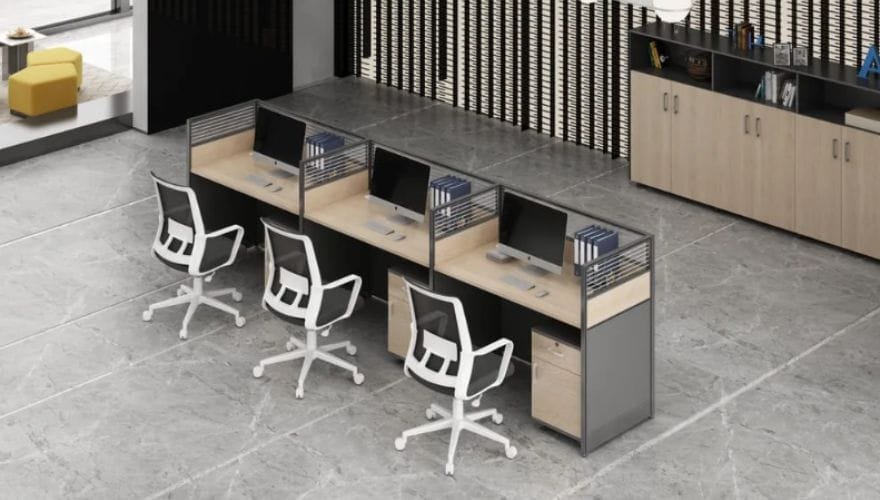
Before purchasing a modular office workstation, evaluate the space where it will be placed.
Measure your room, accounting for doors, windows, and walkways.
Experts recommend leaving at least 36 inches (91 cm) behind your chair for comfortable movement and a minimum of 30 inches (76 cm) of clearance around the desk if possible.
Case study: At Meet&Co, a company specializing in office solutions, a client upgraded from a 120 cm wide desk to a 180 cm L-shaped workstation, allowing space for dual 27-inch monitors, a printer, and additional storage without crowding the office.
Also, consider lighting: avoid positioning monitors directly in front of or opposite bright windows to prevent glare, which can lead to eye strain over time.
A workspace audit using a simple floor plan can prevent costly mistakes before buying.
Determine Monitor Setup and Size
Choosing your monitor arrangement is critical for comfort and productivity. Here’s a breakdown:
- Dual Monitors: Ideal for most office tasks. Align horizontally to reduce neck rotation. Recommended desk width: at least 55–60 inches (140–152 cm).
- Triple Monitors: Best for data-heavy or creative work. Horizontal arrangement or a slight curved setup works well. Ensure the central monitor is directly in front to maintain ergonomic posture.
- Ultra-Wide Monitors: Can replace dual setups but may require more desk depth for proper viewing distance (20–30 inches or 50–76 cm from eyes).
Tip: Keep the top of the monitor screen at or slightly below eye level. Studies show that proper monitor height can reduce neck strain by up to 20%.
Adding monitor arms or mounts is highly recommended for flexibility.
At Meet&Co, a survey of 200 remote workers found that adjustable monitor arms increased reported comfort by 32% when switching between sitting and standing positions.
Desk Size, Shape, and Material
Desk dimensions and shape are fundamental to accommodate multiple monitors comfortably:
- Rectangular desks: Work well for dual monitors if the desk width is at least 55–60 inches.
- L-shaped desks: Ideal for triple monitor setups or combined office equipment. Provides a natural “workspace triangle” for monitors, peripherals, and writing space.
- Height-adjustable desks: Promote sit-stand ergonomics, improving focus and reducing fatigue. Studies indicate that using a sit-stand desk for 2–3 hours daily can reduce musculoskeletal discomfort by 11–27%.
Material matters as well. Solid wood or metal frames provide better durability and stability, particularly when supporting multiple monitors and accessories.
Laminated surfaces are budget-friendly but may lack long-term resilience.
Weight Capacity and Stability
A workstation for multiple monitors must be structurally sound. Consider the following:
- Each 27-inch monitor weighs approximately 7–9 lbs (3–4 kg). Dual or triple setups can quickly add 20–30 lbs (9–14 kg).
- Desk frames should support at least 50 lbs (23 kg) for safe use.
- Avoid desks that wobble when typing; stability is critical for long-term ergonomics.
Tip: Reinforced metal frames or desks with crossbars provide better support.
For heavy setups, using monitor arms attached to a wall or desk clamp improves both stability and desk space.
Ergonomics and Comfort
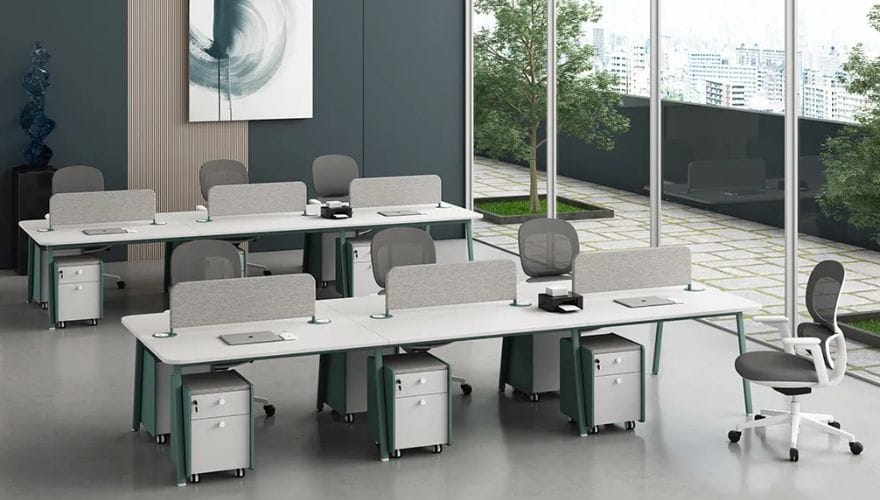
A workstation’s ergonomic features directly impact productivity and health:
- Chair and desk height alignment: Ensure elbows are at 90 degrees, wrists neutral.
- Sit-stand flexibility: Alternate between sitting and standing every 60–90 minutes.
- Monitor distance: Keep screens 20–30 inches from your eyes.
- Keyboard and mouse placement: Maintain a straight line from elbows to wrists to reduce strain.
Real-world example: A Meet&Co client upgraded to an adjustable desk with a built-in keyboard tray and monitor arms.
After three months, employees reported a 25% decrease in neck and shoulder discomfort.
Cable Management and Accessories
Managing cables is more than aesthetics; it reduces clutter and improves safety:
- Use cable trays, clips, or under-desk channels to prevent tangles.
- Consider desks with built-in grommets for power cords and monitor cables.
- Accessories such as document holders, headphone hooks, and drawer organizers enhance functionality.
Pro Tip: Label cables and route them according to priority—power cords separate from data cables to reduce interference.
Multiple monitor setups can easily require 4–6 cables each, so organized routing is essential.
Budget and Value Considerations
Office workstations cubicles vary widely in price. Here’s a simple breakdown:
- Budget ($150–$300): Laminate desktops with minimal cable management; best for light use.
- Mid-range ($300–$600): L-shaped or height-adjustable desks with better stability and durability.
- Premium ($600+): Solid wood or metal frames, advanced sit-stand mechanisms, and professional ergonomic design.
Investing in ergonomics pays off. A 2022 study by the American Journal of Occupational Health found that ergonomic office setups can improve productivity by 15–20%, justifying mid- to high-range budgets for long-term use.
Future-Proofing Your Workstation
Planning ahead ensures your workstation remains functional as your needs grow:
- Leave room for additional monitors or peripheral upgrades.
- Opt for desks compatible with modular accessories like monitor arms, cable trays, and storage units.
- Consider desks that can adapt to home or office relocation without complex disassembly.
At Meet&Co, clients often choose modular L-shaped desks to future-proof for both dual and triple monitor expansions, saving costs on future replacements.
Case Study: Optimizing a Home Office for Triple Monitors

Scenario: A data analyst needed a triple-monitor setup in a 10×12 ft home office.
Solution:
- L-shaped desk (72×48 inches)
- Adjustable sit-stand frame
- Monitor arms for two side monitors
- Cable management tray and under-desk power hub
Outcome:
- Ergonomic posture maintained for 8+ hours/day
- 30% more efficient multitasking
- Space for printer and office supplies without clutter
This illustrates how proper workstation planning combines ergonomics, space utilization, and future flexibility.
FAQ
Q1: Can I fit three monitors on a standard rectangular desk?
A: Yes, but the desk must be at least 60 inches wide and deep enough (28–30 inches) to maintain proper viewing distance. L-shaped or corner desks are often more comfortable.
Q2: Is a sit-stand desk necessary for multiple monitors?
A: While not mandatory, sit-stand desks improve posture and reduce fatigue, especially for extended periods using multiple screens.
Q3: What is the best monitor arrangement for triple screens?
A: Place the primary monitor directly in front of you. The secondary and tertiary monitors can be angled slightly inward for minimal neck rotation. Curved desks or monitor arms enhance alignment.
Q4: Where can I find professional ergonomic workstation solutions?
A: Meet&Co offers a variety of ergonomic desks and modular setups specifically designed for multi-monitor workspaces.
Q5: How can I prevent neck and eye strain with multiple monitors?
A: Keep the top of each screen at eye level, maintain a 20–30 inch viewing distance, and adjust lighting to minimize glare.
Conclusion
Choosing the right office workstations furniture for multiple monitors ensures both comfort and productivity.
By considering space, desk size, monitor arrangement, ergonomics, and future upgrades, you create a workspace that supports efficiency and reduces strain.
Investing in a well-designed, stable, and organized workstation—like those offered by Meet&Co Furniture—helps maintain long-term health and adaptability for evolving work setups.

-大图_18-1.webp)