Meet&Co
Walk through any office furniture showroom, and you’ll see a split: some ergonomic chairs come with a headrest, others don’t. The debate is surprisingly heated. Some users swear by the neck support during long days or reclined moments. Others find headrests annoying, claiming they push the head forward or simply go unused.
So, do you really need a headrest on your office chair? The answer depends on your height, your work posture, your chair’s back height, and how you use your chair throughout the day.
Our guide breaks down when a headrest helps, when it hurts, and which chairs to consider for either preference.
What Does a Headrest Actually Do?
A headrest (or neckrest) is an attachment at the top of the chair’s backrest. Its intended purposes:
Support the cervical spine (neck) during reclined postures
Reduce muscle fatigue in the neck and upper trapezius
Provide a resting point during breaks, phone calls, or focused thinking
Encourage neutral head alignment when the user leans back
But a poorly designed or incorrectly adjusted headrest can do the opposite: push the head forward, create a “chin tuck,” or force the neck into an awkward angle.
Headrest vs. No Headrest: A Head-to-Head Comparison
| Factor | With Headrest | Without Headrest |
|---|---|---|
| Upright computer work | Minimal benefit; may be unused | Ideal; no interference |
| Reclined postures (thinking, reading, calls) | Excellent support for neck | Neck must self-support; can fatigue |
| Tall users (over 5’10” / 178 cm) | Essential if chair back is low | Fine if chair back is high enough (over 23 inches) |
| Short users (under 5’4” / 162 cm) | Headrest may hit upper back | Often more comfortable |
| Forward-leaning tasks (drafting, writing) | Can be annoying or push head forward | Preferred |
| Cost | Adds $50–200 to chair price | Lower cost |
| Aesthetics | Bulkier, more industrial | Cleaner, more minimalist |
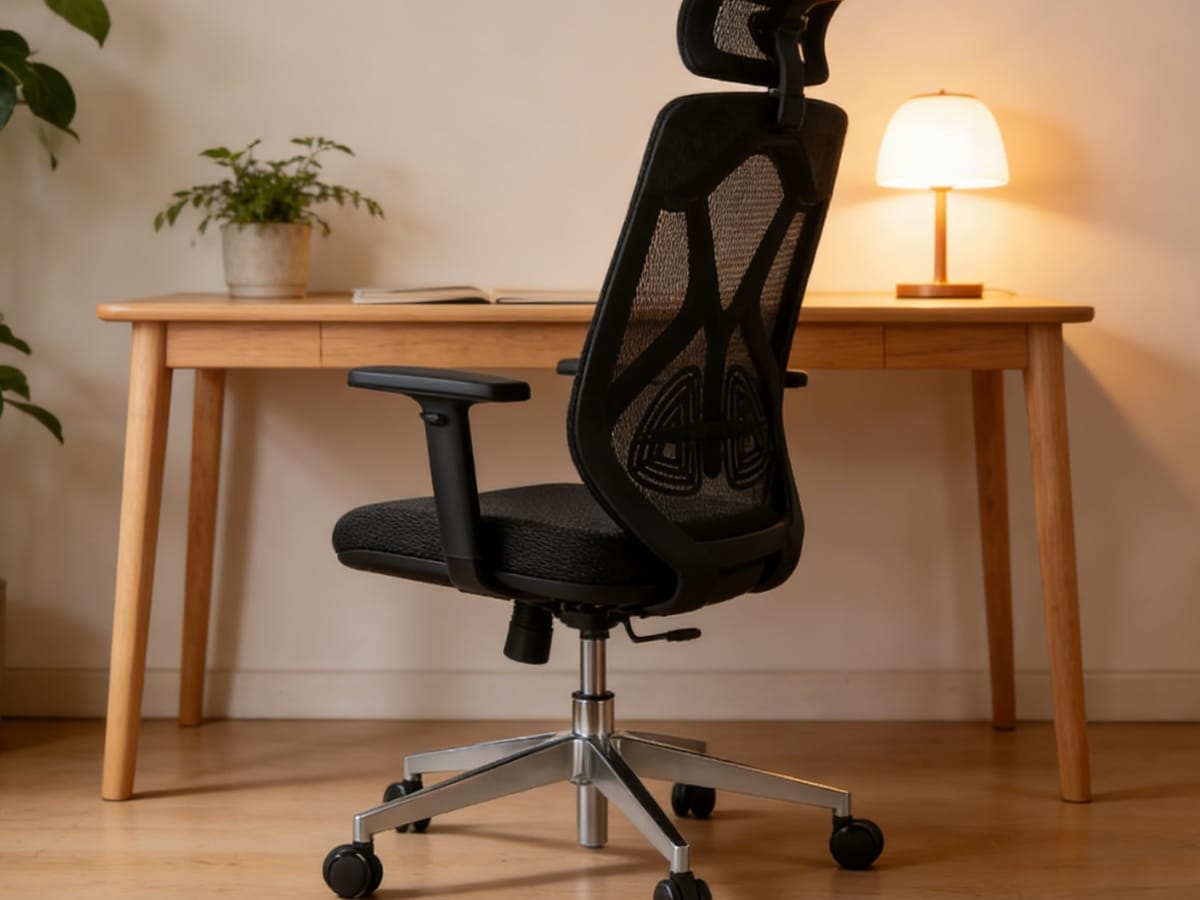
Meet&Co Wholesale Full Mesh Ergonomic Chair
When You Need a Headrest
1. You Frequently Recline
If you lean back to think, take phone calls, or watch videos, a headrest supports your neck. Without it, your neck muscles work to hold your head up even in a reclined position—leading to fatigue over time.
2. You Are Tall (Over 5’10” / 178 cm)
Many office chairs have backrests that end at mid-shoulder for tall users. Without a headrest, there’s nothing supporting the neck and head. A properly adjusted headrest fills that gap.
3. You Have Existing Neck Pain
For individuals with cervical spine issues, chronic tension, or whiplash history, a headrest can provide essential support during rest breaks. However, consult a physical therapist for specific recommendations.
Also see: Ergonomic Office Chairs for Neck and Shoulder Pain: The Ultimate Relief Guide
4. You Use Your Chair for Multiple Activities
If your workday includes typing, phone calls, reading, and collaborative discussions—and you recline for some of them—a headrest adds versatility.
Also see: Can You Add a Headrest to Any Office Chair? A Guide to Universal Attachments
When You Don’t Need a Headrest
1. You Sit Upright Most of the Day
If you maintain an upright posture for computer work and rarely lean back beyond 100–110 degrees, a headrest offers little benefit. It may go unused or even push your head forward if not adjusted perfectly.
2. You Are Short (Under 5’4” / 162 cm)
Many headrests are designed for average-height users. Short users often find the headrest hits the back of their shoulders or upper back, forcing an uncomfortable forward head posture.
3. Your Chair Has a Very High Back
Some ergonomic chairs (like the Steelcase Leap Plus or Herman Miller Embody) have backrests that extend high enough to support the neck even without a dedicated headrest. In these cases, a headrest is redundant.
4. You Prefer a Clean, Minimalist Aesthetic
Headrests add visual bulk. For design-conscious offices, a headrest-less chair often looks more streamlined.
Headrest Adjustment: The Make-or-Break Factor
Even the best headrest is useless if not adjusted correctly. Proper headrest position:
Height: The center of the headrest should support the curve of your neck (cervical lordosis), not the back of your skull.
Angle: The headrest should not push your head forward. A slight backward tilt (5–10 degrees) is ideal.
Depth (if adjustable): There should be a finger’s width of space between your head and the headrest when sitting upright.
Test: Sit upright, then lean back. Your head should contact the headrest gently, not be forced forward.
Top 4 Office Chairs (With and Without Headrest Options)
Here are four excellent chairs representing different approaches to head support—from no headrest to highly adjustable versions.
| Product | Headrest Option | Key Feature | Best For |
|---|---|---|---|
| Meet&Co Budding Ergonomic Office Chair | No headrest (standard); optional add-on | Breathable mesh, adjustable lumbar, affordable | Budget-conscious users, upright posture, warm climates |
| Meet&Co Modern Desk Chair | No headrest | Mid-back, sleek design, padded seat | Home offices, minimalist aesthetics, shorter users |
| Steelcase Gesture with Headrest | Optional (highly adjustable) | 3D LiveBack, 360° armrests, headrest moves in/out | Tall users, multi-device users, frequent recliners |
| Herman Miller Aeron with PostureFit (no headrest) | Aftermarket only (e.g., Atlas) | Pellicle mesh, size-specific frames, superior lumbar | Users who want premium ergonomics without a headrest |
1. Meet&Co Budding Ergonomic Office Chair
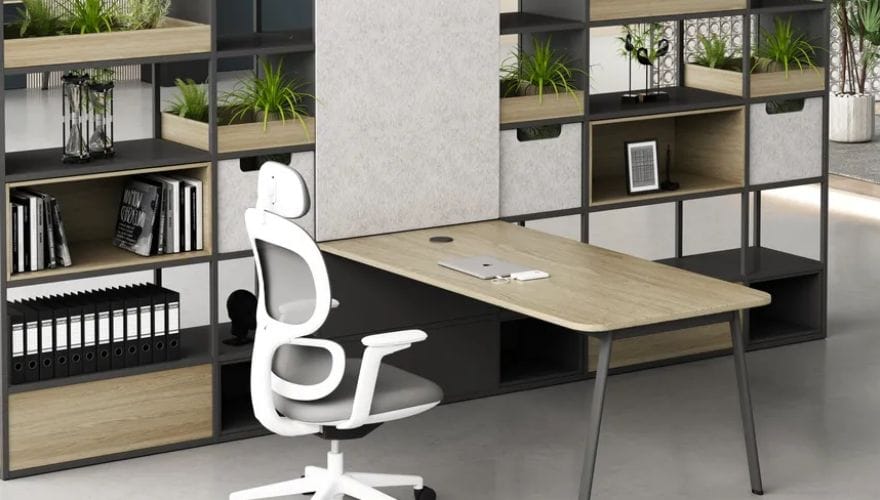
The Meet&Co Budding Ergonomic Office Chair is a breathable mesh chair designed for all-day comfort. It comes standard without a headrest but may offer an optional attachment (check availability). The mid-back mesh design provides lumbar support while keeping the back cool—ideal for users who sit upright and don’t need neck support.
Key Features:
Breathable mesh back: Air circulates freely, preventing sweat buildup.
Adjustable lumbar support: Dial-in lower back pressure.
Padded seat cushion: High-density foam for comfort without sagging.
Height-adjustable armrests: Basic but functional.
Affordable price point: Great value for ergonomic features.
Why consider it: If you work upright and don’t need a headrest, the Budding delivers core ergonomics without paying for unused features. The mesh back is especially valuable in warm offices or for users who run hot.
Best for: Budget-conscious buyers, upright posture workers, and those in warm climates.
2. Meet&Co Modern Desk Chair
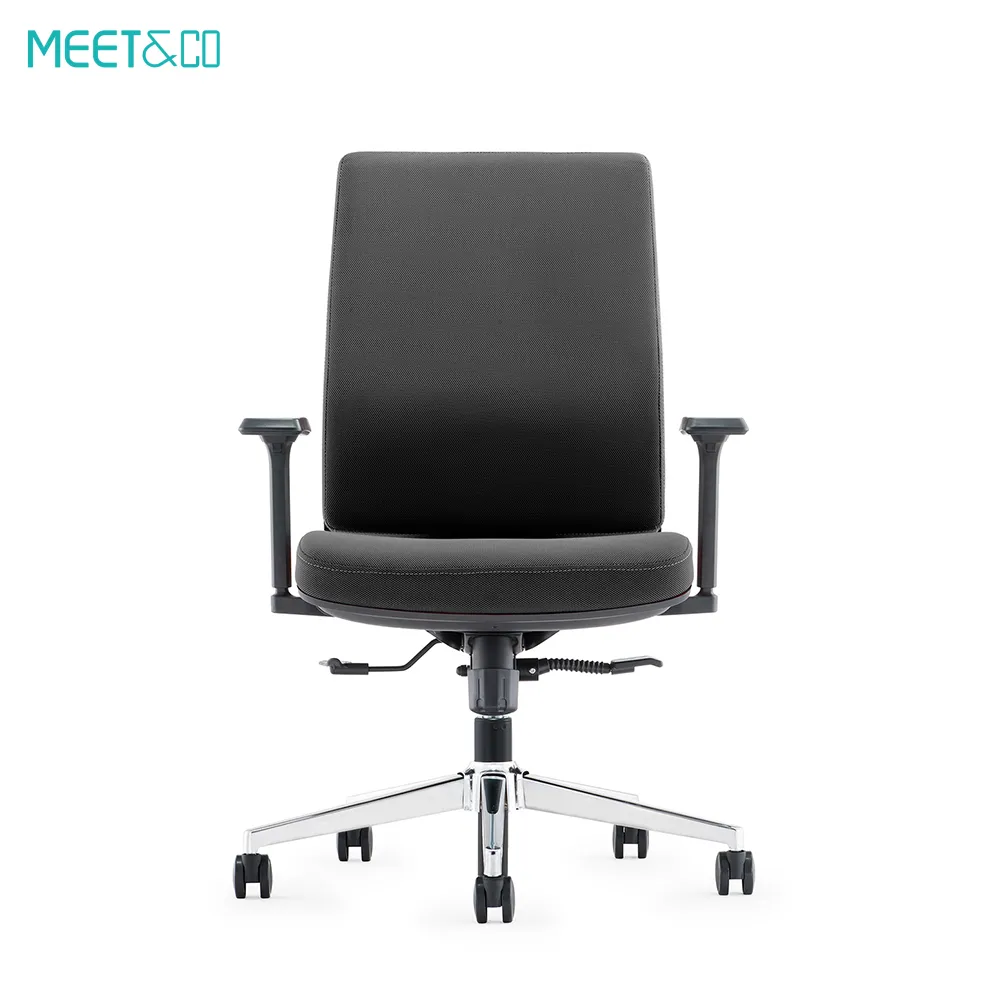
The Meet&Co Modern Desk Chair is a sleek, mid-back office chair with a clean, minimalist aesthetic. It does not include a headrest and is not designed for one—its back height is ideal for users of average or shorter height who maintain an upright seated posture.
Key Features:
Mid-back design: Supports the shoulders and mid-spine but ends below the neck.
Padded seat and back: Plush foam for comfortable shorter sessions.
Simple, elegant appearance: Fits well in home offices and modern workspaces.
Basic height adjustment: Pneumatic lift for standard desk heights.
Very affordable: One of the lowest-priced ergonomic options.
Why consider it: For home offices, guest seating, or users who rarely recline, this chair offers a clean look and adequate support at a very low price. The lack of a headrest is a feature, not a flaw—there’s nothing to interfere with upright posture.
Best for: Home offices, reception areas, shorter users, and anyone who prefers a simple, headrest‑free design.
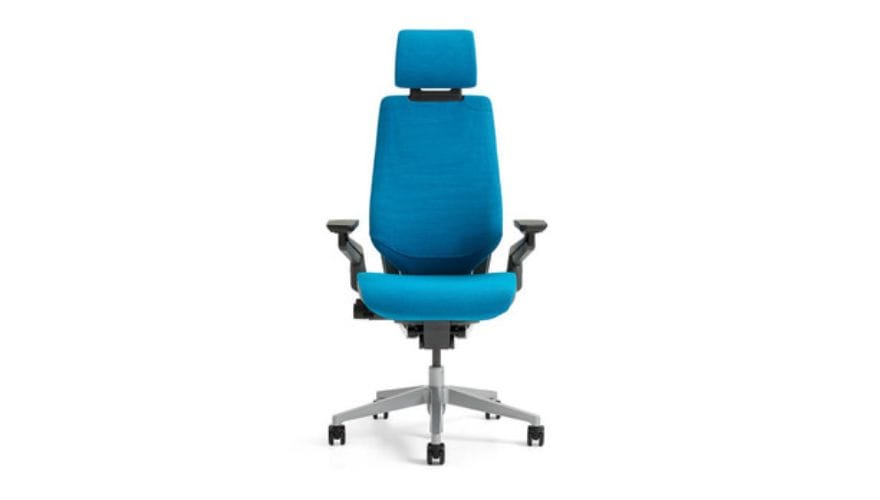
3. Steelcase Gesture with Headrest
Source: Steelcase
The Steelcase Gesture is widely considered one of the best ergonomic chairs for people who use multiple devices (laptop, tablet, phone, desktop). Its optional headrest is exceptionally adjustable—it moves up/down, in/out, and pivots to support the neck without forcing the head forward.
Key Features:
3D LiveBack technology: Mimics the natural movement of your spine.
360° adjustable armrests: Move in height, width, depth, and angle.
Headrest (optional): Adjusts independently; can be moved out of the way when not needed.
Supports up to 400 lbs: Heavy-duty construction.
12-year warranty: Commercial-grade durability.
Why consider it: The Gesture is for users who recline frequently, use multiple devices, or are tall enough to need neck support. The headrest is one of the best on the market—it stays out of the way when you don’t need it and provides excellent support when you do.
Best for: Tall users, multi-device workers, frequent recliners, and those who want the option of a headrest without compromise.
4. Herman Miller Aeron (No Headrest; Aftermarket Options Available)
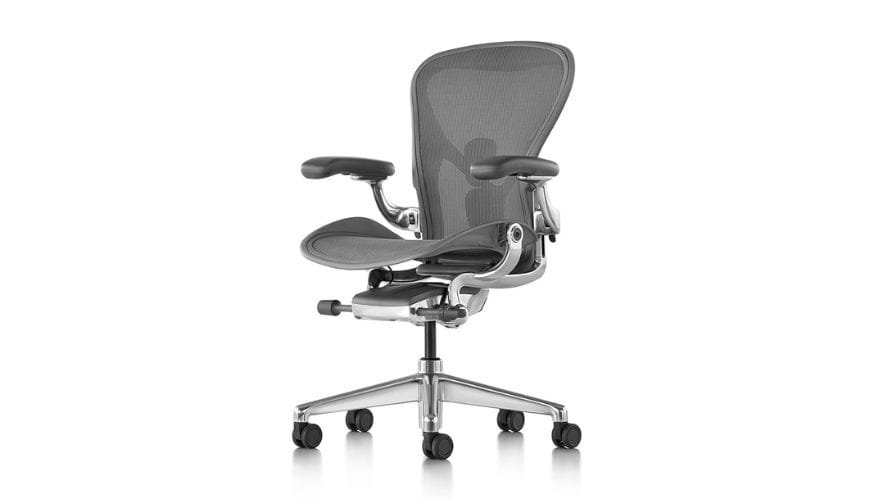
Image source: https://www.hermanmiller.com/products/seating/office-chairs/aeron-chair/
The Herman Miller Aeron is an icon of ergonomic design. It ships without a headrest—its high-back versions (Size B and C) support the mid-to-upper back but end below the neck. Many users prefer this, as the chair encourages active, upright sitting. However, aftermarket headrests (notably from Atlas Headrest) are available and highly rated.
Key Features:
Pellicle mesh: Suspension material that conforms to your body and stays cool.
Three sizes (A, B, C): Ensures proper fit for different body types.
PostureFit SL: Adjustable lumbar and sacral support.
Tilt limiter and forward tilt: Supports active sitting and task work.
12-year warranty: Legendary durability.
Why consider it: The Aeron is for users who have decided they don’t need a headrest—or who want the option to add a high-quality aftermarket headrest later. The chair’s ergonomic excellence stands on its own. For many, the lack of a headrest is a positive: no interference with upright posture.
Best for: Users who prioritize breathability, have a size‑matched chair, and either don’t want a headrest or are willing to add an aftermarket one.
Also see: Top Herman Miller Aeron Chair Headrests in 2026
Headrest vs. No Headrest: Frequently Asked Questions
1. Is a headrest necessary for good ergonomics?
No. Most ergonomic guidelines focus on lumbar support, seat depth, and armrests. A headrest is considered a secondary feature. For upright computer work, it’s often unnecessary. For reclined postures or tall users, it can be beneficial.
2. Can a headrest cause neck pain?
Yes, if poorly adjusted. A headrest that pushes your head forward forces your neck into a non-neutral position, leading to muscle strain. Also, a headrest that’s too low (hitting your upper back) or too high (hitting your skull) can cause discomfort.
3. Can I add a headrest to any office chair?
Not easily. Some chairs have proprietary mounting points. Others (like the Aeron) have aftermarket options. Most mid-range and budget chairs cannot accept a headrest after purchase. If you think you might want one, buy a chair that offers a factory headrest option.
4. Do tall people always need a headrest?
Not always, but often. If your chair’s backrest ends below your shoulders (common for users over 6’ / 183 cm), a headrest provides needed neck support when reclining. If you sit upright and never recline, you may still not need one.
5. What’s the best headrest adjustment?
Look for height, depth (in/out), and pivot (angle) . Depth adjustment is most critical—it allows you to position the headrest so it doesn’t push your head forward. Many budget chairs offer height adjustment only, which is insufficient.
6. Are headrests worth the extra cost?
If you recline frequently, take long phone calls, or have neck pain, yes—a $50–200 headrest can significantly improve comfort. If you sit upright at a computer all day, spend that money on better lumbar support or armrests instead.
Conclusion
The decision between headrest vs. no headrest comes down to your body, your work style, and how you use your chair.
Choose a headrest if: You are tall (over 5’10”), frequently recline, have existing neck pain, or use your chair for multiple activities (calls, reading, typing).
Skip the headrest if: You sit upright most of the day, are short (under 5’4”), have a high-back chair, or prefer a minimalist aesthetic.
For most users who work upright at computers, a headrest is not essential. But for those who recline—even occasionally—a well-adjusted headrest adds meaningful comfort. The best approach: buy a chair that offers a removable or optional headrest, so you can add it later if needed.
Among our recommendations:
No headrest needed: Meet&Co Budding, Meet&Co Modern Desk Chair, Herman Miller Aeron (aftermarket optional)
Headrest recommended: Steelcase Gesture with factory headrest
Test a chair with and without a headrest if possible. Sit in your typical working posture. Lean back. Your neck will tell you what it needs.
Ready to find your perfect office chair? Browse our collection, including the Budding and Modern Desk chairs, and contact us for expert fitting advice.