Meet&Co
You’re setting up your home office, and you face a familiar choice. On one side: the sleek, race-car-inspired gaming chair that promises comfort during marathon sessions. On the other: the more restrained ergonomic office chair, designed by engineers who studied spinal alignment for decades. Both claim to support you through long workdays. Which one actually delivers?
The gaming chair market has exploded in recent years, and it’s not just gamers buying them. Remote workers, drawn by the bold aesthetics and aggressive pricing, have increasingly turned to gaming chairs for their home offices. At first glance, they look comfortable—high backs, thick padding, and plenty of adjustability. But looks can be deceiving.
This guide breaks down the real differences between gaming chairs and ergonomic office chairs. By the end, you’ll know exactly which one fits your work style, body type, and long-term health needs.
Why the Choice Matters for Remote Workers
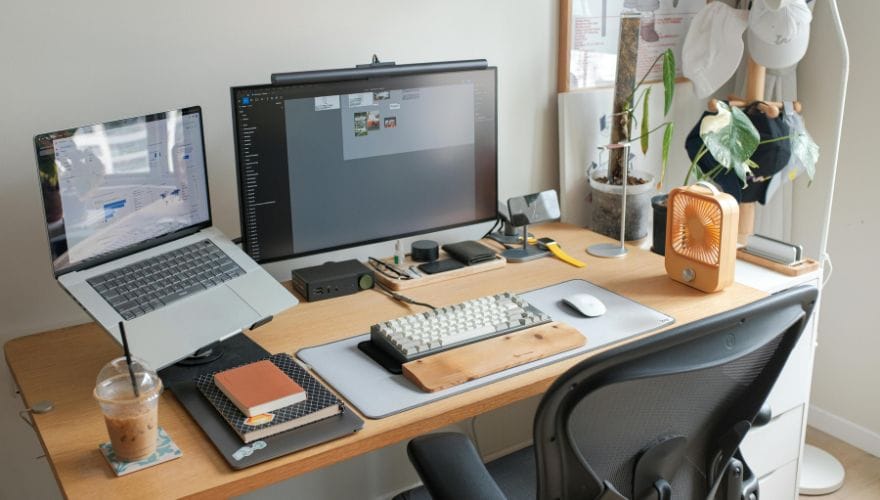
Remote workers spend an average of 8+ hours daily in their chairs—more than many professional gamers. That’s over 2,000 hours per year of continuous sitting. The wrong chair doesn’t just cause discomfort; it contributes to chronic back pain, reduced productivity, and long-term health issues.
The distinction between gaming and ergonomic chairs comes down to design philosophy:
- Gaming chairs prioritize aesthetics, aggressive styling, and often borrow design cues from racing car seats. They emphasize a “sporty” look and thick padding.
- Ergonomic office chairs prioritize adjustability, spinal alignment, and long-session comfort. They’re designed by ergonomists to support a wide range of body types and postures.
Understanding these philosophies helps you decide which aligns with your actual needs—not just your aesthetic preferences.
Quick Comparison: Gaming Chair vs. Ergonomic Office Chair
| Feature | Gaming Chair | Ergonomic Office Chair |
| Primary design goal | Aesthetics, racing car look | Spinal support, adjustability |
| Backrest shape | High back, often bucket-style with bolsters | Flat or slightly curved, follows natural spine |
| Lumbar support | Removable pillow (often shifts during use) | Integrated, adjustable in height and depth |
| Headrest | Integrated into seat back, fixed position | Adjustable or optional (height, angle, depth) |
| Seat cushion | Thick foam, often flat or slightly contoured | High-density foam, variable density zones |
| Seat depth adjustment | Rare | Common (1.5–3 inches of range) |
| Armrests | 2D or 3D adjustable typically | 4D adjustable (height, width, depth, pivot) |
| Material | Faux leather (common), fabric (some) | Fabric, mesh, genuine leather (premium) |
| Breathability | Poor (faux leather) to moderate (fabric) | Excellent (mesh), moderate (fabric) |
| Weight capacity | Typically 250–300 lbs | 300–500+ lbs on heavy-duty models |
| Typical price range | $150–500 | $300–2,000+ |
| Warranty | 1–3 years typical | 5–12 years typical |
| Best for | Aesthetic-focused users, occasional long sessions | All-day users, those with existing back issues |
Deep Dive: Gaming Chairs – What You’re Getting
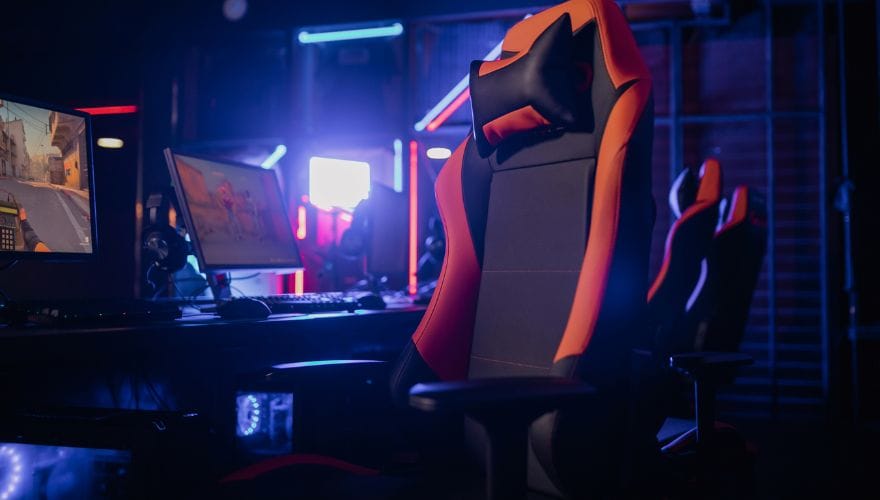
Gaming chairs have become ubiquitous in streaming setups and home offices. But what actually distinguishes them from office chairs?
The Racing Seat Heritage
Most gaming chairs trace their design lineage to racing car seats—specifically, the bucket seats found in high-performance vehicles. These seats feature raised bolsters on the seat and back that are designed to hold the driver in place during high-speed cornering. In a stationary office, those bolsters serve no functional purpose and can actually force shoulders into a rounded, unnatural position.
What Gaming Chairs Get Right
- Aggressive aesthetics: If your workspace doubles as a streaming setup or you simply prefer the look, gaming chairs deliver visual impact that most office chairs don’t.
- Thick padding: The initial “sink-in” feeling is often more plush than the firmer feel of high-end office chairs.
- Recline range: Many gaming chairs recline nearly flat (up to 180 degrees), making them suitable for lounging or napping.
- Price point: Entry-level gaming chairs start around $150, making them accessible for budget-conscious buyers.
The Hidden Downsides
Lumbar pillows that shift: Gaming chairs typically include a removable lumbar pillow. These pillows look comfortable but rarely stay in place. As you shift during the day, the pillow migrates, leaving your lower back unsupported. Some users report spending more time adjusting the pillow than actually sitting.
Faux leather breathability issues: Most gaming chairs under $500 use PU leather (faux leather) upholstery. While easy to clean, this material traps heat and sweat. After a few hours, you may find yourself sticking to the chair—a common complaint among remote workers using gaming chairs.
Fixed bucket seat shape: The raised bolsters on gaming chair seats are designed to keep drivers from sliding during turns. In an office, they restrict natural movement and can create pressure points on the thighs, especially for wider users.
Limited adjustability: Most gaming chairs offer height adjustment, recline, and basic armrest adjustments. Seat depth adjustment—critical for proper thigh support—is almost never included.
Who Should Consider a Gaming Chair
- Remote workers on a tight budget who don’t sit for 8+ continuous hours
- Those who prioritize aesthetics and don’t have existing back issues
- Users who want a chair that doubles for gaming and lounging
- Taller users who need a high backrest (gaming chairs excel here)
Deep Dive: Ergonomic Office Chairs – What You’re Getting

Ergonomic office chairs are designed by specialists who study how bodies interact with seating over long periods. They’re built around one core principle: the chair should adapt to you, not the other way around.
What Ergonomic Chairs Get Right
Integrated lumbar support that stays put: Unlike pillows that shift, ergonomic chairs have built-in lumbar mechanisms that stay exactly where you set them. Premium chairs offer height-adjustable lumbar with depth control—meaning you can dial in the exact amount of support your lower back needs.
Adjustable seat depth: This feature is critical for proper thigh support and circulation. Users can slide the seat pan forward or backward to ensure a 2–3 finger gap between the seat edge and the back of the knees.
4D armrests: The most adjustable armrests on the market move in four directions: up/down, forward/back, in/out, and pivot. This allows you to position arms exactly where they need to be for typing, mousing, or resting, keeping shoulders relaxed.
Breathable materials: High-end ergonomic chairs often use mesh backs (and sometimes mesh seats) that allow continuous airflow, preventing heat buildup during long sessions.
Durability and warranty: Quality ergonomic chairs come with 10–12 year warranties, reflecting confidence in their longevity. Gaming chairs typically offer 1–3 years.
The Downsides
Higher upfront cost: Quality ergonomic chairs start around $500 and can exceed $1,500. For budget-conscious buyers, this is a significant barrier.
Less “plush” initial feel: Ergonomic chairs use high-density foam designed to maintain support over years, not plush, sink-in foam that feels soft but compresses quickly. Some users initially find them “too firm.”
Aesthetic limitations: While some ergonomic chairs look modern and professional, they rarely match the aggressive styling of gaming chairs.
Who Should Choose an Ergonomic Office Chair
- Remote workers who spend 8+ hours daily in their chair
- Those with existing back, neck, or shoulder pain
- Users who prioritize long-term health over short-term aesthetics
- Anyone who wants a chair that will last 10+ years
Head-to-Head: Which Performs Better for Remote Work?
Let’s compare across the factors that matter most for remote workers.
Comfort Over 8 Hours
| Metric | Gaming Chair | Ergonomic Office Chair |
| Initial comfort | High (plush padding) | Medium (firmer feel) |
| 6-hour comfort | Medium (heat buildup, shifting lumbar) | High (consistent support) |
| 8-hour comfort | Low (fatigue, pressure points) | High (sustained support) |
Verdict: Ergonomic chairs win for extended sessions. The initial plushness of gaming chairs fades as heat and pressure points develop.
Spinal Health Support
| Metric | Gaming Chair | Ergonomic Office Chair |
| Lumbar support | Lumbar pillow (shifts) | Integrated, adjustable |
| Neck support | Fixed headrest (often hits shoulders) | Adjustable headrest (optional) |
| Upper back support | High backrest | Varies; premium models offer tall backs |
| Pelvis positioning | Bucket seat tilts pelvis back | Flat seat promotes neutral pelvis |
Verdict: Ergonomic chairs are designed specifically for spinal health. Gaming chairs borrow from automotive design, not ergonomics.
Temperature Regulation
| Metric | Gaming Chair | Ergonomic Office Chair |
| Breathability | Poor (faux leather) to moderate (fabric) | Excellent (mesh), moderate (fabric) |
| Heat buildup | Significant after 2–3 hours | Minimal with mesh |
Verdict: Mesh ergonomic chairs dominate here. Faux leather gaming chairs can become uncomfortably warm during extended work sessions.
Adjustability Range
| Feature | Gaming Chair | Ergonomic Office Chair |
| Seat height | Yes | Yes |
| Seat depth | Rare | Common |
| Backrest angle | Yes (often flat recline) | Yes (with tilt lock, tension) |
| Armrests | 2D or 3D | 4D (height, width, depth, pivot) |
| Lumbar support | Removable pillow | Integrated, height + depth adjustable |
| Headrest | Fixed position | Height/angle adjustable |
Verdict: Ergonomic chairs offer significantly more adjustability, allowing finer tuning to individual body types.
Quick Comparison: Top Picks by Category
| Category | Top Gaming Chair | Top Ergonomic Office Chair |
| Overall best | Secretlab Titan Evo | Herman Miller Aeron |
| Best value | Razer Iskur | Steelcase Series 2 |
| Best for tall users | Secretlab Titan Evo XL | Herman Miller Aeron Size C |
| Best for heavy users | Secretlab Titan Evo XL (395 lb) | Steelcase Leap Plus (400+ lb) |
| Best for breathability | Fabric gaming chairs | Herman Miller Aeron (mesh) |
| Most adjustable | Corsair T3 Rush (3D arms) | Steelcase Gesture (4D arms, adaptable back) |
Which One Should Remote Workers Choose?
The answer depends on your specific situation. Here’s a decision framework:
Choose a Gaming Chair If:
- You’re on a tight budget (under $400) and quality office chairs are out of reach
- You work in short bursts (2–4 hours) rather than full days
- Aesthetics are your top priority—you want your workspace to look a certain way
- You don’t have existing back or neck pain
- You want a chair that doubles for gaming, lounging, and occasional work
Choose an Ergonomic Office Chair If:
- You spend 6–8+ hours daily in your chair
- You already experience back, neck, or shoulder discomfort
- You view your chair as a long-term health investment (10+ years)
- You run warm and want breathable mesh
- You need precise adjustability to fit your unique body dimensions
Also see: How to Test an Office Chair Before Buying: A 15-Minute Showroom Checklist
The Hybrid Approach
Some users find success with a hybrid: a fabric gaming chair (rather than faux leather) paired with an aftermarket lumbar support cushion. This combination addresses breathability and lumbar issues while keeping the gaming aesthetic. However, it still lacks seat depth adjustment and 4D armrests.
The Bottom Line: What the Research Says
Ergonomics research consistently points to one conclusion: adjustability and support matter more than aesthetics or initial plushness. A 2021 review of office seating studies found that chairs with adjustable seat depth, height, and lumbar support significantly reduced musculoskeletal discomfort compared to fixed-position chairs.
Gaming chairs, for all their visual appeal, simply don’t offer the same level of evidence-based ergonomic features. They’re designed to look fast and feel plush initially—not to support neutral spinal alignment through an 8-hour workday.
As one ergonomics specialist noted: “Gaming chairs are great for gaming sessions where you’re actively engaged and moving. For focused desk work where you’re stationary for hours, they’re not the right tool”.
FAQ
1. Can a gaming chair be comfortable for 8-hour workdays?
Some users report success, but most find that heat buildup, shifting lumbar pillows, and pressure points make long days challenging. If you work extended hours, an ergonomic chair is generally a better choice.
2. Are gaming chairs bad for your back?
Not inherently, but they lack the adjustability features that help maintain neutral spinal alignment over long periods. The fixed lumbar pillow and bucket seat shape can contribute to poor posture.
3. What’s the best chair for both gaming and work?
The Secretlab Titan Evo offers the best balance, with better build quality than most gaming chairs and optional fabric upholstery for breathability. For pure ergonomics with gaming aesthetics, the Razer Iskur includes built-in lumbar support rather than a shifting pillow.
4. Why are ergonomic chairs so expensive?
Quality ergonomic chairs use higher-grade materials (high-density foam, reinforced steel frames, durable mechanisms) and come with 10–12 year warranties. They’re designed to last a decade or more—the cost per year often ends up lower than replacing a gaming chair every 2–3 years.
5. Can I add ergonomic features to a gaming chair?
Yes. Aftermarket lumbar supports can replace the shifting pillow, and seat cushions can improve comfort. However, you cannot add seat depth adjustment or 4D armrests to a chair that doesn’t have them.
6. Which is better for tall users?
Both categories offer tall-friendly options. The Secretlab Titan Evo XL and Herman Miller Aeron Size C (with Atlas headrest) are excellent choices. Gaming chairs often have higher backrests, while ergonomic chairs offer better lumbar support.
7. Do I really need to spend $1,000 on a chair?
Not necessarily. Quality ergonomic chairs start around $500 (Steelcase Series 2, HON Ignition). The premium $1,000+ models offer additional adjustability, longer warranties, and higher build quality—but the $500–800 range delivers solid ergonomics for most users.
Conclusion
The gaming chair vs. ergonomic office chair debate comes down to one question: what do you actually need from your chair?
If you’re a remote worker spending full days at your desk, an ergonomic office chair is the smarter investment. It’s designed to support your body through long hours, with adjustability that gaming chairs simply don’t match. The higher upfront cost pays off in reduced discomfort, better productivity, and a chair that lasts a decade.
If you’re on a tight budget, work in shorter sessions, or simply love the gaming aesthetic, a fabric gaming chair with an aftermarket lumbar support can work—just go in with realistic expectations about long-term comfort and durability.
The best chair for you is the one that fits your body, supports your work style, and keeps you comfortable through the hours you actually spend sitting.