





 Meet&Co
A standing desk can look great in a product photo and still be disappointing once you actually have to use it every day. Is it stable when you raise it? Does the motor get annoying after repeated adjustments? And after a few hours of switching between sitting and standing, does it actually make working more comfortable—or do you end up leaving it at one height anyway?
Those were some of the key points we had when we started testing the Branch Standing Desk. Rather than judging it based on specifications alone, we used it as an everyday work desk for two months, switching between sitting and standing throughout the workday. We worked on a laptop, connected a monitor, moved the desk up and down regularly, and paid attention to the small things that tend to matter after the initial excitement wears off—stability, adjustment speed, desktop space, cable management, and how easy it is to live with day after day.
After two months of use, we have a much better idea of what the Branch Standing Desk does well, where it falls short, and who we think it makes sense for. Here’s what our hands-on testing revealed.
Our 2-Month Test Results
Over the last 2 months, we've been testing four Branch standing desks. We used them through full workdays, switching between sitting and standing, with a monitor, laptop, keyboard and the usual collection of cables and desk accessories.
Duo Standing Desk
What We Like
- Smooth and relatively quiet height adjustment
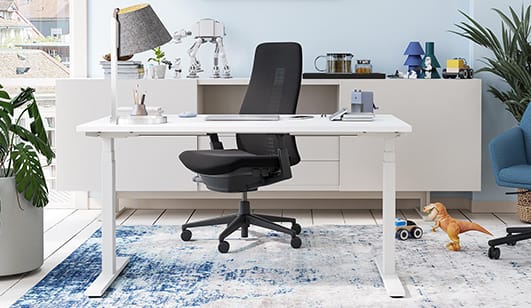
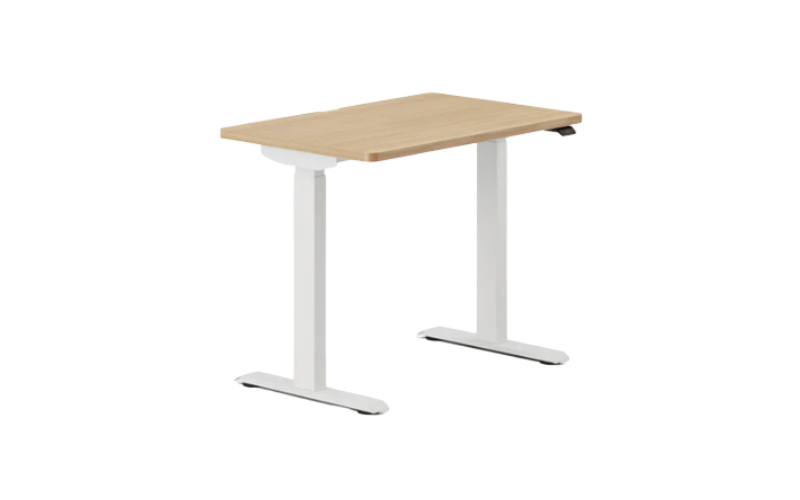
The Duo uses dual motors and has a height range of 28 to 47.3 inches, with a lifting capacity of up to 275 lbs. In our testing, the desk moved smoothly between sitting and standing positions, without the jerky movement we've experienced with some other standing desks.
The motor is also quiet enough that adjusting the desk during a meeting or while someone else is working nearby isn't particularly distracting.
- The controls are genuinely useful
The OLED control paddle is one of the better parts of the desk. It's easy to operate, and the built-in standing reminder is useful if you tend to get absorbed in work and forget to change positions.
The Duo also supports Bluetooth through an optional adapter. Once connected to the Branch iOS app, you can adjust the desk from your phone, set additional virtual height presets and track your standing time. We found these features useful, although we wish Bluetooth were built in rather than an extra purchase.
- Good workspace for everyday setups
We tested the 48-inch version, and it gave us enough room for a monitor, laptop, keyboard and other daily essentials without feeling cramped. The larger 58-inch option would make more sense for a multi-monitor setup.
What We Don't Like
- There is some wobble at higher heights
The Duo is stable enough for normal work, but it's not completely wobble-free. We noticed more movement once the desk was raised, particularly when typing or putting pressure on the desktop.
It's not severe enough to stop us from recommending the desk, but it's noticeable—and something we'd expect Branch to improve in a future version.
- Two memory presets feel limiting
You only get two physical height presets. That's enough for most people who alternate between sitting and standing, but we'd prefer at least four presets, especially at this price.
- A few design details could be better
The power brick is positioned close to the back edge of the desktop. This can make installing certain clamp-on accessories, particularly monitor arms, more difficult.
We also think the 28-inch minimum height could be an issue for shorter users. It's worth checking your ideal seated height before ordering.
Final Verdict
After two months of everyday use, we'd recommend the Branch Duo Standing Desk, but not without reservations.
Its smooth height adjustment, quiet motors, useful controls and practical desktop space make it a strong everyday standing desk. However, the noticeable wobble at higher heights, limited memory presets and a few accessory-related design issues keep it from being perfect.
Our rating: 4.5/5.
Tria Standing Desk
What We Like
- The wider height range is genuinely useful
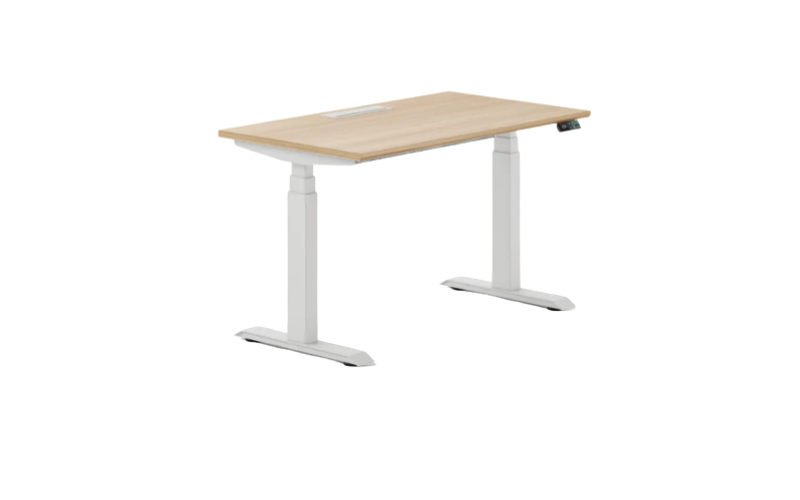
One of the biggest differences we noticed is the 25.5- to 48.9-inch height range. The three-stage lifting columns give the Tria considerably more adjustment range than many standard standing desks. We found the lower end particularly useful when sitting, while the extra height gives taller users more flexibility when standing. Branch rates the desk for up to 275 lbs.
- Bluetooth is more useful than we expected
Unlike the Duo, Bluetooth is built into the Tria, so there's no separate adapter to buy. The desk connects to Branch's Ergonomics app, where you can create virtual presets, track standing time and schedule standing sessions.
We wouldn't call the app essential, but after using it for two months, we did find the automatic tracking and scheduled reminders useful. The OLED keypad also has two physical presets and a USB-C charging port, which makes the controls feel more practical than a basic up/down switch.
What We Don't Like
- Two physical presets feel limiting
The Bluetooth app adds virtual presets, but the physical keypad still only gives you two programmable positions. We'd prefer four or more physical presets, especially for a desk aimed at demanding workstations and shared workspaces.
- Assembly requires patience
The biggest frustration we encountered was assembly. The desk is substantial, and getting everything aligned takes more time and attention than we expected. We strongly recommend having two people for the larger sizes rather than trying to assemble it alone.
Final Verdict
After two months, we think the Branch Tria is a strong standing desk for serious home-office setups, particularly if you need a wide height range, a large desktop and built-in smart features.
The Bluetooth integration, USB-C charging, three-stage lift and included cable management make it feel more complete than the Duo. But at $749, we'd like to see better stability at the highest positions and more physical memory presets.
Our rating: 4.5/5.
Four Leg Standing Desk
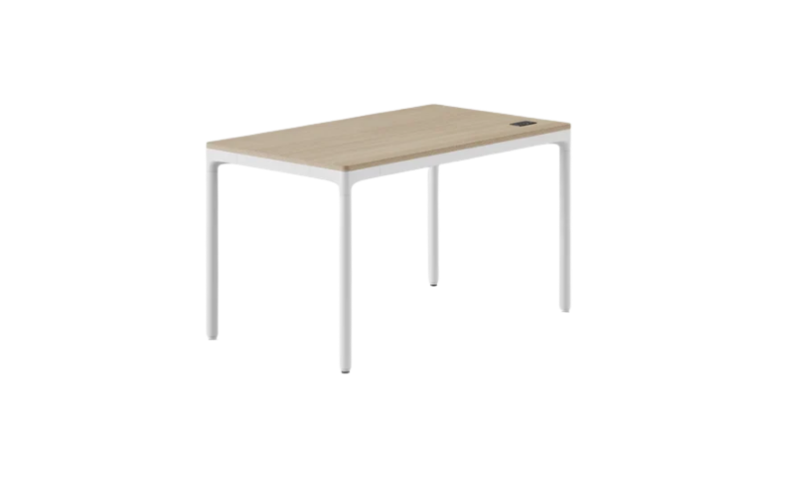
The Four Leg is a little different from most standing desks we've tested. Instead of the usual T-shaped frame, it uses four individual legs with a motor hidden inside each one. On paper, that sounds like a recipe for better stability. After two months, we found that the four-motor setup does have some real advantages, but the desk also has a few design quirks we weren't expecting.
What We Like
- The four-motor system feels solid
The biggest reason to buy this desk is the four-leg design. The four motors move in unison, and the transition between sitting and standing is smooth and relatively quiet. During everyday use, the desk felt reassuringly solid, including when raised to standing height.
- Three presets are genuinely useful
We appreciated having three physical memory presets. Sitting and standing heights take up two, leaving a third for another preferred position. The LED control paddle is also easy to reach and use.
It's worth noting that the 27.3- to 44.6-inch height range worked well for our setup, but taller users may want to pay attention to that relatively modest maximum height.
What We Don't Like
- The control panel takes up usable desktop space
This is probably our biggest design complaint. Because the control panel sits on the desktop surface, it occupies space that would otherwise be available for a keyboard, notebook, or other accessories.
It isn't a problem when you're using the desk purely as a workstation, but it becomes more noticeable if you want the desk to function as a flexible table as well.
- The rear wiring can get in the way
The wiring is another area where the four-leg design creates a compromise. Once everything is connected, there's more hardware and cabling running along the back of the desk than we'd prefer. Depending on how you sit, this can reduce usable legroom on that side.
We think the cable routing could have been designed more discreetly.
- $949 is a lot for 225 lbs of lift capacity
At $949, the Four Leg is firmly in premium standing-desk territory. The four-motor design is impressive, but the 225-lb lifting capacity isn't particularly generous for the price, especially if you're planning multiple monitors, a heavy desktop PC, and other equipment. The desk can hold up to 450 lbs when static, but the lifting limit is the number we'd pay attention to when deciding what to put on it.
Final Verdict
After two months, we think the Branch Four Leg Standing Desk is a well-executed but somewhat specialized standing desk. The four-motor system delivers smooth movement and a solid feel, while three presets and built-in cable management make everyday use convenient.
But the control panel placement and rear wiring are genuine usability compromises, and the $949 price makes the 225-lb lifting capacity harder to overlook.
Our rating: 4.3/5.
L-Standing Desk (from Tria Collection)
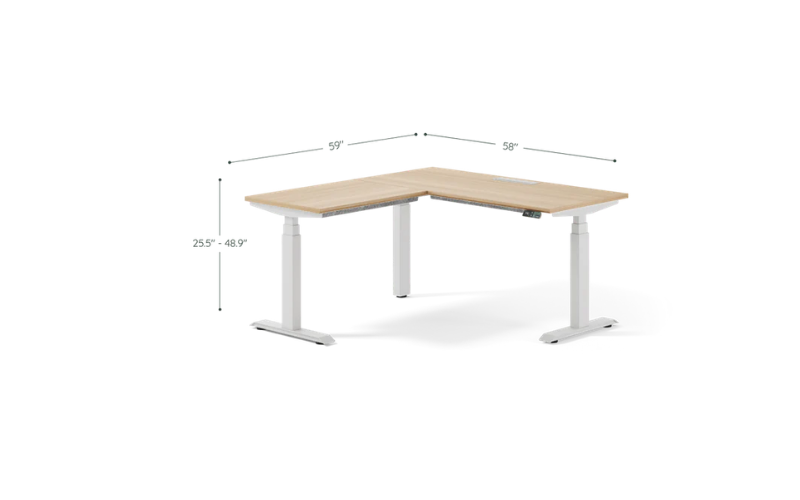
With an L-shaped desk, we also paid extra attention to things that don't matter as much on a standard desk—whether both surfaces stay level while moving, how stable the corner feels, and whether the large footprint is actually useful.
At $1,399, this is by far the most expensive desk we've tested from Branch, so we expected more than just a bigger desktop. After two months, we think it delivers a genuinely useful workstation, but there are a few compromises that are hard to ignore at this price.
What We Like
- The extra workspace is genuinely useful
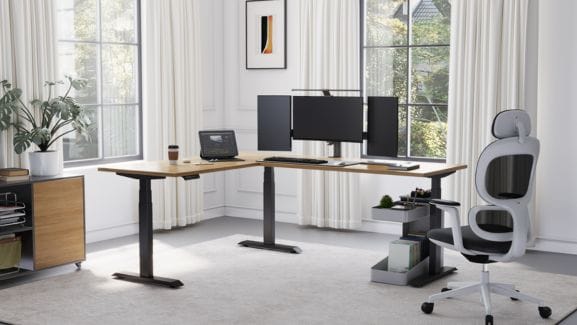
The biggest advantage of the L-Standing Desk is obvious once you've used it for a while: there's a lot of usable workspace. We could keep our primary monitor setup on one side while using the other surface for a laptop, paperwork, speakers, or other equipment without constantly rearranging things.
For anyone who spends most of the day at a desk, this feels much more practical than simply buying a larger rectangular desktop.
- The height range works well for both sitting and standing
The desk adjusts from 25.5 to 48.9 inches, giving us plenty of flexibility throughout the day. We found the lower end particularly useful for sitting, while the upper range worked well for standing.
The dual surfaces also move together, which is important for an L-shaped desk. During our testing, the two sections remained level as we adjusted the height rather than feeling like two separate desks being moved at the same time.
The built-in Bluetooth connection is another nice feature. We could connect the desk to Branch's iOS app for additional virtual presets and standing-time tracking without buying a separate adapter.
What We Don't Like
- It's a large commitment
The biggest drawback is simply how much space this desk requires. Even the smaller configuration has a substantial footprint, so this isn't something we'd recommend for a compact home office. You'll want to plan the room around the desk rather than trying to squeeze it into an existing setup.
- Assembly takes more patience than we'd like
This was the most frustrating part of our experience. There are a lot of components to deal with, and getting the frame and desktop sections properly aligned takes time. Some of the screw holes aren't as forgiving as we'd expect, so having a second person makes the process considerably easier.
For a $1,399 desk, we expected the assembly instructions and hardware alignment to feel more polished.
- Two physical presets feel insufficient
The desk has only two physical memory presets. The app gives you additional virtual presets, but we'd still prefer more one-touch presets directly on the keypad. With an L-shaped workstation that may be shared or used for different tasks, three or four physical presets would be more convenient.
Final Verdict
After two months, we'd recommend the Branch L-Standing Desk primarily to people who genuinely need an L-shaped workstation. The huge work surface, wide height range, Bluetooth connectivity, and synchronized adjustment make it a capable desk for demanding workdays.
But at $1,399, the shortcomings become harder to overlook. The large footprint limits where you can use it, assembly could be easier, and two physical presets feel stingy for a premium desk.
Our rating: 4.3/5.
Are Branch Standing Desk Worth Buying?
After testing four Branch standing desks—the Duo, Tria, Four Leg, and L-Standing Desk—we'd say yes, Branch standing desks are worth buying, but the right model depends heavily on your workspace and budget.
What impressed us most across the lineup wasn't one standout specification, but the overall experience. The desks offer smooth height adjustment, useful memory presets, solid cable management, and a generally well-thought-out control system.
The Duo stands out as the best value for most home offices. It's relatively affordable while still offering a 28–47.3-inch height range, 275-lb lift capacity, and useful features such as collision detection and an OLED controller.
For a more demanding workstation, we'd step up to the Tria. Its 25.5–48.9-inch height range, built-in Bluetooth, USB-C charging, and larger desktop options make it more versatile for long workdays and multi-monitor setups.
The Four Leg Standing Desk is more specialized. Its four-motor design gives it a substantial, sturdy feel, but at $949, we think the premium is harder to justify unless you specifically want a four-leg configuration. Its 225-lb lifting capacity also isn't particularly impressive for the price. Branch Four Leg Standing Desk
The L-Standing Desk is the most niche option. At $1,399, it's a serious investment, but the large L-shaped workspace makes sense if you have a dedicated office and genuinely need separate work zones. For most people, we'd rather spend less on the Tria.
Other Popular Standing Desk Under $500
Sendi E Standing Desk
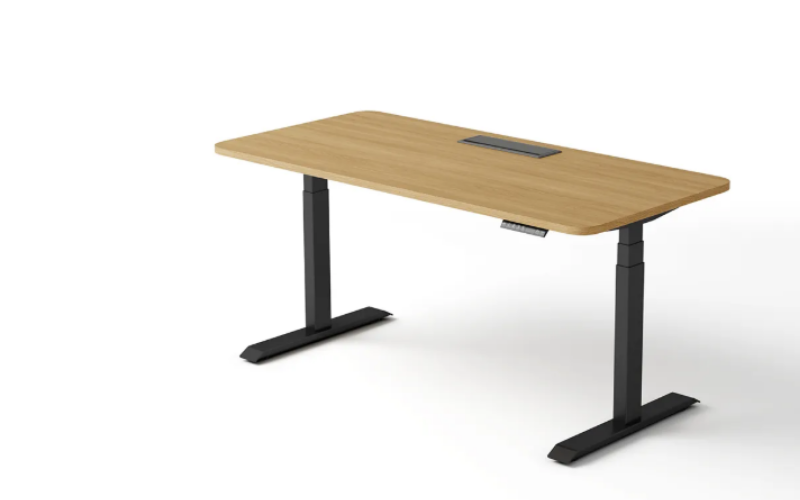
We also spent several weeks using the Sendi E Standing Desk as an everyday workstation, switching between sitting and standing throughout the workday.
The desk feels particularly practical for users who want flexibility without adding too many complicated features. Its electric height adjustment is smooth and quiet, while the four programmable memory presets make it easy to switch between preferred positions with one touch.
We also liked the range of desktop sizes. With options from 1200 × 600mm to 1800 × 700mm, the Sendi E can work in both compact offices and larger workstations. The larger versions provide enough room for dual monitors and everyday office equipment, while the smaller options are easier to fit into tighter spaces.
Overall, the Sendi E is a sensible choice if you prioritize adjustable height, four memory presets, multiple desktop sizes, and straightforward cable management. Its main weakness is the lack of detailed performance specifications, which makes it harder to judge its value before purchase.
Sendi E Standing Desk with Corner Shelf
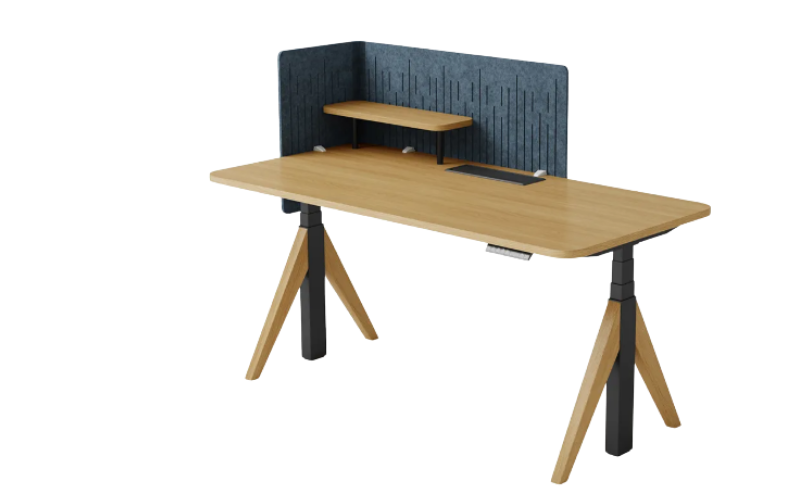
We still spent several weeks using the Sendi E Standing Desk with Corner Shelf as our everyday workstation, and the feature that stood out most wasn't the electric adjustment—it was the raised corner shelf. It gives you a dedicated spot for things you reach for frequently, such as a phone, notebook or small speaker, while leaving the main desktop open for your monitor, keyboard and other work essentials.
The electric height adjustment is smooth and quiet, with a 630–1280mm (24.8–50.4-inch) height range. We liked having four programmable memory settings, which made switching between different working positions much easier throughout the day. The 1400mm, 1600mm and 1800mm desktop options also give you some flexibility depending on how much workspace you need.
The corner shelf does come with a trade-off. Because it occupies part of the desktop, the usable surface isn't quite as flexible as a completely flat desk. It's most useful if you regularly keep small accessories within reach; if you prefer a completely open workspace, you may find it gets in the way.
The frame uses steel with an E1-level MDF desktop, and the desk requires assembly.
Overall, the Sendi E is a practical option for people who want a standing desk with built-in storage without adding a separate shelf or desk organizer. Its biggest strength is the smart use of corner space, while the main limitation is that the raised shelf inevitably reduces some desktop flexibility.
Why Trust Us
With 16 years' experience in design, manufacturing, sales, and customer service, Meet&Co knows exactly what a high-quality product looks like. We use this expertise to evaluate hotel conference tables based on the factors that matter most in real-world hospitality environments, including design, style compatibility, durability, ease of maintenance, flexibility, size, and seating capacity.
Rather than focusing on appearance alone, we consider how each standing desk performs and whether it can meet the demands of frequent use , and comfort. Our goal is to provide practical, unbiased insights to help hotel owners, designers, and purchasing teams make more informed furniture decisions.