Meet&Co
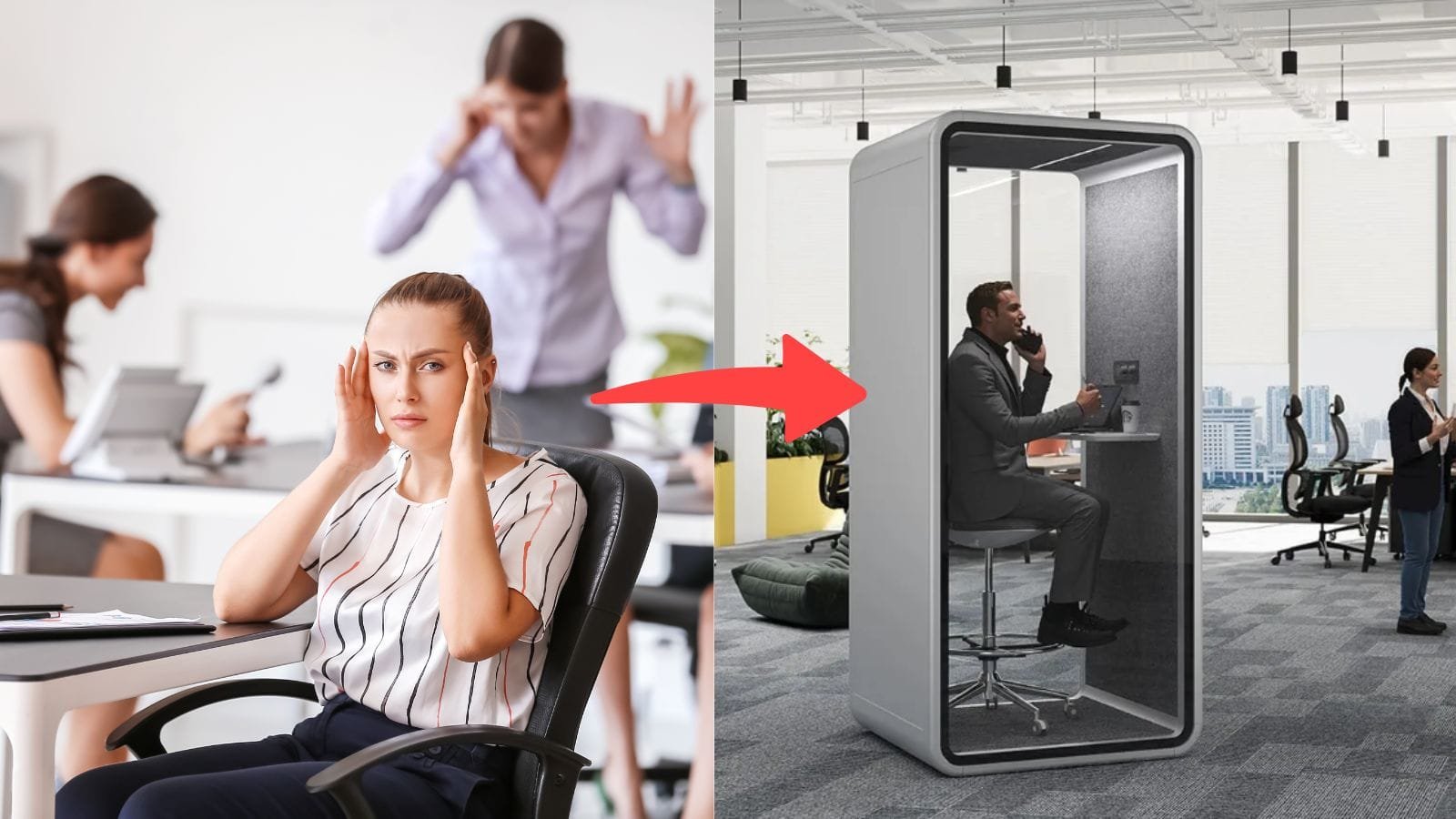
Walk through any modern open-plan office in 2026 and you’ll see the same scene: someone hunched over a laptop in a corner, shouting “Can you hear me?” into a headset. Another person takes a sensitive client call from a hallway. A manager paces near the coffee machine trying to find a quiet spot for a performance review.
This isn’t a minor inconvenience. It’s a failure of workplace design. Open offices are great for collaboration, but they’re awful when you need privacy, focus, and professional-quality audio for a video meeting. Background noise bleeds into your microphone. Colleagues’ conversations distract you. And your video background looks like a chaotic open floor plan rather than a professional workspace.
The solution isn’t to build permanent walls. It’s to add an office phone booth for video calls—a compact, sound-insulated pod that gives you instant privacy, better acoustics, and a clean video background whenever you need one. These booths are transforming how teams handle virtual meetings in coworking spaces, corporate offices, and even home offices.
Here are three solid options worth considering, plus a quick video call setup checklist to make the most of your booth.
What Makes a Good Video Call Booth?
Before we look at specific products, here’s what separates a great video call booth from a stuffy box that nobody wants to use.
Real acoustic privacy. A proper booth reduces speech noise by at least 28–30 dB, which means conversations inside stay private and outside noise stays out. This is often measured under the ISO 23351-1 standard, with Class A being the highest rating for speech reduction. If a manufacturer won’t share these numbers, that’s a red flag.
Proper ventilation. This is the biggest reason booths sit empty. In a sealed 1m² box, CO₂ levels can spike from a normal 400 ppm to over 1,500 ppm in under 20 minutes—and at that level, cognitive function measurably declines. Look for a ventilation system rated at 50-70 CFM for a single-person booth, with quiet, baffled fans that don’t let sound leak through. If the air gets stuffy within 10 minutes, your team will stop using the booth entirely.
Video-ready lighting. Overhead ceiling lights cast unflattering shadows on your face. A good video call booth has built-in LED lighting positioned to illuminate you evenly—ideally around 4000K neutral white, which keeps skin tones looking natural on camera.
Built-in power and connectivity. You shouldn’t have to choose between charging your laptop and plugging in your ring light. Look for integrated power outlets and USB ports so you can walk in, plug in, and start your call.
Compact footprint with enough room to work. A phone booth should fit into tight spaces—hallways, corners, or between workstations—but still give you room to sit comfortably with a laptop, adjust your posture, and not feel claustrophobic during a 45-minute video call.
3 Office Phone Booths for Video Calls: Simple Reviews
1. Meet&Co Office Pod Series A
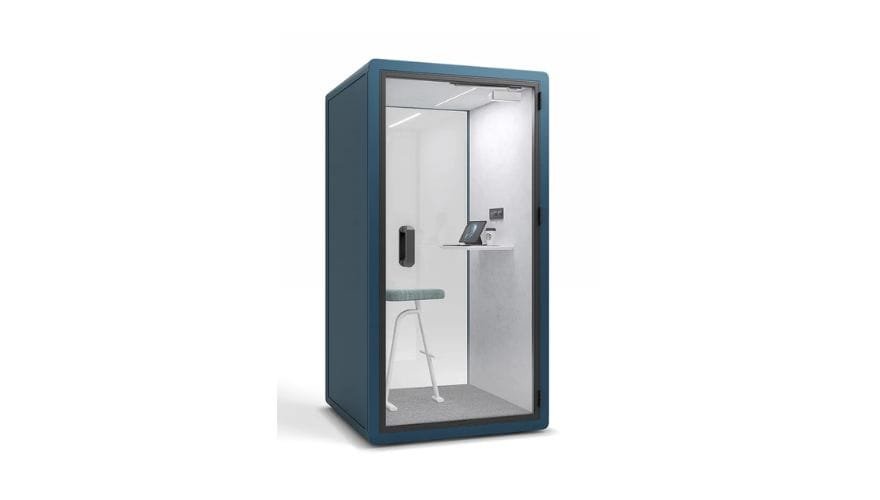
The Meet&Co Office Pod Series A is designed to solve the most common complaint about open offices: the lack of a quiet, private space for calls and focused work. It reduces outside noise by up to 28 dB through soundproof panels and high-quality glass, which means your video call audio stays clear and background chatter stays outside.
Inside, you’ll find everything you need for a comfortable video meeting. A silent ventilation system keeps air fresh without introducing fan noise. Adjustable LED lighting lets you dial in the right brightness for looking good on camera. Built-in power outlets mean no scrambling for extension cords. And the smart sensor switches activate lighting and ventilation automatically when someone enters.
The modular design is a big plus for growing teams. You can configure multiple sizes depending on whether you need a single-person phone booth or a small meeting pod. Assembly is quick—no special tools required—and the whole unit can be disassembled and relocated if your office layout changes.
What we like:
-
28 dB noise reduction for clear audio privacy
-
Silent ventilation and adjustable LED lighting included
-
Built-in power outlets for charging devices
-
Modular, relocatable design
-
Factory-direct pricing with 1–3 year warranty
Potential drawbacks:
-
Not fully soundproof—loud conversations nearby may still be faintly audible
-
Larger meeting-sized configurations need more floor space
Best for: Coworking spaces and offices needing flexible, factory-direct pods that handle both solo video calls and small meetings.
👉 View the Meet&Co Office Pod Series A →
2. Octacell 1X1,5 Phone Booth
source: https://octacell.com/product/1×15/
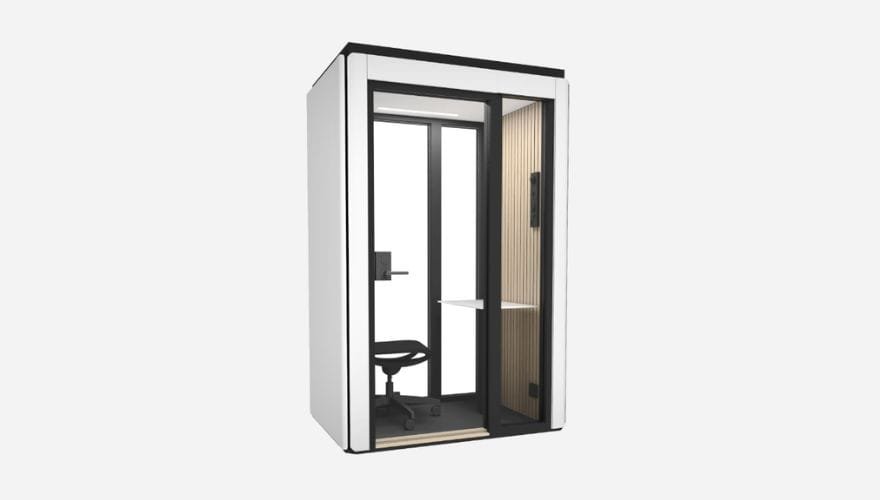
Octacell’s 1X1,5 model is built for offices that take acoustics seriously. It achieves industry-leading Class A sound insulation under the ISO 23351-1 standard, delivering a minimum of 30 dB speech reduction. In practical terms, conversations inside remain private—people outside won’t understand what’s being said under normal speaking conditions.
The compact 1.5 m² footprint fits into tight spaces, yet the interior is designed for real work: a height-adjustable desk comes standard, and there’s room for a standard office chair. Ventilation is fully mechanical with adjustable airflow (28 l/s per user), managed by separate intake and exhaust fans for efficient circulation. Optional lighting accessories are available specifically for video conferencing.
At €6,990 (around $7,600), this sits at the higher end of the price spectrum, but the acoustic performance and build quality justify the investment for offices where privacy is non-negotiable.
What we like:
-
Class A sound insulation (30+ dB speech reduction)
-
Height-adjustable desk included
-
Adjustable mechanical ventilation with dedicated intake/exhaust
-
Optional casters for easy relocation
-
Scalable modular design—can be reconfigured over time
Potential drawbacks:
-
Premium pricing compared to budget alternatives
-
Requires professional installation (3–5 hours per booth)
-
Available primarily in Europe
Best for: Corporate offices and coworking spaces that need certified, high-performance acoustic privacy for confidential video calls.
👉 View the Octacell 1X1,5 Phone Booth →
3. WorkBooth One
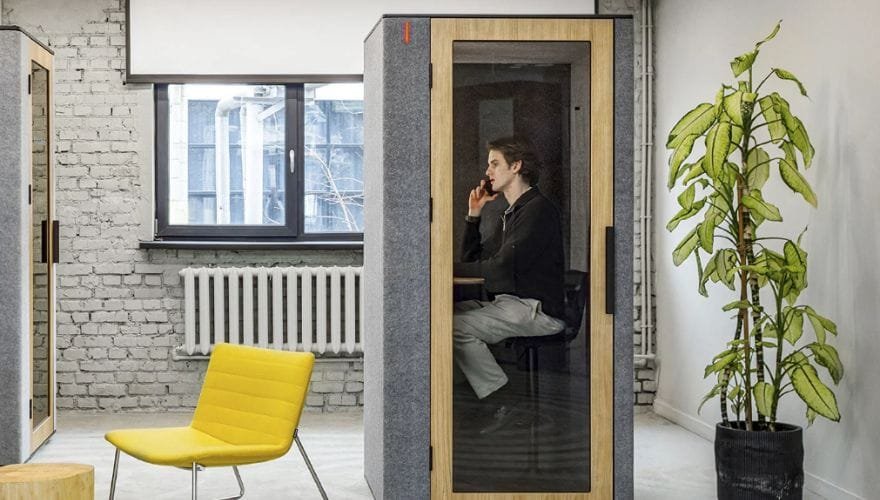
https://www.lovethatdesign.com/brand/workbooth/product/workbooth-one/
WorkBooth One brings smart technology to the phone booth category in a thoughtful way. The acoustic insulation is designed to protect both the user inside and colleagues outside from distraction, creating a true distraction-free zone within busy open-plan spaces.
The ventilation system is genuinely impressive. Ten ultra-quiet fans circulate 202 m³/hour, renewing the air every 29 seconds while someone is inside. Between sessions, the booth automatically refreshes the air six times, then enters a low-energy standby mode—cutting power consumption by up to 20%.
For video calls specifically, the dual-mode lighting stands out: bright studio illumination for crystal-clear video, or softer ambient light for long work sessions. The system activates when you enter and powers down when you leave, thanks to an integrated weight sensor. An LED occupancy light glows red when the booth is in use, which is a small but useful feature in shared offices.
What we like:
-
Smart ventilation renews air every 29 seconds
-
Dual-mode lighting optimized for video calls and focused work
-
Automatic occupancy detection with energy-saving modes
-
Compact footprint installed in hours without construction
-
Made from 74% renewable and 24% recycled materials
Potential drawbacks:
-
Newer to market, so long-term durability data is limited
-
Price transparency is low—quotes are typically custom
-
Availability may vary by region
Best for: Tech-forward offices and coworking spaces that want a smart, sustainable booth with excellent air quality and thoughtful video-call lighting.
Quick Comparison Table
| Feature | Meet&Co Pod Series A | Octacell 1X1,5 | WorkBooth One |
|---|---|---|---|
| Noise Reduction | ~28 dB | 30+ dB (Class A) | High-performance |
| Ventilation | Silent fan system | 28 l/s adjustable | 202 m³/h, 29-sec refresh |
| Lighting | Adjustable LED | Optional video kit | Dual-mode (studio/ambient) |
| Desk | Built-in adjustable | Height-adjustable | Ergonomic table |
| Power Outlets | Yes | Contact for details | Yes |
| Installation | 30 min–2 hours (DIY) | 3–5 hours (pro) | Hours (no construction) |
| Best For | Budget-friendly flexibility | Certified acoustic privacy | Smart tech & sustainability |
A Use Case
A mid-sized marketing agency in a busy open-plan office had a recurring problem. Every video call with a client meant booking one of two small meeting rooms, which were always occupied. Team members ended up taking calls from kitchen corners, stairwells, or their cars. Audio quality on client calls was unpredictable, and the lack of professionalism started to show.
They added two Meet&Co Office Pods near the main workstations. The pods were assembled in under two hours and plugged into existing power. Each had a small desk, LED lighting, and silent ventilation.
Within the first week, the difference was clear. Client calls happened on time without waiting for meeting rooms. Background noise complaints dropped. And the pods became the most-used real estate on the floor—not just for video calls but for focused work, interviews, and quick one-on-ones. The meeting rooms, finally freed up, were available for actual team meetings.
Total setup cost was well under what building even one permanent meeting room would have required—and the pods can be relocated if the agency moves.
Video Call Setup Checklist for Your Office Phone Booth
_14.webp)
Meet&Co Office Pod Series D
Getting the booth is step one. Here’s a quick 7-point checklist to make sure every video call from your pod looks and sounds professional.
☐ Lighting: Position yourself facing the light source—never with a window or bright light behind you. If your booth has adjustable LED lighting, set it to neutral white (around 4000K) for natural-looking skin tones on camera. Avoid harsh overhead lights that cast shadows under your eyes.
☐ Camera Position: Place your camera at or slightly above eye level so you’re looking straight ahead, not up or down. A laptop on the built-in desk is usually just right. If the camera is too low, add a small stand or stack of books.
☐ Audio Check: Before your call, speak a few test sentences and listen back if your conferencing app allows it. Make sure the booth’s ventilation isn’t audible in your microphone—quality booths use quiet fans, but it’s worth verifying.
☐ Background: Keep the interior clean and uncluttered. The booth’s walls are your background now, so a neutral color or simple branded backdrop looks professional. Avoid busy patterns or personal items visible on camera.
☐ Internet: If your booth is far from the main router, test Wi-Fi signal strength inside before an important call. A weak signal inside an enclosed pod may need a Wi-Fi extender or a wired Ethernet connection.
☐ Air Comfort: Start the ventilation before you enter if possible, or give it a minute to circulate fresh air. If you feel stuffy after 15 minutes, the booth may need a ventilation upgrade—good pods keep CO₂ levels low throughout a 45-minute call.
☐ Quick Pre-Call Walkthrough: 5 minutes before your call, step inside, close the door, check your camera view, test your mic, and adjust the lighting. This small habit catches issues before anyone else notices.
FAQs: Office Phone Booths for Video Calls
How much noise reduction does a good phone booth provide?
A quality office phone booth typically reduces external noise by 28–30 dB. This is enough to make conversations private and block out most office background noise. Premium pods like the Octacell achieve Class A sound insulation (30+ dB) as measured under the ISO 23351-1 standard, which focuses specifically on speech privacy. Look for booths that share their actual tested numbers, not just vague marketing claims.
Will I feel claustrophobic or stuffy inside?
Not in a well-designed booth. The key is ventilation. A proper video call booth has a dedicated ventilation system that continuously circulates fresh air. Without good ventilation, CO₂ levels can spike dramatically in a small sealed space—within 15–20 minutes, you can feel tired and unfocused. Before buying, ask about airflow rate (look for 50-70 CFM for a single-person booth) and make sure the fans are quiet enough not to be heard on calls.
Can I use a phone booth for more than just video calls?
Absolutely. While these booths are optimized for video meetings, they’re also used for focused deep work, private phone calls, interviews, online therapy sessions, and even quick meditation breaks. Many coworking spaces treat them as multi-purpose privacy pods. The built-in desk, lighting, and power make them suitable for any solo task that requires concentration.
Do I need to hire someone to install it?
It depends on the model. Some booths, like the Meet&Co Office Pod Series A, are designed for DIY assembly and can be set up in 30 minutes to 2 hours without special tools. Others, like the Octacell, require professional installation by an authorized technician (typically 3–5 hours per booth). Check with the manufacturer before ordering so you know what to expect.
What’s the difference between a phone booth and a full office pod?
A phone booth is generally smaller, designed for one person, and optimized for short calls and video meetings. An office pod is larger—often accommodating two to four people—and can be used for team meetings, collaborative work, or all-day focus sessions. If you only need a private space for 30–60 minute video calls, a phone booth is the more cost-effective choice. If you need a small meeting room replacement, look at larger pod configurations.
Looking for a flexible, factory-direct office pod for video calls and focused work? Browse the Meet&Co Office Pod Collection or reach out to discuss sizing and customization options—we’re happy to help.