Meet&Co
If you’re wondering how to set up office workstation that actually improves productivity and comfort, you’re not alone.
After 5 years of reviewing and testing office workstation setups, I’ve seen one common problem: most people either overspend on unnecessary gear or completely ignore ergonomics.
A well-designed workstation isn’t just about looking good—it directly impacts your focus, posture, and long-term health.
Whether you’re working from home full-time or building a hybrid setup, this guide will walk you through exactly how to set up office workstation step by step, including budget options and expert recommendations.

Step-by-Step: How to Set Up Office Workstation
Step 1: Define Your Work Needs
Before buying anything, clarify how you actually work.
Ask yourself:
- Do you multitask frequently?
- Do you attend many video calls?
- Do you need multiple screens?
Examples:
- Remote workers → comfort + lighting
- Programmers → dual monitors + keyboard
- Creators → display quality + space
👉 Skipping this step leads to wasted budget.
Step 2: Choose the Right Desk
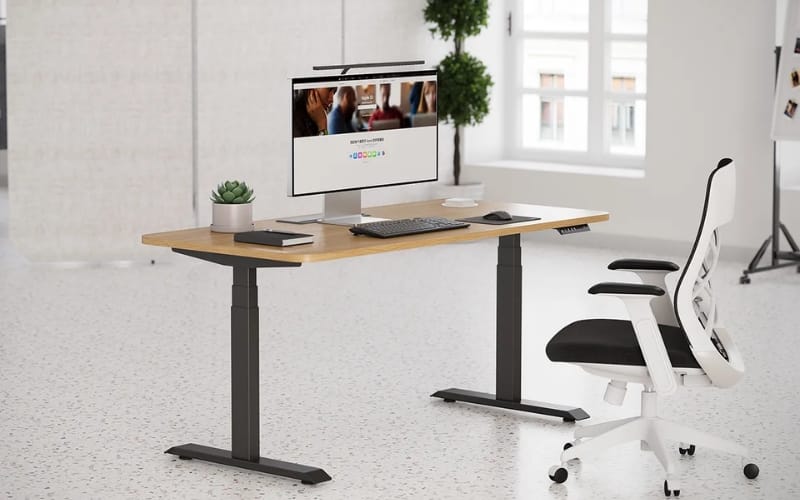
Your desk is the foundation of your entire setup.
Key specs:
- Width: 120–160cm
- Depth: 60–75cm
- Height: 70–75cm or adjustable
Best choice:
Standing desks offer flexibility and reduce long-term fatigue.
👉 For modern ergonomic desk solutions, check Meet&Co office furniture.
Step 3: Invest in an Ergonomic Chair
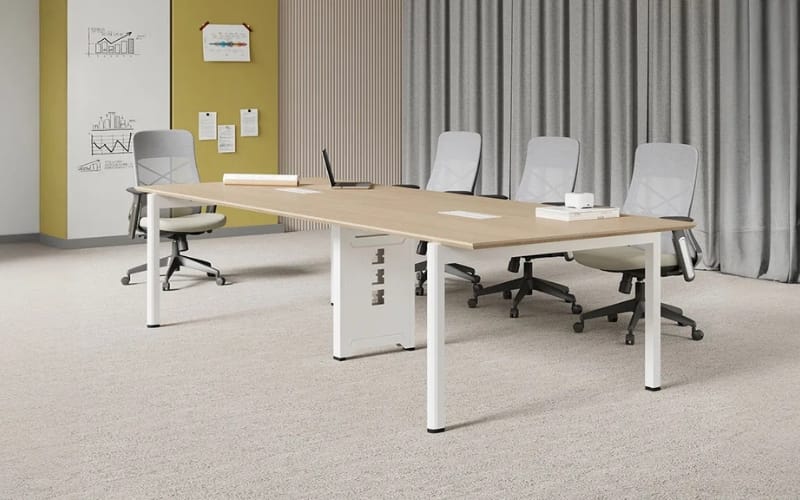
If there’s one thing you shouldn’t compromise on—it’s your chair.
Must-have features:
- Lumbar support
- Adjustable seat depth
- Flexible armrests
- Breathable material
👉 A poor chair causes fatigue within hours, while a good one improves focus instantly.
Step 4: Optimize Your Monitor Setup
Your screen setup directly affects efficiency.
Recommendations:
- 24–27 inch monitors
- Eye level alignment
- 50–70cm viewing distance
Dual monitor = best productivity boost
👉 Consider adding a monitor arm for better ergonomics and space-saving.
Step 5: Keyboard & Mouse Setup
Small upgrades here make a big difference.
- Mechanical keyboards → better typing feedback
- Ergonomic mouse → reduces wrist strain
- Vertical mouse → ideal for long sessions
Step 6: Lighting & Environment
Lighting is often overlooked but critical.
Best practices:
- Use natural light when possible
- Add a desk lamp (4000K–5000K)
- Avoid glare on screens
Step 7: Cable Management & Desk Layout
A clean desk improves focus.
Essentials:
- Cable trays
- Velcro ties
- Under-desk organizers
Budget Workstation Setups
💰 Budget ($300–$500)
- Basic desk
- Entry-level chair
- Single monitor
💻 Mid-Range ($800–$1200)
- Quality desk or standing desk
- Ergonomic chair
- Dual monitors
👉 Best value for most users
🖥 Premium ($2000+)
- High-end standing desk
- Premium chair
- Advanced setup
Best Setup by User Type
Remote Workers
- Comfortable chair
- Good lighting
- Clean background
Programmers
- Dual monitors
- Mechanical keyboard
- Minimal setup
Content Creators
- Large desk
- Accurate display
- Lighting control
Productivity Tips Most People Miss
- Use dual screens for multitasking
- Organize desk into zones
- Combine hardware with productivity tools
Common Mistakes to Avoid
- Monitor too low
- Cheap chair
- Small desk
- Poor lighting
- Messy cables
Recommended Essentials (Editor’s Picks)
If you want to avoid trial and error, these are the core upgrades I recommend based on real testing.
✔ Standing Desk — Sendi E Standing Desk
A standing desk is one of the best long-term investments for your health and productivity.
Key benefits:
- Adjustable height for sit/stand flexibility
- Stable frame (no wobble at height)
- Memory presets for convenience
- Clean, modern design
👉 The Sendi E Standing Desk is ideal for remote workers who spend long hours at their desk and want a healthier workflow.
✔ Ergonomic Chair — Style Ergonomic Office Chair
A high-quality chair directly affects your posture and energy levels.
Why it stands out:
- Adjustable lumbar support
- Breathable mesh for long sessions
- Adjustable armrests
- Balanced comfort and support
👉 The Style Ergonomic Office Chair is a great mid-to-high range option for long-term use.
🔥 Pro Tip
If your budget is limited, prioritize:
- Chair
- Desk
- Monitor
👉 For a complete workstation solution, visit Meet&Co.
Expert Insights (5-Year Experience)
After testing dozens of setups:
Worth Investing In:
- Chair
- Desk
- Monitor
Not Worth Overspending:
- RGB lighting
- Decorations
- Trendy accessories
FAQ
What is the ideal desk height?
70–75cm or adjustable.
Is dual monitor worth it?
Yes, it significantly improves productivity.
How much should I spend?
$800–$1200 is ideal for most users.
Conclusion
Learning how to set up office workstation properly is one of the best investments you can make for your productivity and health.
A well-designed setup doesn’t need to be expensive—it just needs to be intentional.
Focus on ergonomics, invest in the right essentials, and build your setup step by step.
The difference in comfort and efficiency will be noticeable almost immediately.