Meet&Co
That dull ache at the base of your skull. The knot between your shoulder blades that won’t go away. The tension that builds as the day goes on, leaving you rolling your neck in circles by 3 PM.
If this sounds familiar, you’re not alone. Neck and shoulder pain affects an estimated 40–50% of office workers, making it one of the most common complaints among desk-bound professionals. And here’s the frustrating part: you can stretch, get massages, and try every posture reminder app—but if your chair is the problem, the pain will keep coming back.
The good news? The right ergonomic chair can dramatically reduce—or even eliminate—neck and shoulder pain. But not all “ergonomic” chairs actually address these specific issues. This guide walks you through exactly what causes neck and shoulder pain at work, what features to look for in a chair, and which models deliver real relief.
Why Do You Have Neck and Shoulder Pain?

Why Sitting Causes Neck and Shoulder Pain
To understand how a chair can help, you first need to understand why sitting causes pain in the first place.
The domino effect:
- Poor sitting posture starts at the pelvis. When you slouch, your pelvis tilts backward.
- This flattens the natural curve of your lower back.
- Your upper back rounds forward to compensate.
- Your head moves forward to keep your eyes on the screen.
- For every inch your head moves forward, the weight your neck muscles must support doubles.
A neutral head position weighs 10–12 pounds. At just 2 inches forward, that load increases to 20–24 pounds. By 3 inches forward, your neck muscles are supporting 30+ pounds—all day, every day.
Forward Head Posture: The Hidden Culprit
Forward head posture is the primary driver of neck and shoulder pain in office workers. When your head juts forward, the muscles at the base of your skull (suboccipitals) shorten and tighten chronically. Your upper traps and levator scapulae (the muscles that lift your shoulders) work overtime to support the extra load.
The result: tension headaches, knotty shoulders, and that constant urge to crack your neck.
The Role of Armrests and Desk Height
Many people overlook how armrests affect neck and shoulder tension. If your armrests are too low, your shoulders droop, pulling on neck muscles. Too high, and your shoulders hike up toward your ears, creating constant tension. Either way, your neck pays the price.
Similarly, if your desk is too high, you’ll shrug unconsciously. Too low, and you’ll hunch forward. Both create cascading tension up through the shoulders into the neck.
What are the Key Ergonomic Features for Neck and Shoulder Relief?
Not all ergonomic chairs are created equal when it comes to neck and shoulder support. Here’s what actually matters.
| Feature | Why It Helps | What to Look For |
| Headrest | Supports neck in reclined positions, prevents forward head posture | Adjustable height, angle, and depth; locks in place |
| Armrests | Supports arms, prevents shoulder hiking | 4D adjustable (height, width, depth, pivot) |
| Lumbar support | Maintains lower back curve, prevents upper back rounding | Height-adjustable with depth control |
| Seat depth | Supports thighs fully, prevents slumping | Adjustable pan (at least 2″ range) |
| Backrest height | Supports entire spine, provides shoulder blade contact | At least 22″ tall; adjustable if possible |
| Tilt mechanism | Allows dynamic sitting, reduces static load | Synchro-tilt or multi-position lock |
Headrests: The Most Important Feature
For neck pain specifically, a headrest isn’t optional—it’s essential. When you lean back even slightly, your head should have support. Without it, your neck muscles work continuously to hold your head up, even during micro-breaks.
The ideal headrest:
- Adjusts vertically to align with your neck (not the back of your head)
- Tilts forward/back to contact your neck at the right angle
- Moves forward/back to accommodate different reclining positions
- Locks in place so it doesn’t shift when you lean back
Armrests: Shoulder Tension Gatekeepers
Proper armrest adjustment keeps shoulders relaxed and neck muscles free.
The ideal armrests:
- Height adjustable: Elbows at 90–110°, shoulders relaxed down
- Width adjustable: Arms directly under shoulders, not splayed out
- Depth adjustable: Forearms supported without reaching forward
- Pivot: Follows natural arm angle during typing
The 5-Step Posture Check
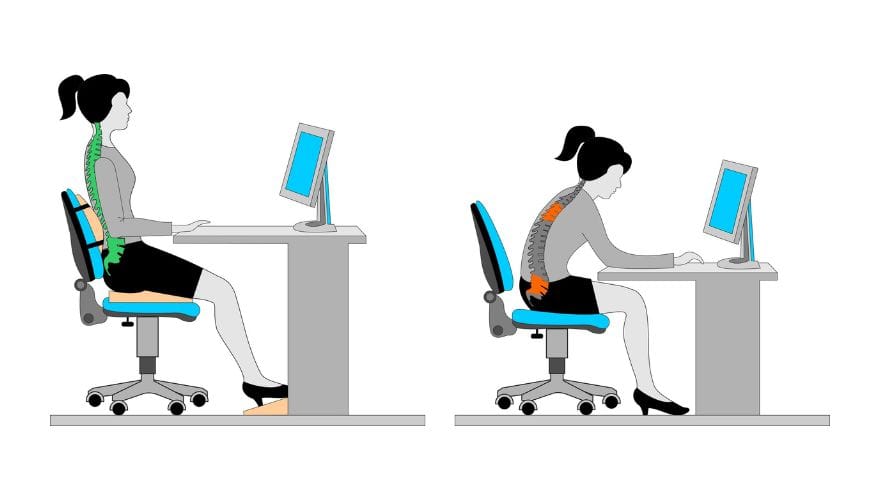
Before blaming your chair entirely, check your current setup. Even the best chair won’t fix pain if your desk and monitor are wrong.
Step 1: Feet Flat
Feet should rest flat on floor (or footrest). Knees at 90° or slightly open. This stabilizes your entire posture chain.
Step 2: Hips Back
Sit with hips all the way back in the chair. Your back should contact the lumbar support. Slumping forward collapses the lower back curve.
Step 3: Monitor Height
Top of screen at or slightly below eye level. Looking down even slightly encourages forward head posture. If you use a laptop without a separate monitor, your neck is at risk—elevate it.
Step 4: Arm Position
Elbows at 90–110°, forearms parallel to floor. Wrists straight, not bent up or down. Shoulders relaxed down—not shrugged.
Step 5: Head Position
Ears should align with shoulders when viewed from side. If your ears are forward of your shoulders, you have forward head posture that needs correction.
Top Ergonomic Chairs for Neck and Shoulder Pain
Based on expert recommendations, user reviews, and specific neck/shoulder support features, these four chairs stand out.
1. Steelcase Gesture with Headrest – Best Overall for Neck Support
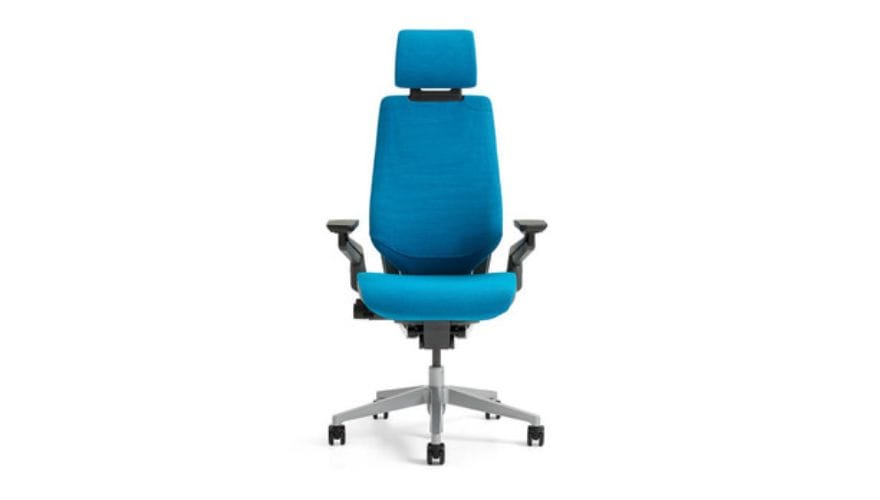
Source: Steelcase
The Gesture is widely considered the gold standard for neck and shoulder support, largely due to its 3D LiveBack technology that mimics the natural movement of your spine. But the real star is its headrest—one of the few that actually works.
Unlike add-on headrests that feel like afterthoughts, the Gesture’s headrest moves through a full 180-degree range of motion, supporting your head whether you’re sitting upright, reclining, or leaning to the side. This makes it ideal for people who shift positions frequently throughout the day.
The armrests are equally impressive, adjusting in four dimensions to support arms in any position—typing, reading, or using a tablet.
Pros:
- Headrest adjusts through 180°, supports any posture
- 4D armrests move with you, reducing shoulder tension
- Core seat design encourages dynamic movement
- Exceptional build quality with 12-year warranty
- Backrest mimics natural spine curvature
Cons:
- Premium pricing ($1,000+)
- Headrest sold separately on some configurations
- May feel firm initially
Best for: Users with chronic neck pain who shift positions frequently; those wanting the most adjustable headrest available
2. Herman Miller Aeron with Atlas Headrest – The Classic Enhanced
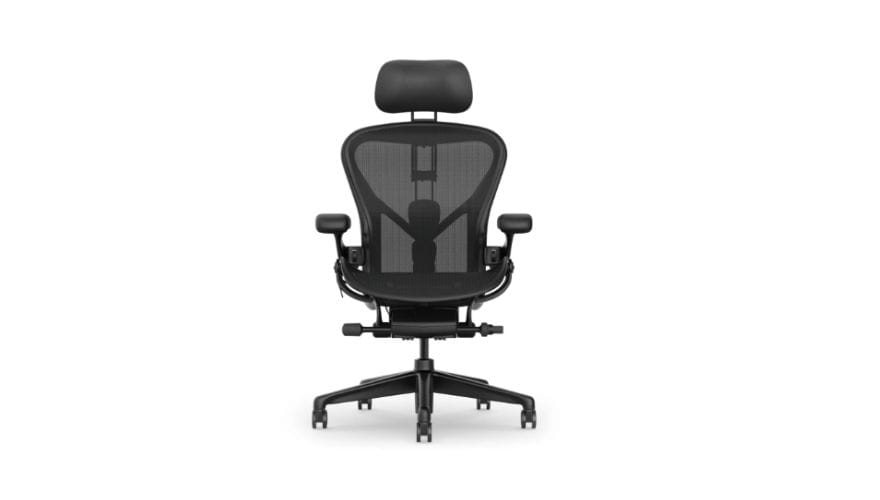
The Aeron has been the benchmark for ergonomic seating for decades, but it has one notable gap: no factory headrest option. Enter Atlas Headrest, a third-party manufacturer that creates Aeron-compatible headrests that transform the chair’s neck support.
The Aeron’s PostureFit SL technology supports the sacrum and lumbar regions independently, creating a solid foundation for upper body alignment. Its 8Z Pellicle mesh provides varied tension across eight zones, eliminating pressure points while keeping you cool.
Adding an Atlas headrest addresses the Aeron’s main limitation. The aftermarket headrest adjusts in height, depth, and angle, providing proper neck support during recline.
Pros:
- PostureFit SL maintains spinal alignment automatically
- 8Z Pellicle mesh prevents pressure points and overheating
- Three sizes accommodate different body types
- Atlas headrest adds genuine neck support
- 12-year warranty (for chair; headrest has separate warranty)
Cons:
- Headrest requires separate purchase and installation
- Mesh feels firm compared to padded alternatives
- No seat depth adjustment on some sizes
- Very expensive with headrest added
Best for: Aeron fans wanting neck support; users who prioritize breathability; those willing to invest in aftermarket solution
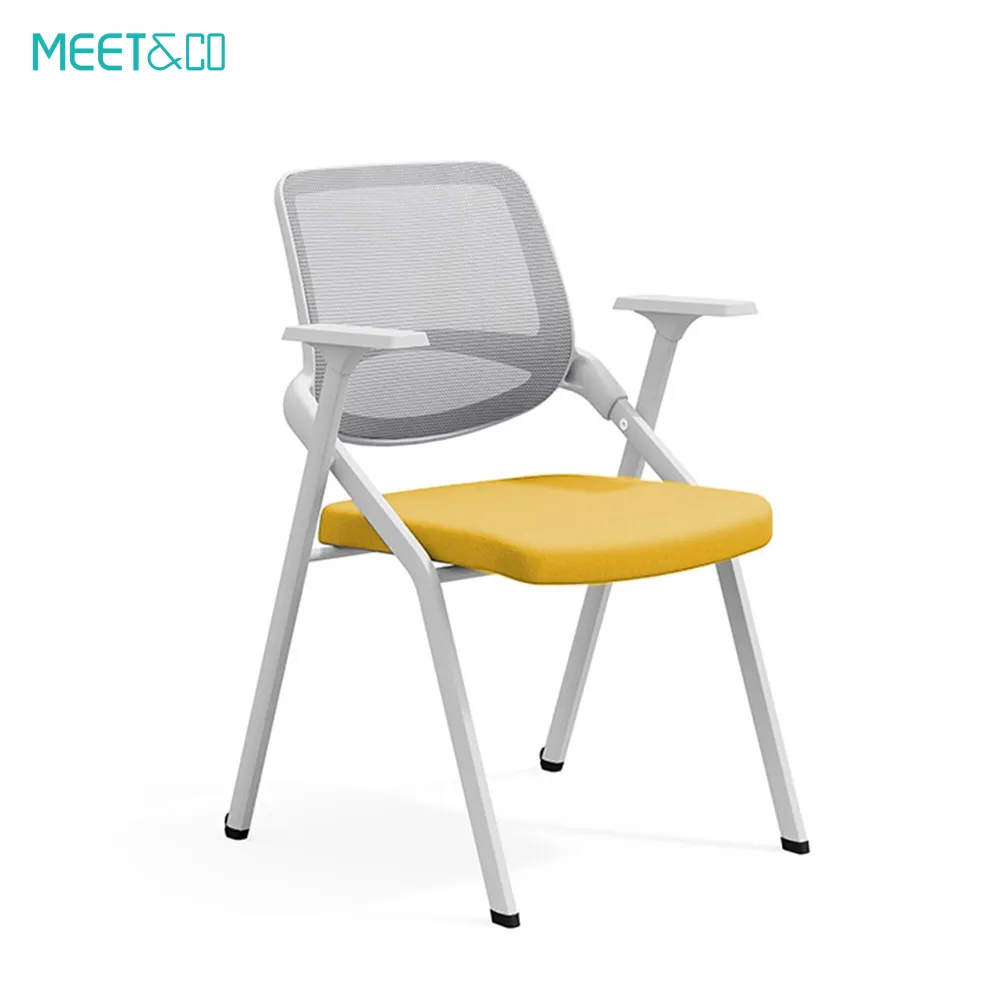
3. Meet&Co Mesh Ergonomic Chair with Headrest – Customizable Relief
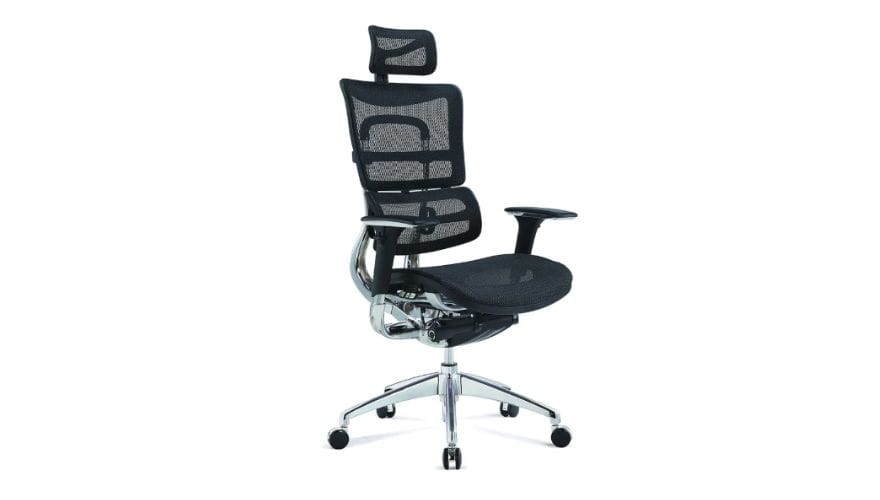
The Meet&Co Ergo chair is less famous than the big brands but highly regarded by ergonomics professionals for its extensive adjustability. The chair’s headrest adjusts in height, angle, and forward/back position, accommodating different neck lengths and preferred recline angles.
What sets the Meet&Co chair apart is its lumbar system—it allows precise lower back support adjustment. This matters for neck pain because proper lower back support prevents the upper back rounding that drives forward head posture.
The chair also features independent seat tilt (the seat pan angles forward independently of the backrest), which helps maintain the lower back curve during upright work.
Pros:
- Adjustable lumbar system provides precise lower back support
- Headrest adjusts in multiple planes for perfect fit
- Independent seat tilt maintains posture during focused work
- Highly customizable for individual body types
- Excellent for users with both lower back and neck issues
Cons:
- Less color options
Best for: Users needing maximum adjustability; those with both lower back and neck pain; ergonomics enthusiasts
4. HON Ignition 2.0 with Headrest – Best Value Relief
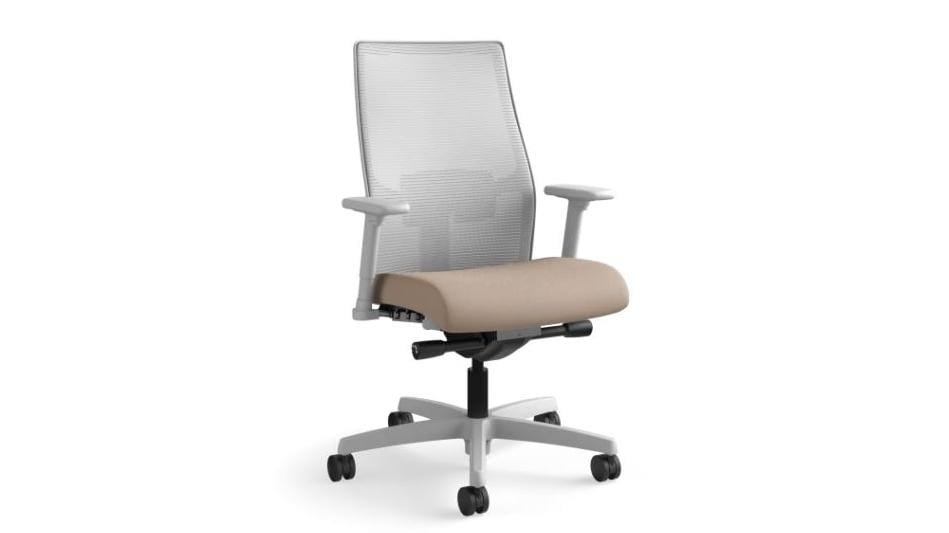
Not everyone can spend $1,000+ on a chair, and the HON Ignition 2.0 proves you don’t have to. This mid-range chair offers surprisingly good neck support with its adjustable headrest and thoughtful ergonomic features at a fraction of the premium price.
The headrest adjusts in height and angle, providing decent neck support for most users. The backrest includes built-in lumbar support (non-adjustable but well-placed) that maintains proper lower back curve.
The synchro-tilt mechanism allows the seat and back to move together, keeping you supported through different positions. While the armrests aren’t fully 4D adjustable, they do adjust in height—enough for basic shoulder support.
Pros:
- Affordable price point ($300–$400)
- Adjustable headrest provides real neck support
- Synchro-tilt encourages movement
- Durable construction with 5-year warranty
- Breathable mesh back
Cons:
- Lumbar support not adjustable
- Armrests limited compared to premium options
- Headrest less adjustable than Gesture or Atlas
- Seat cushion may compress over time
Best for: Budget-conscious buyers; home office users; those wanting neck support without premium pricing
Quick Comparison: Top Picks at a Glance
| Chair | Headrest Quality | Armrests | Lumbar Support | Best For |
| Steelcase Gesture | Excellent (180° range) | 4D adjustable | Built-in, adjustable | Chronic neck pain, position changers |
| Herman Miller Aeron + Atlas | Excellent (aftermarket) | Adjustable | PostureFit SL | Breathability, classic design |
| Meet&Co Ergo Chair | Good | adjustable | Adjustable lumbar system | Great adjustability, dual pain points; budget |
| HON Ignition 2.0 | Good (height/angle) | Height-adjustable | Fixed but effective | Budget relief, home office |
Additional Strategies for Neck and Shoulder Relief
A chair alone won’t fix everything. Combine it with these approaches for best results.

Monitor Arms
If your monitor isn’t at the right height, your chair can’t fully compensate. A monitor arm allows precise positioning—top of screen at eye level, about an arm’s length away. This single change reduces forward head posture more than any chair feature.
Desk Height Adjustment
Your desk should allow elbows at 90° with forearms parallel to floor. If your desk is fixed height, adjust chair height accordingly and use a footrest if needed.
Micro-Breaks and Movement
Even the best chair isn’t meant for continuous sitting. Stand, stretch, or walk for 2–3 minutes every 30–45 minutes. Simple neck stretches—chin tucks, ear-to-shoulder stretches—relieve accumulated tension.
Strengthen Supporting Muscles
Neck and shoulder pain often involves muscle imbalance. Weak deep neck flexors and lower traps allow forward head posture to develop. Simple exercises like chin tucks and wall angels can help correct this over time.
Exercises for Immediate Relief
Try these during your next break:
Chin tucks:
- Sit tall, shoulders relaxed
- Pull chin straight back (like making a double chin)
- Hold 5 seconds, repeat 10 times
- This strengthens deep neck flexors and reverses forward head posture
Shoulder blade squeezes:
- Squeeze shoulder blades together and down
- Hold 5 seconds, repeat 10 times
- Opens chest, strengthens upper back
Ear-to-shoulder stretch:
- Gently tilt head toward shoulder
- Hold 15–30 seconds each side
- Never force; go only to mild tension
When to See a Professional
While ergonomic improvements help most people, some situations require professional care:
- Pain that radiates down your arm or into fingers
- Numbness or tingling in hands
- Persistent headaches originating from neck
- Pain that doesn’t improve with ergonomic changes after 4–6 weeks
- Weakness in arms or hands
These symptoms may indicate nerve involvement (like cervical radiculopathy) requiring physical therapy or medical attention.
Conclusion
Neck and shoulder pain isn’t something you have to accept as part of office work. The right ergonomic chair—combined with proper desk setup and movement habits—can dramatically reduce or eliminate the tension that builds during long workdays.
For most people with neck pain, a chair with an adjustable headrest is non-negotiable. The Steelcase Gesture leads the category with its exceptional 180-degree headrest, while the Aeron plus Atlas headrest offers a premium alternative for mesh lovers. The Ergocentric sCentric provides unparalleled adjustability for complex cases, and the HON Ignition 2.0 delivers real relief at a budget price.
Remember: your chair is a tool, not a solution. Use it correctly, adjust it to your body, and pair it with regular movement. Your neck and shoulders will thank you.
FAQ
Do I need a headrest for neck pain?
For most people with existing neck pain, yes. A headrest supports your neck during micro-breaks and reclining, preventing muscles from working continuously.
Can a chair fix forward head posture?
A chair alone can’t “fix” posture, but a good chair with proper lumbar support and headrest makes maintaining good posture easier. Combine with exercises and monitor positioning.
Why does my neck hurt even with an ergonomic chair?
Common reasons: monitor too low, desk too high, armrests poorly adjusted, or sitting too long without breaks. Check your full setup, not just chair.
Are mesh or leather chairs better for neck pain?
Material matters less than adjustability. Focus on headrest quality, armrest adjustability, and lumbar support. Breathability (mesh) helps with comfort but doesn’t directly affect neck pain.
How long does it take to feel relief after switching chairs?
Most people notice improvement within 1–3 weeks as muscles relax and posture adjusts. Chronic pain may take 4–6 weeks of consistent use.
Can I add a headrest to my current chair?
Many chairs offer aftermarket headrest options. Check manufacturer compatibility or universal headrests designed for your chair model.