





 Meet&Co
Sitting for hours in a standard office seat inevitably leads to rounded shoulders and severe lower back fatigue. The best posture chair directly combats this by aligning your spine, supporting your lumbar region, and promoting dynamic movement throughout your workday to prevent chronic pain.
We conducted extensive evaluations across hundreds of sitting hours, incorporating various body type testing and different daily work scenarios. From intense design sessions to casual administrative work, this guide breaks down the science of sitting to help you find the perfect ergonomic solution.
Key Takeaways
-
Movement is mandatory: The healthiest posture is your next posture. The best chairs encourage constant, subtle micro-movements rather than locking you into a rigid, upright position.
-
Adjustability over aesthetics: A chair’s ability to modify seat depth, armrest width, and lumbar tension is far more critical to your spinal health than its visual design.
-
Expect an adaptation period: True ergonomic seating often feels uncomfortable for the first two weeks as your weakened core muscles adapt to proper alignment.
-
Desks dictate upper body posture: A high-quality chair cannot fix neck strain if your monitor is too low or your desk forces your shoulders to shrug.
-
Size matters: Purchasing a highly-rated chair that doesn’t fit your height or leg length will actually worsen your musculoskeletal alignment.

Quick Picks Table
| Category | Top Pick | Standout Feature |
| Best overall | Steelcase Gesture | Unmatched 3D armrest adjustability |
| Best for lower back pain | Herman Miller Aeron | Suspended pellicle mesh for even weight distribution |
| Best for long hours | Steelcase Leap V2 | LiveBack technology that flexes with your spine |
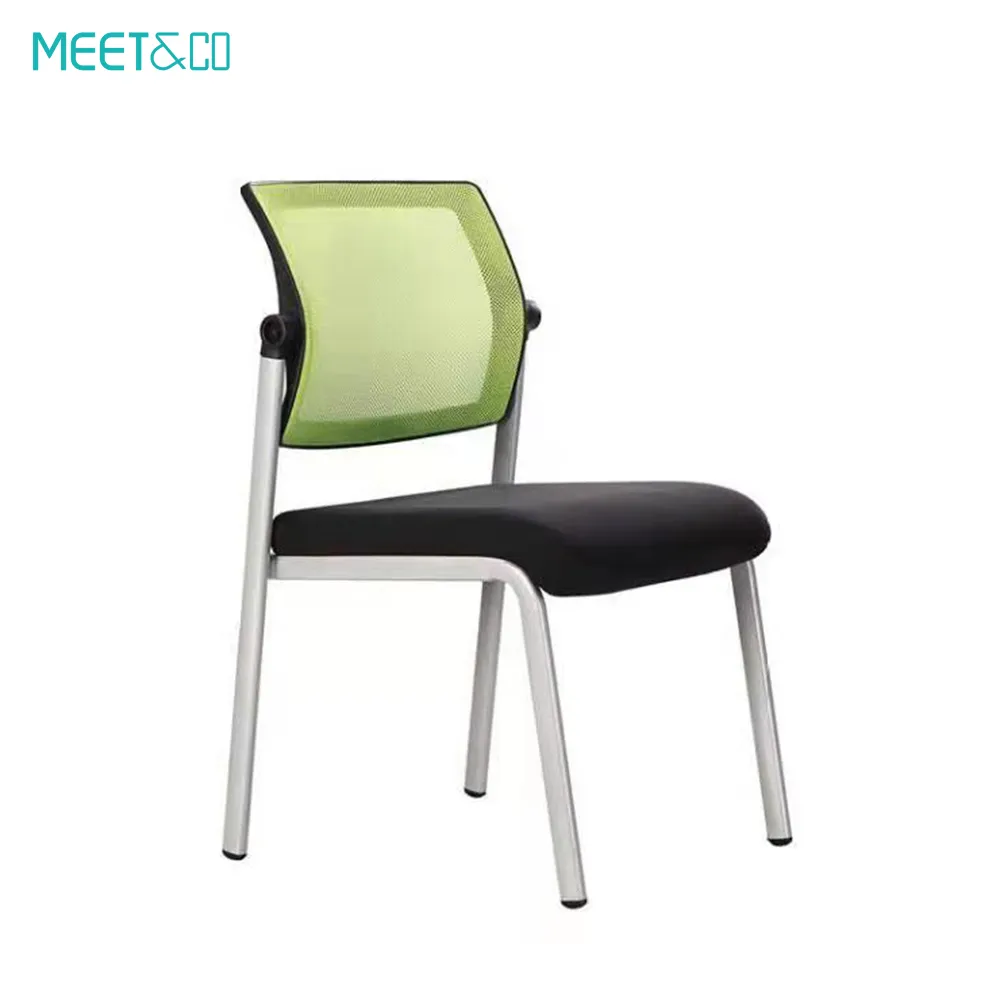
| Best budget | Meet&Co Full Mesh Chair | Premium breathability and responsive lumbar support |
| Best for tall users | Secretlab Titan Evo (XL) | High backrest and adaptable seat base |
| Best for petite users | Herman Miller Aeron (Size A) | Scaled-down dimensions for proper knee clearance |
| Best active sitting option | HÅG Capisco | Unique saddle design promoting a forward tilt stance |
What Actually Makes a Chair Good for Posture?
A true posture chair goes far beyond thick padding. In fact, overly soft cushions are detrimental to prolonged sitting because they restrict pelvic movement and cause uneven pressure distribution. To effectively correct forward head posture and slouching, a chair must possess specific mechanical properties.
The foundation is the synchro-tilt mechanism. When you recline, the backrest and the seat pan should move at different ratios (typically 2:1). This prevents the front edge of the seat from lifting and cutting off circulation to your thighs, allowing you to lean back while keeping your feet flat on the floor.
Furthermore, effective posture support requires an adjustable lumbar curve. Because the human spine naturally forms an S-shape, the lower back (lumbar) curves inward. A good chair fills this void, preventing the pelvis from rotating backward into a slouched, C-shaped slump. High-quality seating, like those engineered by Meet&Co, incorporates dynamic tension control that responds to your body weight, ensuring your back is supported whether you are leaning forward to type or reclining to take a call.
Best Posture Chairs Reviewed
Our comprehensive breakdown of the market’s leading ergonomic chairs, categorized by their specific strengths and target users.
1. Best Overall Posture Chair: Steelcase Gesture
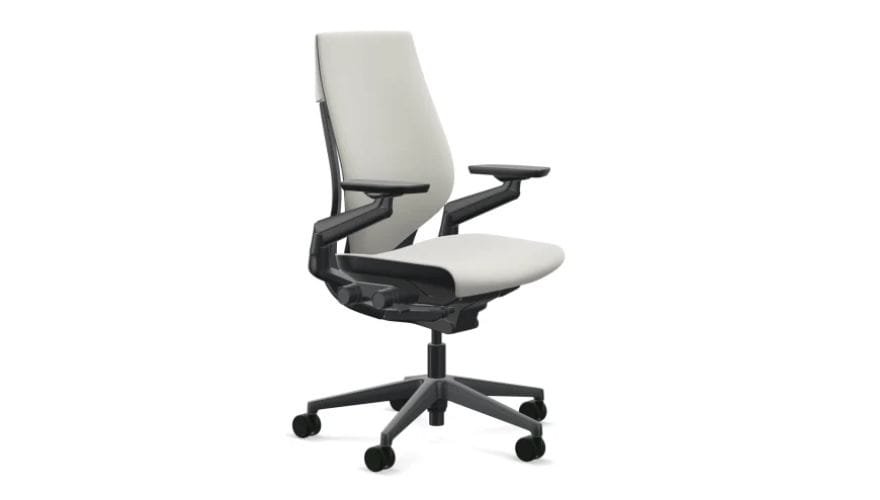
Image source: https://www.thehumansolution.com/steelcase-gesture-drafting-stool.html?srsltid=AfmBOorU2aF2a0ShV-lDPINV9P9x06pzEbj7LE6CDoG4sEJQn0mzCd6P
Who it’s for: Tech professionals, designers, and anyone who uses multiple devices throughout the day.
Posture strengths: The defining feature of the Gesture is its armrests. They move like a human arm, allowing you to bring support to your elbows whether you are texting on a phone, typing on a keyboard, or leaning back with a tablet. This completely eliminates the need to slouch forward or hunch your shoulders.
Limitations: It lacks a highly pronounced, aggressive lumbar support, which some users prefer for severe lower back issues. It is also a heavy, premium-priced investment.
Long-session performance: Exceptional. The seat cushion uses high-density foam with air pockets, providing sustained support without bottoming out over an 8-hour day.
Ideal body types: Highly adaptable; comfortably fits users from 5’2” to 6’4” due to its wide range of seat depth adjustments.
2. Best for Lower Back Pain: Herman Miller Aeron
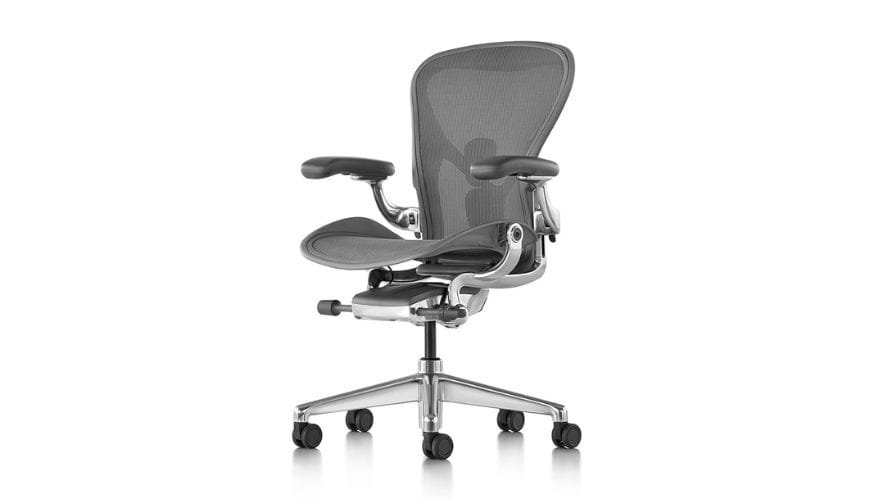
Image source: https://www.hermanmiller.com/products/seating/office-chairs/aeron-chair/
Who it’s for: Individuals suffering from chronic sciatica, lumbar fatigue, or lower back pain.
Posture strengths: The Aeron features the PostureFit SL system, which features two independent pads that stabilize the sacrum and support the lumbar region. This physically prevents the pelvis from rolling backward, which is the primary cause of lower back pain in office workers.
Limitations: The hard plastic frame around the seat pan can dig into your thighs if you sit cross-legged or if you choose the wrong chair size.
Long-session performance: The woven mesh eliminates pressure points and heat buildup, making it ideal for standard 8-hour shifts.
Ideal body types: Because it comes in three distinct sizes (A, B, and C), it fits a wide variety of bodies, provided you purchase the correct size for your dimensions.
Also see: Best Herman Miller Dupe for Every Budget in 2025
3. Best for Neck & Shoulder Pain: Humanscale Freedom
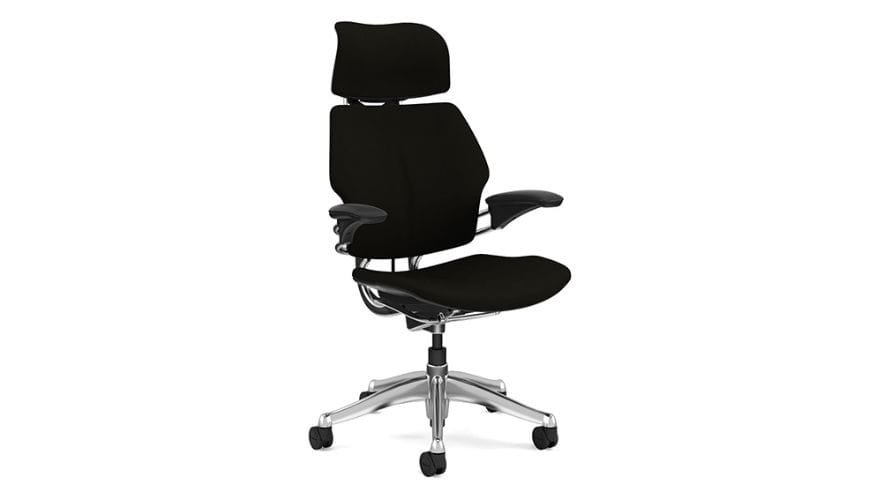
source: https://www.humanscale.com/products/seating/freedom-headrest-executive-chair?srsltid=AfmBOopIT-DsVcaWYOTy25rq9K0u_sEvrqmmYUS9VRg6NeiI_h_TKX8c
Who it’s for: Executives and workers prone to tension headaches, stiff necks, and upper body rigidity.
Posture strengths: The Freedom chair operates without manual levers. It uses your body weight to automatically adjust the recline tension. Most importantly, its articulating headrest moves forward to cradle your neck exactly when you recline, keeping your eyes perfectly level with your monitor without straining your cervical spine.
Limitations: The automatic adjustments mean you cannot manually lock the chair into a specific reclined angle.
Long-session performance: Very good for dynamic workers who frequently shift between typing and reading.
Ideal body types: Average to tall builds; very short users may find the headrest sits too high even on its lowest setting.
4. Best for Long Hours (8–12 Hours): Steelcase Leap V2
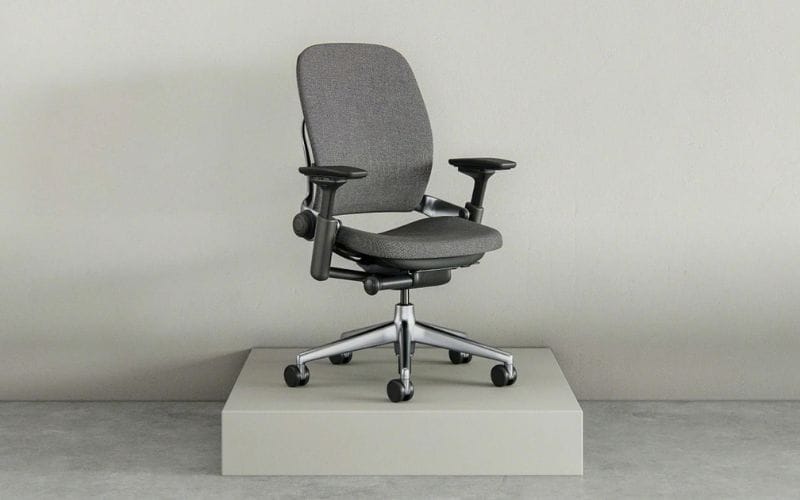
Image Source: https://sg.steelcase.com/
Who it’s for: Day traders, programmers, and remote workers who rarely leave their desks.
Posture strengths: The Leap features LiveBack technology. The backrest is designed to flex independently; the upper section bends away as you lean back, while the lower section pushes forward to maintain constant contact with your lower spine. This continuous support is vital for marathon sitting sessions.
Limitations: The seat padding is notoriously thin. While ergonomically sound, it can feel too firm for users accustomed to plush executive chairs.
Long-session performance: Unrivaled. It encourages subtle spinal alignment corrections throughout the day, preventing muscle stiffness.
Ideal body types: The flexible front seat edge accommodates both short and long legs comfortably.
5. Best Budget Posture Chair: Meet&Co Full Mesh Ergonomic Chair
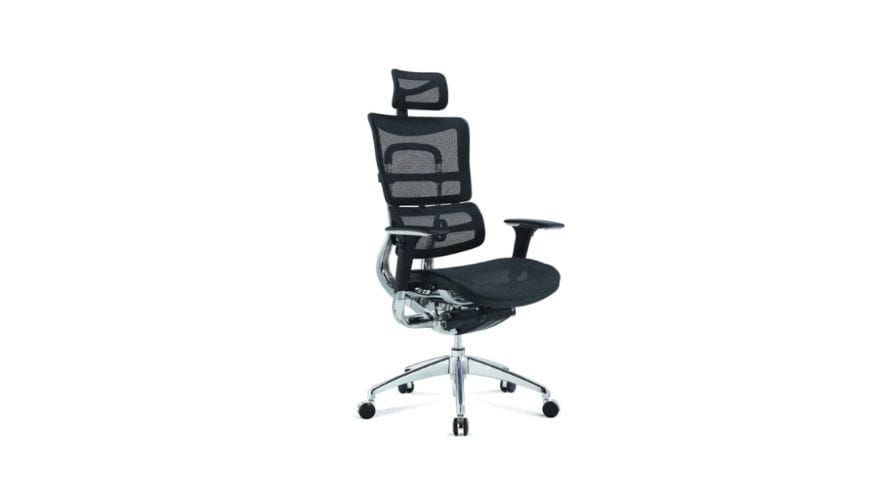
Who it’s for: Budget-conscious remote workers, startup offices, and students who need commercial-grade support without the premium price tag.
Posture strengths: Many budget chairs use cheap foam that degrades rapidly. This model utilizes a full breathable mesh back and seat, promoting excellent airflow while naturally conforming to the curvature of your spine. It features a dedicated, height-adjustable lumbar bracket that targets the exact point of lower back fatigue.
Limitations: The armrests offer fewer degrees of movement compared to $1,000+ models.
Long-session performance: Highly capable of supporting 6-8 hour workdays comfortably, thanks to its breathability and responsive tension control.
Ideal body types: Average builds (5’4″ to 6’1″).
6. Best Premium Ergonomic Chair: Herman Miller Embody
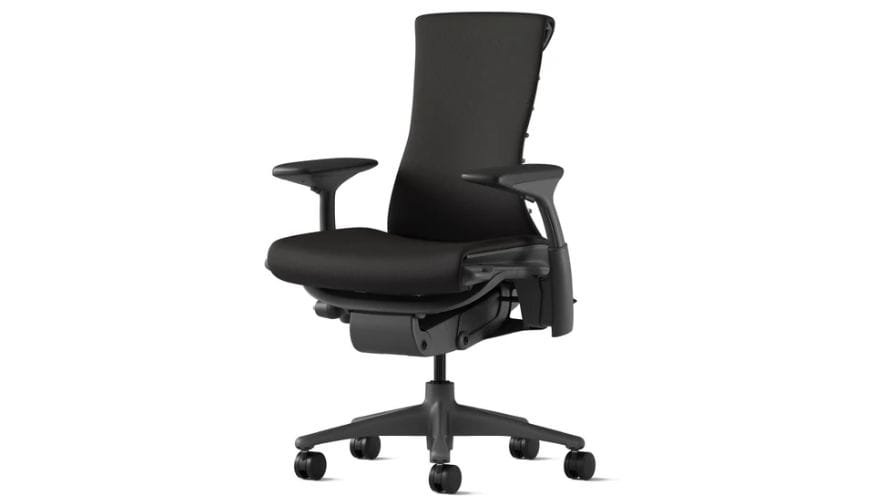
Image Source: https://www.hermanmiller.com/
Who it’s for: Professionals seeking the absolute pinnacle of ergonomic science and aesthetic design.
Posture strengths: The Embody features a pixelated support system—a matrix of dynamic nodes that independently respond to your micro-movements. It actively reduces pressure on your sciatic nerve and promotes blood flow, making you feel as though you are floating. The narrow backrest allows for complete freedom of movement in your shoulders and arms.
Limitations: The initial adjustment process is complex, and the price is prohibitive for many.
Long-session performance: Flawless. Designed specifically with input from physicians to reduce heart rate and improve oxygen flow during long sitting periods.
Ideal body types: Fits almost all body types seamlessly.
7. Best Posture Chair for Tall People: Secretlab Titan Evo (XL)
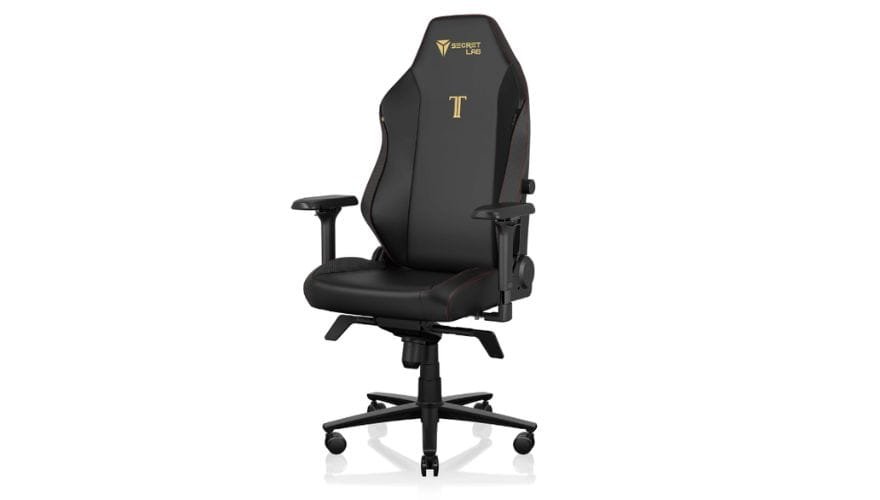
Image source: https://secretlab.co/pages/titan-evo-2022-series
Who it’s for: Users over 6’2″ who struggle to find chairs with adequate backrest height and seat depth.
Posture strengths: Unlike traditional racing-style seats, the Titan Evo integrates a complex internal lumbar support system that adjusts both in depth and height. The extended backrest ensures that tall users receive proper shoulder and neck support, rather than having the headrest push awkwardly into their upper back.
Limitations: The seat base is very firm, and the bucket-seat side bolsters slightly restrict wide leg stances.
Long-session performance: Built for endurance gaming and working, the dense cold-cure foam holds its shape exceptionally well over a 12-hour day.
Ideal body types: Broad-shouldered and tall users specifically.
8. Best Posture Chair for Petite Users: Steelcase Series 1
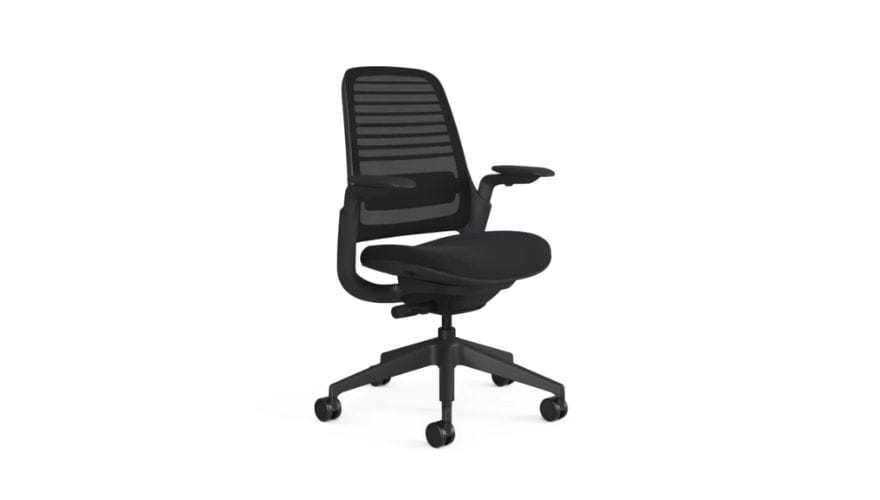
https://jp.steelcase.com/
Who it’s for: Users under 5’4″ who frequently experience numb legs from seat pans that are too long.
Posture strengths: The Series 1 has a highly compact footprint and a seat pan that adjusts shallowly enough to allow short users to sit all the way back against the lumbar support without the front edge cutting into the back of their knees.
Limitations: The backrest is relatively short; anyone over 5’10” will not receive adequate upper back support.
Long-session performance: Solid for standard workdays, offering an intuitive weight-activated tilt mechanism.
Ideal body types: Petite, short-torso, and short-legged users.
9. Best Chair for Active Sitting: HÅG Capisco
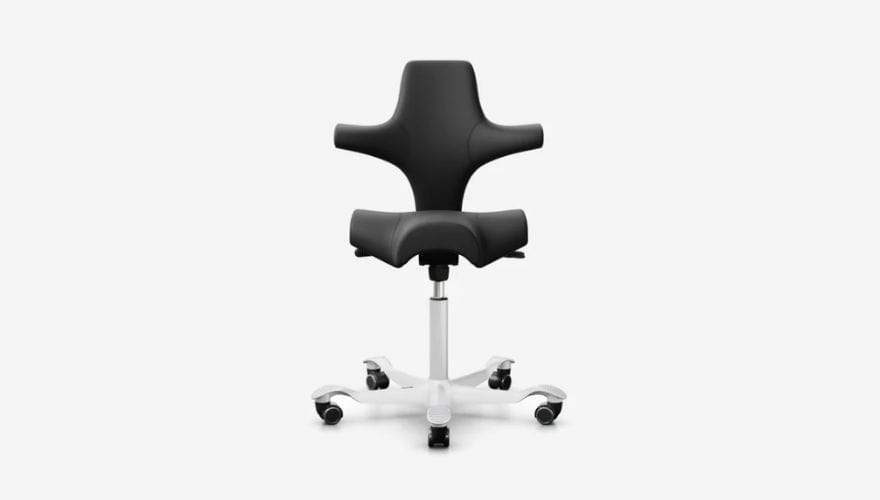
source: https://hag-office.com/products/hag-capisco-8106-leather?srsltid=AfmBOoqxMNVmYeiMfyfRKDJ1Nk7r1HrVXvWm2LqDW00-42eBG0qG_Bhr
Who it’s for: Restless sitters, standing desk users, and creative professionals who constantly shift positions.
Posture strengths: The Capisco is a saddle chair that completely redefines sitting. It opens your hip angle to roughly 130 degrees (compared to the standard 90 degrees), which naturally drops your knees below your hips. This forward tilt automatically aligns your spine into its natural curve without relying on a backrest. You can sit facing forward, sideways, or completely backward.
Limitations: It lacks a headrest, has virtually no arm support, and requires a height-adjustable desk to use properly.
Long-session performance: Requires a significant break-in period. You use your core and leg muscles actively, meaning you may fatigue faster during the first few weeks.
Ideal body types: Users of all heights, particularly those who prefer a movement-based sitting approach.
Can a Chair Actually Improve Posture?
A common misconception is that purchasing an expensive chair will magically cure poor posture. A chair is not a medical device; it cannot force a cure. Instead, high-quality workplace ergonomics supports the development of healthy habits.
According to research from the National Institutes of Health (NIH), static loading—holding any posture, even a “perfect” one, for too long—leads to tissue fatigue and musculoskeletal disorders. The best chairs facilitate movement rather than rigidity. They make it effortless to recline, stretch, and shift your weight while maintaining core lumbar contact.
Your chair is a tool. It takes the physical strain off your stabilizing muscles, allowing you to sit upright for longer periods without exhaustion, but conscious effort to avoid slouching remains your responsibility.
Why Some Ergonomic Chairs Hurt at First
It is incredibly common to spend $1,000 on an ergonomic chair only to experience intense lower back soreness during the first week. Do not return the chair immediately; this is usually a normal biological response.
When you sit in a cheap, unsupportive chair for years, your body adapts to slouching. Your core muscles weaken, and your ligaments stretch. When a high-end posture chair forces an overcorrected lumbar alignment back into your spine, those dormant muscles are suddenly forced to work. This causes muscle fatigue and soreness—similar to the soreness after returning to the gym.
Additionally, pain can stem from an improper setup. If you do not adjust the seat depth, you will experience severe seat pan pressure behind your knees. If your armrests are set too high, it will push your shoulders up, causing neck tension. Take the time to calibrate the tension control and depth mechanisms exactly to your bodily proportions.
How to Choose the Right Posture Chair for Your Body Type
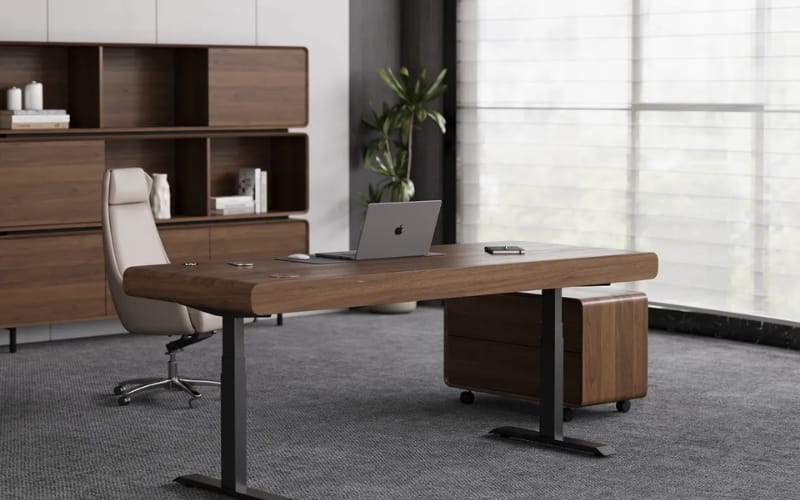
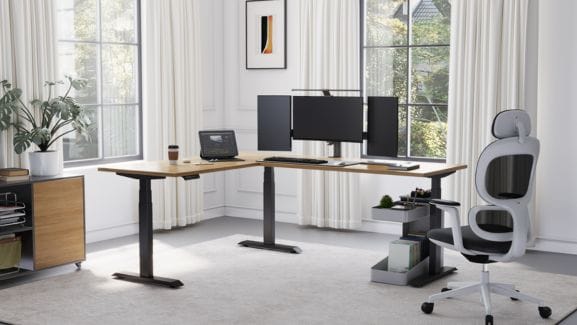
Sendi E Height Adjustable Standing Desk
Ergonomics is not one-size-fits-all. Buying based on reviews without considering your physical dimensions is a recipe for discomfort.
1. For short users
Your primary concern is popliteal clearance—the space behind your knees. If a seat pan is too deep, you cannot reach the backrest without slouching. Look for chairs with an adjustable seat slider, ensuring you can fit two to three fingers between the edge of the seat and your calves while your back is fully supported.
2. For tall users
Standard gas cylinders will not elevate high enough, forcing your knees above your hips, which flattens the lumbar curve. You need a chair with an extended cylinder height and a backrest tall enough so the curve aligns with your lower back, not your mid-back.
3. For broad shoulders
Pay strict attention to the armrests. If armrests cannot adjust outward horizontally, you will be forced to compress your chest and roll your shoulders inward to type, leading to upper back pain.
4. For heavier body types
Standard foam degrades rapidly under higher weight limits. Look for chairs rated for over 300 lbs that utilize dense molded foam, reinforced steel wheelbases, and heavy-duty gas lifts to ensure the tilt mechanisms operate smoothly without breaking down.
5. For cross-legged sitters
Avoid chairs with hard plastic frames around mesh seats (like the Aeron) or pronounced racing-style side bolsters. You need a wide, flat seat pan wrapped in fabric or leather to prevent pressure points on your ankles and outer thighs.
Also see: Best Criss Cross Desk Chair in 2026: Top 15 Picks
Gaming Chair vs Ergonomic Chair for Posture
The debate between gaming chairs and ergonomic office chairs comes down to their fundamental design philosophies. Gaming chairs are modeled after racing car seats. Their bucket-style seats and aggressive side bolsters are designed to hold a driver in place during sharp, high-speed turns. In an office environment, this design actively restricts the micro-movements necessary for healthy blood flow.
Furthermore, gaming chairs typically use basic tilt locks and separate, strapping lumbar pillows. In contrast, a dedicated ergonomic chair features a highly sophisticated dynamic recline system where the backrest and seat move independently, and the lumbar support is integrated into the frame to flex with your spine. For long-term posture correction, an ergonomic office chair is vastly superior to a standard racing-style gaming seat.
Best Ergonomic Setup Beyond the Chair
You can sit in the best posture chair in the world, but if your office layout is flawed, you will still suffer from pain. Your seating environment acts as an interconnected ecosystem.
-
Monitor height: The top third of your screen should be exactly at eye level. If it is too low, your heavy head tilts forward, dragging your neck and shoulders out of alignment regardless of your chair’s backrest.
-
Foot placement: Your feet must rest entirely flat on the floor. If your desk is too high and your feet dangle, use an angled footrest to maintain circulation.
-
Desk height: Your elbows should rest exactly at a 90-degree angle when typing. If the desk is too high, you will shrug your shoulders constantly. Investing in height-adjustable desks allows you to tailor this perfectly.
-
Movement breaks: Follow the 20-8-2 rule. For every 30 minutes, sit for 20, stand for 8, and stretch or walk for 2 minutes.
Final Verdict
There is no single “perfect” chair for every human body. The right choice depends entirely on your specific pain points, body dimensions, and daily tasks.
If you want the most versatile, universally comfortable chair, the Steelcase Gesture is the unparalleled leader for multi-device users. If you are specifically battling lower back pain and heat buildup, the Herman Miller Aeron remains the gold standard. For startups and remote workers needing substantial ergonomic benefits without the luxury price tag, looking toward trusted commercial suppliers like Meet&Co Office Furniture provides reliable, posture-correcting seating solutions that won’t destroy your budget.
Remember, prioritize an adjustable seat pan, dynamic back tension, and responsive armrests. Treat your chair as an active partner in your workday, not just a place to park your body.