Meet&Co
Standing desks with outlets are becoming essential for modern workspaces.
These desks combine the ergonomic benefits of adjustable height with integrated power solutions, allowing laptops, monitors, phones, and other devices to stay charged without tangled cords.
Whether you work from home or in a corporate office, choosing a desk with built-in outlets improves efficiency and keeps your workspace organized, making it a must-have for anyone seeking a clean, functional setup.
Why Choose a Standing Desk with Outlets
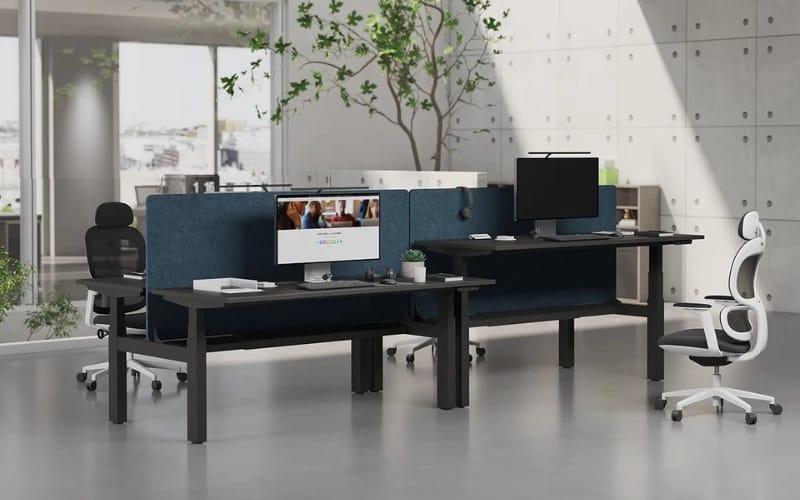
A standing desk with outlets solves one of the most common frustrations for office and remote workers: device charging and cable management.
With AC plugs and USB ports built into the desktop, you can power multiple devices without relying on extension cords or searching for wall outlets.
This not only reduces clutter but also makes transitioning between workstations smoother and more efficient.
Many desks also include USB-C and fast-charging ports, compatible with modern laptops, tablets, and phones.
Integrated cable management solutions prevent cords from tangling, keeping your workspace neat.
Compared to traditional standing desks, these models save time, enhance ergonomics, and provide modern convenience for tech-heavy workflows.
Types of Standing Desks with Outlets
By Power Options
- Built-in AC Outlets: Standard plugs for laptops, monitors, printers, and small appliances.
- USB-A / USB-C Ports: Ideal for fast charging phones, tablets, and other peripherals.
- Wireless Charging Pads: Some high-end models feature Qi-enabled pads embedded in the desktop.
By Desk Material
- Wooden Desktops: Durable, elegant, and comfortable to touch, though heavier.
- Metal or Composite Desktops: Lightweight, highly durable, often designed for integrated cable management.
By Adjustment Mechanism
- Electric: Smooth, motorized height adjustment, often with programmable presets.
- Manual / Crank: Affordable, requires physical effort, slower adjustment.
- Pneumatic: Offers smooth transitions, suitable for moderate loads, mid-range pricing.
How to Choose the Right Desk
When selecting a portable height adjustable desk with outlets, consider:
- Number and Type of Outlets: Ensure sufficient AC and USB ports for your devices.
- Load Capacity: Must support multiple monitors, laptops, and office equipment.
- Desk Size and Layout: Check if it accommodates dual monitors, printers, or other accessories.
- Safety Features: Look for surge protection, overload safeguards, and certification marks.
- Cable Management: Integrated trays or channels help maintain a clean workspace.
Popular Standing Desks with Outlets: Hands-On Reviews
We tested five of the most popular standing desks with outlets in 2026.
Each desk was evaluated for build quality, outlet placement, ergonomics, and usability.
1. Sendi E Standing Desk
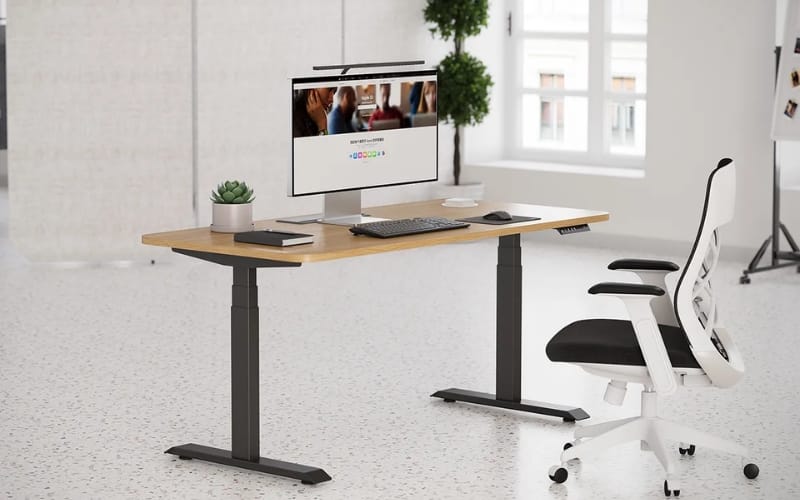
The Sendi E Standing Desk offers a versatile solution for home and office users.
- Desk Size & Build: 48″ x 24″ surface made of durable engineered wood with a matte finish resistant to scratches and stains. The steel frame ensures excellent stability at full height.
- Power & Connectivity: Features 2 AC outlets and 2 USB ports at the front-right corner for easy access to laptops, monitors, and mobile devices.
- Ergonomics & Usability: Smooth electric lift, quiet motor, beveled desktop edges for comfort, and integrated cable management. Supports dual monitors and typical home office setups.
- Use Case: Ideal for users who need accessible power, quiet operation, and stable performance during long working hours.
2. Fully Jarvis Bamboo Desk with Power Grommet
Source: https://us.amazon.com/ref=nav_logo
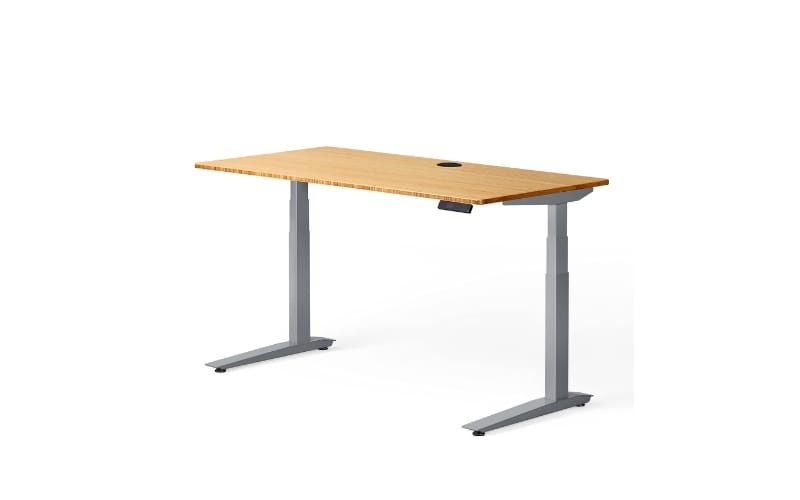
Known for its eco-friendly design and smooth lift system:
- Desk Size & Build: Widths from 48″ to 72″ with a solid bamboo surface and steel frame. The desktop is resistant to scratches and easy to clean.
- Power & Connectivity: Optional power grommet provides 2 AC outlets and 1 USB-C port, maintaining a clutter-free setup.
- Ergonomics & Usability: Programmable height presets, smooth electric adjustment, ideal for multi-tasking.
- Use Case: Suited for environmentally conscious users seeking a stylish desk without compromising connectivity.
3. Uplift V2 Standing Desk with Power Rail
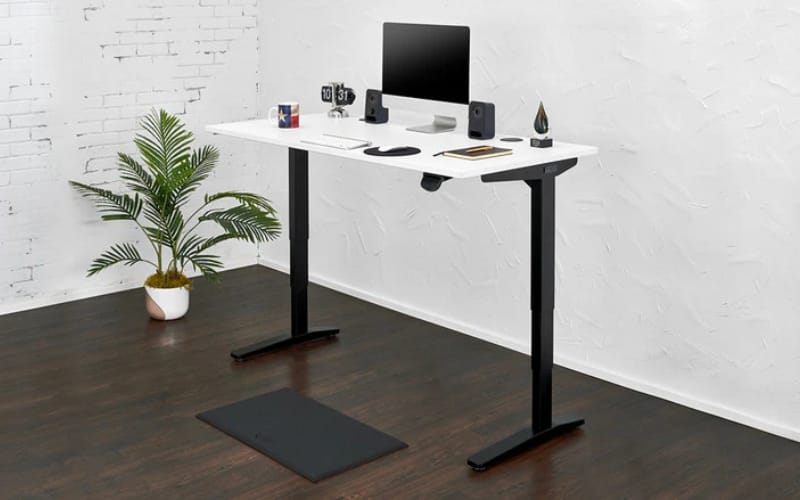
Source: https://woodlab.co/
Premium desk with heavy-duty design:
- Desk Size & Build: 55″ x 30″ steel frame supporting multiple monitors and peripherals.
- Power & Connectivity: Built-in power rail with 4 AC outlets and 2 USB ports along the desktop edge.
- Ergonomics & Usability: Programmable height memory, smooth transition, cable tray included.
- Use Case: Perfect for users requiring multiple device connections and high stability for long-term standing work.
4. Vari Electric Standing Desk Pro
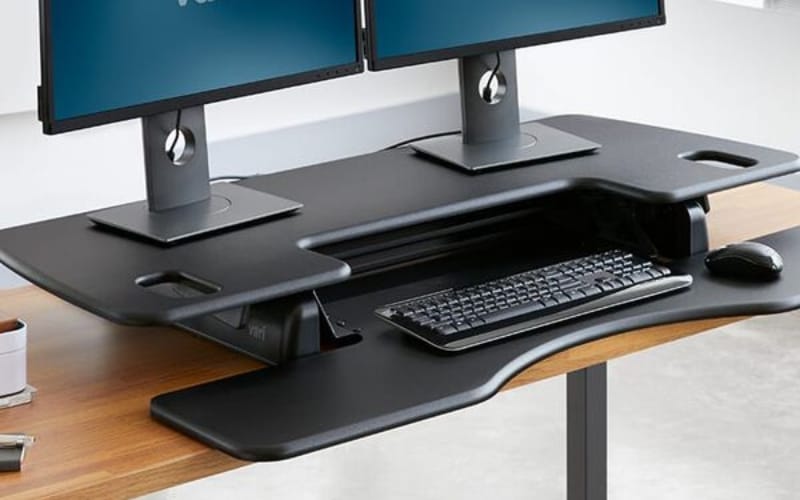
Source: https://www.vari.com/
Combines space efficiency with integrated power solutions:
- Desk Size & Build: 48″ x 30″ laminate desktop with durable steel legs. Spacious enough for dual monitors and essential office equipment.
- Power & Connectivity: Rear-corner AC outlet tower with 3 plugs and 1 USB port, minimizing leg space interference.
- Ergonomics & Usability: Fast, quiet height adjustments; small cable channel for cord management.
- Use Case: Great for compact home offices or shared workspaces needing convenient device charging.
5. Autonomous SmartDesk Core with Outlet Strip
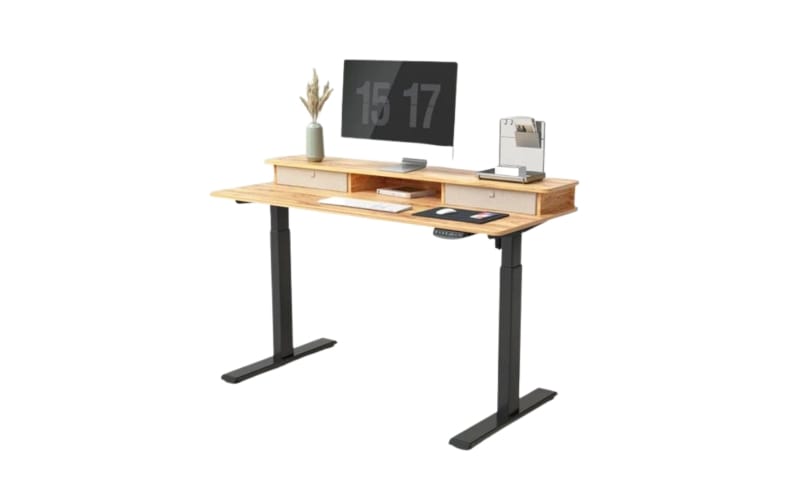
Source: https://www.realhomes.com/
Affordable yet functional option:
- Desk Size & Build: 53″ x 29″ composite desktop, supported by sturdy electric frame.
- Power & Connectivity: 2 AC outlets and 2 USB ports integrated along the desk edge.
- Ergonomics & Usability: Smooth motorized lift; cable channels reduce clutter. Surface may scratch easily, but functionality is high.
- Use Case: Ideal for budget-conscious users who still want integrated outlets for home office setups.
Explore curated ergonomic desks and setups at Meet&Co.
Frequently Asked Questions
Q: Are desks with built-in outlets safe?
Most modern office desks comply with safety standards, including surge protection and certified wiring. Always verify specifications before use.
Q: Which outlet layouts are best for dual monitors and laptops?
Outlets at back corners or along the desktop edge are easiest to access while keeping cords organized.
Q: How to prolong desk outlet lifespan?
Avoid overloading AC plugs, use surge protectors, and unplug devices when not in use.
Tips for Using Your Desk Efficiently
- Place frequently used devices near integrated outlets.
- Use cable trays or clips to keep wires organized.
- Alternate between sitting and standing for health benefits.
- Customize setups based on home or office needs.
For more ergonomic setups, check Meet&Co Office Furniture for desks with built-in power solutions.
Conclusion
Standing desks with outlets enhance productivity, comfort, and workspace organization.
From the high-performance Sendi E electric height adjustable office desk to budget-friendly options like the Autonomous SmartDesk Core, there is a desk for every need.
Focus on outlet placement, stability, and desktop size to find the right desk for your home or office.
With built-in power at your fingertips, staying organized and productive has never been easier.
_2-1.webp)