Meet&Co
As an office ergonomics specialist with over five years of experience reviewing standing desks, I can confidently say that height-adjustable standing desks for laptop users are essential for improving posture, comfort, and productivity.
Working long hours on a laptop can lead to neck, shoulder, and back strain.
Adjustable desks allow seamless transitions between sitting and standing, which promotes better circulation and focus.
For reliable and stylish options, Meet&Co offers a wide range of ergonomic furniture designed to fit any home office.
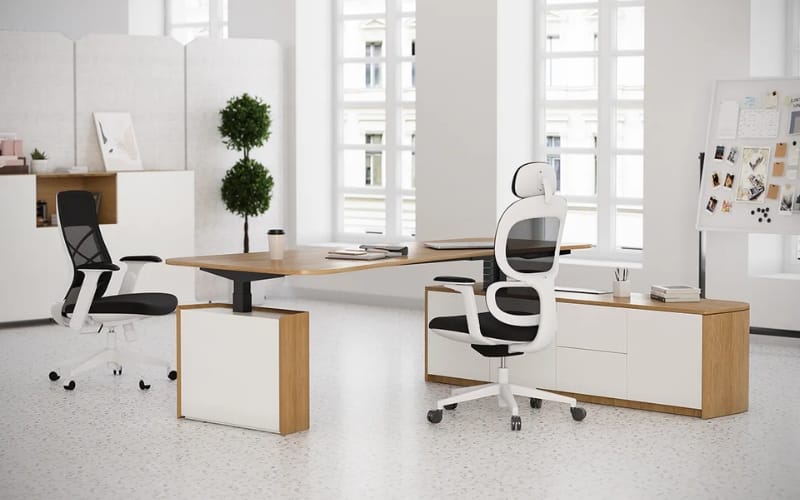
Why Laptop Users Need Height-Adjustable Standing Desks
Laptop users often face unique challenges compared to desktop users.
A laptop’s screen is typically lower than eye level, causing forward head posture and shoulder strain.
Height-adjustable desks help:
- Promote proper posture: Align screens at eye level and keyboard at elbow height.
- Enhance productivity: Standing intermittently reduces fatigue and improves focus.
- Save space: Compact models fit small rooms without sacrificing functionality.
Key Factors to Consider Before Buying
Desk Size and Workspace
Ensure the desk can accommodate your laptop, mouse, and any accessories.
Compact desks work well for smaller spaces, while larger desktops are suitable for dual setups.
Height Adjustment Range
Choose a desk that fits both sitting and standing positions.
Measure your elbow height when seated and wrist height when standing. Most high-quality standing desks offer a range from 28 to 48 inches.
Weight Capacity
Consider all devices you’ll place on the desk. Lightweight desks are easy to move, while heavier models provide more stability.
Stability
A stable frame is crucial, especially when fully extended. Look for desks with steel frames and sturdy tops to prevent wobbling.
Additional Features
- Electric vs manual adjustment: Electric height adjustable office desks are faster and smoother; manual cranks are budget-friendly.
- Cable management: Keeps cords organized and workspace neat.
- Foldable or portable designs: Ideal for small apartments or flexible setups.
Top Height-Adjustable Standing Desks for Laptop Users (2026 Edition)
1. Sendi E Standing Desk
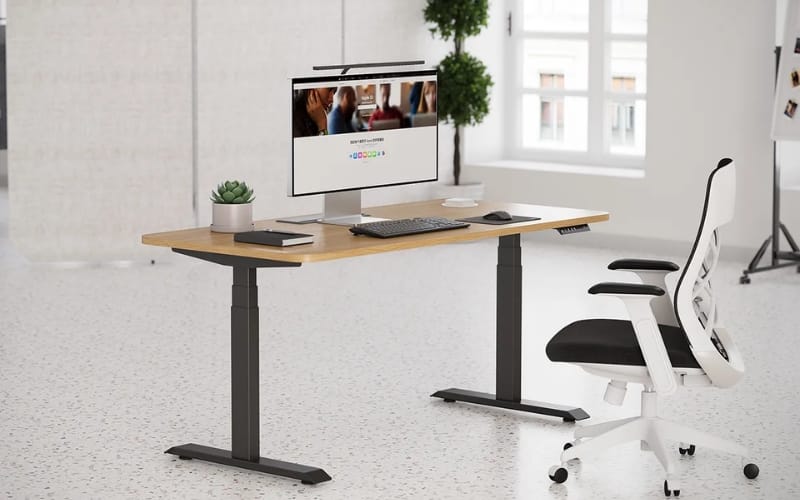
The Sendi E Standing Desk is designed for precision and smooth operation.
Its electric lift allows adjustments from 24.8 to 50.4 inches. Key features:
- Wide surface area for laptops and accessories
- Scratch-resistant MDF tabletop
- Quiet motor with anti-collision safety
- Ergonomic design that reduces wrist and shoulder strain
2. Astra L-Shaped Executive Desk
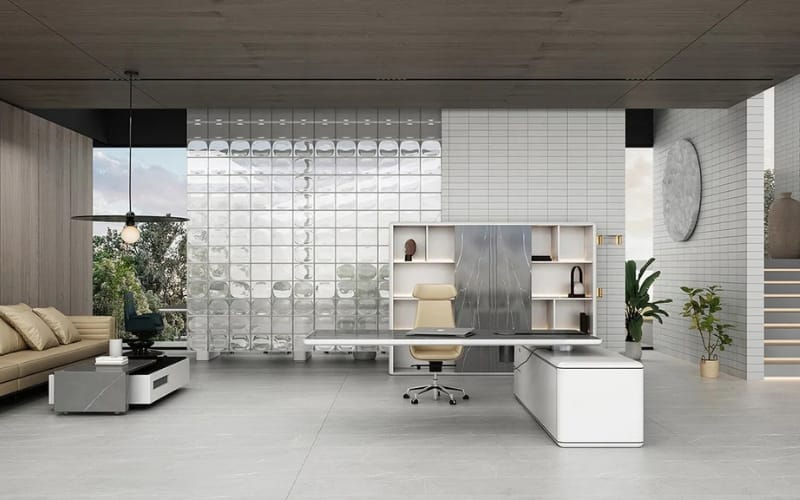
The Astra L-Shaped Executive Desk combines a spacious L-shaped layout with smooth electronic height adjustment. Features include:
- Ample corner workspace for multi-device setups
- Integrated cable management tray
- Strong steel frame for superior stability
- Ergonomic design supporting both sitting and standing positions
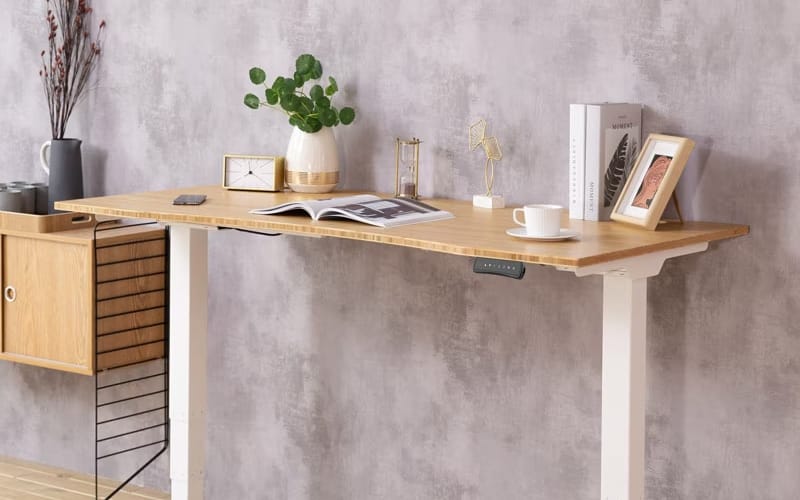
3. Fully Jarvis Bamboo Standing Desk
Source: https://www.flexispot.com/
A real bestseller, the Fully Jarvis Bamboo Desk balances style, sustainability, and functionality:
- Electric height adjustment: 25.5–51 inches
- Eco-friendly bamboo desktop
- Memory presets for preferred heights
- Supports up to 350 lbs
- Multiple desktop sizes to accommodate laptops and dual monitors
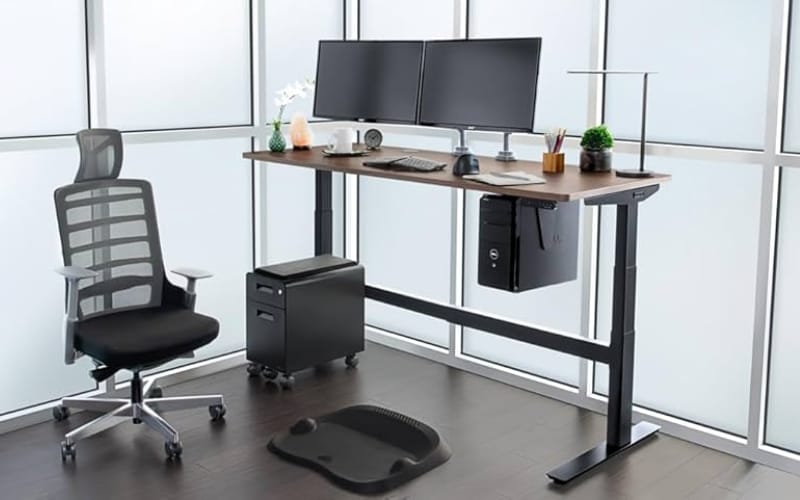
4. Uplift V2 Standing Desk
Source: https://www.amazon.com/
The Uplift V2 Desk is highly rated for both home and office use:
- Electric lift system: 25.5–50.5 inches
- Steel frame with anti-wobble stability
- Desktop options: laminate, bamboo, and more
- Integrated cable management accessories
- Programmable height memory for multiple users
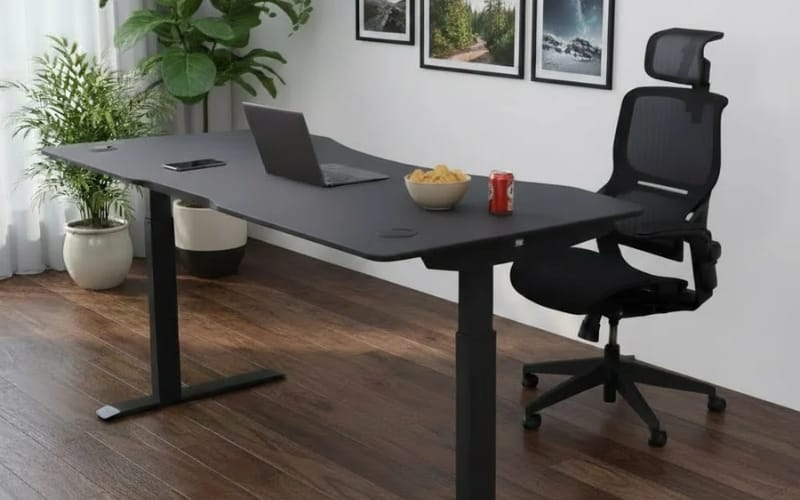
5. ApexDesk Elite Series 71” Standing Desk
Source: https://www.apexdesk.com/
Designed for wide desktop setups, the ApexDesk Elite 71” supports laptops, monitors, and accessories:
- Electric height adjustment: 29–48 inches
- Sturdy steel frame for minimal wobble
- Spacious desktop for work efficiency
- Cable management tray included
- Quiet, smooth lifting mechanism
For additional high-quality ergonomic desks, explore Meet&Co Furniture for trusted options and expert guidance.
Tips for Using a Height-Adjustable Desk with a Laptop
- Maintain proper posture: Keep the screen at eye level, elbows at 90°, and feet flat on the floor.
- Use an external keyboard and mouse: Reduces wrist strain and allows better posture.
- Alternate sitting and standing: Switch every 30–60 minutes to reduce fatigue.
- Cable management: Use trays or clips to keep cords organized.
- Laptop stands: Elevate your screen for optimal ergonomic alignment.
Frequently Asked Questions
Q1: Are adjustable desks suitable for multiple monitors?
Yes. Choose a desk with sufficient surface area and weight capacity to support dual or triple-monitor setups.
Q2: Will a laptop stand affect stability?
High-quality desks like the Sendi E and Astra L-Shaped remain stable even with stands or extra accessories.
Q3: How do I choose the right desk size for a small office?
Measure your available space, consider compact or L-shaped designs, and ensure height adjustability meets ergonomic needs.
Q4: Should I prioritize stability or weight capacity?
Both are important, but stability is essential to safely support laptops and monitors during adjustments.
Conclusion
Investing in a height-adjustable standing desk for laptop use is a smart choice for health, comfort, and productivity.
From compact desks for small spaces to executive L-shaped workstations, there’s a solution for every user.
Consider size, height range, stability, and features to find the best fit.
For a range of trusted ergonomic office desks, visit Meet&Co Office Furniture to find your ideal setup and make your home office more efficient and comfortable.