











 Meet&Co
Finding the best standing desks Australia has to offer is no longer just about comparing specs—it’s about choosing a office desk that actually improves your daily workflow, posture, and long-term comfort.
With remote and hybrid work becoming standard across Australia, more professionals are investing in sit-stand desks to reduce back pain, stay productive, and create a healthier workspace.
The challenge? Most guides online focus heavily on technical specs like height range and weight capacity but fail to explain how these desks perform in real-world use.
After years of reviewing office furniture, one thing is clear: stability, motor reliability, and long-term durability matter far more than numbers on a product page.
This guide breaks down the top standing desks available in Australia, who they’re best for, and what you should actually pay attention to before buying.
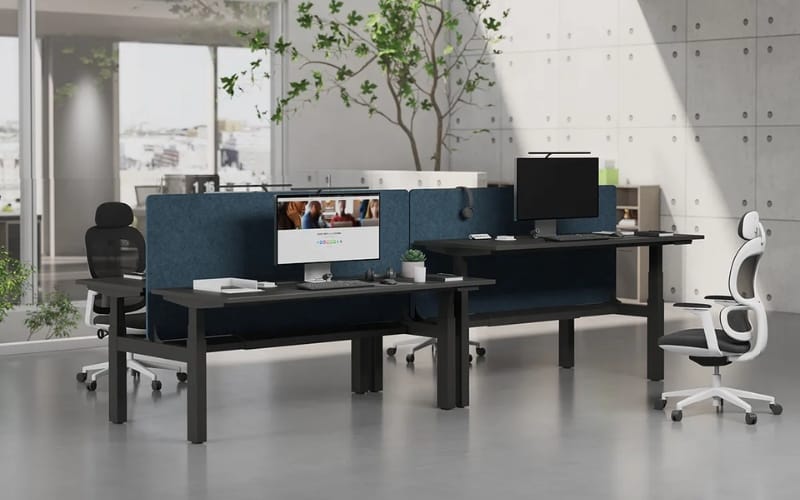
Quick Picks – Best Standing Desks Australia
If you want a fast answer, here are the top choices based on real usage:
Best Overall: Sendi E Executive Standing Desk
Best for Stability: FlexiSpot E7
Best for Small Spaces: Branch Duo Standing Desk
Best Budget Option: FEZIBO Electric Standing Desk
Best Premium Choice: Desky Dual Sit Stand Desk
Best Standing Desks Australia Reviews (Real-World Tested)
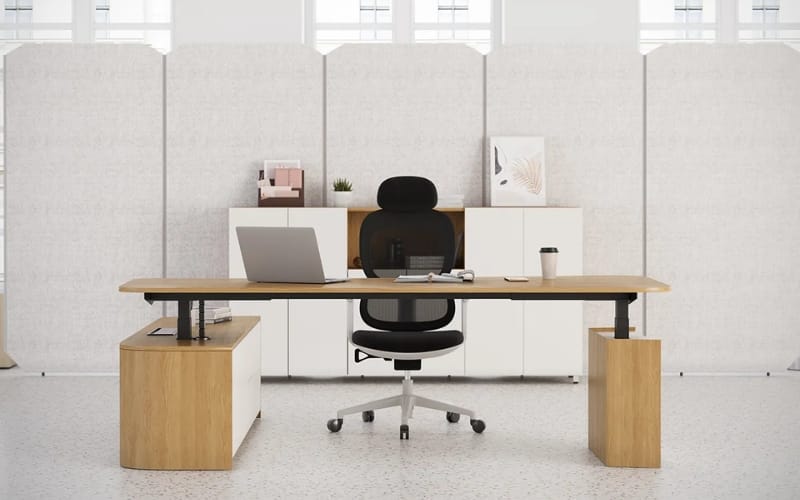
1. Sendi E Executive Standing Desk (Best Overall)
Overview
The Sendi E adjustable height executive standing desk delivers the best balance of performance, durability, and price in the Australian market.
Unlike many desks that look impressive on paper but fall short in daily use, this model performs consistently across all key areas.
Real-World Performance
Stability is where this desk truly stands out.
Even at full standing height, it remains solid under a dual-monitor setup—something many competitors struggle with.
The lifting motion is smooth and controlled, with no sudden jerks or uneven movement.
Noise levels are also minimal, making it ideal for home offices where frequent adjustments are part of the workflow.
Pros
Excellent stability at all heights
Smooth and quiet dual motor system
Durable, premium-feel desktop
Reliable for long daily use
Cons
Heavier frame requires more effort during assembly
Not the cheapest option upfront
Specifications
Height Range: 24.8”–50.4”
Weight Capacity: 281 lbs
Motor: Dual motor
Best for:
Professionals, remote workers, long-hour usage
If you’re building a complete ergonomic setup, combining this desk with workspace solutions from Meet&Co can significantly improve comfort and productivity.
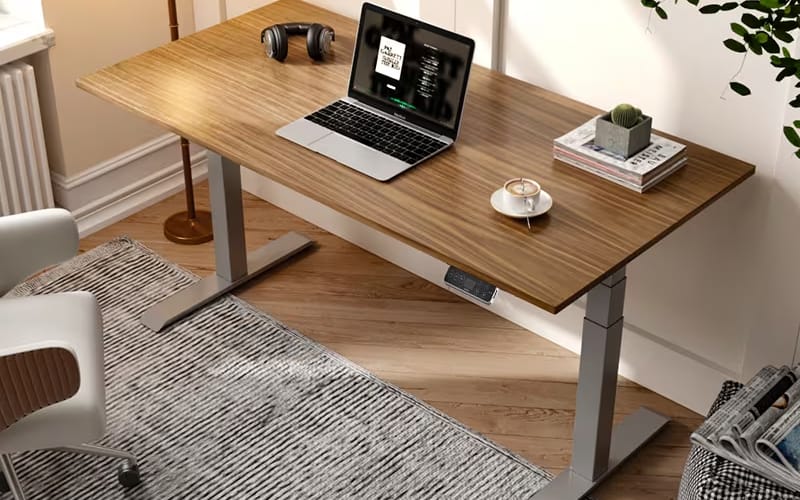
2. FlexiSpot E7 Standing Desk (Best for Stability)
Overview
The FlexiSpot E7 is widely regarded as one of the most stable standing desks available globally.
It’s designed for users who need a strong, reliable frame—especially for heavier setups.
Real-World Performance
In practical use, the E7 remains firm even during active typing or when supporting dual monitors.
This is where cheaper desks often fail. The motor system is responsive and consistent, though slightly more mechanical in feel compared to premium models.
One important note: depending on the retailer, desktop quality may vary, so choosing the right configuration matters.
Pros
Outstanding frame stability
High weight capacity
Reliable dual motor system
Cons
Desktop may not always be included
Slightly higher cost than mid-range options
Best for:
Dual monitors, heavy equipment setups
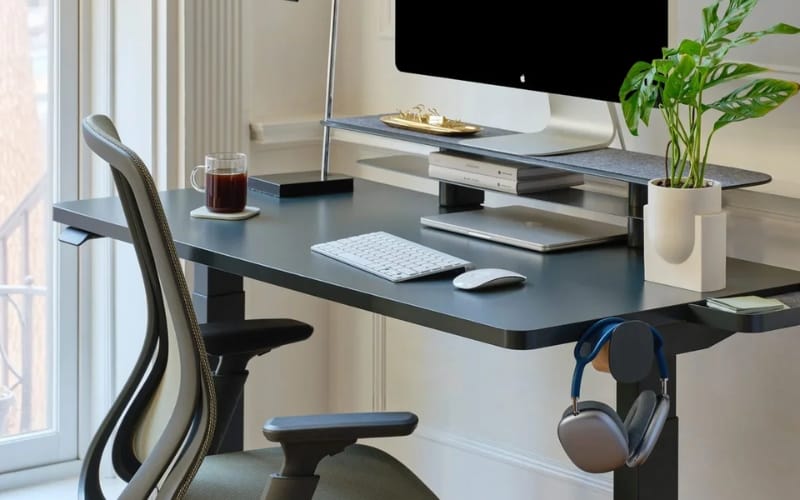
3. Branch Duo Standing Desk (Best for Small Spaces)
Overview
The Branch Duo Standing Desk is designed for compact environments, making it ideal for apartments or smaller home offices common in major Australian cities.
Real-World Performance
Its lightweight design makes it easy to assemble and reposition. However, this also means it sacrifices some structural rigidity.
At maximum height, minor wobble is noticeable, especially during typing.
That said, for lighter setups such as laptops or single monitors, it performs adequately.
Pros
Compact and space-efficient
Clean, minimalist design
Easy setup process
Cons
Limited stability at full height
Not suitable for heavy setups
Best for:
Small apartments, minimalist workspaces
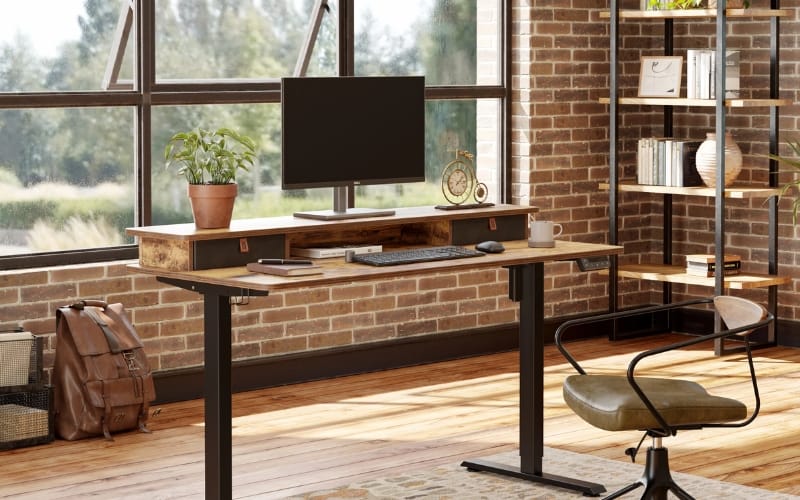
4. FEZIBO Electric Standing Desk (Best Budget Option)
Overview
The FEZIBO Electric Standing Desk is a popular entry-level choice for users who want basic sit-stand functionality without a large investment.
Real-World Performance
At sitting height, the desk performs reasonably well.
However, as you raise it, especially beyond mid-range, noticeable wobble becomes a factor. The motor is functional but louder compared to higher-end models.
Durability is also a consideration—this is not a desk built for heavy, long-term use.
Pros
Affordable entry point
Simple functionality
Widely available
Cons
Reduced stability at standing height
Louder motor operation
Shorter lifespan
Best for:
Beginners, light use, temporary setups
5. Desky Dual Sit Stand Desk (Best Premium Option)
Overview
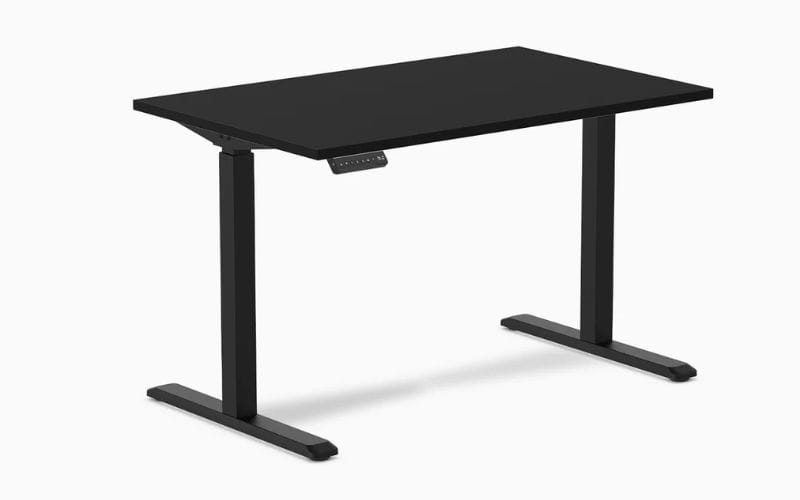
Desky is a well-known Australian brand offering premium standing desks with a strong focus on design and customization.
Real-World Performance
The desk feels solid and well-built, particularly the desktop finishes.
However, in terms of raw performance, it doesn’t significantly outperform mid-range competitors.
Much of the premium price reflects branding and customization rather than functional upgrades.
Pros
High-quality materials
Customizable options
Strong local brand presence
Cons
Higher price point
Limited performance advantage over cheaper models
Best for:
Design-conscious users, premium office setups
Comparison Table (Key Features Only)
| Desk | Height Range | Weight Capacity | Motor | Best For |
|---|---|---|---|---|
| Sendi E Executive | 24.8”–50.4” | 281 lbs | Dual | Overall performance |
| FlexiSpot E7 | 22.8”–48.4” | 355 lbs | Dual | Stability |
| Branch Duo | 28”–47.8” | 275 lbs | Dual | Small spaces |
| FEZIBO | 27.5”–46.9” | 176 lbs | Single | Budget |
| Desky Dual | 23.6”–49.2” | 308 lbs | Dual | Premium users |
How to Choose the Best Standing Desk in Australia
Choosing the right desk goes beyond specs. Here’s what actually matters in real-world use.
Stability Should Be Your Top Priority
A desk that wobbles—even slightly—can ruin your experience. Dual motor desks with reinforced frames generally perform far better, especially at standing height.
Height Range Must Fit Your Body
Taller users (180cm+) often struggle with desks that don’t extend high enough. Always check maximum height and ensure it supports proper ergonomic posture.
Motor Quality Impacts Daily Use
You’ll adjust your desk multiple times per day. A poor motor leads to noise, uneven lifting, and faster wear.
Warranty and Support Matter More in Australia
With fewer physical showrooms, after-sales support becomes critical. Brands like Meet&Co Furniture offer more reliable long-term support compared to unknown sellers.
Common Problems with Standing Desks in Australia (In-Depth Analysis)
Most buying guides skip this—but these are the issues that actually affect long-term satisfaction.
Wobble Gets Worse Over Time
Many desks feel stable when new but develop movement after months of use.
This happens due to frame stress, minor loosening of components, and uneven load distribution.
The higher you raise the desk, the more noticeable this becomes.
For users working long hours, even small vibrations can reduce focus and typing accuracy.
Weight Capacity Is Often Overstated
Manufacturers advertise maximum load limits, but real performance drops well before that.
Once you exceed around 70–80% of rated capacity, lifting speed slows and stability decreases.
This becomes critical for users with dual monitors or mounted equipment.
Higher Prices Don’t Always Mean Better Performance
In Australia, many brands source similar hardware but sell at very different price points.
It’s common to pay significantly more for branding, not actual improvements in function.
Understanding what you’re paying for—materials vs mechanics—is key.
Limited Showroom Access Increases Risk
Most buyers cannot physically test desks before purchasing. This leads to mismatched expectations, especially regarding size, finish, and stability.
Budget Desks Often Have Short Lifespans
Lower-cost desks tend to develop issues faster:
Motor wear
Frame instability
Surface damage
While cheaper upfront, they often cost more over time.
Best Standing Desk by Use Case (Detailed Breakdown)
Choosing based on your situation leads to better results than choosing based on popularity.
For Small Apartments
Space efficiency is critical. Look for desks under 120cm width with a shallow depth. Avoid oversized desktops that waste space and restrict movement.
For Tall Users (180cm+)
You need a desk with sufficient height range and strong stability at maximum extension. Without this, posture suffers and long-term discomfort increases.
For Dual Monitor or Heavy Setups
Prioritize high weight capacity and a reinforced frame. Stability matters more than aesthetics in this case.
For Long Working Hours
Daily reliability becomes the priority. Smooth lifting, low noise, and consistent performance make a noticeable difference over time.
For Budget Buyers
Focus on realistic expectations. Entry-level desks can work well for light use but are not ideal for demanding setups or long-term use.
Price Guide – What Should You Expect to Pay in Australia?
Understanding pricing tiers helps avoid overspending or underbuying.
$300–$600 (Entry-Level)
You get basic functionality with compromises in stability and durability. Suitable for light or occasional use, but not ideal for long hours.
$600–$1000 (Best Value Range)
This is the sweet spot. Most desks in this range offer dual motors, solid stability, and good longevity. For most users, this tier delivers the best balance.
$1000+ (Premium Tier)
Higher-end materials, better finishes, and customization options. However, performance improvements are often marginal compared to mid-range desks.
Hidden Costs to Consider
Beyond the desk itself, you may need:
Monitor arms
Anti-fatigue mats
Cable management solutions
These can add $150–$300 to your total setup cost.
Standing Desk Setup Tips (Critical for Long-Term Comfort)
Even the best desk won’t help if your setup is incorrect.
Monitor Position Determines Posture
Your screen should be at eye level. Incorrect placement leads to neck strain and poor posture over time.
Don’t Stand All Day
The ideal workflow alternates between sitting and standing. Overstanding can cause fatigue and discomfort.
Use an Anti-Fatigue Mat
Standing on a hard floor for long periods puts pressure on your legs and joints. A proper mat significantly improves comfort.
Cable Management Is Functional, Not Just Aesthetic
Poor cable organization can interfere with desk movement and increase wear on components.
Your Chair Still Matters
Even with a standing desk, you’ll spend a significant amount of time sitting. A proper ergonomic chair is essential for a balanced setup.
Final Verdict
Choosing the best standing desks Australia offers isn’t about finding the most expensive or most popular option—it’s about finding what works best for your daily routine.
For most users, the Sendi E L-Shaped Executive Standing Desk delivers the best combination of stability, performance, and long-term value.
It’s a desk that not only performs well on day one but continues to support your workflow over time.
Investing in the right standing desk isn’t just about furniture—it’s about improving how you work every single day.
FAQs
Yes, especially for remote workers looking to improve posture and reduce sedentary time.
Start with 1–2 hours total and gradually increase.
They can work short-term but often lack durability and stability.




_8.webp)


