Meet&Co
That sharp, shooting pain that starts in your lower back and travels down your leg. The numbness that settles into your glute after sitting for thirty minutes. The constant shifting, searching for a position that doesn’t hurt.
If you have sciatica, you know exactly what this feels like. And you also know that sitting—something you have to do for work—can feel like an impossible challenge. Sciatica affects an estimated 10–40% of the population at some point, and for office workers, it’s one of the most common reasons for chronic discomfort.
The wrong chair makes sciatica worse. It compresses the sciatic nerve, restricts blood flow, and forces your spine into positions that aggravate inflammation. But the right chair? It can reduce pressure, promote neutral alignment, and make long workdays actually tolerable.
What Causes Sciatica Pain While Sitting?

The sciatic nerve is the longest nerve in the body, running from your lower spine through your glutes and down each leg. When compressed or irritated, it produces symptoms ranging from mild tingling to debilitating pain.
Sitting aggravates sciatica for several reasons:
| Cause | What Happens |
| Direct pressure | The weight of your body compresses the gluteal muscles where the sciatic nerve passes through |
| Prolonged flexion | Sitting with a rounded lower back narrows the spaces where nerves exit the spine |
| Piriformis compression | The piriformis muscle (deep in the glute) can tighten and compress the sciatic nerve |
| Poor posture | Forward head posture creates a cascade of misalignment that affects the entire spine |
What Sciatica Sufferers Need in a Chair
Not every “ergonomic” chair is suitable for sciatica. The specific requirements are different from general ergonomic needs:
| General Ergonomic Need | Sciatica-Specific Need |
| Lumbar support | Pressure relief in the gluteal region |
| Adjustable seat height | Seat contour that doesn’t compress the back of thighs |
| Armrests | Seat tilt to shift pressure forward |
| Backrest | Firm but forgiving seat cushion |
The core principle: reduce pressure on the sciatic nerve pathway while maintaining neutral spine alignment.
What Key Features Actually Work for Sciatica
1. Seat Contour and Cutouts
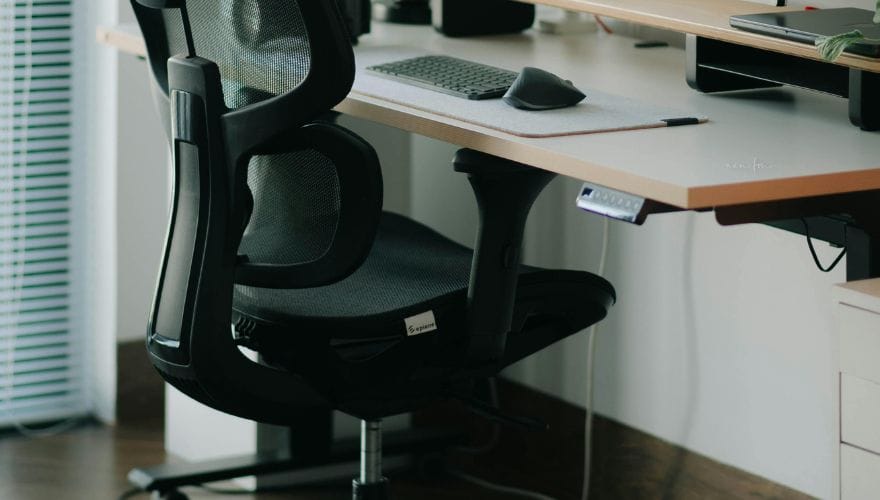
The most critical feature for sciatica is the seat design. Flat, hard seats compress the glutes and the backs of thighs—exactly where the sciatic nerve runs.
| Seat Feature | How It Helps | What to Look For |
| Waterfall edge | Rounded front edge reduces pressure behind knees | At least 2 inches of curve at the front |
| Contoured seat | Slight depression in the center relieves pressure points | Medium-depth contour (not too deep) |
| Seat cutout | Open space in the seat pan eliminates direct pressure | U-shaped or channel design |
| High-density foam | Supports without bottoming out | 3.5–4.5 lb density; 4+ inches thick |
2. Adjustable Seat Depth
Seat depth determines where the pressure falls on your thighs. If the seat is too long, it presses against the back of your knees, exacerbating nerve pain. If it’s too short, your thighs aren’t properly supported.
- Ideal depth: 2–3 finger gap between the seat edge and the back of your knees
- Adjustability: Look for at least 2 inches of seat depth adjustment
3. Seat Tilt and Pan Angle
Forward seat tilt is one of the most effective features for sciatica. When the seat tilts slightly forward (3–5 degrees), it shifts your weight from the glutes to the thighs, reducing direct pressure on the sciatic nerve.
| Tilt Feature | Benefit |
| Forward tilt | Shifts weight forward, decompresses glutes |
| Adjustable pan angle | Fine-tunes pressure distribution |
| Seat tilt with back recline | Maintains support while changing position |
4. Lumbar Support Position
While sciatica originates in the lower back, the relationship between lumbar support and nerve compression is indirect. Proper lumbar support prevents the slouching that narrows the spaces where nerves exit the spine.
- Look for: Height-adjustable lumbar support (not just a fixed bump)
- Position: Support should hit the curve of your lower back (around belt level)
5. Armrests That Support Shoulder Relaxation
Armrests don’t directly affect sciatica, but they affect your overall sitting posture. When your arms are supported, your shoulders relax, which reduces tension throughout the spine.
- Look for: Height-adjustable armrests that allow elbows at 90–110 degrees
- 4D adjustability: Allows fine-tuning of width, depth, and pivot
Top Office Chairs for Sciatica Relief
1. Herman Miller Aeron (Size B or C) – Best Overall Pressure Relief
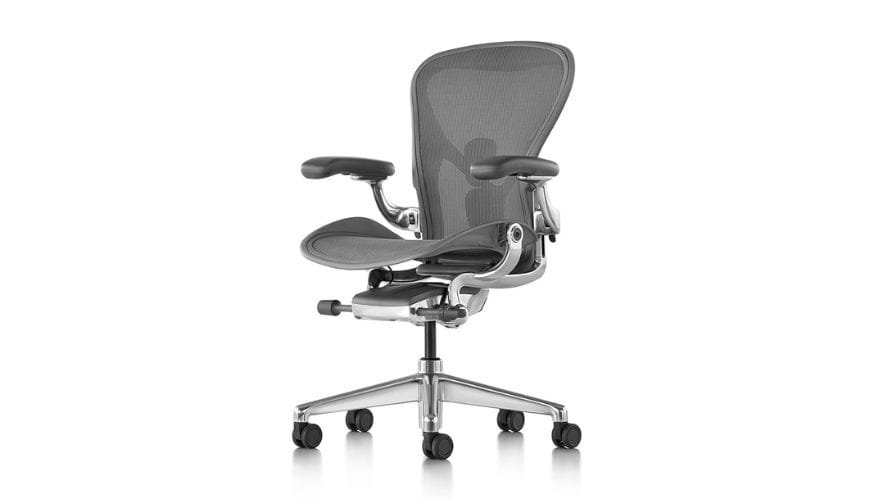
Image source: https://www.hermanmiller.com/products/seating/office-chairs/aeron-chair/
The Aeron is frequently recommended for sciatica because of its unique seat design. The 8Z Pellicle mesh creates eight zones of tension across the seat and back, eliminating pressure points entirely. Unlike foam seats that compress under weight, the mesh distributes load evenly across the entire surface.
The waterfall seat edge reduces pressure behind the knees, and the mesh itself has no hard spots that can aggravate the sciatic nerve. For users who need extra relief, the forward tilt option shifts weight forward, decompressing the gluteal region.
- Pros: No pressure points, breathable mesh, waterfall edge, forward tilt option
- Cons: Mesh seat may feel firm initially; no seat depth adjustment (size-specific)
- Best for: Users who find foam seats compress their glutes
Also see:
Top Herman Miller Aeron Chair Headrests in 2026
Best Herman Miller Chair: 4 Most Popular Picks in 2026
2. Steelcase Leap V2 – Best for Adjustable Lumbar and Seat Contour
Steelcase Leap V2
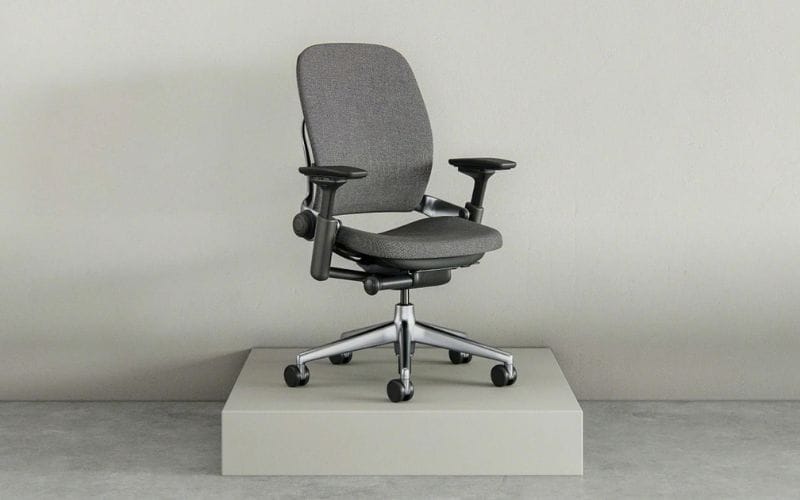
The Leap V2 features a LiveBack system that flexes with your spine, maintaining contact through your entire range of motion. Its seat depth adjustment (up to 2 inches) allows precise positioning to avoid pressure behind the knees.
The seat contour is subtly curved to support without creating pressure points, and the natural glide recline keeps your lumbar supported even when leaning back—important for sciatica sufferers who need to change positions frequently.
- Pros: Excellent adjustability, seat depth adjustment, flexible back, forward tilt
- Cons: Seat foam may be firm for some; premium pricing
- Best for: Users who need frequent position changes and precise seat depth
3. Steelcase Gesture with Headrest – Best for Position Variety
Source: Steelcase
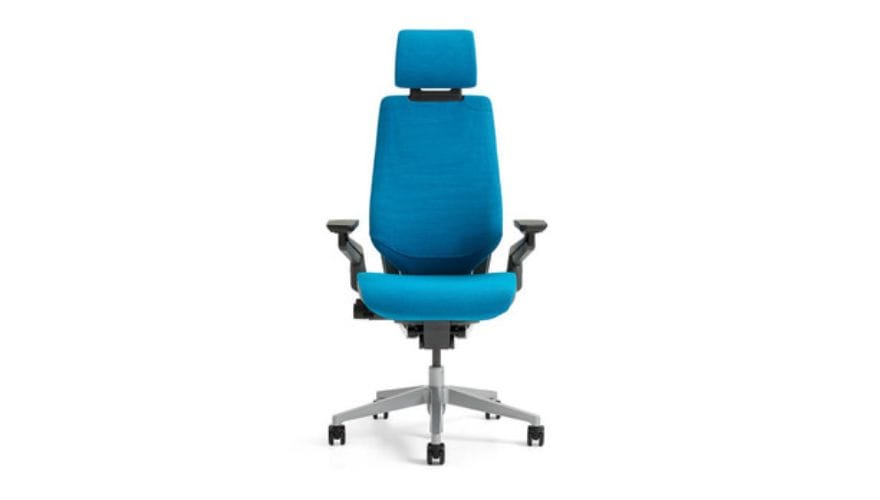
The Gesture is designed for people who move through multiple postures throughout the day—sitting upright, leaning forward, reclining, or perching. For sciatica sufferers, the ability to change positions frequently is critical.
The seat contour provides balanced support, and the 4D armrests ensure shoulders stay relaxed. While the standard seat foam is supportive, some users add a thin gel cushion for additional pressure relief.
- Pros: Exceptional flexibility for changing positions, excellent armrests, tall back support
- Cons: Seat foam may feel firm; headrest adds cost
- Best for: Users who shift positions frequently throughout the day
4. Humanscale Freedom – Best for Dynamic Support
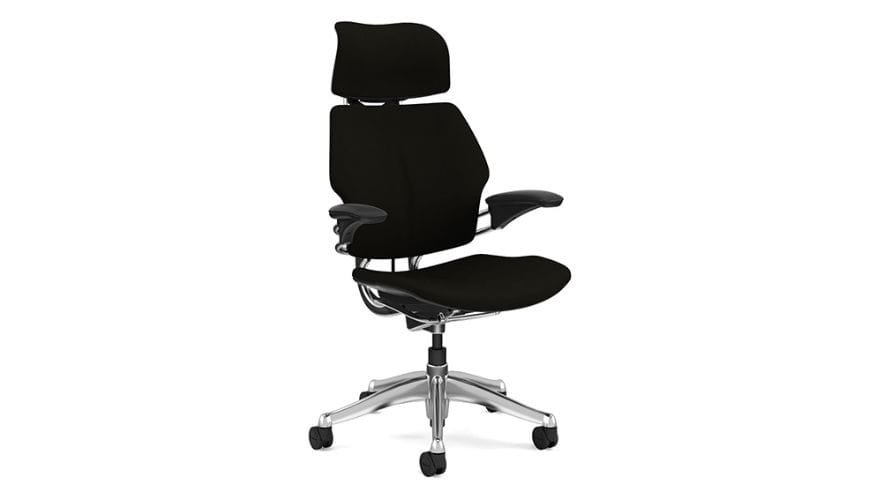
source: Humanscale
The Freedom uses a counterbalance mechanism that automatically adjusts to your body weight and movement. As you lean back, the headrest moves with you—no levers or knobs. This dynamic support is valuable for sciatica sufferers who need to shift weight without disrupting alignment.
The seat cushion uses high-density foam with a contoured shape, and the waterfall front reduces pressure behind the knees. The seat depth is fixed but designed for a wide range of users.
- Pros: No levers to adjust, automatic weight-sensitive recline, waterfall seat edge
- Cons: Fixed seat depth, less adjustability than competitors
- Best for: Users who prefer simplicity and automatic adjustment
5. Meet&Co Budding – Best Value for Sciatica Relief
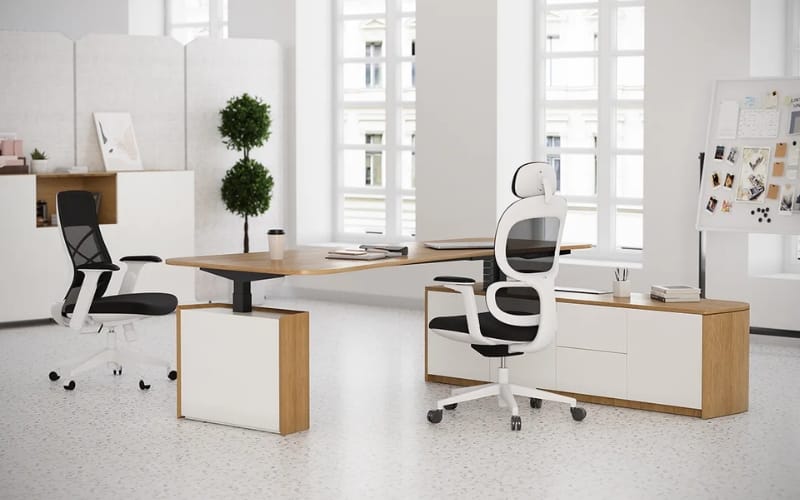
For those on a tighter budget, the Budding offers many sciatica-friendly features at a fraction of premium prices. It includes seat depth adjustment, a waterfall seat edge, and adjustable lumbar support.
The seat cushion uses high-density foam that maintains support, and the mesh back provides breathability. While it lacks forward tilt, the combination of adjustability and price makes it a solid entry point.
- Pros: Affordable, seat depth adjustment, waterfall edge, adjustable lumbar
- Cons: Less durable than premium options
- Best for: Budget-conscious buyers who need core sciatica features
Quick Comparison: Top Chairs for Sciatica
| Chair | Seat Feature | Key Sciatica Benefit | Forward Tilt | Seat Depth |
| Herman Miller Aeron | 8Z Pellicle mesh | No pressure points | Optional | Fixed (size-specific) |
| Steelcase Leap V2 | Contoured foam | Adjustable depth, flexible back | Yes | 2″ range |
| Steelcase Gesture | Contoured foam | Position variety, 4D arms | Yes | Fixed (18.5″) |
| Humanscale Freedom | High-density foam | Automatic recline, waterfall edge | No | Fixed |
| Meet&Co Budding | High-density foam | Adjustable depth, waterfall edge | No | 3″ range |
Additional Tools for Sciatica Relief
Seat Cushions
If your current chair is otherwise good but lacks pressure relief, a seat cushion can make the difference. Look for:
| Cushion Type | How It Helps |
| U-shaped (coccyx) cushion | Removes direct pressure on tailbone and lower glutes |
| Wedge cushion | Tilts pelvis forward, shifts weight to thighs |
| Gel-infused memory foam | Combines pressure relief with cooling |
Recommended: The Purple Royal Seat Cushion with GelFlex Grid (no pressure points, stays cool) or the Everlasting Comfort Coccyx Cushion (U-shaped, memory foam).
Footrests
If your chair’s seat height is correct but your feet don’t rest flat, a footrest is essential. Hanging legs increase pressure on the glutes and sciatic nerve.
- Look for: Adjustable height, non-slip surface, angled options
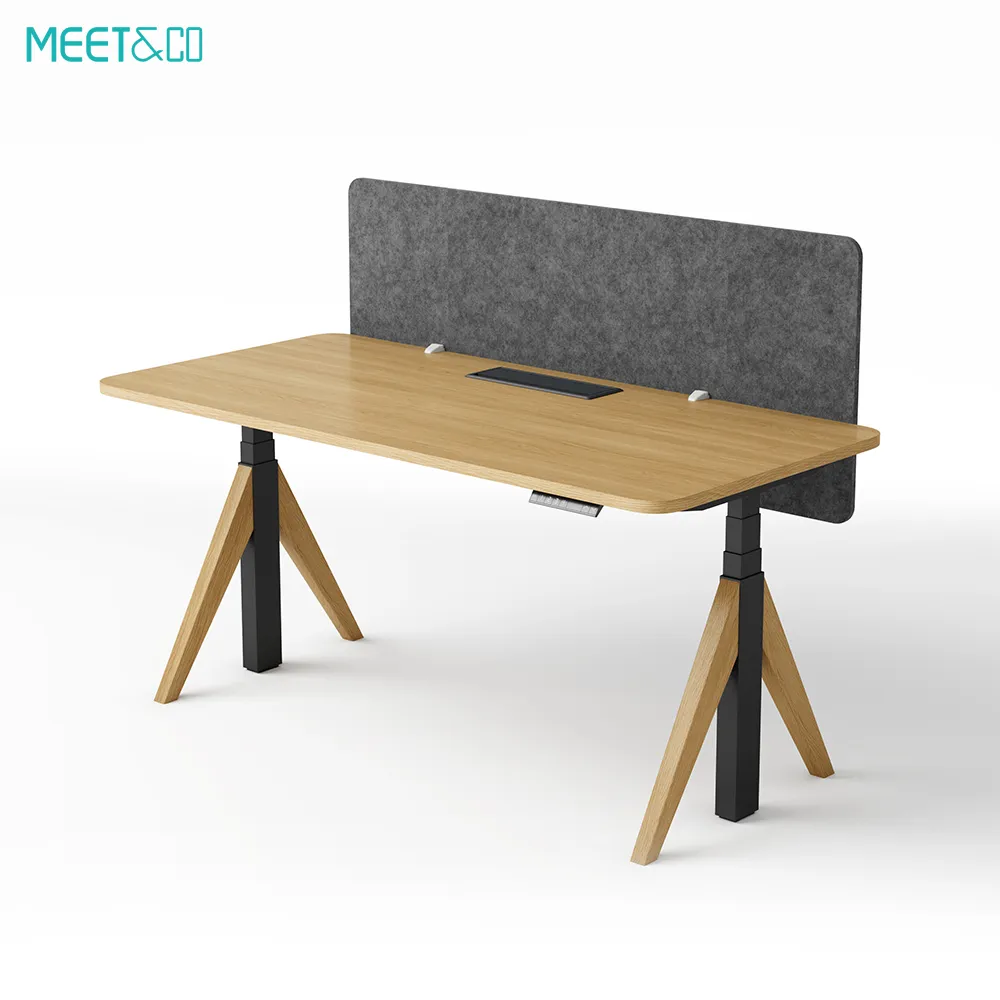
Standing Desk
Alternating between sitting and standing is one of the most effective ways to manage sciatica. Standing decompresses the spine and shifts pressure away from the sciatic nerve entirely.
- Recommendation: Sit-stand desk converter or full standing desk with 1–2 hours of standing per day
How to Set Up Your Chair for Sciatica Relief
Even the best chair won’t help if it’s not adjusted correctly. Follow this sequence:
Step 1: Seat Height
Adjust so your feet rest flat on the floor (or footrest) with knees at roughly 90 degrees. Slightly higher (knees slightly below hips) can help reduce pressure on the sciatic nerve.
Step 2: Seat Depth
Sit back in the chair. Adjust depth so there are 2–3 fingers of space between the seat edge and the back of your knees.
Step 3: Forward Tilt (If Available)
Engage forward tilt to shift weight from glutes to thighs. Start with a small angle and increase as tolerated.
Step 4: Lumbar Support
Adjust lumbar support to fit the natural curve of your lower back. It should feel supportive, not intrusive.
Step 5: Armrests
Adjust armrests so your elbows rest at 90–110 degrees with shoulders relaxed. Armrests should not force your shoulders up or forward.
Step 6: Recline Tension
Set tilt tension so you can lean back smoothly without straining. Changing positions throughout the day is critical for sciatica management.
FAQ
1. Can an office chair really help with sciatica?
Yes—the right chair reduces direct pressure on the sciatic nerve, supports neutral spine alignment, and allows position changes that prevent compression. While it won’t cure the underlying condition, it can significantly reduce symptoms during work hours.
2. Is a mesh or foam seat better for sciatica?
Mesh seats (like the Aeron) eliminate pressure points entirely and are often preferred by those who find foam seats compress under weight. However, some users find mesh seats feel too firm and prefer high-density foam with contouring. The right choice depends on your sensitivity.
3. What’s the most important feature for sciatica?
Seat design is most critical. Look for a waterfall front edge, contour that doesn’t compress glutes, and either forward tilt or a seat cushion that shifts weight forward. Seat depth adjustment is also highly valuable.
4. Should I use a seat cushion with my ergonomic chair?
If your chair lacks forward tilt or the seat contour doesn’t relieve pressure, a U-shaped coccyx cushion or wedge can help. Some users prefer cushions even with premium chairs for additional pressure relief.
5. How often should I change positions if I have sciatica?
Aim to change positions every 20–30 minutes. Stand up, walk briefly, or shift between upright and reclined positions. Movement is as important as the chair itself.
6. Is standing better than sitting for sciatica?
Alternating between sitting and standing is best. Standing decompresses the spine and removes pressure from the glutes, but prolonged standing can cause its own issues. Aim for 15–30 minutes of standing per hour.
7. What’s the best budget chair for sciatica?
The HON Ignition 2.0 offers seat depth adjustment, waterfall edge, and adjustable lumbar under $500. For under $100, a quality coccyx cushion can transform an existing chair.
Conclusion
Managing sciatica while working at a desk isn’t about finding a magical chair—it’s about understanding what your body needs and choosing features that deliver those needs.
The core principles:
- Reduce pressure: Waterfall seat edge, contour, cutouts, or mesh that prevents compression
- Shift weight: Forward tilt or wedge cushions that move pressure from glutes to thighs
- Maintain alignment: Adjustable lumbar support that prevents slouching
- Encourage movement: Chairs that support position changes; sit-stand desks
For many sciatica sufferers, the Herman Miller Aeron with its pressure-relieving mesh and forward tilt option is the gold standard. The Steelcase Leap V2 offers exceptional adjustability for those who need fine-tuned seat depth and lumbar positioning. Budget-conscious buyers can start with the HON Ignition 2.0 paired with a quality coccyx cushion.
But remember: no chair replaces movement. The best chair for sciatica is one that lets you sit comfortably—and reminds you to get up.


-加USB_25.webp)