Meet&Co
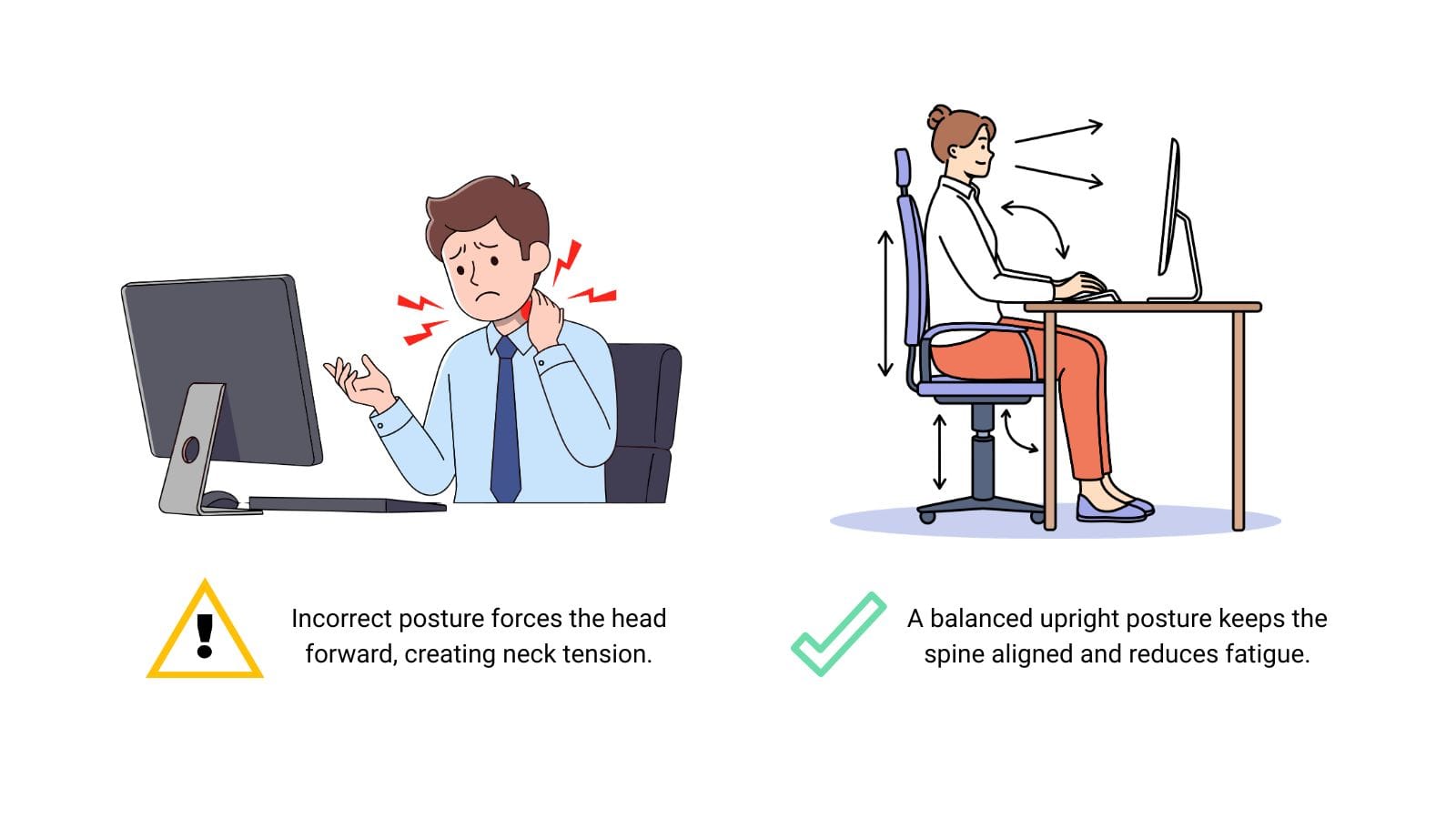
A headrest isn’t essential for everyone. For upright computer work, you may never touch it. But when you recline—even slightly—a headrest supports the weight of your head (about 10–12 lbs), allowing your neck muscles to relax instead of working to hold your head up.
The key difference: a headrest supports the occiput (the back of your skull), not your neck. When properly positioned, it serves as a mechanical stop that lets your cervical muscles rest. When poorly adjusted, it can push your head forward, leading to neck stiffness, trapezius tension, and headaches.
Do You Need a Headrest on Your Office Chair? A Decision Checklist
Here is a clear pros-and-cons breakdown and a practical checklist to help you decide whether your next office chair should include a headrest.
The Pros of a Headrest
| Pro | Why It Matters |
|---|---|
| Neck support during recline | When you lean back (reading, thinking, calls), your neck muscles work to hold up your 10–12 lb head. A headrest lets those muscles relax. |
| Reduces upper trapezius tension | Chronic tension in the shoulders and neck can be alleviated when the head is properly supported. |
| Beneficial for tall users | If your chair’s back ends below your shoulders, a headrest fills the gap and provides necessary support. |
| Helps with existing neck conditions | For those with cervical spine issues, whiplash history, or chronic tension, a headrest can provide essential rest breaks. |
| Multi‑posture flexibility | If you switch between upright typing, reclined reading, and side‑leaning phone calls, a headrest adapts to you. |
The Cons of a Headrest
| Con | Why It’s a Problem |
|---|---|
| Can push head forward | Poorly designed or incorrectly adjusted headrests force your head into a non‑neutral posture, causing neck strain. |
| Unnecessary for upright work | If you sit upright 95%+ of the time, a headrest is an unused feature that adds cost and visual bulk. |
| Interferes with short users | Many headrests are designed for average‑height users (5’8”–6’0”). Shorter users often find the headrest hits their shoulders or upper back. |
| Adds cost ($50–200) | A quality adjustable headrest increases chair price. If you don’t need it, that money is better spent on lumbar or armrests. |
| Can block rear cameras | In hybrid meetings, a high headrest can obscure the back of your head from cameras, making you appear “disembodied.” |
The Headrest Decision Checklist
Answer each question honestly. The more “yes” answers, the more likely you need a headrest.
| Question | Yes / No |
|---|---|
| 1. Do you frequently recline in your chair? (more than 2–3 times per day) | ☐ Yes / ☐ No |
| 2. Are you taller than 5’10” (178 cm)? | ☐ Yes / ☐ No |
| 3. Does your current chair’s backrest end below your shoulders? | ☐ Yes / ☐ No |
| 4. Do you experience neck or upper shoulder tension by the end of the workday? | ☐ Yes / ☐ No |
| 5. Do you take phone calls while leaning back? | ☐ Yes / ☐ No |
| 6. Do you read documents or watch videos in a reclined position? | ☐ Yes / ☐ No |
| 7. Have you ever wished for something to rest your head on while sitting? | ☐ Yes / ☐ No |
| 8. Are you willing to spend 10 minutes adjusting the headrest correctly? | ☐ Yes / ☐ No |
Scoring:
-
0–2 Yes: You likely do not need a headrest. Spend your budget on better lumbar or armrests.
-
3–5 Yes: A headrest could benefit you, especially if you recline. Choose a chair with a 3D or 4D adjustable headrest.
-
6–8 Yes: A headrest is strongly recommended. Look for models with height, depth, and angle adjustment.
Also see: Headrest vs. No Headrest: Do You Really Need One for Your Office Chair?
Types of Headrest Adjustability: What to Look For
| Adjustment Type | What It Does | Minimum Requirement |
|---|---|---|
| Height | Moves up/down to align with your occiput (back of skull) | Essential |
| Angle (pivot) | Tilts forward/back to avoid pushing your head forward | Essential |
| Depth (in/out) | Moves closer or farther from your head | Highly recommended |
| Width | Adjusts lateral position for asymmetrical postures | Nice to have |
Avoid: Fixed or 1‑way adjustable headrests (height only). They almost never fit correctly and often cause more harm than good.
Top 5 Office Chairs with Headrest for 2026
We picked the 5 best office chairs with headrest for different budgets and needs:
| Model | Price | Headrest Adjustment | Key Features | Best For |
|---|---|---|---|---|
| Hbada E3 Air | $400–500 | 3D (height, angle, pivot) | 3‑zone dynamic lumbar, 140° recline, 330 lb capacity | Tall users, back pain, deep recline |
| Ticova Ergonomic Chair | $129–179 | 2D (height, angle) | 130° rocking, 3D armrests, budget price | Budget buyers, first-time ergonomic users |
| Meet&Co Full Mesh Chair | Quote | Adjustable height & angle | 4D armrests, full mesh seat/back, dynamic lumbar | Hot climates, all‑day breathability |
| Meet&Co Budding Chair | Quote | Adjustable | Contoured back, padded seat, adjustable lumbar | Value, classroom/teacher use/office/home |
| Steelcase Gesture (w/ headrest) | $1,000–1,200 | 4D (height, depth, angle, pivot) | 3D LiveBack, 360° armrests, premium build | Multi-device users, tall frames |
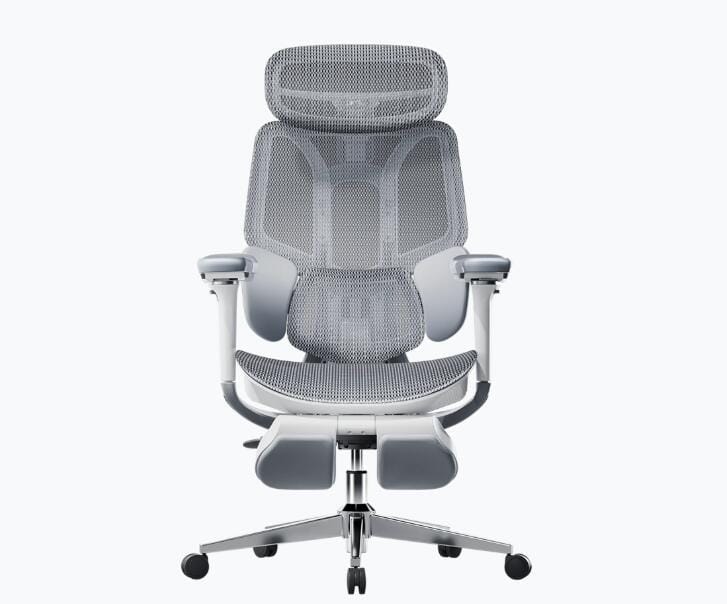
1. Hbada E3 Air – Best for Tall Users & Back Pain
https://hbada.com/products/hbada-e3-wpa-ergonomic-chair-white
The Hbada E3 Air is a standout in the sub‑$500 category, specifically designed for big and tall users. Its 3‑zone dynamic lumbar support uses two floating wings that wrap around your lower back, moving with you for active support. The 3D adjustable headrest moves up/down, pivots, and tilts to fit a wide range of heights (users from 5’3″ to 6’3″). With a 140° recline and 330 lb weight capacity, this chair is built for comfort and durability.
Why it’s great: The headrest is genuinely useful for taller users who often find headrests hitting their shoulders. Reviewers consistently praise its build quality and value, calling it “the most capable desk chair in the $500 class”.
Best for: Tall users (up to 6’3″), people with lower back pain, and anyone who reclines deeply for phone calls or breaks.
Also see: Ergonomic Office Chairs for Neck and Shoulder Pain: The Ultimate Relief Guide
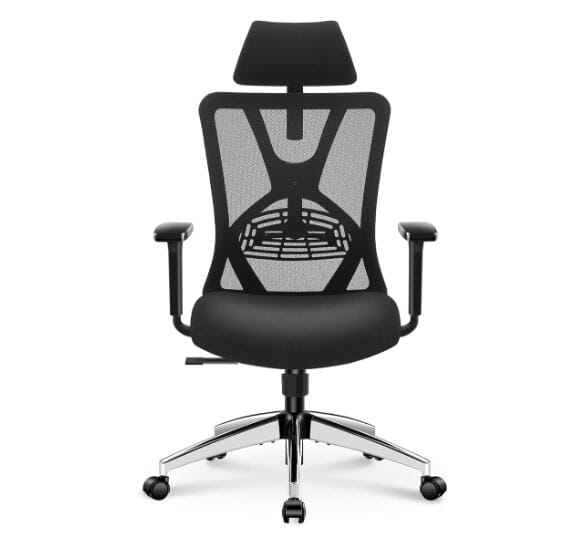
2. Ticova Ergonomic Chair – Best Budget Pick
https://www.amazon.com/Ticova-Ergonomic-Office-Chair-130%C2%B0Rocking/dp/B07PKF7TY9/ref=sr_1_4?th=1
The Ticova Ergonomic Chair has become a cult favorite for its incredible value—often available for just $129–179 on Amazon. It features a high‑back mesh design with an adjustable headrest, 3D metal armrests, and a 130° rocking mechanism. BTOD.com named it their budget‑friendly recommendation for 2026, noting its surprising adjustability for the price.
Why it’s great: For under $150, you get a chair that competes with models twice its price. The headrest works well for users 5’4″ to 6’0″, and the lumbar support is genuinely adjustable—not just a foam pad.
Best for: Budget‑conscious buyers, home offices, and first‑time ergonomic chair owners.
3. Meet&Co Full Mesh Ergonomic Chair – Best for Breathability
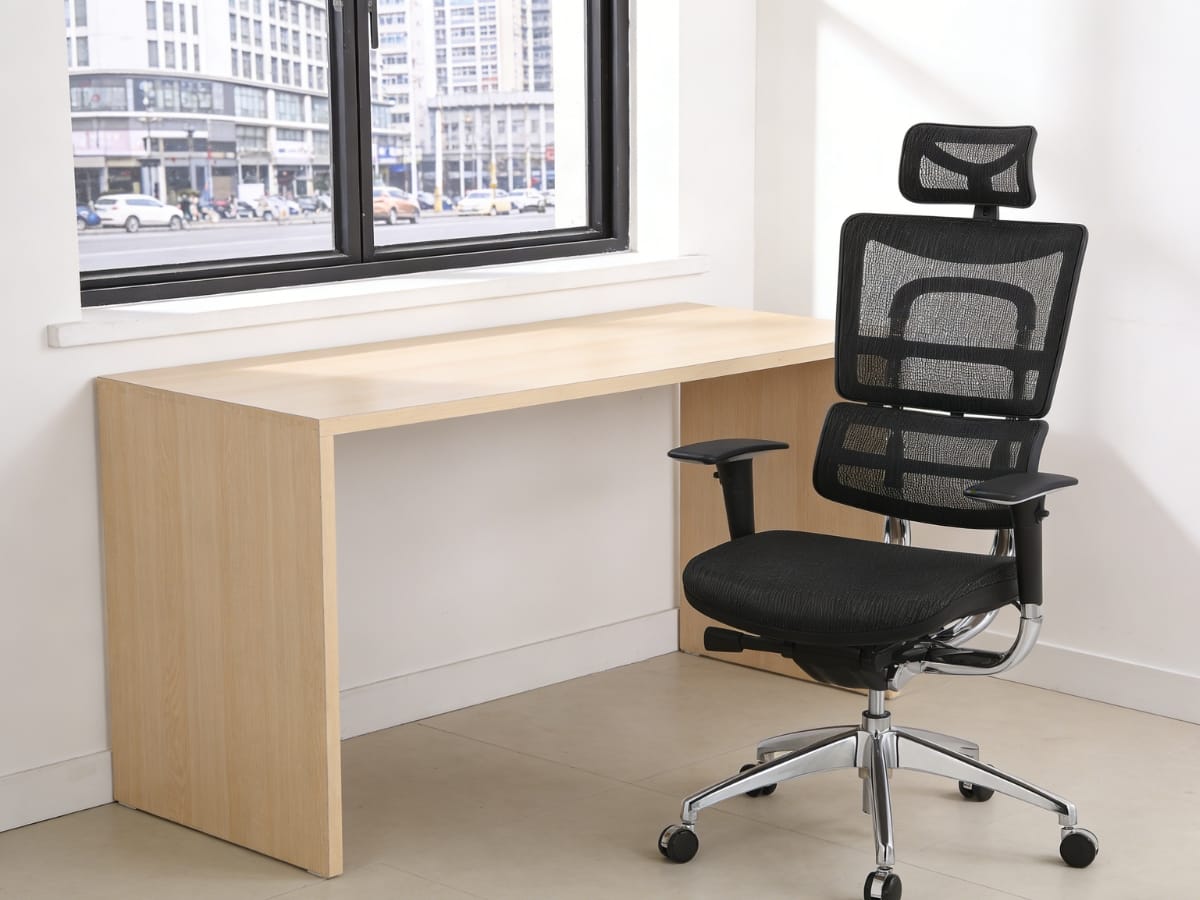
Meet&Co Full Mesh Ergonomic Chair
The Meet&Co Full Mesh Ergonomic Chair is designed for maximum airflow, with both the backrest and seat made of breathable mesh. This is a game-changer for hot climates or anyone who tends to run warm. It includes a fully adjustable headrest, 4D armrests (height, width, depth, pivot), dynamic lumbar support, and a 3‑speed tilt lock.
Why it’s great: Full mesh means no sweaty back or thighs, even during marathon work sessions. The aluminum alloy components add durability that’s rare at this price point.
Best for: Hot climates, users who sweat easily, and all‑day office work where breathability is priority.
4. Meet&Co Budding Ergonomic Office Chair – Best Value
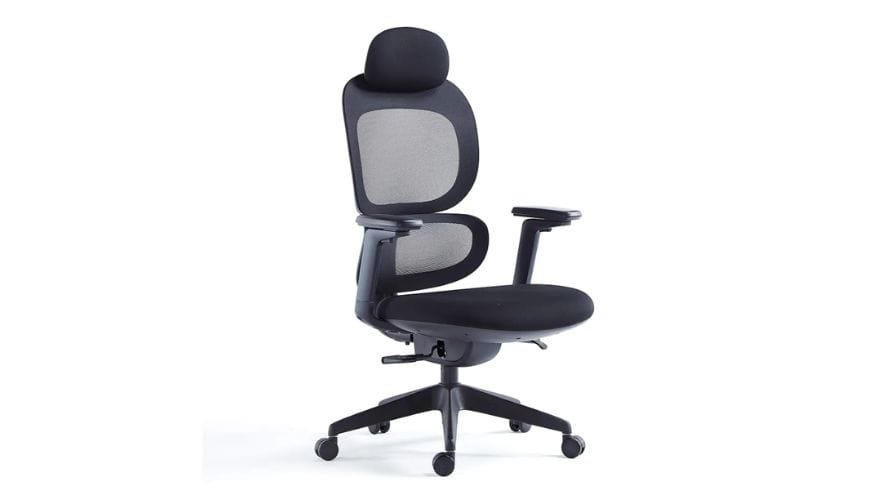
The Meet&Co Budding Chair offers a contoured backrest and adjustable lumbar support to promote healthy posture and reduce fatigue. Its breathable mesh back keeps you cool, while the padded foam seat provides traditional comfort. Available in multiple colors, it’s highly customizable and factory-direct.
Why it’s great: This chair made a noticeable difference in chronic neck and upper back pain in user testing, thanks to its deep contours and proper spinal alignment support.
Best for: Classrooms, teacher workstations, home offices, and budget‑conscious buyers who still want solid ergonomics.
5. Steelcase Gesture (with Headrest) – Premium Choice
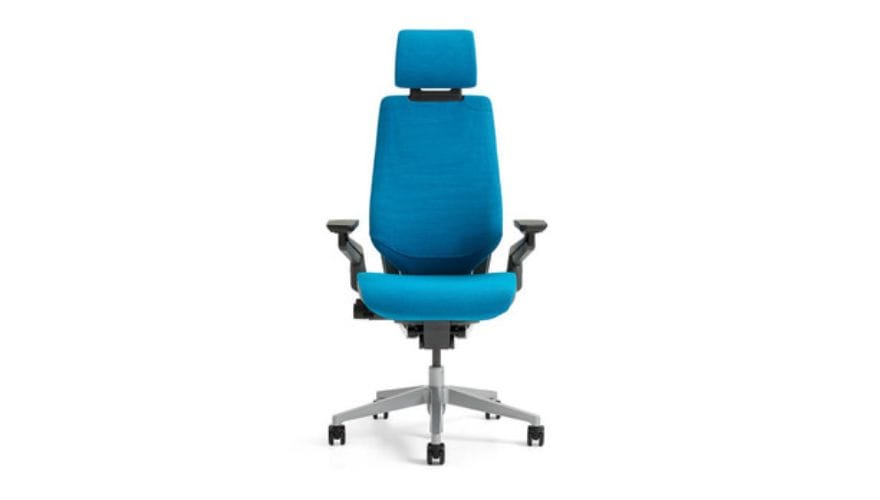
Source: Steelcase
The Steelcase Gesture is the gold standard for multi‑device users. Its optional headrest offers 4‑way adjustment (height, depth, angle, pivot) and can be moved out of the way when not needed. The 3D LiveBack technology mimics the natural movement of your spine, and the 360° armrests support any device—laptop, tablet, phone, or desktop. With a 12‑year warranty and commercial‑grade durability, it’s a long‑term investment.
Why it’s great: No other chair matches the Gesture’s combination of adjustability, build quality, and ergonomic science. The headrest is one of the few that actually works for both upright and reclined postures without interference.
Best for: Professionals who use multiple devices daily, tall users, and anyone who wants the best.
How to Adjust Your Headrest for Perfect Neck Support
A headrest only helps if it’s adjusted correctly. Follow this quick guide:
-
Height: The headrest should contact the back of your skull (occiput)—not your neck. If it hits your neck, it’s too low.
-
Depth (if adjustable): There should be a finger’s width of space between your head and the headrest when sitting upright. It should not push your head forward.
-
Angle (if adjustable): Tilt the headrest so it cradles your head gently when you lean back, without forcing your chin toward your chest.
-
Test while reclining: Adjust for your reclined posture, not your upright typing position. The headrest should be there when you need it, not intrusive when you don’t.
Frequently Asked Questions
1. Is a headrest necessary for good ergonomics?
No. Most ergonomic guidelines focus on lumbar support, seat depth, and armrests. A headrest is a secondary feature. For upright computer work, it’s often unnecessary. For reclined postures or tall users, it can be beneficial.
2. Can a headrest cause neck pain?
Yes, if poorly adjusted. A headrest that pushes your head forward forces your neck into a non‑neutral position, leading to muscle strain. Also, a headrest that’s too low (hitting your upper back) or too high (hitting your skull incorrectly) can cause discomfort.
3. What’s the best headrest adjustment?
Look for height, depth (in/out), and angle (pivot) . Depth adjustment is most critical—it allows you to position the headrest so it doesn’t push your head forward. The Hbada E3 Air and Steelcase Gesture offer this level of adjustment.
4. Can I add a headrest to any office chair?
Not easily. Some chairs have proprietary mounting points. Most budget chairs cannot accept a headrest after purchase. If you think you might want one, buy a chair that offers a factory headrest option.
You can check this guide: Can You Add a Headrest to Any Office Chair? A Guide to Universal Attachments
5. Do headrests work for short people?
Often not. Many headrests are designed for average‑height users (5’8″–6’0″). Short users frequently find the headrest hits the back of their shoulders. Look for chairs with highly adjustable headrests (like the Hbada E3 Air) that can be positioned lower.
Conclusion: Best Office Chair with Headrest
The best office chair with a headrest depends on your height, budget, and how you work. For tall users or those with back pain, the Hbada E3 Air offers exceptional value. For budget buyers, the Ticova is hard to beat. For maximum breathability, the Meet&Co Full Mesh Chair keeps you cool all day. And for premium quality, the Steelcase Gesture is an investment in long‑term comfort.
Remember: a headrest is only as good as its adjustment. Take the time to dial it in for your body and your work style. Your neck will thank you.