Meet&Co
Finding the best height-adjustable desks has become a common goal for modern professionals.
In 2026, where office and esports cultures coexist, a high-quality standing desk is no longer a luxury item, but a health necessity to combat workplace fatigue, lower back pain, and sluggish brain circulation.
To help you find the perfect “standing desk” solution, the Meet&Co team spent 300 hours conducting in-depth analyses of 20 mainstream models.
This article will reveal the 8 best height-adjustable desks worth buying in 2026, focusing on core dimensions such as stability, lifting speed, and noise control.
Quick Buying Guide: Top 3 Popular Recommendations
- Best overall: Sendi Series C Standing Desk
- Best for home office: Uplift V3 Standing Desk
- Best budget: Flexispot E2 Standing Desk
- Best for gaming: Secretlab Magnus Pro
- Best for small spaces: Branch Duo Standing Desk
- Best L-shaped: Astra L-Shaped Executive Desk
- Best with drawers: Burrow Copilot Standing Desk
- Best executive: Minotti L-Shaped Executive Desk
Top Picks: Detailed Reviews of the Best Height Adjustable Desks
Best Electric Height Adjustable Desk - Sendi Series C Standing Desk
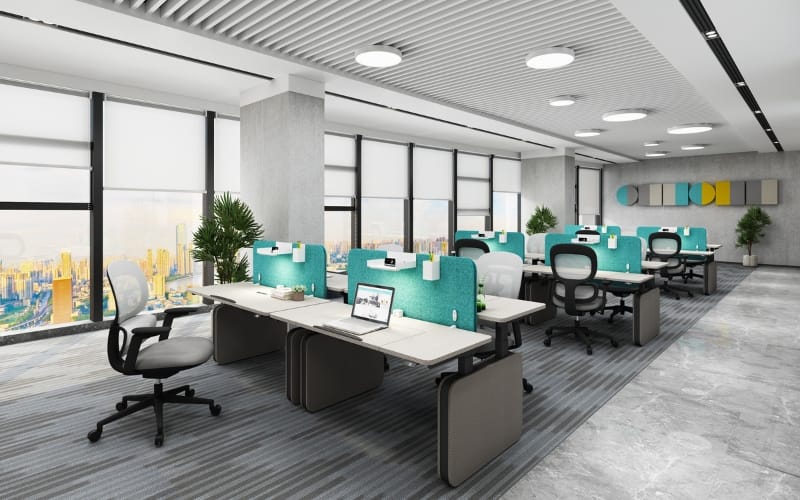
Best for: Office workers who sit for long periods, shared office spaces
The Sendi Series C Standing Desk is a high-quality electric height-adjustable desk designed to provide a flexible working style.
It combines a modern aesthetic with stable lifting performance, suitable for home offices, corporate offices, and any environment requiring frequent switching between sitting and standing positions.
With a simple electric adjustment system, users can quickly adjust the desk height, improving work comfort and promoting health.
Pros:
- Multiple sizes and colors available
- Modern and minimalist design, suitable for any work environment
- Optional privacy screen for added personal space
- Steel frame, sturdy and durable
- Features a safety anti-collision system
Cons:
- Requires a power source, limiting flexibility in some spaces
Best Height Adjustable Desk for Home Office - Uplift V3 Standing Desk
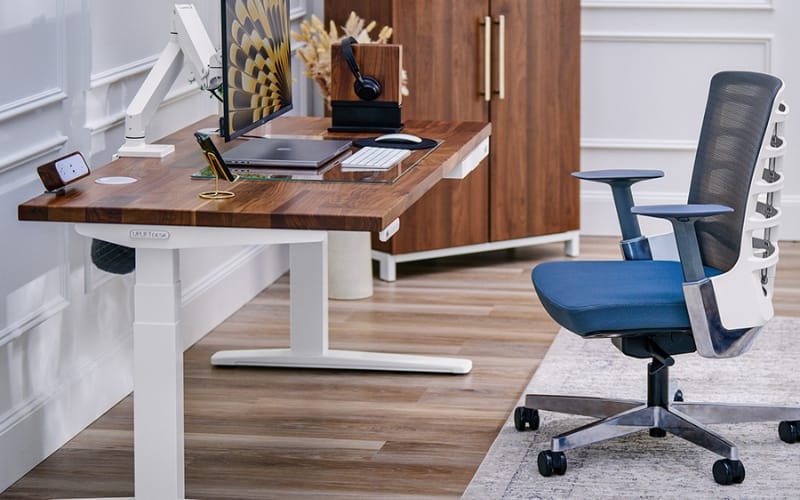
Best for: Home office users who prioritize workplace health and need flexible sit-stand options
The Uplift V3 standing desk is an ideal choice for home offices thanks to its exceptional stability and quiet lifting system.
With its adjustable height range, strong weight capacity, and numerous customization options, it offers unparalleled flexibility.
Whether you work sitting for long periods or prefer a flexible sit-stand work style, the Uplift V3 ensures comfort and efficiency.
Its dual-motor system operates smoothly and quietly, providing an excellent user experience.
Pros:
- Wide height adjustment range, suitable for people of different heights
- Smooth and quiet operation, virtually noiseless
- Abundant customization options, including frame color, desktop size, and material
- Strong weight capacity, up to 355 pounds
- Comes with a 15-year warranty
Cons:
- High-end product with a higher price point, not suitable for users with limited budgets
Best Budget Height Adjustable Desk - Flexispot E2 Standing Desk
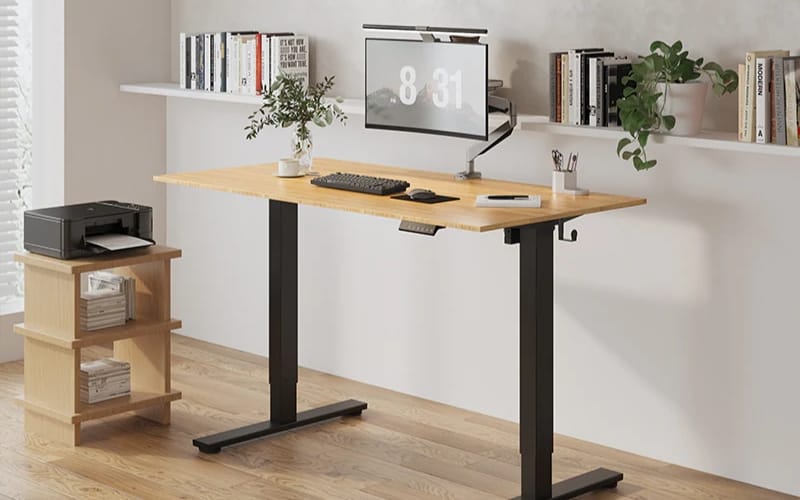
Best for: Users with a limited budget who still want high quality, reliability, and flexibility
The Flexispot E2 standing desk offers an affordable solution, allowing users to enjoy the benefits of standing while working.
It features a minimalist design, stable height adjustment, and simple, smooth operation.
Whether you’re sitting for long periods or standing briefly, the E2 easily adjusts in height, helping to improve posture and comfort.
It’s an ideal choice for budget-conscious users who prioritize value for money.
Pros:
- High cost-effectiveness; affordable price compared to similar products
- Simple and intuitive operation; easy to use
- The desktop remains stable even at the highest height
- Provides a spacious workspace
- Made with environmentally friendly materials
Cons:
- Requires manual adjustment, which may be difficult for elderly users
Best Height Adjustable Gaming Desk - Secretlab Magnus Pro
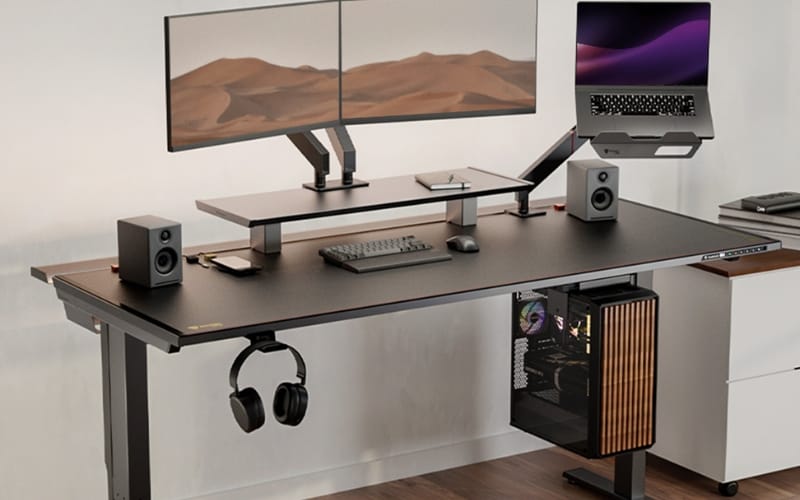
Best for: Gamers, esports enthusiasts
The Secretlab Magnus Pro is a high-end height-adjustable desk designed specifically for gamers, offering smooth height adjustment and robust load-bearing capacity.
It features a modern, minimalist design and incorporates several innovative features designed to optimize the gaming experience.
Whether for long gaming sessions or adjusting workstation height, the Magnus Pro provides users with ultimate comfort and an efficient gaming experience.
Pros:
- Extremely stable during height adjustment, with no wobbling
- Features multi-functional storage design for easy cable and accessory management
- Strong load capacity, supporting 100kg, easily accommodating multiple monitors and gaming equipment
- Customizable desktop colors and accessories
- Precise height adjustment, flexibly adapting to different needs
Cons:
- Large desktop space, not suitable for small rooms or users with limited space
Best Height Adjustable Desk for Small Spaces - Branch Duo Standing Desk
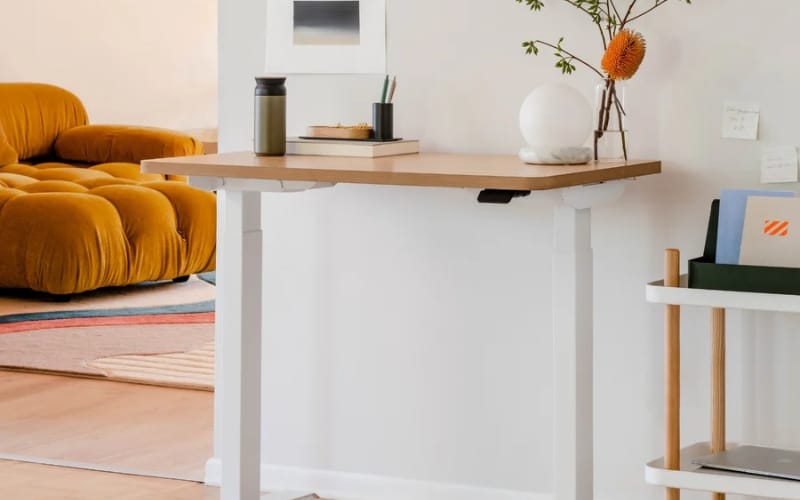
Best for: Home office users with limited space, individuals needing an efficient, compact workspace
The Branch Duo Standing Desk is a height-adjustable desk specifically designed for small spaces, featuring a simple yet powerful design.
It’s equipped with an efficient electric lifting system that easily adjusts the desk height, allowing users to seamlessly switch between standing and sitting.
This desk provides stability and comfort, perfectly suited for modern office environments, especially for those who need to save space.
Its design balances aesthetics and functionality, making it both stylish and practical for various work scenarios.
Pros:
- Compact design, saves space
- Built-in power cord management system for easy organization
- Ergonomic design, allowing users to adjust the height according to their height and needs
- Simple and easy assembly, no complicated steps
- Fast lifting speed, adjusts from lowest to highest height in 10 seconds
Cons:
- The desktop size is relatively small, which might feel a bit cramped
Best Height Adjustable L-Shaped Desk - Astra L-Shaped Executive Desk
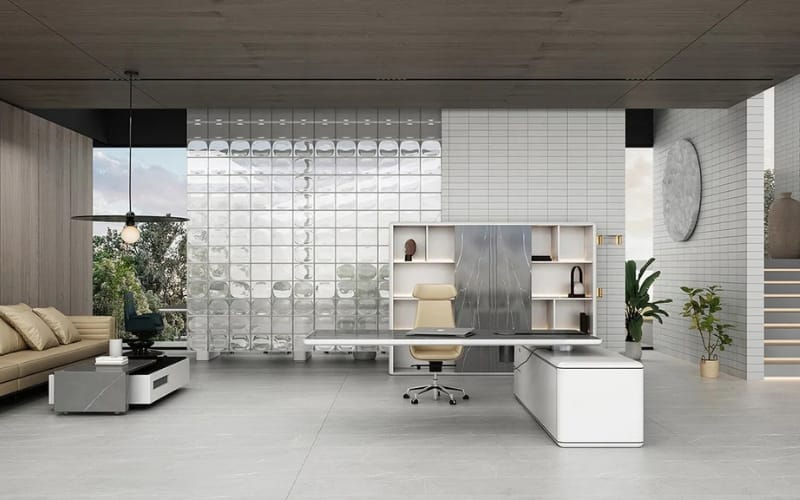
Best for: Users who need ample desktop space and those who use multiple monitors and devices
The Astra L-shaped executive desk features an electric height-adjustable system, allowing you to easily adjust the desk height and promote healthier work habits.
It has three memory settings for quick switching between preset heights, simplifying the sit-stand transition.
The built-in wireless charging pad and pop-up power outlets make charging your devices convenient and reduce cable clutter.
This L-shaped electric standing desk also includes multiple drawers and cabinets, providing ample storage space for organizing important documents, electronics, and personal items.
One drawer is equipped with a fingerprint lock to ensure the secure storage of confidential items.
Whether you’re looking to improve work efficiency or optimize your office environment, the Astra L-shaped executive desk offers the perfect solution.
Pros:
- Thickened medium-density fiberboard, wear-resistant and durable
- Modern and classic design, both decorative and adaptable
- Built-in drawers and cabinets, providing ample storage space
- Flexible space layout, maximizing space utilization
- High load-bearing capacity, supporting multiple monitors, laptops, printers, and other devices
Cons:
- Assembly process is relatively complex and requires some time and tools
Best Height Adjustable Desk with Drawers - Burrow Copilot Standing Desk
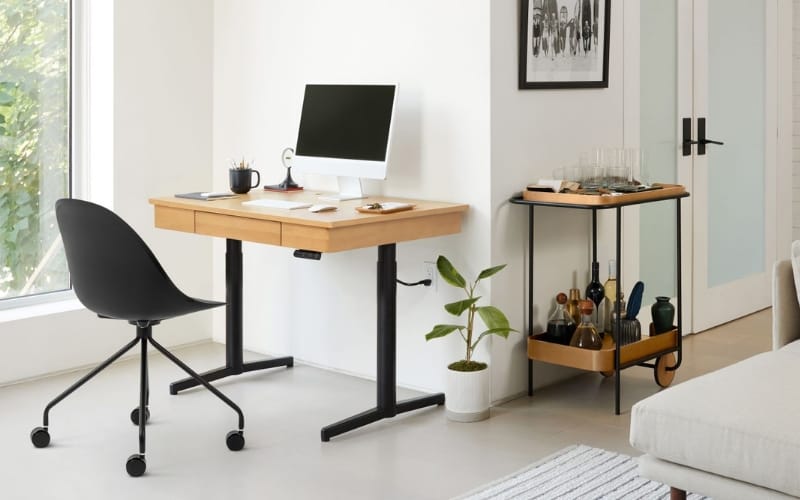
Best for: Users who need storage and height adjustment features
The Burrow Copilot Standing Desk is a modern office desk that combines electric height adjustment with storage functionality.
It not only supports seamless height adjustment but also features drawers, providing extra storage space to help users organize office supplies and keep their desktop tidy.
This desk features a minimalist and modern design, suitable for various work environments, providing a flexible work solution for both home offices and commercial workspaces.
Pros:
- Built-in drawers provide extra storage space
- 3-position memory preset function
- Powerful cable management system
- Desktop features a scratch-resistant and stain-resistant surface material
- Simple assembly process, no complex tools required
Cons:
- Although the lifting mechanism is smooth, there may be some noise during operation
Best Executive Height Adjustable Desk - Minotti L-Shaped Executive Desk
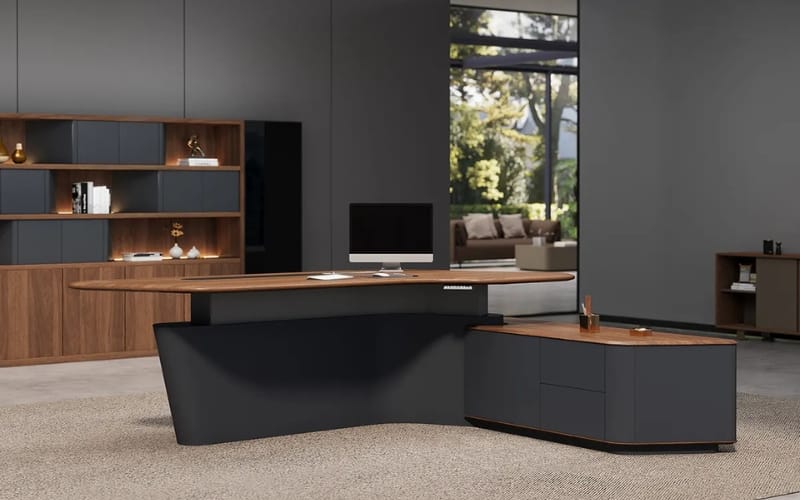
Best for: Executives and professionals seeking high-quality, luxuriously designed office desks
The Minotti L-shaped executive desk features a premium matte finish and luxurious cool tones, perfectly blending into high-end office environments.
Its L-shaped design provides ample desktop space, ideal for executives and professionals, accommodating multiple devices and documents.
Equipped with electric height adjustment and three memory settings, it simplifies switching between sitting and standing positions, improving work efficiency.
A built-in wireless charging pad and pop-up power outlets make charging more convenient and reduce cable clutter.
Multiple sizes and ample storage space help you maintain a clean and organized workspace.
Pros:
- Elegant and luxurious design
- Ample built-in storage space
- Available in multiple sizes to suit any office space
- Includes built-in charging pad and power outlets for convenient charging
- Durable and easy-to-clean desktop
Cons:
- The desk is relatively heavy and not suitable for frequent moving or repositioning
What To Look For In A Height Adjustable Desk?
Factors to consider when choosing a office height adjustable desk include:
1. Desktop Size
Why it’s important: The desktop size directly affects the functionality and comfort of the desk.
Choosing the right desktop size ensures you have enough space for your work equipment, whether it’s for a home office, gaming setup, or professional workspace.
How to choose:
- For home offices or smaller spaces, a compact desk (typically 48 to 60 inches wide) is recommended.
- For larger workspaces or situations requiring multitasking (such as gaming + work), a desk 60 to 72 inches wide or larger is a better option.
2. Weight Capacity
Why it’s important: If you need to place multiple monitors, heavy computer equipment, or other items on your desk, ensure the desk has sufficient weight capacity and won’t wobble or compromise stability when adjusting the height.
How to choose:
- Check the maximum weight capacity specified by the manufacturer. Most height-adjustable desks have a weight capacity range of 100 to 250 pounds.
- If you have heavy equipment or need more space, choose a desk with a higher weight capacity.
3. Adjustment Range
Why it’s important: The adjustment range determines the minimum and maximum height to which the desk can be adjusted.
Choosing an adjustment range that suits your height ensures comfort while sitting and standing.
How to choose:
- The minimum height of the desk should be suitable for sitting, usually around 28 inches; the maximum height should be at least 48 inches, suitable for standing.
- If you are taller or shorter than average, you can choose a desk with a wider adjustment range to accommodate your different needs.
4. Electric Adjustment Speed
Why it’s important: For electric height-adjustable desks, the motor’s adjustment speed directly affects the smoothness of the desk’s movement.
A fast and smooth electric lifting system provides a more convenient experience.
How to choose:
- The ideal electric adjustment speed should be between 1 and 1.5 inches per second, allowing for both quick and smooth height adjustments.
- If your budget allows, choose an electric height-adjustable desk with memory preset functions, allowing you to adjust to your frequently used heights with a single button press.
5. Budget Considerations
Why it’s important: Standing desks vary significantly in price, mainly depending on materials, design, motor type, and additional features.
You need to choose the best value product based on your budget.
How to choose:
- If you have a limited budget, you can choose a manual standing desk or a less expensive electric standing desk that provides basic height adjustment functionality.
- Mid-range desks usually offer better quality, adjustment features, and some additional features such as memory presets or cable management.
- High-end standing desks offer more advanced features, such as dual motors, noise reduction design, and premium materials.
6. Ergonomic Features
Why it’s important: Ergonomic design directly impacts your comfort when using a desk.
Choosing an ergonomically designed standing desk can help alleviate fatigue and physical discomfort from prolonged work.
How to choose:
- Check if the desk has an appropriate adjustment range, a smooth lifting mechanism, and an ergonomic design.
- In addition, high-quality standing desks often come with additional features such as cable management and anti-collision sensors to enhance the user experience.
How To Set Up Your Standing Desk?
Once you have the right standing desk, a proper setup can ensure a more comfortable and ergonomic experience.
Here are some tips for setting up your standing desk to help you avoid health problems caused by poor posture:
1. Correct Monitor Height
Why it’s important: The position of your monitor directly affects your neck and eye health.
If the monitor is too high or too low, it can lead to neck strain, eye fatigue, and other problems.
How to set it up:
- Eye-level alignment: The top of the monitor should be level with your eyes, or slightly below eye level. This helps maintain a natural, upright neck posture and reduces neck strain.
- Monitor distance: The monitor should be approximately 20 to 30 inches away from your eyes (about an arm’s length). This prevents excessive eye strain and maintains a comfortable viewing distance.
2. Chair Adjustment
Why it’s important: The height and posture of your chair directly affect your comfort while using a standing desk.
Improper chair adjustment can lead to back pain, leg discomfort, and other problems.
How to set it up:
- Chair height: Adjust the chair height so that your feet are flat on the floor and your knees are at a 90-degree angle. This promotes correct posture and blood circulation.
- Seat depth: Ensure the backrest is against your back and there is a 2 to 4-inch gap between the front edge of the seat and your knees. This prevents discomfort from prolonged sitting.
- Armrest adjustment: Adjust the chair’s armrests to a comfortable height so that your arms hang naturally and your elbows are at approximately a 90-degree angle.
3. Posture Adjustment Techniques
Why it’s important: Maintaining good sitting and standing posture effectively prevents long-term health problems such as back pain, carpal tunnel syndrome, and eye strain.
Correct posture is crucial whether you are sitting or standing.
How to adjust:
- Sitting posture: Keep your back straight, with your back against the chair backrest, and your knees at a 90-degree angle. Avoid slouching or hunching over.
- Standing posture: When standing, keep your feet flat on the ground, distributing your weight evenly, and avoid concentrating your weight on one foot for extended periods. Slightly tighten your abdominal muscles, keep your shoulders naturally back, and avoid locking your knees.
- Switching between sitting and standing: One of the biggest advantages of a height-adjustable desk is the ability to switch between sitting and standing at any time. It is recommended to switch between sitting and standing every 30 to 60 minutes to avoid maintaining the same posture for extended periods.
4. Keyboard and Mouse Placement
Why it’s important: The position of your keyboard and mouse affects your wrist and arm health. Incorrect placement can increase strain on your wrists and shoulders.
How to set it up:
- Keyboard position: When sitting, ensure your forearms are parallel to the ground and your wrists remain naturally straight, avoiding bending. If standing while using the keyboard, ensure the height is appropriate so your elbows are at a 90-degree angle.
- Mouse position: Ensure the mouse is placed close to the keyboard to avoid overstretching. Keep your wrists naturally relaxed and avoid tension.
Conclusion: Invest in Your Health
Choosing a best height adjustable desk is more than just buying a piece of furniture.
It’s a long-term investment in your work efficiency and health.
From the space-saving small spaces series to the sophisticated executive standing desk, Meet&Co is dedicated to creating the most ergonomic workspace for you.
Ready to completely transform your office experience?
👉 [Browse the complete Meet&Co 2026 series] — Get your customized office quote today.
FAQs: Everything You Need To Know
The best standing desk depends on your budget and personal needs, and Uplift is currently one of the most popular options on the market.
It offers a smooth lifting experience, features an intelligent control system and multiple adjustment options, making it ideal for users who work for long periods.
The “20-8-2” rule means standing or moving around for at least 8 minutes every 20 minutes of work, and sitting for no more than twice per hour.
The ideal desk height is usually such that the desktop is parallel to your elbows when standing, and when sitting, your feet are flat on the ground and your thighs are parallel to the ground.
The desk height should be approximately 70-80 centimeters. The specific height can be adjusted according to individual height and posture.
The lifespan of an adjustable desk typically ranges from 5 to 10 years, depending on the quality of the desk, frequency of use, and maintenance.
The adjustable standing desk is excellent, especially for people who sit for long periods while working.
It helps improve posture and reduce health problems associated with prolonged sitting, such as back pain and neck problems.
It also allows you to freely switch between sitting and standing positions during work, increasing comfort and productivity.
Yes, many physical therapists recommend using height-adjustable desks, especially for those who sit for long periods at work.
Height-adjustable desks can improve blood circulation, reduce pressure on the lower back, and help prevent body pain caused by poor posture.
Standing for long periods is also not good; the best approach is to alternate between sitting and standing, standing or moving around for 8 minutes every 20 minutes. This helps reduce the strain on your body.
_3-1.webp)