





 Meet&Co
In today’s fast-paced society, the average professional spends between 8 to 10 hours a day seated at their desk. While modern technology has improved productivity and output, it has also introduced some chronic diseases. For millions of employees, daily work is accompanied by aching lower backs, stiff shoulders, and tension headaches. There are many contributing factors, including insufficient sleep and a lack of exercise. Poorly designed office workstations are also one of the key factors that trap the body in unnatural, rigid postures for hours on end.
Investing in high-performance ergonomic offiproduce workstations for back pain prevention should not be an afterthought for forward-thinking organizations. A well-designed workstation bridges the gap between mechanical functionality and biological need, creating an environment where focus flourishes and physical strain recedes. This comprehensive guide explores how intelligent workstation engineering, combined with precise setup adjustments, transforms daily office life into a healthier, more productive experience.
The Anatomy of Work-Related Strain: Why Posture Matters
Understanding ergonomic principles is key to preventing fatigue and occupational discomfort.
The human spine is naturally curved in an 'S' shape, which acts as a shock absorber for the body. When we sit at an improperly proportioned desk, we tend to slouch forward, flattening the lumbar curve and increasing intradiscal pressure by up to 50% compared to standing. Over time, this mechanical strain leads to micro-tears in spinal tissue, inflammation, and persistent low back pain.
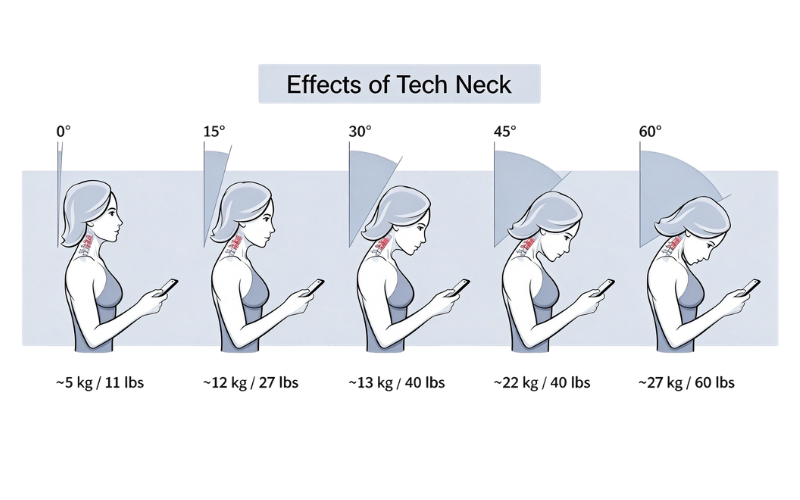
Furthermore, posture issues extend far beyond the lower back. "Tech neck"—a forward head posture caused by looking down at low-mounted screens—forces the neck muscles to support an effective head weight of up to 60 pounds instead of its actual 10 to 12 pounds. This strain travels down the trapezius muscles, locking the shoulders and impeding optimal blood circulation to the upper extremities. An ineffective ergonomic workstation setup leaves the body in a constant state of muscular fatigue, draining energy that should otherwise be channeled into creative problem-solving.
How well-designed Workstation Design Eliminates Back Pain and Posture Fatigue
When addressing physical discomfort, many assume that expensive electronic adjustment mechanisms are the sole answer. However, true ergonomic excellence lies in precision engineering, structural integrity, and spatial accommodation. Smart office workstations eliminate back pain not by adding complex motorized parts, but by providing an unshakeable, wewll-proportioned foundation that naturally supports human biology.
First, unmatched structural stability is crucial. Micro-vibrations from unstable desks cause subtle, unconscious muscle contractions in the neck and shoulders as the body attempts to stabilize its visual focus on wobbling monitors. A heavy-duty, rigidly engineered steel-frame workstation completely eliminates frame flex, providing a rock-solid platform that allows upper-body muscles to remain fully relaxed.
Second, standard golden dimensions combined with expansive under-desk legroom clearance allow for natural leg movement. When an office workstation offers a generous desk depth (such as 30 inches) and an unobstructed knee clearance, users can draw themselves close to their work without hitting their knees against horizontal crossbars or storage units. This unrestricted spatial freedom encourages frequent micro-position changes during the day, preventing pelvic locking and promoting healthy spinal circulation.
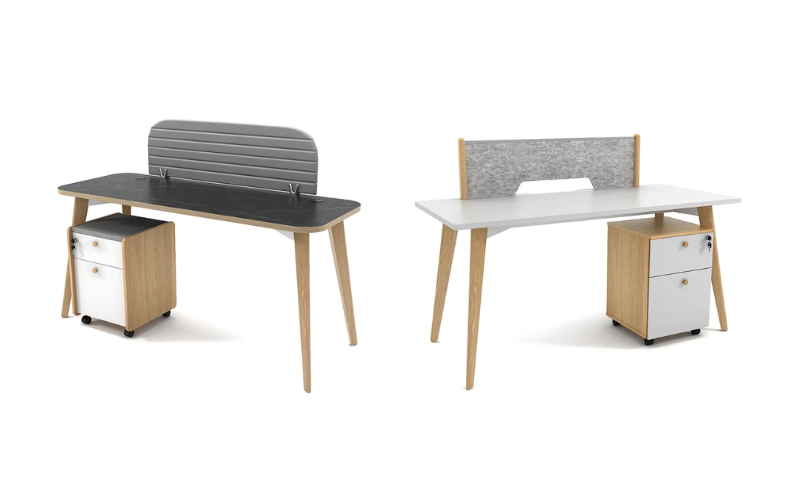
Finally, integrated, high-capacity cable management systems play a psychological and physical role in posture. Dangling power cords and cluttered under-desk cables restrict foot placement and force users into awkward, asymmetrical seating angles to avoid tangling. By encasing power strips and data lines within clean, built-in raceways, a clean environment is maintained, allowing users to keep both feet firmly flat on the floor—a foundational requirement for spinal neutrality.
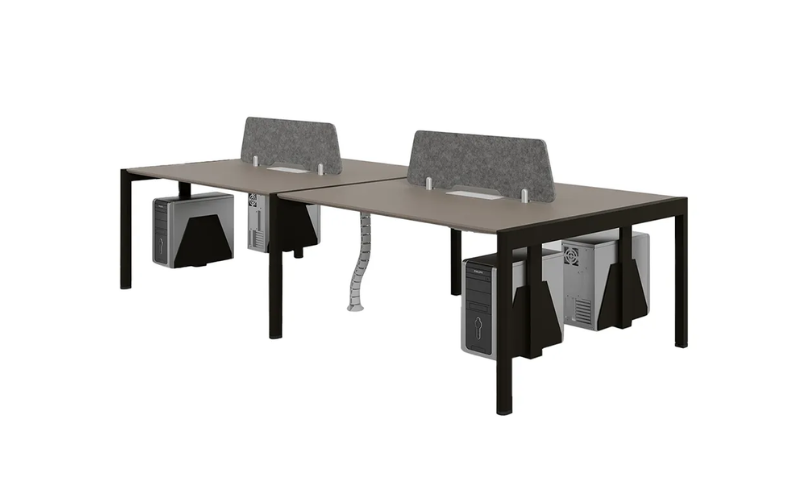
Essential Ergonomic Features to Look for in an Office Workstation
Selecting the ideal commercial furniture requires evaluating specific engineering attributes that impact user health. Below is a detailed breakdown of essential features to consider when purchasing office workstations:
Ergonomic Feature | Engineering Standard | Health & Operational Impact |
Golden Height Alignment | 28" to 30" (71 – 76 cm) fixed surface height | Establishes an internationally recognized baseline suitable for 95% of adult seated working heights when combined with adjustable task chairs. |
Optimal Desk Depth | Minimum 30" (75 cm) depth | Guarantees focal distance of 20-30 inches between eyes and dual monitors, reducing visual fatigue and forward head strain. |
Heavy-Duty Steel Architecture | High-gauge steel with triangular gussets | Delivers absolute frame rigidity, eliminating typing bounce and monitor wobbling that trigger neck tension. |
Under-Desk Clearance Zone | > 24" (60 cm) unobstructed depth | Allows complete freedom for foot movement. |
Integrated Cable Raceways | High-capacity drop-down steel trays | Keeps footwells completely free of hazardous wiring, supporting symmetric posture and easy facility cleaning. |
4 Best ergonomic office workstations
Reco Series C Office Workstation by Meet&Co Furniture
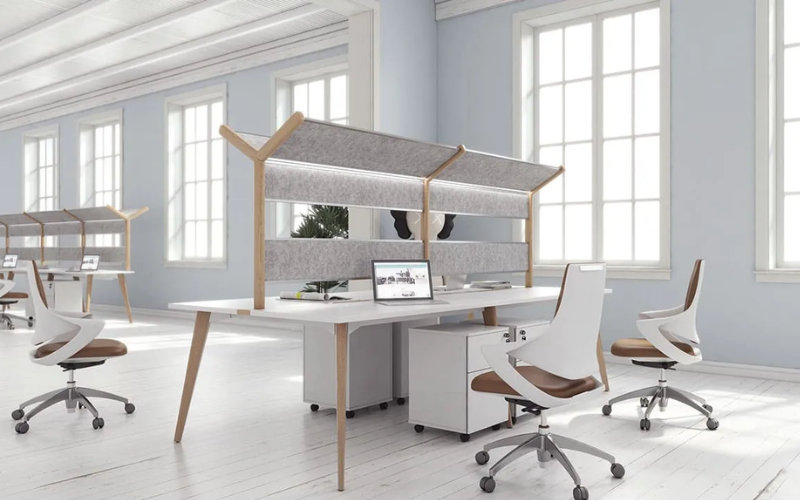
Designed to foster focus and wellbeing, this modern workstation harmoniously integrates ergonomic functionality with clean, minimalist aesthetics.
Above the spacious desk surface, an integrated fabric canopy and acoustic partition system provides two-fold ergonomic benefits: sound absorption for localized acoustic privacy and glare-free illumination. The built-in, upward-softened LED lighting reduces direct eye strain, delivering even illumination across the primary work area.
NOVA 120° workstation by Leadcom
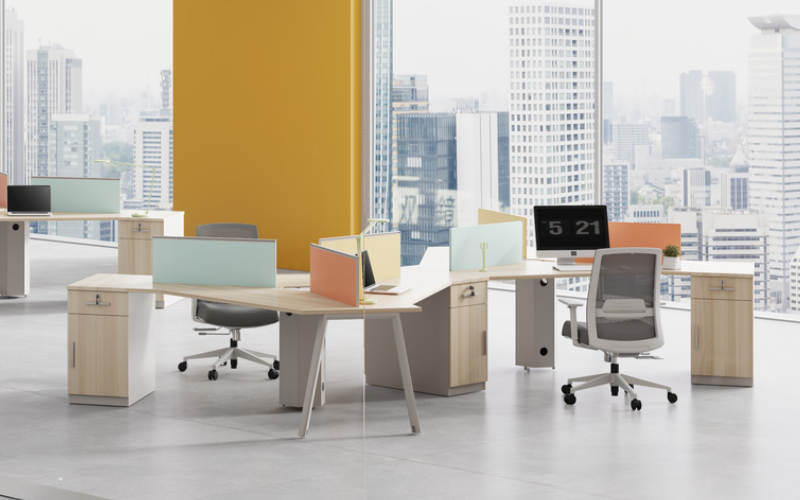
Engineered with an intuitive 120-degree angled layout, the NOVA 120° Workstation optimizes the natural movement radius of the human body to create an exceptionally fluid workspace.
The extended desktop curve expands the primary reach zone, allowing users to effortlessly access monitors, documents, and essential tools without overextending their arms or straining their upper back. Complemented by ergonomic mesh task chairs with adjustable lumbar support, this configuration encourages balanced weight distribution and healthy dynamic posture throughout the day.
Workstation with 4 Pedestals by FIND Office Furniture
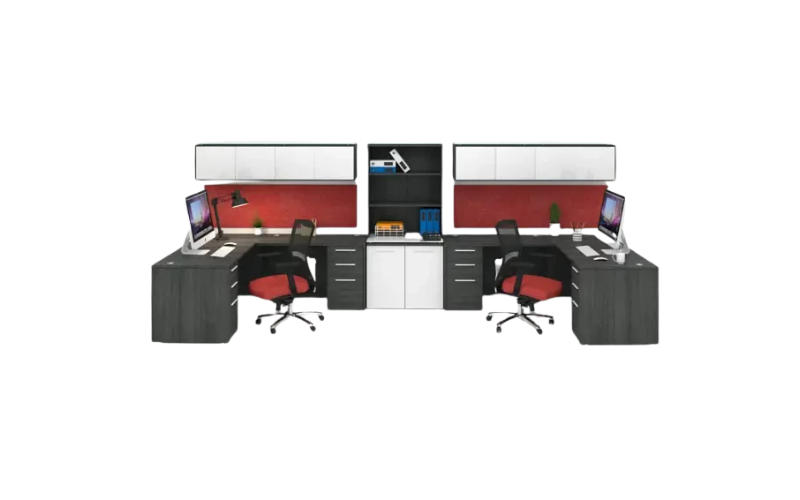
This workstation incorporates a seamless combination of hanging pedestals, central shelving, and under-desk pedestal drawers, maximizing vertical space without cluttering the main work surface.
Each hanging pedestal locks with a single lock securing all drawers, so employees can secure personal items without managing multiple keys. Two pedestals per station is the right storage spec for most office workers: supplies in the box drawers and files in the file drawer.
Doric Office Workstation by Meet&Co Furniture
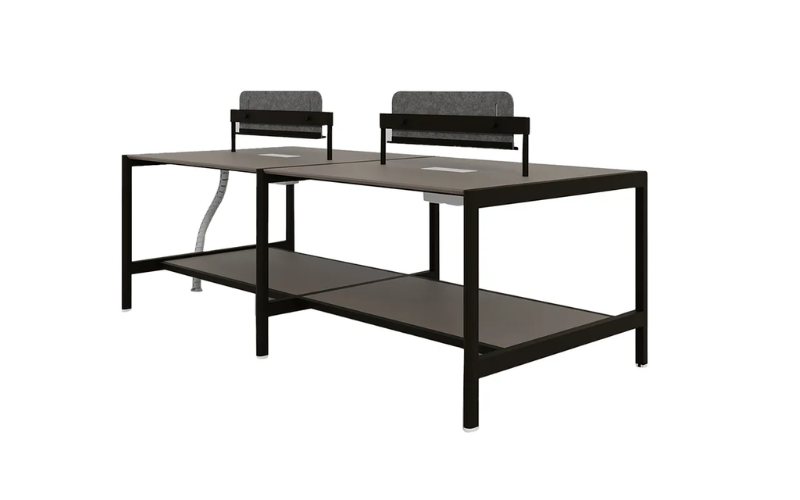
This workstation incorporates a versatile lower shelf that serves both as an accessible storage area and an ergonomic footrest, allowing users to elevate their feet to relieve lower back tension and improve circulation during long working sessions. Complete with desktop power modules, a vertical flexible cable snake, and elevated acoustic fabric screens, this system streamlines cable management and provides visual privacy at eye level.
Steps to Improve Your Workplace Ergonomics
Even the most robust office workstations require systematic calibration to fit an individual’s unique proportions. Follow this ergonomic workstation setup guide to achieve total posture optimization:
Adjust Your Ergonomic Task Chair
Begin by seated fully back in your chair, ensuring the lumbar support fits into the curve of your lower spine. Adjust the chair height until your forearms rest comfortably on the desktop at a 90 to 100-degree elbow angle while your shoulders remain relaxed.
Incorporate a Footrest if Needed
If elevating your chair to match the desktop height causes your feet to dangle or places pressure under your thighs, add an angled ergonomic footrest. This relieves strain on the popliteal region (behind the knees) and maintains neutral pelvic alignment.
Install an Adjustable Monitor Arm
Mount your monitor using a gas-spring monitor arm clamped to the rear edge of the workstation. Position the top third of the screen at exact eye level, located roughly one arm's length (20 to 30 inches) away. This instantly eliminates low-neck bending.
Fine-Tune Peripheral Placement
Place your keyboard and mouse directly in front of you, close enough to keep your upper arms adjacent to your torso. Consider using a contoured palm rest or vertical ergonomic mouse to maintain a wrist position that avoids nerve compression.
Active Ergonomics: Simple Daily Habits to Stay Pain-Free
No single seating position, no matter how perfectly aligned, is meant to be maintained for hours without interruption. Human physiology demands motion. Integrating active habits alongside high-quality office workstations creates an unbeatable strategy against strain.
Additionally, perform seated micro-stretches during brief pauses between tasks:
- Shoulder Blade Squeezes : Pull your shoulders back and squeeze your shoulder blades together for 5 seconds to counteract forward chest collapse.
- Seated Spinal Twists : Place your hand on the opposite desk edge and gently rotate your torso to decompress the thoracic spine.
- Neck Tilts : Slowly lower your ear toward your shoulder until a gentle stretch is felt along the side of the neck.
Conclusion
Investing in ergonomic infrastructure is a commitment to organizational wellness and operational efficiency. By prioritizing solid engineering, standardized golden dimensions, generous knee clearance, and modular desktop accessories, business leaders can eradicate back pain while providing employees with a stable, professional work environment.
When sourcing office workstations for back pain prevention, prioritize heavy-duty stability, clean cable raceways, and adaptability to individual ergonomic accessories like monitor arms and footrests. Remember: superior ergonomic performance is achieved when rock-solid furniture engineering seamlessly supports human movement and comfort.
If you want to upgrade your workspace, you can explore our high-durability, ergonomic-ready office workstations.