





 Meet&Co
Most people who buy a standing desk want to choose their own surface. That’s the entire goal of a DIY standing desk frame.
Whether you’re upgrading an existing desktop or building a custom workstation from scratch, the right frame gives you the flexibility to create a setup that suits your space and work style.
In this guide, you’ll find the best 5 standing desk frame options for 2026.
Including a strong pick from Meet&Co Furniture Supplier, a factory-direct office furniture manufacturer. We will break down what each one does well and where it falls short.
Key Takeaways
- The best DIY standing desk frame should offer minimum height adjustment from 24 to 50 inches, which is appropriate for most adults when seated and standing.
- A dual-motor frame will be able to lift heavier and run faster than a single-motor frame. They’re good for heavy setups.
- Three-stage leg columns are more stable at maximum height than are two-stage leg columns. The reduced minimum height is also an advantage for shorter users.
- Every time you adjust your electric standing desk frame, you’re protected from damaging your equipment and the motor with anti-collision detection.
Why a DIY Frame Makes Sense
The complete sit to stand desk is a package with everything you need in one place.
That sounds convenient. However, it also means that you’ll have to deal with the desktop that the brand selected. Material, size, and finish are all determined.
A DIY standing desk frame gives you complete control over the finished desk.
You can pair it with a solid wood slab, a butcher block top, or an existing desktop. The only thing to do with the frame is to make sure that it fits and can be lifted easily.
However, the frame is a very important factor. A low-cost frame can ruin a great desktop. On the other hand, a well-built frame can make even a simple desktop feel sturdy, smooth, and reliable.
Choosing the right frame is the most important decision in any DIY standing desk project.
For a full walkthrough of materials and assembly steps, the Meet&Co DIY standing desk guide is a useful starting point for first-time builders.
What to Look for in a DIY Standing Desk Frame
Not all frames are built the same. Here are the things that actually matter.
Motor Type
Single-motor frames are those that have a motor attached to both legs by a rod. They cost less. They are fine for less elaborate setups that are based on a single small monitor or a laptop.
Dual-motor frames have a motor in each leg. They lift quickly, carry heavier loads, and are better for carrying loads that are not centered.
A dual-motor adjustable desk frame is the best option if you’re using two displays or have a large desktop.
Read more about how motor choice plays out over time in the 9 problems with standing desks guide.
Leg Stage Count
Two-stage legs extend in two sections, while three-stage legs extend in three.
Some three-stage models have a shorter bottom section, which makes them a better fit for short-height users.
Three-stage legs also reach a higher maximum height. Because more of the columns stay overlapped when fully extended, the desk feels more stable and wobbles less.
They work best if you keep your desk at its tallest setting for long periods or if you are under 5 feet 4 inches tall.
Height Range
Always check the frame’s height range before you buy. Remember that adding a desktop increases the overall height.
For example, a frame with a height range of 24 to 50 inches becomes taller once you install the desktop.
Most adults sit comfortably at a desk height between 27.5 and 29.5 inches. A comfortable standing height usually falls between 43.5 and 47.5 inches, depending on your height.
Compare these measurements before you buy to make sure the desk fits your needs.
Weight Capacity
Some brands list the weight capacity for the frame only. Others include the desktop in the total rating, so always check what the number means.
A setup with two monitors, a desktop, and other accessories can easily weigh between 80 and 120 pounds.
If you plan to use this type of setup, choose a desk frame that supports at least 275 pounds. This gives you enough capacity for your equipment and room for future upgrades.
Warranty Coverage
Warranty length is one of the clearest signals of frame quality.
Warranty Type | Coverage | Quality Signal |
Lifetime (frame and motor) | Full structural and mechanical | Premium |
10 to 15 years | Strong long-term coverage | Good |
5 to 7 years | Mid-range, common on known brands | Acceptable |
1 to 3 years | Basic entry-level coverage | Low |
A lifetime motor warranty usually means the manufacturer chose better components. A one-year warranty usually means they did not.
Desktop Compatibility: What to Check First
Before you buy a desk frame, make sure it works with the desktop you plan to use. Check these five things before you place your order.
Frame width: Make sure the frame adjusts to fit the width of your desktop. The crossbar should securely support both sides of the desktop.
Desktop depth: Check that the desk feet stay within the front and back edges of the desktop. Feet that stick out can create a tripping hazard.
Screw hole pattern: Check whether your desktop has pre drilled mounting holes. Make sure the frame’s mounting brackets match the hole pattern or allow you to install the frame safely.
Desktop thickness: Choose a desktop that is at least 0.75 inches thick. Thinner desktops can bend under heavy loads, no matter how much weight the frame supports.
Desktop weight: Include the weight of the desktop when you calculate the total load. Solid wood desktops often weigh between 40 and 60 pounds before you add monitors, computers, or other equipment. Choose a frame that supports the combined weight of your desktop and everything you plan to place on it.
The Best DIY Standing Desk Frames: Our Top Picks
These frames below are picked across various budgets, different types of builds and use cases. There is a reason why each gets its place on this list.
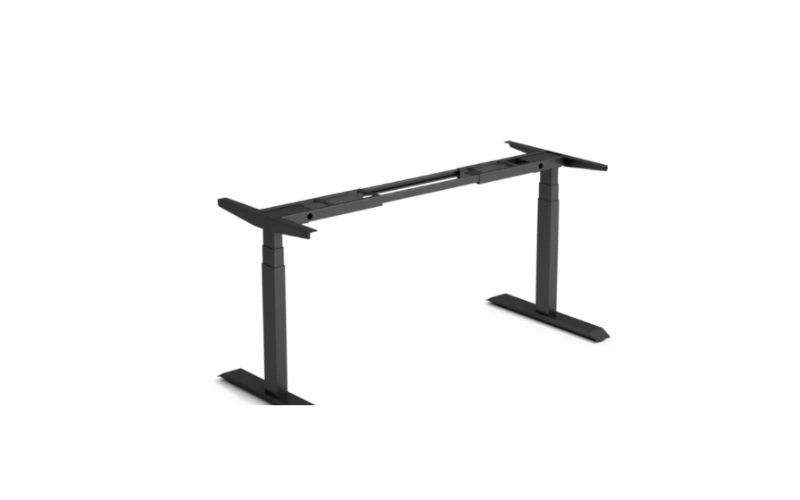
1. Sendi Standing Desk Frame A: Best for Quiet, Fast Daily Use
Source: https://www.liftdesk.com/
The Sendi Frame A features built-in cable management. Most competitors do sell this separately.
This includes a cable box that folds and a cable trunking channel. No need to purchase additional accessories on top of the desk to keep it clean.
The Sendi Frame A is the lightest choice for the home office or co-working spaces. It is quick, quiet and has a cable problem solution most frames don’t recognize.
Key Features:
- Dual-motor system adjusting at 40mm per second
- Three-stage legs with a height range of 595 to 1245mm (frame only)
- Noise level at or below 50dB during operation
- 1250N lifting capacity
- Four programmable memory presets
- Built-in cable trunking and foldable cable box
- Anti-collision detection with adjustable sensitivity
- Powder-coated finish, water and scratch resistant
- Available in black and white
Best for: Home offices and professional setups that need a fast, quiet electric standing desk frame with anti-collision and built-in cable management.
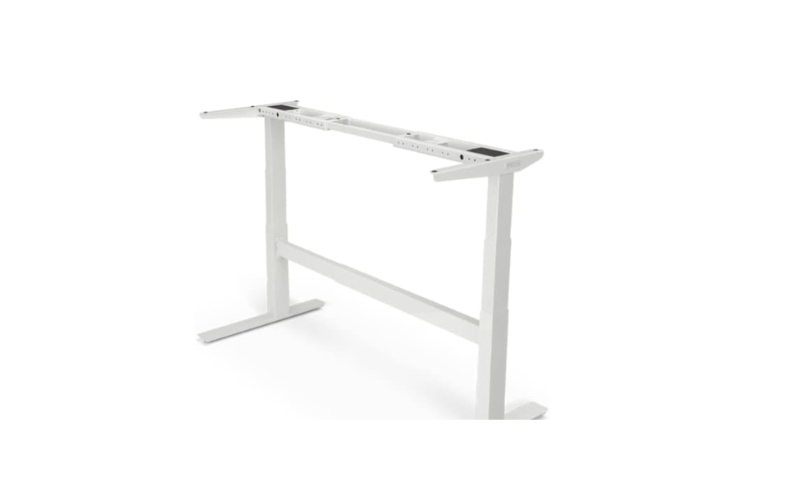
2. Uplift V2 Commercial: Best for Heavy Setups and Long Warranties
Source: https://www.amazon.com/ref=nav_logo
The Uplift V2 Commercial is the right pick if you have a heavy setup or need compliance documentation for a corporate purchase. The 15-year warranty is among the best in the category.
The 48 accessory mounting points are genuinely useful. You can attach CPU holders, cable management trays, and power strips directly to the frame without drilling. No other frame in this review offers that level of built-in accessory support.
Key Features:
- Dual-motor with 355-pound lifting capacity
- Height range of 21.6 to 47.7 inches (frame only)
- Width adjustment from 41.3 to 72.2 inches
- Lift speed of 2 inches per second
- Noise level under 48dB
- 48 patent-pending accessory mounting points along the frame
- ANSI/BIFMA X5.5-2021 certified
- Available in black, white, gray, and metallic finishes
- 15-year warranty on frame and desktop
Best for: Users who need ANSI/BIFMA compliance, 355-pound capacity, and a 15-year warranty on a DIY standing desk frame.
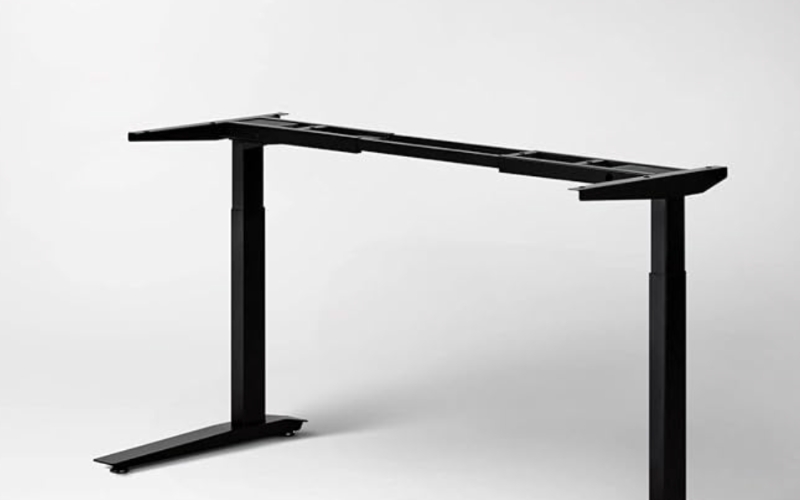
3. Fully Jarvis: Best for Wide Desktop Compatibility
Source: https://www.amazon.com/ref=nav_logo
The Fully Jarvis is the most flexible DIY standing desk frame for non-standard desktop sizes.
It starts at a lower price than most premium competitors and backs it up with a solid 7-year warranty.
The desktop width range of 44 to 82 inches is the widest of any frame in this review.
If you have an unusually wide desktop or an L-shaped surface, the Jarvis accommodates it when other frames do not. No other frame here comes close to that upper limit.
Key Features:
- Dual-motor frame supporting desktops 44 to 82 inches wide
- Desktop depth compatibility from 27 to 36 inches
- Height range of 24.5 to 50 inches (dual-stage) or 29 to 48.3 inches (single-stage)
- Lift speed of 1.5 inches per second
- Noise level under 50dB
- 350-pound lifting capacity
- Standard up/down toggle handset included
- Four-preset OLED handset available for an additional $40
- Available in black, silver, white, and alloy finishes
- 7-year warranty on mechanical and electrical components
Best for: DIY builders who need a reliable adjustable desk frame that works with the widest range of desktop sizes, starting at an accessible price.
4. VertDesk v3 Plus: Best for Maximum Capacity and Lifetime Warranty
Source: https://www.btod.com/
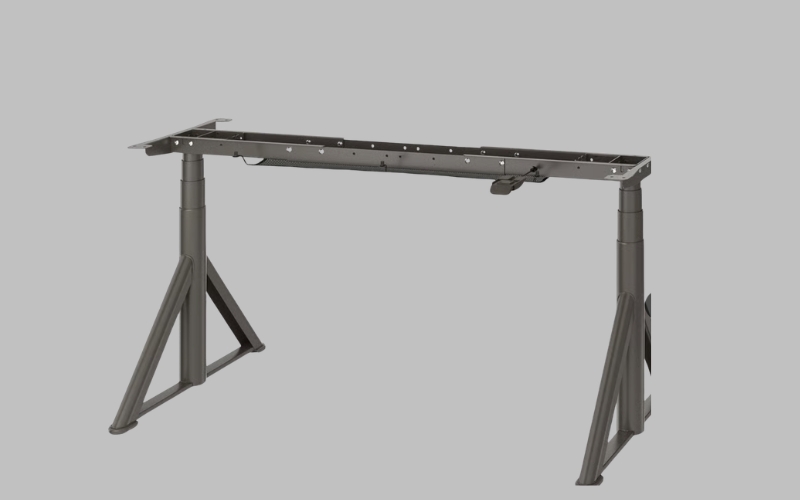
The VertDesk v3 Plus carries a lifetime warranty on everything. Frame, motors, gears, and electronics are all covered.
Most competitors offer 7 to 15 years at best. For a frame you plan to use for a decade or more, that difference matters a lot.
The VertDesk v3 Plus is the right pick if you have a heavy setup and want to buy once.
The 450-pound capacity and lifetime warranty make it the most durable option in this review. It is louder than the other frames here, so keep that in mind for shared spaces.
Key Features:
- Dual-motor with 450-pound lifting capacity
- Height range of 27 to 47.5 inches (with leveler glides)
- Frame base width from 34 to 70 inches
- Compatible desktop width from 36 to 84 inches
- Lift speed of 1.55 inches per second
- Noise level of 59dB during operation
- Laing Innotech electronics with GyroSense anti-collision
- Lifetime warranty on frame, motors, gears, and electronics
- 60-day money-back guarantee
Best for: Users who want the highest lifting capacity in this review, voice control, and a lifetime warranty on a DIY standing desk frame built in the USA.
5. IKEA Idasen Underframe: Best Budget Entry Point
Source: https://www.ikea.com/us/en/
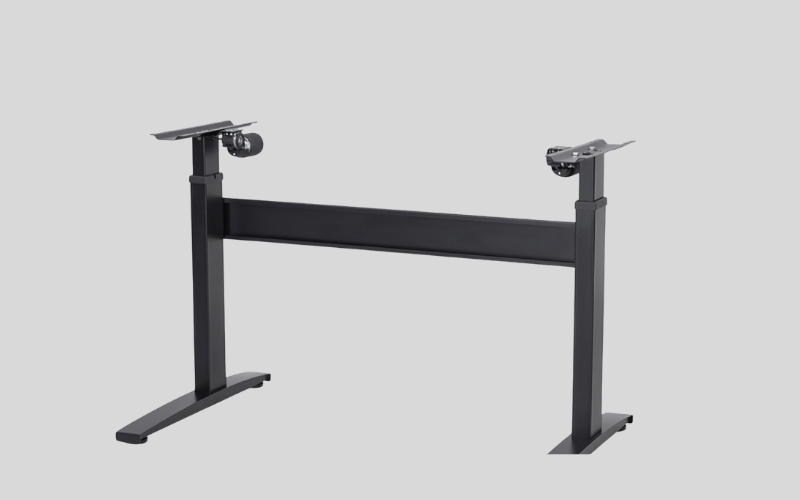
The Idasen uses a Linak motor from Europe. That is a significantly better component than the Chinese-sourced electronics found in most frames at this price.
The 10-year warranty is also backed by IKEA, a company that will not disappear before the coverage period ends.
The Idasen is the most accessible entry point in this review. It is not the most powerful or the most flexible.
But for a first DIY build on a tight budget, it is a solid starting point with a genuine warranty behind it.
Key Features:
- Single-motor with Linak electronics (European-made)
- Height range of 24.75 to 50 inches
- Compatible with Idasen tabletops in two sizes: 47.25 x 27.5 inches and 63 x 31.5 inches
- 165-pound lifting capacity
- Dark gray finish only
- 10-year warranty
Best for: First-time DIY builders who want a simple, affordable electric standing desk frame with a 10-year warranty from a company that will still exist when they need to use it.
Frame Comparison: Quick Look at All Five Picks
Frame | Height Range | Capacity | Motor | Noise | Warranty | Best For |
Sendi Frame A | 595 to 1245mm | 1250N | Dual | Under 50dB | 1 to 3 yr | Fast, quiet daily use |
Uplift V2 Commercial | 21.6 to 47.7 in | 355 lbs | Dual | Under 48dB | 15 yr | Heavy setups, ANSI compliance |
Fully Jarvis | 24.5 to 50 in | 350 lbs | Dual | Under 50dB | 7 yr | Wide desktop compatibility |
VertDesk v3 Plus | 27 to 47.5 in | 450 lbs | Dual | 59dB | Lifetime | Maximum capacity and warranty |
IKEA Idasen | 24.75 to 50 in | 165 lbs | Single | Under 50dB | 10 yr | Budget first build |
How to Match a Frame to Your Build
The right frame is the balance between three: the size of your desktop, the weight of your equipment, and the height of your body. If all three are correct, it is a good working desk. Miss one and it does not.
Match Frame Width to Your Desktop
The majority of the frames have a range of width adjustments. The desktop must be in that range.
Before anything else, measure the width of your desktop exactly!
- Look for a frame with a crossbar that extends from the top of the desk to the bottom, with a minimum 2″ of overlap on each end.
- Make sure that the leg footprint depth remains within the desktop depth so that the leg does not project past the desktop edge.
- Check the screw hole configuration on the frame bracket is the same as your desktop or make a hole for the frame.
Match Capacity to Your Equipment
Total up everything that will be placed on the desk you want to frame before you choose it.
- Basic laptop setup: Approximately 15-25 lbs of gear and the weight of the desktop.
- Single monitor with accessories: 30-50 lbs of equipment, plus desktop weight.
- With a PC tower and dual monitor setup: Between 60-100 lbs of gear plus the weight of the desktop.
- Always use a frame that is at least 50 lbs higher than the combined weight of the load and the shooter.
Match Height Range to Your Body
Your desk needs to reach your elbow height, both sitting and standing. The best standing desks for laptop users guide covers the measurements in detail. The short version is this.
- The elbow height for most adults is 26 to 30 inches above the ground.
- Elbow height is 40-48 inches above the ground for most adults.
- The actual usable numbers are obtained by adding your desktop thickness to either side of the frame range.
- Anyone who is smaller than 5’4″ or taller than 6’2″ should check to make sure the adjusted range matches their height.
Conclusion
You will never have a good desktop if you have a bad frame. A good one makes even the simplest of surfaces solid for years.
The choice of the right pick will depend on the weight of your setup, the width of your desktop, and how much you can afford.
If you want to see complete height-adjustable desk options alongside frame-only picks, browse the full range at Meet&Co Office Furniture. Their team can help you find the right fit for your workspace and your budget.
If you are planning a workspace and want furniture that fits your actual requirements rather than a catalogue, contact the Meet&Co team to discuss your project.
_15.webp)