











 Meet&Co
To fix a standing desk, start by performing a power reset to recalibrate the motor and checking all structural bolts for tightness to eliminate wobbling.
Most issues are resolved by clearing obstructions from the lifting columns or ensuring the power cables are securely connected to both the control box and the wall outlet.
Introduction: Reclaiming Your Workspace
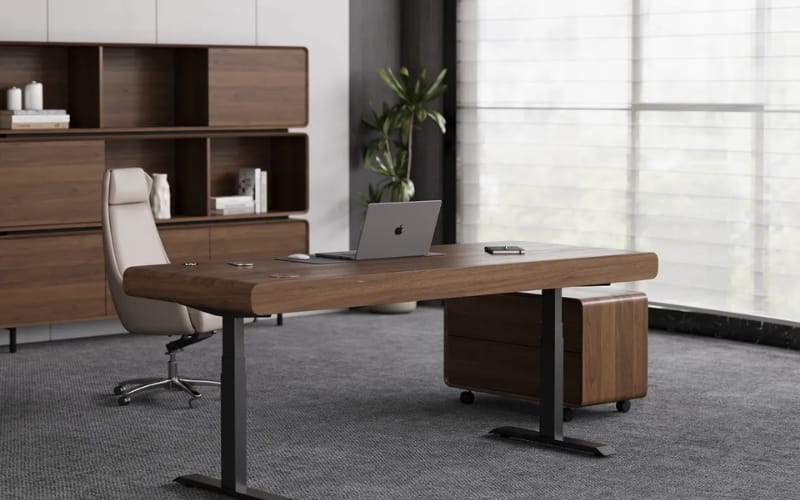
A malfunctioning workstation can derail your entire day’s productivity.
Knowing how to fix standing desk issues—ranging from minor wobbles to complete motor failure—empowers you to restore your ergonomic environment without waiting for professional technicians.
Whether you are dealing with a desk that refuses to rise or one that shakes with every keystroke, most common faults can be diagnosed and repaired with basic household tools and a bit of patience.
Meet&Co provides high-quality ergonomic solutions designed for durability, yet even the best hardware requires occasional maintenance to perform at its peak.
This guide will walk you through the technical self-checks and DIY repairs necessary to extend the lifespan of your investment.
Key Takeaway: Proactive diagnosis and regular hardware checks are the most effective ways to prevent minor desk glitches from becoming permanent mechanical failures.
Identify Your Standing Desk Type

Before picking up a wrench, you must understand the mechanics powering your furniture. Different drive systems require vastly different troubleshooting approaches.
Electric Models: These utilize a control box and one or more motors. They are prone to electronic glitches or synchronization errors.
Manual Hand-Crank Models: These rely on a physical hex rod and gear system. Issues here are usually mechanical, such as stripped gears.
Pneumatic/Gas Spring Models: These use gas-filled cylinders similar to office chairs. If these fail, the “lift” usually vanishes, often requiring a full cylinder replacement.
Summary: Identifying whether your desk is electric, manual, or pneumatic is essential because the internal drive mechanisms dictate the specific repair protocol required.
Common Faults and Root Cause Analysis
Understanding the “why” behind the failure prevents recurring issues. Here is a breakdown of the most frequent complaints.
1. Desktop Wobbling or Uneven Surface
A wobbly standing desk is often the result of cumulative vibration. Over time, the fast movements can loosen the hardware that was tight during initial assembly.
Causes: Loose hex bolts, uneven flooring, or mismatched leg stage extension.
How to Judge: Grip the desktop and shake it laterally. If the movement is at the base, it’s a leveling foot issue; if it’s at the top, it’s a frame-to-top connection issue.
2. Stuttering or Stuck Movement
If your sit and stand up desk moves a few inches and stops, it is likely triggering a safety mechanism.
Causes: Obstructions in the track, overloaded weight capacity, or a “collision detection” sensor that is too sensitive.
How to Judge: Remove all items from the desk. If it still won’t move, the issue is internal to the lifting columns.
3. Excessive Noise
Grinding or clicking sounds are red flags for your desk’s health, often indicating that your electric adjustable standing desk is under mechanical stress.
Causes: Dry guide rails, loose motor housing, or a failing gearbox.
How to Judge: Listen closely to each leg. A high-pitched whine usually indicates an electrical motor strain, while a rhythmic clicking suggests a gear tooth issue.
Summary: Most standing desk failures are caused by either mechanical loose-ends, electronic synchronization errors, or physical obstructions within the lifting columns.
Essential Tools and Materials Checklist
To effectively execute a repair, gather the following items. Using the wrong size tool can strip screws, turning a five-minute fix into a permanent headache.
Hardware: Metric Allen wrench set (most desks use 4mm, 5mm, or 6mm), a Phillips head screwdriver, and a level.
Electrical: A multimeter (for testing voltage) and compressed air.
Maintenance: White lithium grease or silicone-based lubricant.
Replacement Parts: Ensure you have spare M6 or M8 bolts, as these are the industry standard for most frame assemblies.
Summary: Having the correct metric tools and high-grade lubricants is essential to prevent damaging the desk’s specialized hardware during the repair process.
DIY Repair Steps
1. Fixing a Wobbly Desk
Stability is the hallmark of a quality office desk with adjustable height.
Step 1: Clear the surface to reduce top-heavy pressure.
Step 2: Inspect every bolt. Statistics show that 80% of wobble issues are solved by tightening the bolts connecting the lifting columns to the feet.
Step 3: Adjust the leveling glides. Use a spirit level to ensure the desk is perfectly horizontal. Even a small tilt can cause significant sway at full height.
2. Repairing Stuck or Difficult Movement
For an electric height adjustable office desk, the most common fix is a “Manual Reset.”
The Hard Reset: Unplug the desk for 30 seconds. Plug it back in.
Calibration: Press and hold the “Down” button until the desk reaches its lowest point. Release, then press and hold “Down” again until the display flashes. This resynchronizes the motors.
Manual Check: For crank desks, ensure the hex rod is fully inserted into both legs.
3. Fixing Noise Issues
Lubrication: Wipe down the inner and outer segments of the legs to remove dust. Apply a thin layer of silicone grease.
Damping: If the motor vibrates against the desktop, add rubber washers between the motor housing and the wood surface to absorb the frequency.
Summary: Executing a systematic check of structural bolts and performing a control box reset can resolve the vast majority of movement and stability issues.
Long-Term Maintenance and Prevention
Prevention is significantly cheaper than replacement. Data from furniture longevity studies suggest that desks maintained bi-annually last up to 40% longer.
Weight Distribution: Always place heavier items toward the rear center.
Cable Management: Ensure your power cables have enough “slack” to reach full height.
Duty Cycle Awareness: Most electric desks have a 10% duty cycle. Avoid “fidgeting” with height settings repeatedly.
Summary: Consistent maintenance, such as periodic lubrication and mindful weight distribution, significantly extends the operational lifespan of standing desk motors.
Common Pitfalls and Safety Warnings
Warranty Awareness: Opening sealed electronic components usually voids your protection.
Over-tightening: While you want bolts tight, over-torquing can strip the threads in the steel frames.
Electricity Safety: Always disconnect the power supply before touching the control box internals.
Summary: Always verify warranty terms and disconnect power sources before attempting any deep-level disassembly of electric components.
Extra Resources
If DIY efforts fail, consult these professional avenues:
Manufacturer Manuals: Digital copies are usually available on the brand’s “Support” page.
Video Tutorials: Search for your specific model’s error codes on YouTube.
Expert Support: For professional-grade replacements, visit Meet&Co Office Furniture to explore durable components.
Conclusion
A standing desk is a sophisticated piece of equipment, but it doesn’t have to be a mystery.
By understanding the basics of calibration, structural integrity, and lubrication, you can maintain a flawless workspace for years.
Remember that the best repair is a consistent maintenance routine—tighten your bolts, reset your controller, and keep your tracks clean.
Summary: Mastering basic DIY repair techniques ensures your standing desk remains a reliable tool for health and productivity throughout its lifecycle.
Also see:
How Long Do Standing Desks Last? Durability & Lifespan Guide
Why Won’t My Standing Desk Go Up Only Down? Full Troubleshooting Guide
FAQ
Why is my standing desk wobbling?
Wobbling is usually caused by loose bolts between the lifting columns and the feet or an uneven floor. Ensure all hex screws are torqued tightly and glides are adjusted.
How can I fix a stuck motor on an electric standing desk?
Perform a reset by holding the “down” button for 10-15 seconds at the lowest height. If it fails, check for cable obstructions or disconnected plugs in the control box.
Can I repair my standing desk myself without voiding warranty?
Basic maintenance like tightening screws and software resets usually does not void warranties. However, opening the motor housing or control box circuitry often will.


_35.webp)
