Meet&Co
You spend eight hours a day coding, writing, or in video meetings. Then you log off work and log into your favorite game for another few hours of immersion. Two different activities, two different needs—but only one chair.
For remote workers who game, the chair dilemma is real. A traditional ergonomic office chair supports your back through long workdays but might look out of place in a gaming setup. A flashy racing-style gaming chair fits the aesthetic but often lacks the adjustable lumbar support and breathability needed for sustained productivity.
The good news? You don’t need two chairs. A new category of hybrid chairs has emerged—designed to deliver the ergonomic support of a serious office chair with the comfort, durability, and style that gamers demand. Our guide helps you find the one chair that truly does it all.
Why One Chair for Both Worlds Makes Sense
Before diving into specific models, let’s understand why a hybrid approach isn’t just convenient—it’s smart.
| Consideration | Two Chairs | One Hybrid Chair |
| Cost | $600–2,000 total | $400–1,200 total |
| Space | Two chairs, twice the footprint | One chair, one setup |
| Consistency | Different ergonomics for different activities | Same support all day |
| Aesthetic | Must match two different styles | Cohesive look |
| Adjustment | Relearn settings switching chairs | One set of adjustments |
For many remote workers who game, the chair is occupied 10–14 hours daily—a significant portion of the day. Having one chair that supports both activities means your body gets consistent support, and your space stays streamlined.
What Gamers and Remote Workers Actually Need

Gamers and remote workers have surprisingly similar needs—and a few key differences.
| Feature | Remote Workers | Gamers | Why It Matters for Both |
| Long-session comfort | Critical (8+ hours) | Critical (3–6+ hours) | Both need all-day endurance |
| Lumbar support | Essential for posture | Important for spinal health | Prevents fatigue and pain |
| Adjustable armrests | Typing and mousing | Keyboard and mouse positioning | Reduces shoulder strain |
| Headrest | Optional | Often desired | Neck support during reclined play |
| Recline range | Moderate (100–120°) | Wide (up to 180°) | Gaming often involves leaning back |
| Breathability | Important for comfort | Important for long sessions | Prevents overheating |
| Aesthetic | Professional | Gaming-inspired | Personal preference |
The Overlap
The Venn diagram of needs shows significant overlap. Both groups require:
- Adjustable lumbar support that stays in place
- Seat depth adjustment for proper thigh support
- High-density foam that doesn’t compress over time
- Durable construction for years of daily use
- Smooth casters that roll quietly
The Differences
The main distinctions come down to:
- Recline range: Gamers often lean back more deeply during play
- Headrest: More critical for gamers who recline
- Aesthetics: Gaming chairs embrace bold colors and racing lines
What are the Key Features to Look For in a Hybrid Chair
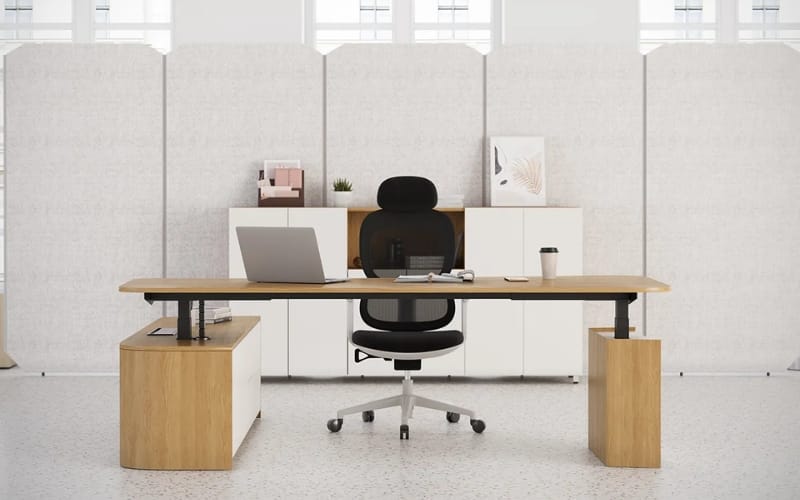
1. Adjustable Lumbar Support That Stays Put
Both workers and gamers need lumbar support that maintains contact. The problem with many gaming chairs is the removable pillow—it shifts throughout the day, leaving your lower back unsupported.
What to look for:
- Built-in, height-adjustable lumbar (not a removable pillow)
- Depth adjustment for fine-tuning support
- Locking mechanism that stays in place
2. Seat Depth Adjustment
Proper thigh support prevents pressure behind the knees—essential for both long workdays and gaming marathons.
What to look for:
- Seat pan that slides forward/backward (1.5–3 inches of range)
- Waterfall front edge that curves down, reducing pressure
3. Armrests That Adjust in Four Directions
Gamers and workers both need armrests that support elbows at the correct height and width. The more adjustability, the better.
What to look for:
- Height adjustment (essential)
- Width adjustment (accommodates different shoulder widths)
- Depth adjustment (supports forward/back positioning)
- Pivot (rotates to follow natural arm angle)
4. Breathable Material
Long sessions generate heat. Faux leather gaming chairs are notorious for trapping sweat and becoming uncomfortable after a few hours.
What to look for:
- Mesh back for maximum airflow
- Fabric upholstery with breathable weave
- If faux leather, look for perforated or fabric panels
5. Recline Range with Lock Positions
Gamers need deeper recline for relaxed play. Remote workers need the ability to lock at upright positions for focused work.
What to look for:
- Recline range of at least 120°, ideally 135–180°
- Lockable positions throughout the range
- Tilt tension adjustment for resistance
6. Headrest (Optional but Valuable)
For gamers who recline deeply, a headrest is essential for neck support. For remote workers, it’s optional but helpful for taking breaks.
What to look for:
- Height-adjustable headrest
- Angle adjustment
- Depth adjustment (moves forward/back)
Also see: Can You Add a Headrest to Any Office Chair? A Guide to Universal Attachments
Top Hybrid Chairs for Gamers Who Work from Home in 2026
1. Secretlab Titan Evo – Best Overall Hybrid
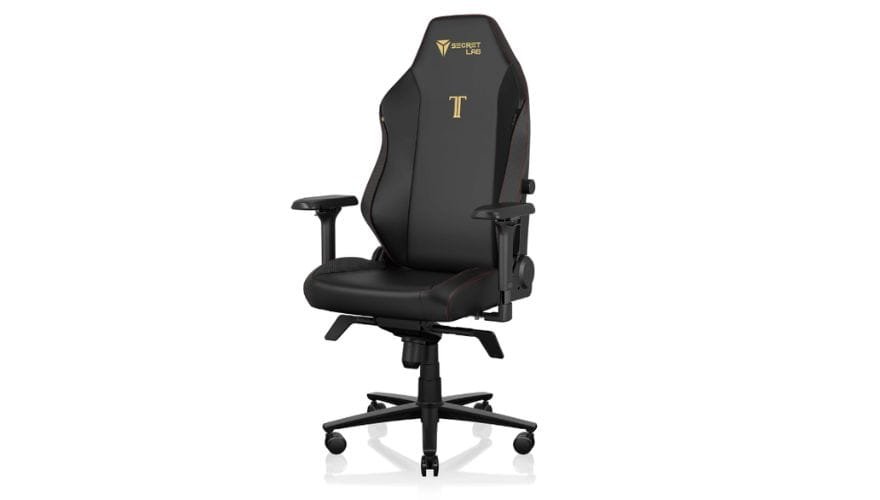
Image source: Secretlab
The Secretlab Titan Evo has become the gold standard for users who need one chair for both work and play. It bridges the gap between gaming aesthetics and ergonomic functionality better than any competitor.
The cold-cure foam seat maintains its shape through years of daily use, avoiding the compression that plagues cheaper gaming chairs. The built-in, height-adjustable lumbar support (not a removable pillow) provides genuine lower back support that stays in place. The full-length backrest offers excellent upper back support, and the recline range extends to 165 degrees—enough for deep relaxation.
Material options include SoftWeave fabric (breathable, comfortable) and Leatherette (easy-clean, less breathable). For remote workers, SoftWeave is the better choice for all-day comfort.
- Pros: Excellent build quality, integrated adjustable lumbar, wide recline, multiple sizes, durable cold-cure foam
- Cons: Heavy (requires assembly), no seat depth adjustment, gaming aesthetic may not suit all offices
- Best for: Users who want premium build quality and genuine lumbar support in a gaming-inspired package
2. Razer Iskur – Best for Integrated Lumbar
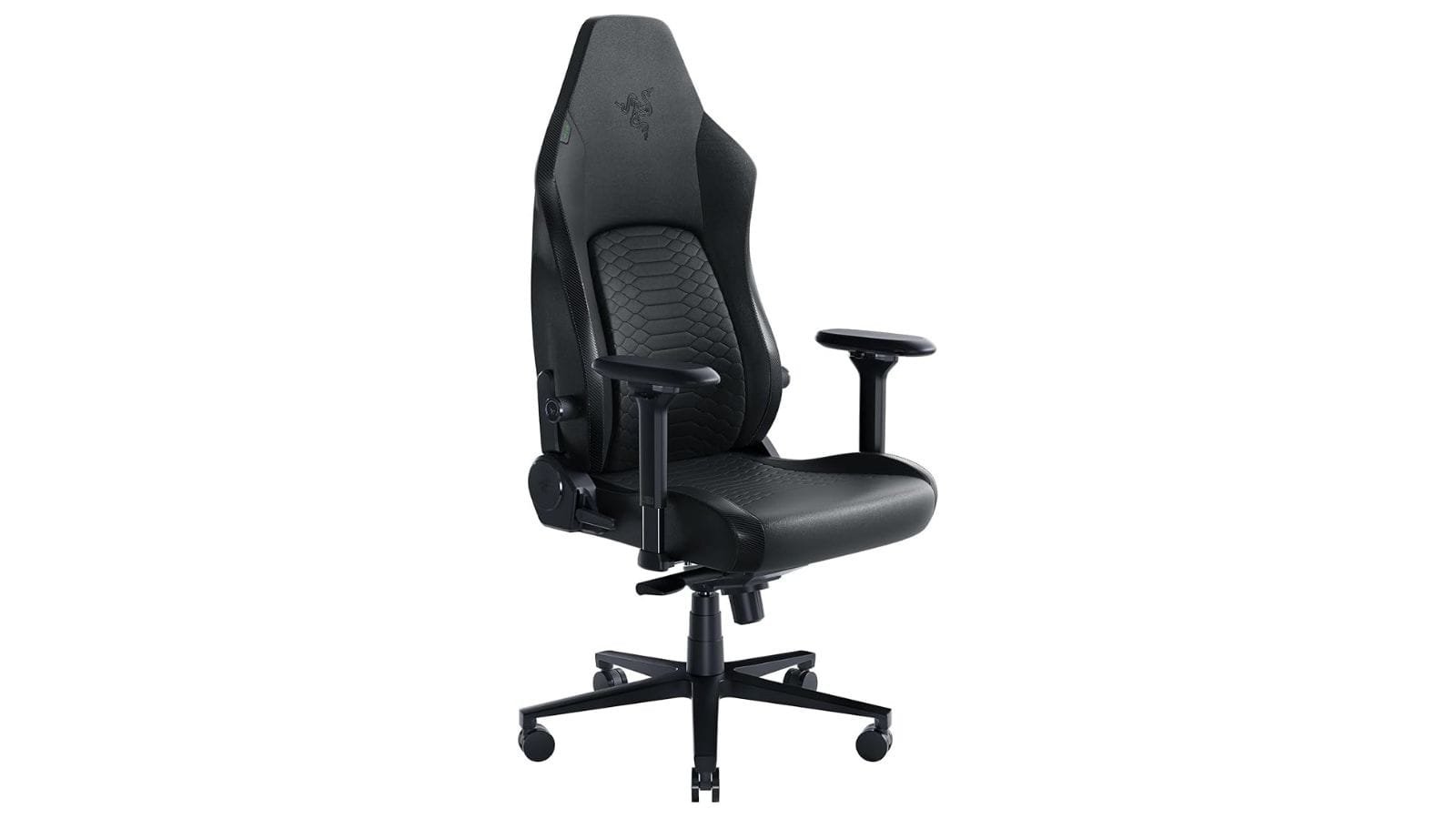
The Razer Iskur stands out for its built-in, adjustable lumbar curve—a rarity in gaming chairs. A dial on the side allows you to increase or decrease lumbar prominence, providing genuine support that rivals office chairs.
The seat uses high-density molded foam with a contoured shape that provides good thigh support. The recline range extends to 139 degrees, and the armrests adjust in four directions. The leatherette upholstery is high-quality but less breathable than fabric.
- Pros: Integrated adjustable lumbar, contoured seat, 4D armrests, sturdy construction
- Cons: Leatherette only (can get warm), no seat depth adjustment, heavy
- Best for: Users who prioritize lumbar support and prefer a gaming aesthetic
3. Steelcase Gesture – Best Ergonomic Option
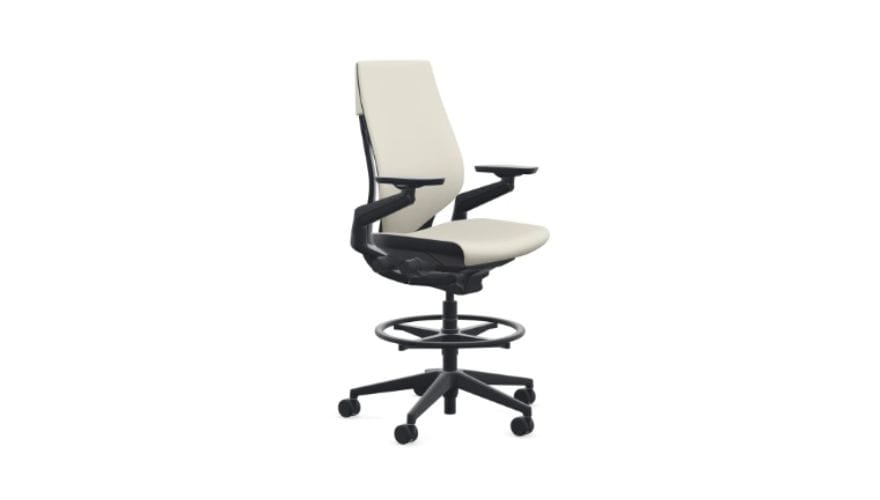
Image source: https://www.thehumansolution.com/steelcase-gesture-drafting-stool.html?srsltid=AfmBOorU2aF2a0ShV-lDPINV9P9x06pzEbj7LE6CDoG4sEJQn0mzCd6P
For those who prioritize ergonomics over gaming aesthetics, the Steelcase Gesture is the ultimate hybrid. It’s not marketed as a gaming chair, but its flexible back and 4D armrests make it exceptional for both work and play.
The LiveBack system flexes with your spine, maintaining support as you move between typing, mousing, reclining, and gaming positions. The seat depth adjustment ensures proper thigh support, and the armrests adjust in four directions for precise positioning. The chair is available in dozens of fabric colors and a breathable mesh back option.
- Pros: Exceptional ergonomics, 4D armrests, seat depth adjustment, flexible back, wide fabric selection
- Cons: Premium pricing, no integrated headrest (optional), gaming aesthetic requires custom colors
- Best for: Users who prioritize ergonomics and want a chair that disappears beneath them
4. Herman Miller Aeron (Size B or C) with Atlas Headrest – Best for Breathability
The Aeron is the ergonomic gold standard, and with an aftermarket headrest, it becomes a compelling hybrid option. The 8Z Pellicle mesh provides unmatched breathability—ideal for long sessions where heat buildup is a concern.
The waterfall seat edge reduces pressure behind the knees, and the forward tilt option shifts weight forward for focused work. Adding an Atlas headrest provides neck support for reclined gaming sessions, addressing the Aeron’s only significant gap.
- Pros: Unmatched breathability, no pressure points, excellent build quality, 12-year warranty
- Cons: Very expensive, headrest sold separately, no seat depth adjustment (size-specific)
- Best for: Users who prioritize breathability and are willing to invest in premium ergonomics
Also see: Top Herman Miller Aeron Chair Headrests in 2026
Quick Comparison: Top Hybrid Chairs
| Chair | Lumbar Support | Armrests | Seat Depth | Recline | Breathability | Price Range | Best For |
| Secretlab Titan Evo | Built-in adjustable | 4D | Fixed | 165° | Good (fabric) | $$ | Best overall hybrid |
| Razer Iskur | Built-in adjustable | 4D | Fixed | 139° | Moderate | $$ | Integrated lumbar |
| Steelcase Gesture | Built-in adjustable | 4D | Adjustable | 120°+ | Good | $$$ | Ergonomic excellence |
| Herman Miller Aeron | PostureFit SL | Adjustable | Fixed (sized) | 120°+ | Excellent | $$$$ | Breathability |
How to Set Up Your Hybrid Chair for Both Activities
Work Mode Setup
- Seat height: Feet flat, knees at 90°
- Seat depth: 2–3 finger gap behind knees
- Lumbar: Support hitting lower back curve
- Armrests: Elbows at 90°, shoulders relaxed
- Backrest: Upright (90–100°) for focused work
Gaming Mode Setup
- Seat height: Slightly lower for stability
- Seat depth: Same as work (no change)
- Lumbar: Same setting (maintains support)
- Armrests: May adjust wider for controller or lower for keyboard
- Backrest: Recline 120–160°, engage headrest for neck support
Quick Transitions
Look for chairs with memory settings or easy adjustments. The Gesture’s armrests and backrest adjust smoothly without levers; the Titan Evo’s recline locks at multiple positions. The goal is switching modes in under 30 seconds.
How to Choose Materials: Fabric vs. Leatherette vs. Mesh
| Material | Breathability | Durability | Cleaning | Aesthetic |
| Fabric (e.g., SoftWeave) | Good | Good | Spot-clean | Modern, professional |
| Leatherette (PU leather) | Poor | Moderate (can peel) | Easy | Gaming-focused |
| Mesh | Excellent | High | Easy | Professional |
Recommendation for hybrid users: Fabric offers the best balance. It’s breathable enough for long sessions, durable enough for daily use, and versatile enough to fit both work and gaming aesthetics. Mesh is ideal for those who run hot but may not suit gaming aesthetics. Leatherette is best avoided unless you’re in a climate-controlled environment and prioritize the gaming look over comfort.
FAQ
1. Can a gaming chair be comfortable for 8+ hours of work?
Yes, but only if it has built-in adjustable lumbar support and quality foam. Chairs like the Secretlab Titan Evo are designed for all-day comfort. Avoid gaming chairs with removable lumbar pillows—they shift throughout the day and provide inconsistent support.
2. Is an ergonomic office chair good for gaming?
Absolutely. Ergonomic chairs like the Steelcase Gesture or Herman Miller Aeron provide excellent support for gaming—they’re designed for long sessions. The only potential drawbacks are aesthetic (they don’t look like gaming chairs) and the lack of a headrest on some models.
3. What’s the most important feature for hybrid use?
Adjustable lumbar support that stays in place. A chair that lacks proper lumbar support will cause fatigue during both work and gaming. Second is armrest adjustability—4D armrests make a significant difference for both typing and gaming.
4. Do I need a headrest for gaming?
If you recline deeply while gaming, a headrest is important for neck support. If you game upright, it’s less critical. The Secretlab Titan Evo includes an integrated headrest; the Steelcase Gesture and Herman Miller Aeron offer headrests as optional add-ons.
5. How much should I spend on a hybrid chair?
Expect to spend $400–1,200 for a quality hybrid chair. The Secretlab Titan Evo starts around $500; the Steelcase Gesture starts around $1,000. A $200 gaming chair will likely lack the lumbar support and foam quality needed for all-day comfort.
6. What’s the best hybrid chair for tall or heavy users?
The Secretlab Titan Evo XL accommodates users up to 6’9″ and 395 lbs. The Steelcase Gesture and Herman Miller Aeron Size C also work well for taller users, though they require separate headrests.
7. Can I use a footrest with a hybrid chair?
Yes. A footrest can improve comfort for both work and gaming, especially if your chair’s seat height leaves your feet dangling. Look for adjustable footrests with tilt options.
Conclusion
The perfect chair for gamers who work from home exists—it just might not look like what you expect. The best hybrid chairs combine the ergonomic features of premium office seating with the comfort and style gamers appreciate.
The Secretlab Titan Evo leads the hybrid category with its built-in adjustable lumbar, high-quality foam, and thoughtful design. For those who prioritize ergonomics over aesthetics, the Steelcase Gesture offers unparalleled adjustability and support. The Herman Miller Aeron with Atlas headrest delivers unmatched breathability for those who run hot.
Whichever you choose, focus on the features that matter: built-in adjustable lumbar, 4D armrests, quality foam, and breathable materials. A chair that supports your body through eight hours of work will also support you through hours of gaming.
Your body deserves one chair that does it all. Choose wisely, and you’ll never need to switch chairs again.