Meet&Co
How to properly set up an ergonomic standing workstation without back pain is essential for anyone spending hours at a computer, whether at home or in the office.
Many workers experience neck strain, shoulder tension, and lower back discomfort simply because their workspace is not ergonomically arranged.
In this guide, you will learn practical, step-by-step tips for adjusting desk height, positioning your monitor, setting up your keyboard and mouse, and choosing essential accessories.
By following these strategies, you can create a healthy, productive, and comfortable standing workstation.
1. Determine Your Ideal Desk Height
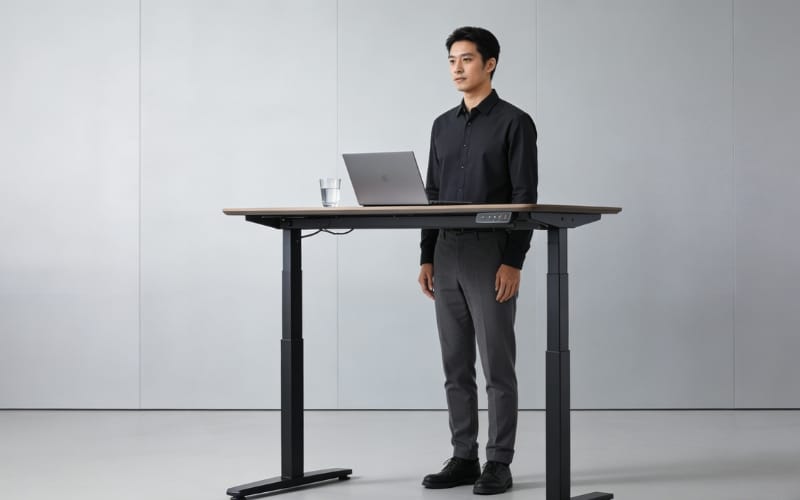
Getting the desk height right is the cornerstone of an ergonomic standing workstation.
| User Type | Recommended Desk Height | Notes |
|---|---|---|
| Average Height (5’5”–5’10”) | 42–44 inches | Elbows at ~90° angle when typing |
| Shorter Users (<5’5”) | 38–41 inches | Use footrest if necessary |
| Taller Users (>5’10”) | 45–48 inches | Adjustable desk recommended |
| Sit-Stand Desk | Adjustable 28–48 inches | Flexibility to alternate sitting and standing |
Tips:
Use a tape measure to ensure your elbows are at a 90° angle.
For home office users, compact adjustable desks save space.
For long-term use, electric desks are more convenient than manual ones.
Check out Meet&Co for highly recommended ergonomic standing desks.
2. Monitor Placement and Eye Level
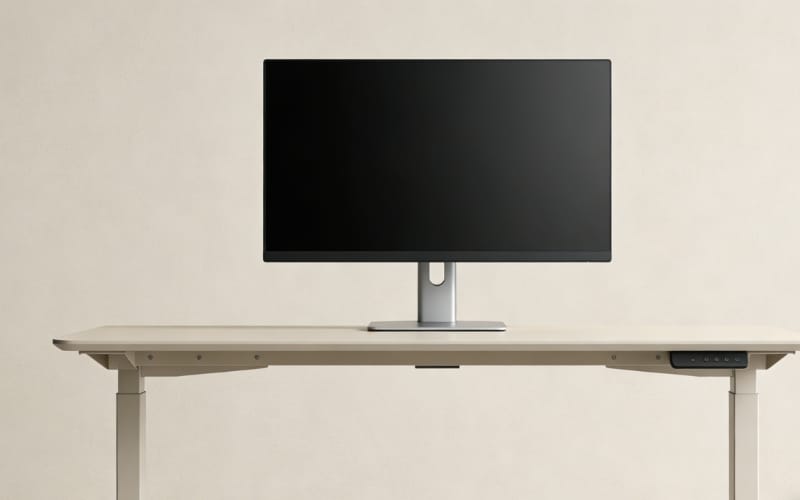
Proper monitor placement prevents neck strain and eye fatigue.
Guidelines:
Top of the monitor at or slightly below eye level.
Keep the screen about 20–30 inches (50–75 cm) away.
For dual monitors, center your primary screen in front of you and angle the secondary screen slightly.
Use monitor arms or risers to adjust height easily.
Pro Tip: Use anti-glare screen protectors if your workstation is near windows.
3. Keyboard and Mouse Ergonomics
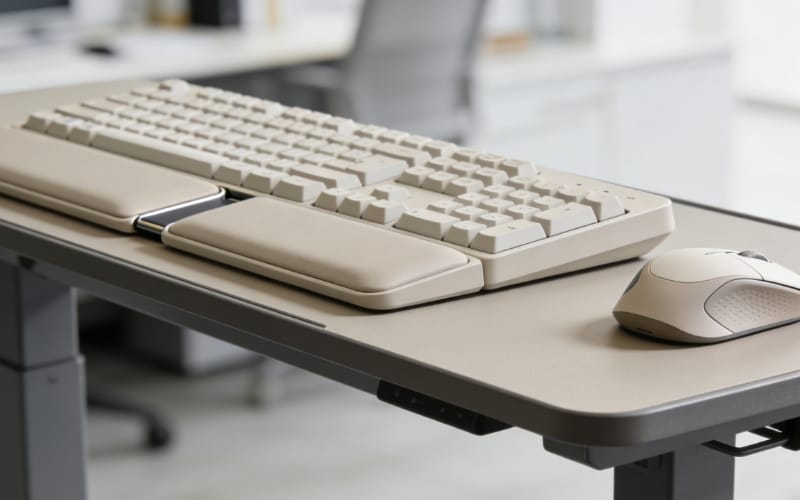
Keyboard and mouse positioning is critical for avoiding wrist and shoulder pain.
Keep keyboard directly in front of you; elbows close to the body.
Maintain neutral wrist posture (no bending up or down).
Split keyboards or vertical mice can reduce strain.
Keep frequently used items within easy reach.
Optional Accessories:
Ergonomic keyboard tray
Gel wrist rests
4. Foot Positioning and Accessories
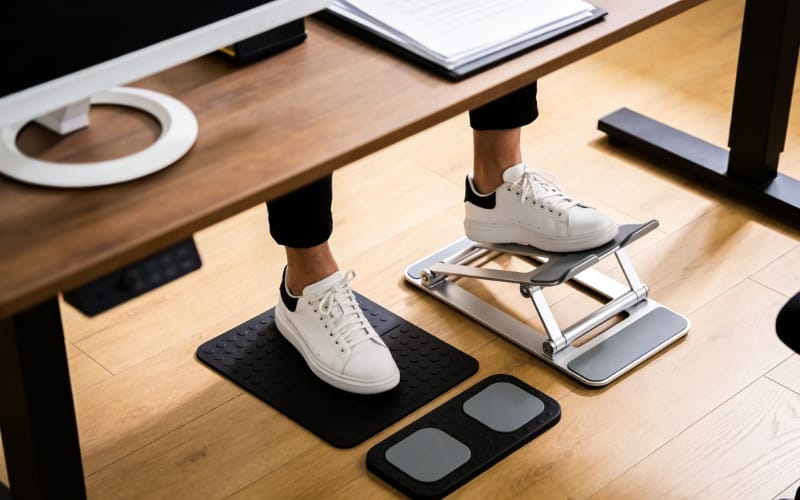
Standing all day can be tiring without the right support.
| Accessory | Purpose | Recommendation |
|---|---|---|
| Anti-fatigue mat | Reduces foot and leg fatigue | Foam or gel mat |
| Footrest | Helps short users align posture | Adjustable height |
| Monitor arm / laptop stand | Keeps screen at eye level | Clamp or desk-mounted |
5. Sit-Stand Schedule and Movement
Alternating between sitting and standing helps prevent fatigue and maintain focus.
Suggested schedule: Stand for 30–60 minutes, then sit for 30 minutes.
Take short walks or stretch every hour.
Track your schedule with a timer app.
Bonus Tip: Micro-breaks improve circulation and concentration.
6. Tailored Tips for Specific Users
Tall Users: Increase desk height, ensure monitor arms accommodate your eye level.
Short Users: Use footrests and adjustable standing height desk to prevent leaning forward.
Home Office Users: Compact desks and foldable accessories optimize small spaces.
Long-Term Users: Regularly check posture and adjust desk height as needed.
7. Common Mistakes to Avoid
Desk too high or too low
Monitor too far or too close
Neglecting sit-stand alternation
Poor accessory placement
Quick Fix: Use a checklist to inspect your workstation weekly.
8. Recommended Products for an Ergonomic Standing Workstation
| Product | Type | Why It Helps |
|---|---|---|
| Meet&Co Sendi E Standing Desk | Office Desk | Easy height adjustment |
| Anti-fatigue Mat | Accessory | Reduces leg and foot fatigue |
| Adjustable Monitor Arm | Accessory | Keeps screen at eye level |
| Ergonomic Keyboard & Vertical Mouse | Accessory | Prevents wrist strain |
Explore all products at Meet&Co Office Furniture to build a complete ergonomic setup.
9. Conclusion
Properly setting up an ergonomic standing workstation without back pain improves comfort, reduces fatigue, and boosts productivity.
By customizing desk height, monitor placement, keyboard and mouse position, and using supportive accessories, you can create a workspace that suits your body and work style.
Remember to alternate between sitting and standing, track your posture, and adjust tools as needed to maintain long-term health.
FAQ
Every 30–60 minutes is recommended for optimal health and productivity.
Yes, especially if standing for long periods, as it reduces discomfort and strain.
Yes, they improve circulation, reduce fatigue, and help maintain alertness.
_3.webp)