Meet&Co
Standing Desks vs Sitting has become a hot topic as more people seek healthier work habits.
In today’s fast-paced office environment, most of us spend hours at a desk.
While sitting may feel comfortable, research shows prolonged sedentary behavior can harm your health.
Standing desks are gaining popularity as a solution to improve posture, boost productivity, and reduce back pain.
But is standing truly better than sitting, or is a mix of both the best approach?
This article explores the benefits and risks of standing desks versus traditional sitting and shares practical tips to help you choose the right setup for your workspace.
The Benefits of Standing Desks
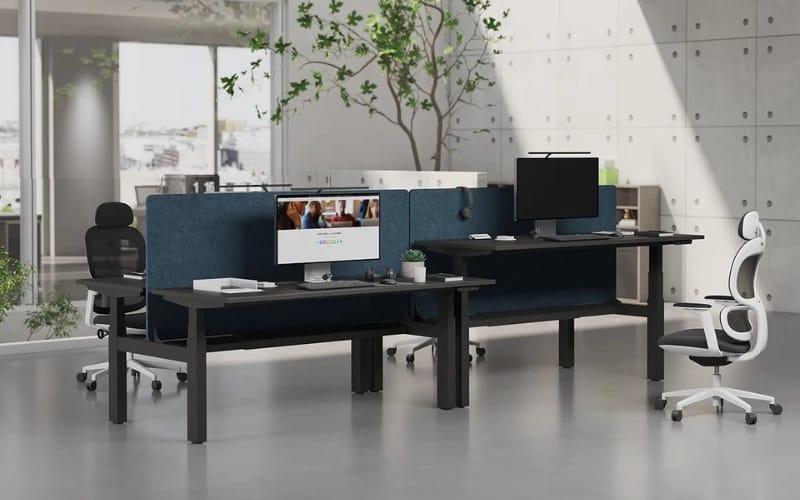
Standing desks, also known as height-adjustable desks, have become increasingly popular in offices and home workspaces.
They allow users to alternate between sitting and standing, creating a more dynamic work environment.
Health Benefits
One of the primary reasons people switch to standing desks is to improve their overall health.
Sitting for long periods is associated with a higher risk of obesity, cardiovascular disease, and chronic back pain.
Standing encourages better posture and engages core muscles, reducing the strain on the lower back.
Studies have shown that using a standing desk for just a few hours a day can help reduce discomfort in the neck, shoulders, and back.
Additionally, standing promotes better blood circulation and may help prevent stiffness and fatigue often associated with prolonged sitting.
By moving more throughout the day, you can also burn slightly more calories, contributing to long-term health benefits.
Boosting Productivity
Many users report increased focus and energy when using a standing desk.
Standing can improve alertness and mental clarity, helping you stay productive during long work sessions.
Short periods of standing or pacing while taking calls can also boost creativity and engagement, making it easier to tackle complex tasks.
Scientific Support
Research consistently supports the benefits of standing desks.
For example, a 2018 study published in the Journal of Occupational and Environmental Medicine found that employees who alternated between sitting and standing experienced a significant reduction in musculoskeletal discomfort.
Another study highlighted that even small increases in standing time could enhance mood and reduce fatigue.
The Benefits of Sitting
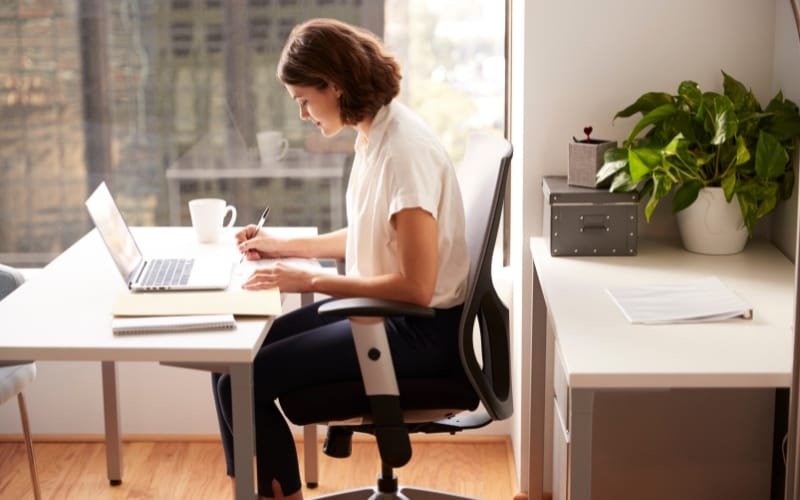
While standing desks offer health advantages, sitting remains essential and beneficial in many work situations.
Comfort and Convenience
Sitting provides stability and comfort, especially during tasks that require precision, such as typing, design work, or data analysis.
A high-quality ergonomic chair can support proper spinal alignment, reduce pressure on the hips and knees, and allow for a relaxed working posture.
Task-Specific Advantages
Certain jobs are better suited for sitting. Professions that require fine motor skills, prolonged focus, or extensive computer use may benefit from a seated position.
Sitting also enables longer periods of uninterrupted work, which can be difficult to sustain when standing continuously.
Standing vs Sitting: Key Comparisons
When deciding between standing and sitting, it’s important to consider several factors:
Health Impacts: Standing reduces the risk of chronic back pain and encourages movement, while sitting can be beneficial for spinal support if done correctly.
Productivity: Alternating between sitting and standing may maximize focus and energy levels.
Flexibility: Adjustable desks allow users to switch positions easily, while fixed desks limit movement.
Work Context: Some tasks are more efficiently done sitting, others benefit from standing.
Best Practices for Sit-Stand Alternation
The key to reaping the benefits of adjustable height ergonomic desks is not to eliminate sitting entirely, but to alternate between positions throughout the day.
Here’s how to do it effectively:
Time Allocation
A common recommendation is to sit for 30–45 minutes and then stand for 15–30 minutes.
This rhythm helps prevent fatigue and allows your body to adjust gradually to standing.
Ergonomic Tips
Wear supportive footwear or use anti-fatigue mats to reduce leg discomfort.
Keep your keyboard and monitor at a comfortable height to avoid strain on your wrists and neck.
Engage your core while standing to maintain good posture.
Leveraging Adjustable Desks
Height-adjustable desks make switching between sitting and standing seamless.
Choose a desk that allows smooth adjustments and provides ample workspace for your tasks.
How to Choose the Right Desk for You
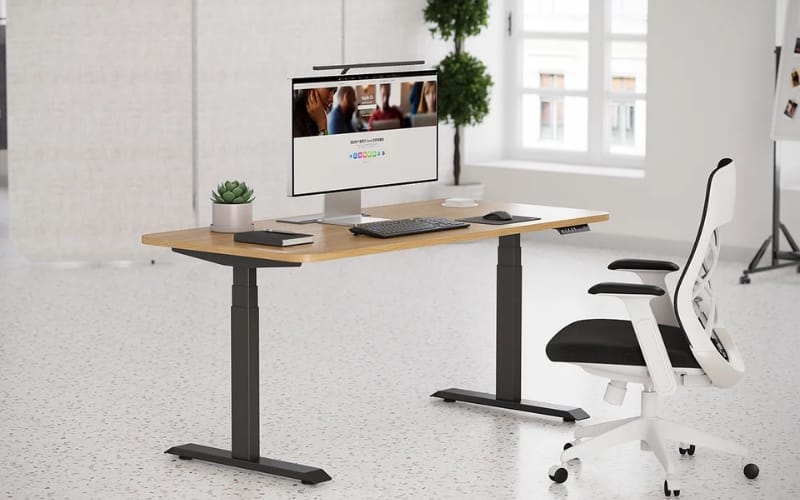
When selecting a standing desk, consider your workspace needs, budget, and personal comfort. Here are key factors to keep in mind:
Desk Type: Fixed standing desks offer stability but lack flexibility. Height-adjustable desks allow seamless transitions between sitting and standing.
Desktop Size: Ensure your desk has enough surface area for your computer, monitors, and accessories.
Weight Capacity: Make sure the desk can support your equipment safely.
Budget: High-quality desks are an investment, but affordable options exist that balance durability and features.
Additional considerations often overlooked:
Suitability for home offices, shared workspaces, or children’s study areas
Integration with ergonomic chairs and monitor arms
Recommended brands for quality and reliability, such as Meet&Co
Conclusion and Recommendations
There is no one-size-fits-all answer to whether standing is better than sitting.
The most effective approach combines both positions, using a sit-stand rotation that fits your schedule and work style.
By alternating between sitting and standing, you can reduce the risk of chronic pain, improve circulation, boost productivity, and maintain energy throughout the day.
Investing in a high-quality adjustable desk and following ergonomic best practices ensures you can enjoy the health benefits of standing without compromising comfort or focus.
→ Ready to improve your workspace? Explore Meet&Co Furniture’s range of office desks with adjustable height to create a healthier, more productive office setup.
Frequently Asked Questions (FAQ)
Most experts recommend alternating between 30–45 minutes of sitting and 15–30 minutes of standing. Listen to your body and adjust gradually.
Extended sitting can lead to back pain, poor posture, reduced circulation, and higher risks of cardiovascular disease.
Standing for long periods without proper support can cause discomfort. Anti-fatigue mats and supportive footwear help reduce strain.
Tasks requiring fine motor skills, focus, or long typing sessions are suited for sitting. Standing is ideal for calls, short tasks, and collaborative work.
-大图_18-1.webp)